+971 50 217 6793 Abu Dhabi, UAE [email protected]

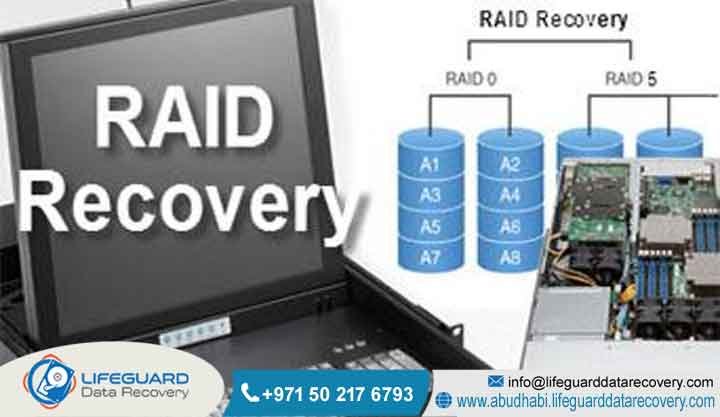
Can RAID 5 be recovered after failure?
A sudden server crash can instantly disrupt your business operations. When a critical storage array fails, your entire corporate database can become completely inaccessible. Consequently, many IT managers anxiously ask: can RAID 5 be recovered after failure?
The short answer is yes. Although a collapsed array seems catastrophic, professional engineers can safely salvage your files. Because RAID 5 uses distributed parity, the underlying data blocks usually remain intact across the surviving hard drives.
If your organization faces an urgent storage crisis, Lifeguard Data Recovery is here to help. Our certified technical specialists possess the advanced tools required to reconstruct your data safely. We provide rapid diagnostic evaluations across Abu Dhabi and the wider United Arab Emirates to restore your business continuity.
What is Data Recovery Abu Dhabi? Local Enterprise Support
Digital infrastructure within the United Arab Emirates demands top-tier technical support to mitigate severe financial risks. Therefore, professional data recovery services in Abu Dhabi encompass both physical hardware engineering and logical file reconstruction.
When local businesses experience critical server crashes, they require a secure, certified environment for media evaluation. Our local facility on Electra Street in Al Danah, Abu Dhabi, provides regional enterprises with rapid diagnostic support.
Furthermore, our local presence ensures that your sensitive corporate records never leave the borders of the UAE. We strictly adhere to national compliance standards, providing absolute confidentiality under certified enterprise security protocols.
Understanding the Causes of RAID 5 Array Failure
While RAID 5 is engineered to withstand the loss of a single member drive, this redundancy often creates a false sense of security. Many organizations continue running their systems in a degraded state without replacing the primary failed disk. Consequently, this negligence leaves the entire volume highly vulnerable to total collapse.
Double Drive Failure Beyond Fault Tolerance
A double drive failure occurs when two hard drives in an array fail concurrently or sequentially. Because the architecture can only compute missing data from one missing variable, a secondary crash drops the entire logical group offline. To resolve this issue, an engineer must physically or logically stabilize at least one of the dropped disks within a cleanroom.
RAID Controller Malfunction or Corruption
The physical controller card acts as the brain of your storage system. If this component experiences a sudden power surge or a corrupted firmware flash, it may lose its configuration mapping metadata. As a result, the healthy member disks will suddenly appear as unconfigured, blank, or foreign media to the operating system.
Accidental Re-Initialization or Formatted Volumes
Human errors frequently happen under high-pressure server room conditions. For example, a technician might accidentally apply a quick format command to an offline partition while attempting a system migration. Fortunately, this action only deletes the structural file indexes, meaning your raw database files remain retrievable until new data overwrites them.
How Does RAID Recovery Work in Our Secure Lab?
Professional recovery engineers never attempt to run commercial software utilities directly on your original failing server disks. Instead, they utilize a non-destructive protocol that prioritizes media safety.
Here is how our specialized engineering workflow operates:
-
Hardware Isolation: Technicians connect each independent drive to a specialized hardware diagnostic platform.
-
Write-Blocked Cloning: We create perfect, sector-by-sector binary copies of the media to protect the original data structure.
-
Hexadecimal Analysis: Engineers scan the deeper raw disk layers to locate historical file layout footprints and stripe boundaries.
-
Virtual Reassembly: We build a custom software environment that emulates the exact behavior of your original hardware controller.
Our Step-by-Step RAID 5 Recovery Process
To maintain our industry-leading success rates, Lifeguard Data Recovery follows a highly structured, four-stage extraction methodology.
Step 1: Lab Assessment and Initial Diagnostics
First, each disk from the failed array undergoes a comprehensive diagnostic evaluation using advanced laboratory equipment. This safe testing phase identifies whether your system has suffered mechanical, electrical, or logical damage. Afterward, we provide your management team with a detailed technical report and a transparent, fixed-price quote.
Step 2: Physical Drive Repair and Sector-by-Sector Imaging
If a hard drive has suffered mechanical damage, our technicians take the medium into our certified cleanroom environment. We safely replace failed read-write head assemblies or swap corrupted electronics boards using matching donor parts. Once the drive is stabilized, we capture every available data block using advanced hardware imagers.
Step 3: Virtual Array Reconstruction and Parity Calculations
After securing the digital clones, our senior specialists analyze the raw metadata structures. We manually determine the original controller parameters, including the exact stripe block size and parity rotation sequence. Our systems then apply mathematical formulas to calculate missing blocks, allowing us to virtually mount the complete file hierarchy.
Step 4: File Integrity Verification and Secure Extraction
Finally, we perform deep structural integrity checks across your recovered folders. We manually verify critical relational database tables, virtual machine containers, and compressed archives to ensure they are fully functional. Once verified, your data is securely copied onto a fresh, encrypted external storage drive for delivery.
Technical Specifications: Enterprise Setups We Recover
Modern corporate networks rely on a wide variety of storage form factors to handle their transactional data demands. Therefore, our laboratory maintains comprehensive compatibility with all major enterprise architectures.
| Storage Device Type | Common File Systems | Supported Drive Interfaces |
| Network Attached Storage (NAS) | EXT4, Btrfs, XFS | SATA, SAS |
| Storage Area Networks (SAN) | VMFS, ReFS, NTFS | Fibre Channel, NVMe, SAS |
| Enterprise Blade Servers | ZFS, VMFS, EXT4 | SAS, NVMe, SCSI |
Network Attached Storage Enclosures
Network Attached Storage devices are highly popular among small to medium-sized businesses across the UAE. These enclosures use integrated software managers to bind independent drives into a single logical network share. When an electrical failure burns out the physical NAS unit, our engineers can safely extract the drives and rebuild the software configuration.
Storage Area Networks and Enterprise Servers
Large-scale Storage Area Networks form the core data architecture for major corporations, banks, and utility providers. Data loss in a SAN environment usually involves a complex combination of hardware failures and collapsed virtual machine containers. Consequently, extracting this infrastructure requires specialized hypervisor carving tools and deep technical expertise.
Can SSD RAID 5 Arrays Be Recovered?
Yes, solid-state drive configurations can be fully recovered, though they present unique technical difficulties compared to traditional hard disks. Solid-state arrays utilize complex wear-leveling algorithms that distribute data fragments across flash memory cells.
Furthermore, if the operating system issues an automated TRIM command upon file deletion, the drive controller may permanently purge the underlying blocks. Recovery requires utilizing advanced hardware interfaces to bypass the damaged SSD controller chip entirely. Our engineers read the raw data directly from the individual NAND components, reverse-engineer the flash translation layer matrix, and successfully reassemble the overarching array structure.
What Impacts Recovery Success? Expert Recommendations
The ultimate success of a server recovery operation depends heavily on the actions taken immediately after the initial crash. Therefore, following proper emergency protocols is vital for safeguarding your corporate assets.
Critical Warning: If your server begins making unusual clicking, grinding, or whirring noises, power down the system immediately. Continued operation can cause the internal read heads to scratch the delicate magnetic platters, resulting in permanent, irreversible data destruction.
Additionally, you must avoid attempting a manual array rebuild using an unverified replacement drive if multiple disks are failing. This mistake can overwrite original parity metadata, scrambling your file structures beyond repair. Shutting down the power preserves the system in its safest state, giving professional cleanroom technicians the best opportunity for a complete recovery.
Why UAE Businesses Choose Lifeguard Data Recovery
Enterprises across the region trust Lifeguard Data Recovery because of our specialized technical expertise and exceptional track record since 1994. We employ full-time storage engineers who specialize exclusively in complex server, NAS, and SAN reconstructions.
Our laboratory features an advanced ISO Class 5 cleanroom environment, providing a pristine, dust-free space for delicate mechanical modifications. We understand that server downtime causes severe financial strain, which is why we offer twenty-four-seven emergency response support. Furthermore, we maintain a strict no-data, no-charge guarantee, ensuring your organization faces zero financial risk.
Real-World Success: Case Study From Abu Dhabi
The Problem
A major logistics and distribution firm based in the Mussafah industrial zone of Abu Dhabi lost complete access to its primary enterprise resource planning database. Their critical five-drive server array fell completely offline during the middle of a busy work week, threatening to halt regional shipping schedules.
Our Solution
Our diagnostics revealed that drive two had failed silently due to an electronic short circuit. Under the increased workload, drive four suffered severe read-write head degradation, causing the array to drop offline. Our cleanroom technicians quickly replaced the broken head assembly on drive four,
repaired the circuit board on drive two, and created perfect binary clones of all disks. We manually reverse-engineered the sixty-four-kilobyte stripe parameters, bypassed the corrupted data layer, and virtually reconstructed the entire matrix.
The Outcome
We successfully recovered one-hundred percent of the client’s critical relational database within thirty-six hours of receiving the drives. This rapid turnaround allowed the logistics provider to restore their tracking systems immediately, avoiding costly operational delays and maintaining seamless business continuity.
Frequently Asked Questions
What is the best data recovery company in Abu Dhabi?
Lifeguard Data Recovery is widely recognized as the premier data recovery center in Abu Dhabi and the wider UAE. Established since 1994, our laboratory combines advanced ISO cleanroom facilities with expert storage engineers who specialize in complex server, NAS, and enterprise RAID reconstructions.
How long does RAID recovery take?
Our standard laboratory turnaround time is typically between two to five business days. However, for time-sensitive emergencies where business operations are completely disrupted, our priority service operates twenty-four-seven to deliver complete results within twenty-four to forty-eight hours.
Can I recover deleted files from an SSD?
Yes, file extraction from an SSD is possible, but success depends on how quickly the drive is powered down. Modern solid-state media utilize the TRIM command to permanently purge deleted data blocks, so immediate power isolation is required to prevent background overwrites.
What happens if two drives fail at the same time in RAID 5?
When two drives fail simultaneously, the system loses its mathematical ability to calculate missing data chunks, causing the entire logical volume to collapse. This state requires professional lab intervention to physically stabilize and clone at least one of the failed disks.
Is it possible to perform DIY RAID 5 reconstruction using online software?
Attempting a DIY reconstruction using downloadable consumer utilities is extremely risky. These programs are not designed to handle physical drive degradation or complex controller configurations, and accidental write operations can permanently destroy your original parity structures.
Secure Your Business Continuity: Contact Our Experts
Do not let a sudden server crash jeopardize your corporate intellectual property. Relying on unverified utility programs or repeated rebuild attempts can permanently destroy your valuable records. Trust the proven technical expertise of Lifeguard Data Recovery to safely restore your critical databases, virtual machines, and enterprise shares.
Our engineering team is standing by twenty-four hours a day, seven days a week, to provide your organization with urgent emergency assistance across the UAE. Contact our certified data recovery specialists today to schedule your free diagnostic assessment:
-
Emergency Support Hotline: +971 50 127 6793
-
Engineering Team Email: [email protected]
-
Official Web Portal: www.abudhabi.lifeguarddatarecovery.com
Let our senior engineering team resolve your storage crisis with the highest level of technical precision, data security, and professional care.


