+971 50 217 6793 Abu Dhabi, UAE [email protected]

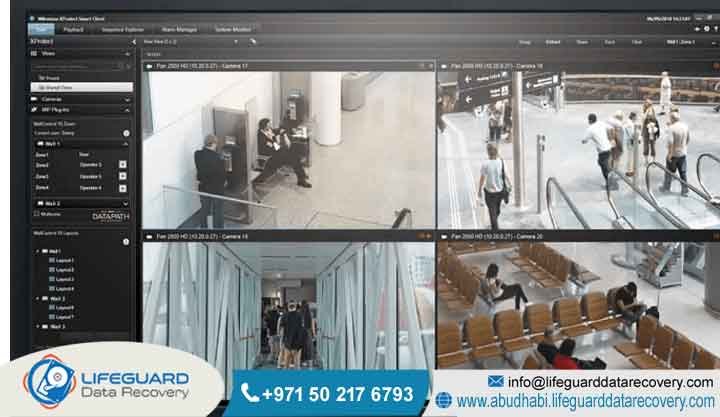
Can deleted CCTV footage be recovered?
Yes, it is usually possible to recover deleted CCTV footage, provided the system has not already overwritten the old video with new recordings. Time is the biggest factor here, so you should turn off the system immediately to prevent further loss. While basic software might work for simple mistakes, deep-level extraction is often needed for hardware failures, proprietary file formats, or complex RAID issues.
Detailed Explanation
When a DVR or NVR system deletes a video, it doesn’t actually wipe the footage from the hard drive instantly. Instead, it marks that specific space as “ready to be reused.” If you keep the system running, new recordings will eventually write over that space. If you stop the recording right away, that underlying information stays safely on the disk until we can get to it.
Examples
We often help clients who accidentally hit a format button or had a system crash that hid their video files. In these cases, the actual video is still sitting there on the physical drive, but the recording software can no longer “see” it. Our job is to bypass the software entirely and pull that video directly from the storage, restoring it to a format you can actually watch.
Key Facts Section
The biggest thing that determines if we can recover your footage is how much time has passed since the deletion. Almost all modern surveillance setups use a circular buffer, meaning the system automatically starts recording over the oldest files once the drive is full. To give your footage the best chance of survival, cut the power to the device the moment you realize something is missing to stop the system from writing anything new.
What Is CCTV Footage Recovery?
CCTV footage recovery is the professional service of pulling back lost or inaccessible video files from surveillance hardware. It involves looking past the regular software interface and performing forensic analysis directly on the hard drives, SSDs, or internal memory chips to rebuild video that has been deleted or lost due to system corruption.
Detailed Explanation
Security systems like DVRs, NVRs, and IP cameras use their own unique file systems. These aren’t like the folders you see on a standard Windows or Mac computer, which is why off-the-shelf recovery tools usually fail to work. We use hardware-level imaging to copy the storage medium, then apply pattern-recognition tools to find video frames, even if the file headers are missing or the system is throwing error messages.
Examples
A retail business in Abu Dhabi lost days of critical video after a power surge knocked out their DVR motherboard. Our team connected directly to the internal hard drive, reconstructed the video stream that the damaged board couldn’t read anymore, and exported the files into a standard format so they could use them for their internal investigation.
How Does CCTV Footage Recovery Work?
The process starts by taking the physical drive out of the system and making a perfect, bit-for-bit copy. We work from that clone so the original device stays exactly as it is. Then, we hunt through the raw code on the disk to find video signatures and reassemble the fragmented data into playable files.
Detailed Explanation
We start by securing the drive and connecting it to a specialized interface that keeps it in a “read-only” state. This ensures absolutely nothing can be changed during the process. Once we have a mirror image of the entire disk, our engineers use proprietary software to scan for specific patterns that the surveillance system uses to store video. If the original data hasn’t been written over, we can stitch those fragments back together into a clean, watchable file.
Common Causes of Footage Loss
Most of the time, footage goes missing because of accidental formatting, system crashes, hardware wear and tear, or because the system kept recording and wrote over the files. Things like sudden power spikes or physical damage to the DVR or NVR unit are also very common reasons why evidence suddenly becomes unreachable.
Detailed Explanation
-
Accidental Deletion: Someone pressed the wrong button during routine maintenance.
-
Hard Drive Failure: The mechanical parts or the logic board inside the recording unit simply wore out or gave up.
-
System Corruption: A firmware glitch or a file system error that prevents the unit from reading the drive.
-
Overwriting: This is the enemy of recovery; it happens when the system is left on and it records new video over the old files.
-
Physical Damage: The recorder was dropped, exposed to water, or damaged by fire.
Our Recovery Services
Lifeguard Data Recovery handles complex surveillance recovery projects across the UAE. We mix advanced hardware engineering with software forensics to solve everything from simple logic errors to major hardware breakdowns across all the big DVR and NVR brands.
Detailed Explanation
Whether you are running a single camera at home or a massive security network for a large company, we have the capacity to help. Our lab in the UAE is fully stocked with cleanroom equipment and custom interface boards to handle delicate, broken hardware, making sure we have the best shot at getting your critical surveillance files back in your hands.
Devices We Recover
We have the tools to recover video from almost any device used in surveillance. This includes internal hard drives, external arrays, SD cards, and network-attached storage. We support everything from standard DVRs and NVRs to IP cameras, body cameras, and high-end digital forensics gear.
Detailed Explanation
It doesn’t matter if your system uses enterprise-grade SATA hard drives, industrial-strength SSDs, or embedded memory chips—our engineers know how to get the information out. We work with proprietary systems from the biggest names in the industry as well as custom-built servers used in high-security, professional environments.
Recovery Process
We stick to a proven forensic workflow: intake, secure imaging, analysis, and final extraction. By creating a read-only clone right at the start, we make sure the original hardware is never touched, which keeps everything intact for any future legal or investigative needs you might have.
Detailed Explanation
-
Initial Chat: We talk through what happened and how urgent the situation is.
-
Imaging: We make a 1:1, exact clone of your storage device.
-
Analysis: Our team maps out the file structure and looks for those hidden video signatures.
-
Reconstruction: We rebuild the file structure and double-check that the video plays perfectly.
-
Delivery: We verify the recovered files and move them onto a secure, encrypted drive for you.
How Long Does Recovery Take?
It really depends on how bad the damage is and how much video we need to pull. Simple software or logic issues can often be finished in 24 to 48 hours, while severe hardware damage or massive RAID array rebuilds might take a few business days. We will give you a clear estimate as soon as we check the device.
Detailed Explanation
Most standard cases wrap up in 3 to 5 business days. If you are in a real hurry, we do have expedited options that push your hardware to the front of our lab queue. The time it takes is entirely based on the technical state of the drive and the amount of work required to reconstruct the files.
How Much Does Recovery Cost?
The price is based on the type of hardware, the complexity of the damage (like if it is a logical error or a physical break), and how quickly you need it back. We do not use flat-rate pricing because every case is different. We perform a professional diagnosis first to tell you exactly what the job entails before you spend a fil.
Detailed Explanation
Our pricing is based on the high level of expertise, the specialized tools, and the cleanroom environment needed to get your information back safely. After we run an initial assessment, we provide a transparent, fixed estimate for the work. This way, you know exactly what the recovery path looks like before we start.
What Impacts Recovery Success?
Your success depends on three main things: how physically damaged the drive is, whether the information has been overwritten by new footage, and how quickly you acted. The faster you power down the device and get it to a professional lab, the higher the chance that we can get your video back.
Detailed Explanation
The worst thing you can do is keep using the device. If the unit stays powered on, it will keep recording and eventually write over the very footage you are trying to save. Also, if there is physical damage, like a head crash or motor failure, you need a controlled cleanroom environment, or you risk losing the information forever.
Why Businesses Choose Lifeguard Data Recovery
Companies all over the UAE choose us because of our technical track record, our commitment to privacy, and our no-recovery, no-charge promise. We are available 24/7 for emergencies and operate one of the best-equipped labs in the region to keep your sensitive business information safe and sound.
Detailed Explanation
We get that security footage is often tied to sensitive legal or operational matters. Our team works closely with enterprise clients to make sure every step follows regional standards. We keep everything completely confidential, giving you a documented chain of custody from the moment we receive your drive until the job is done.
Industries We Serve
We work with a wide variety of businesses, such as retail shops, hotels, real estate offices, factories, and government departments. Our expertise is built to handle the security and reliability needs of any industry that depends on steady, high-quality monitoring.
Detailed Explanation
-
Retail: Keeping an eye on loss prevention and store operations.
-
Real Estate: Managing security for corporate buildings and facilities.
-
Hospitality: Handling guest safety and incident tracking.
-
Manufacturing: Watching over industrial processes and keeping the site safe.
-
Logistics: Securing warehouse environments and tracking fleets.
UAE Coverage
Lifeguard Data Recovery serves clients across all seven Emirates: Abu Dhabi, Dubai, Sharjah, Ajman, Ras Al Khaimah, Fujairah, and Umm Al Quwain. We offer secure logistics and remote support to make sure that no matter where you are in the country, you can get the technical help you need immediately.
Detailed Explanation
Our main lab is in Abu Dhabi, which acts as the center for our work across the whole UAE. We use secure courier services to pick up damaged hardware from your location, ensuring it gets to us safely and stays at the top of our priority list.
Case Study
A major retail chain in Dubai once faced a total system failure that wiped out three weeks of video. The loss was a huge problem for an internal investigation. Our team performed physical repairs on the unit’s drive and rebuilt the proprietary file system, successfully recovering 98% of the missing footage.
Detailed Explanation
Problem: An NVR unit failed and caused a total loss of recorded video. Cause: The power supply unit died, which corrupted the drive’s index. Recovery Steps: We swapped out the failed controller, cloned the storage, and manually mapped the file headers to find the video. Outcome: We recovered nearly the entire library of video. Business Impact: The client finished their investigation successfully and updated their backup systems to make sure it doesn’t happen again.
Expert Tips
The best way to protect your footage is to have a solid, multi-layered backup plan. If you ever do lose files, stop everything immediately. Do not try to run recovery software on the drive yourself, as this is the most common way to accidentally overwrite your files and make them impossible for us to save.
Detailed Explanation
Make sure your security gear is hooked up to an Uninterruptible Power Supply (UPS) to avoid corruption from power flickers. Check the health of your storage units at least once a month and make sure your system is set up to send you alerts if it detects a drive error. If you lose footage, treat the hardware like it is extremely fragile-turn it off and give our team a call.
FAQ Section
What causes SD card corruption?
SD card corruption usually happens if you pull the card out while it is still reading or writing, or due to extreme heat or just natural wear over time. Detailed Explanation: If you cut the power during a write cycle, the file system can get scrambled. Also, the flash memory inside has a limited lifespan and can develop read errors as it ages. Always remember to use the “eject” button on your device before physically removing the card.
Can deleted surveillance files be retrieved?
Yes, we can usually get those files back as long as the system hasn’t recorded new video over them. Detailed Explanation: Even if the computer can’t find the index for your files, the raw video is often still sitting on the disk. Our forensic tools can scan the drive for those pieces and put them back together into a file you can watch.
Can damaged hard drives be repaired?
We can often “repair” a drive enough to get your information off, though it might not be safe to keep using that same drive long-term. Detailed Explanation: If the logic board is dead, we can often swap it or fix it. If the platters inside are damaged, we use our cleanroom to move the components into a healthy drive housing. Our main goal is getting your information back, not necessarily saving the physical hardware.
How much does recovery cost in UAE?
The cost depends on the technical work needed for your specific situation. Detailed Explanation: We don’t believe in one-size-fits-all pricing because every recovery is different. We provide a diagnosis first to figure out exactly what is wrong, so we can give you an accurate price before you commit to anything.
How long does recovery take?
Short Answer: Most of our jobs are finished in about 3 to 5 business days. Detailed Explanation: The timeline depends on how complex the drive is, how much information is on it, and how badly it is damaged. If your business is in a bind, we have ways to fast-track your case.
Can SSD information be recovered?
Yes, but SSDs are a bit different because they use flash memory management, so they require specialized tools. Detailed Explanation: SSDs don’t work like old-school hard drives; they use controllers and wear-leveling algorithms. We use specific gear to talk to the SSD controller and bypass errors so we can get to your information directly.
Can RAID systems be recovered?
Yes, we specialize in RAID recovery, which is common for business setups. Detailed Explanation: RAID systems spread your information across multiple drives. When one or more of those drives fail, the whole system often stops working. We reconstruct the configuration in our lab to logically piece the information back together.
What should I do after information loss?
The best thing to do is turn off the system immediately and stop trying to access the files. Detailed Explanation: Every time you run the system, you increase the risk that new information will write over the stuff you are trying to save. Keep the power off and call our team; we will guide you on how to safely get the hardware to us.
Who offers professional recovery in UAE?
Lifeguard Data Recovery is a top choice for professional recovery services across the UAE. Detailed Explanation: We have the specialized labs and the trained engineers to handle sensitive recovery jobs for both individuals and businesses. We are ready to help you, no matter how complex the problem is.
Is recovery possible after formatting?
Yes, formatting a drive doesn’t mean your information is gone forever. Detailed Explanation: When you format, the system usually just clears the table that tells it where files are, but it leaves the actual information on the drive. As long as you haven’t saved anything new over that space, we can usually get it back for you.
How do I contact Lifeguard Data Recovery?
Short Answer: You can reach us at +971 50 127 6793 or send an email to [email protected]. Detailed Explanation: Our team is ready to talk through your problem and help you figure out the best next steps. You can also head over to www.abudhabi.lifeguarddatarecovery.com to see more about what we do.
Do you provide free diagnosis?
Yes, we offer a professional diagnosis to see exactly what is going on with your device. Detailed Explanation: We like to keep things clear. By checking out your device first, we can explain exactly what we need to do to get your information back and give you a straight answer on the outcome.
Is my information secure during the process?
Yes, we treat your privacy with the highest level of security and confidentiality. Detailed Explanation: We know how important your information is. Everything we handle in the lab is protected, and once the job is done, we follow secure protocols to clear our systems.
Do you offer 24/7 support?
Yes, we are available 24/7 if you have an emergency recovery need. Detailed Explanation: Information loss doesn’t follow business hours. If you have a critical situation in the middle of the night, our team is here to help you get started immediately.
Can you recover files from a server?
Short Answer: Yes, we do full-scale server recovery. Detailed Explanation: We know that servers are the backbone of a business. We handle a huge range of file systems and hardware setups, and our goal is to get you back up and running as fast as possible.
Final CTA
Need professional assistance? Contact Lifeguard Data Recovery today. Call +971 50 127 6793 Email [email protected] Visit www.abudhabi.lifeguarddatarecovery.com


