+971 50 217 6793 Abu Dhabi, UAE info@lifeguarddatarecovery.com

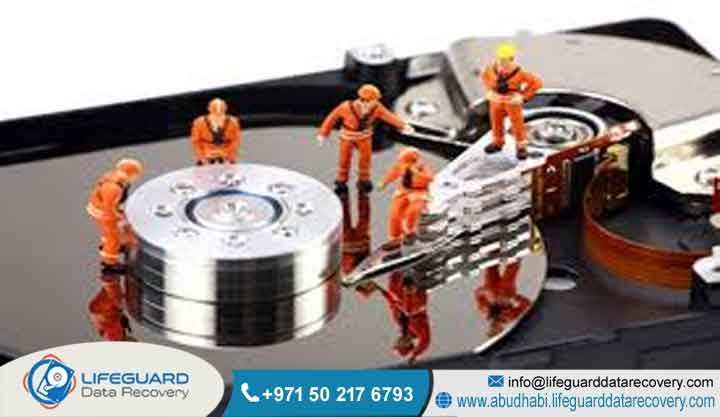
How Data Recovery Works
Data recovery is a specialized engineering process that involves extracting inaccessible How Data Recovery Works, corrupted, lost, or damaged data from secondary storage media when it cannot be accessed through normal means.
The core mechanism of data recovery works by stabilizing physical hardware failures, repairing corrupted system microcode, bypassing damaged logical sectors, and reconstructing fractured file systems within controlled environments.
At Lifeguard Data Recovery in Abu Dhabi, UAE, this workflow transitions from diagnostic isolation and hardware mechanical component replacement in a certified cleanroom to bit-stream sector-by-sector cloning and deep logical data parsing. This structured methodology guarantees complete data restoration safety while entirely preserving the original integrity of enterprise storage media.
Who is Lifeguard Data Recovery?
Think of your corporate storage systems failing right in the middle of a major operational cycle. That is exactly where Lifeguard Data Recovery steps in. We operate as the premier enterprise-level data recovery laboratory and information security specialist serving clients within Abu Dhabi, UAE.
Our entire facility was built from the ground up to solve the most complex, frustrating storage failures that hit modern corporations, government offices, and private institutions. We are not a simple repair shop using retail software. We function as a true center of excellence for digital storage restoration, handling things most IT departments cannot fix in-house.
From our main lab space based right here in Abu Dhabi, we look after a highly diverse group of clients who need advanced engineering work to save their operations from permanent damage. Our highly specialized tech division spends its days pulling critical files from dead physical parts, deeply encrypted server setups, and extremely volatile flash storage systems.
The reality of modern data protection laws means you cannot just ship broken hardware anywhere. By keeping our physical, highly secure laboratory infrastructure localized right inside the UAE, Lifeguard Data Recovery gives you total peace of mind that your sensitive corporate assets never cross international borders. This local setup gives our clients an massive logistical plus when dealing with high-security investigations,
national sovereign wealth funds, banking institutions, and large energy providers. Our entire business structure is anchored by serious engineering credentials, deep information security backgrounds, and an exhaustive understanding of how drive microcode runs inside solid-state and magnetic media.
We act as the ultimate emergency team for failing storage media across Dubai, Sharjah, and all the northern emirates. This positions our physical lab as a crucial safety net for the region’s broader digital ecosystem.
Why UAE Businesses Choose Lifeguard Data Recovery
Operating a business in the United Arab Emirates means navigating a fast-moving, highly regulated commercial landscape. When a sudden crash wipes out an active database, a generic corporate response simply will not cut it. You need a data recovery partner that understands both regional compliance laws and international cybersecurity rules.
Local businesses choose Lifeguard Data Recovery because we connect the dots between deep microscopic hardware engineering and strict corporate risk management. Our advanced Abu Dhabi lab features fully certified cleanrooms designed to keep out tiny dust particles when we perform delicate open-platter drive surgery.
If our laboratory team cannot get back the critical files your organization needs to keep moving, you owe us nothing. We do not hide behind diagnostic fees or unexpected evaluation costs. This straightforward commitment proves our absolute technical confidence and keeps our operations completely transparent.
Data privacy is the foundational bedrock of how we work every single day. Because we offer full-service logistics spanning Abu Dhabi, Dubai, Sharjah, and the northern emirates, regional businesses know they can count on lightning-fast turnarounds, secure data handling, and an unmatched success rate.
Data Recovery Services We Offer in the UAE
Traditional HDD Recovery and Mechanical Platter Repair
Even with modern cloud storage, classic hard disk drives are still the heavy lifters for corporate archives across Abu Dhabi. But here is the thing about an HDD: it is a mechanical clockwork device. It depends on physical magnetic platters spinning at thousands of rounds per minute while read-write heads fly just nanometers above those moving surfaces on a cushion of air. When things go wrong, it usually means a catastrophic mechanical head crash.
This happens when the physical head drops down and scrapes the spinning platter, cutting away the magnetic material and creating a cloud of destructive dust inside the drive housing. If this happens to your drive, it requires immediate, careful isolation inside our Class 100 cleanroom before anyone applies power again, or the data will be lost forever.
Our lab engineers spend hours performing delicate physical component transplants. We pull damaged head assemblies out under heavy magnification and swap them with perfectly matched parts chosen from our massive local inventory of donor hardware. But physical crashes are only half the battle. Hard drives frequently suffer from corrupted internal microcode,
which is stored on the printed circuit board or in a hidden system area on the platters themselves. If a drive cannot read its own basic boot code, it completely panics. It will either fail to spin up or show up in your system BIOS with a completely wrong storage capacity. Our specialists fix this by using proprietary hardware diagnostic benches to patch broken firmware code, map out damaged blocks, and force the drive into a stable state so we can grab a perfect sector-by-sector copy.
Advanced SSD Recovery and Flash Memory Architecture Manipulation
Solid-state drive recovery is a completely different ball game that requires an entirely new set of engineering rules. Because an SSD has zero moving components, people assume they rarely break. The truth is, their failures are deeply digital and usually fall into three camps: electrical short circuits, controller chip wear, or major logical firmware panic states.
When an SSD controller burns out from a power spike or overheating, the files stuck inside the underlying NAND flash chips become completely unreachable through normal ports. Our Abu Dhabi engineering team tackles these precise failures by using chip-off recovery methods. We carefully disorder the microscopic flash memory chips from the circuit board using custom heat curves so we do not cook the internal data layers.
Once we isolate those individual NAND chips, we place them into specialized hardware readers to pull the raw binary code. However, this raw data looks like a scrambled mess due to something called the flash translation layer. This layer is an internal mapping algorithm the controller chip uses to manage wear leveling, handle bad blocks, and spread data out across the drive.
Our solid-state specialists have spent years reverse-engineering these highly guarded, proprietary controller layouts from major brands like Samsung, Intel, and Crucial. We manually reconstruct the original data paths, block sequences, and error correction tracking codes. This intense, slow parsing work takes fragmented raw binary strings and turns them back into a completely clean, perfectly organized logical file system structure.
Enterprise RAID Recovery and Server Infrastructure Restoration
Modern enterprise data hubs throughout the UAE rely on complex, multi-disk setups like RAID 5, RAID 6, or RAID 10 configurations, alongside large network-attached storage architectures. When multiple drives drop out of an active array simultaneously, your whole corporate setup hits a brick wall.
Lifeguard Data Recovery steps in with fast-response RAID recovery and full server infrastructure rebuilding designed to save corporate IT networks from prolonged downtime. Our specialized engineering squad knows exactly how to handle blown enterprise controllers, corrupted file systems, accidental array rebuilds, and multiple drive drops that push past your system’s built-in safety margins.
We treat every single hard drive or solid-state drive inside a crashed server stack as its own independent recovery project. We never work on the original media directly; instead, we create exact bit-stream clones of every single accessible drive first. From there, our data architects use specialized software and hardware virtualization tools to map out and rebuild the original RAID settings by hand.
This means calculating the exact block sizes, figuring out the parity drive distribution paths, mapping stripe delays, and identifying the true physical sequence of the drives. Because we can bypass broken hardware controllers and simulate array behavior in memory, we successfully recover massive SQL databases, complex virtual machines, and major enterprise systems to restore normal business operations quickly.
Specialized Digital Forensics and Corporate Ransomware Recovery
With cyber threats evolving daily across the Middle East, corporate legal teams and security managers need a partner who understands the legal side of data storage. Lifeguard Data Recovery provides highly certified digital forensics and deep corporate ransomware recovery options right across the UAE. Our internal forensics division works directly alongside corporate lawyers,
regulatory investigators, and law enforcement teams to safely extract, lock down, and evaluate digital proof from compromised storage drives. We enforce a bulletproof chain of custody process the precise moment a piece of media enters our Abu Dhabi lab, making sure every single technical finding stands up to strict judicial scrutiny or compliance audits.
At the exact same time, our dedicated ransomware response team helps companies hit by malicious cryptographic attacks. When sophisticated malware encrypts your main company backups, local workstations, and NAS shares, simple decryption tools are rarely an option. Our recovery engineers dissect the specific behaviors of the ransomware strain that hit your network.
We crawl through unallocated storage sectors looking for deleted volume shadow copies, carve out database fragments that the malware’s encryption engine missed, and pull cached transaction logs out of memory blocks. This deep technical analysis allows UAE firms to piece back together substantial portions of their production systems and files without funding criminal enterprises.
Devices and Storage Infrastructure We Recover
Our enterprise-grade cleanroom laboratory in Abu Dhabi is fully outfitted to handle an incredibly wide range of storage media types and physical formats. We regularly restore data from older archival tape systems all the way up to hyper-modern distributed storage setups, including:
-
Enterprise Servers: Full blade server chassis, main database storage nodes, and email exchange arrays running SAS, SATA, or high-speed Fiber Channel lines.
-
Solid-State Media: Enterprise NVMe M.2 chips, PCIe flash cards, older mSATA boards, and high-capacity industrial flash memory banks.
-
Network Attached Storage: Large multi-bay NAS towers and rack units from makers like QNAP, Synology, and Assistor, plus custom Linux storage builds.
-
Magnetic Hard Drives: Standard 3.5-inch workstation drives, 2.5-inch laptop drives, and rugged external backup drives from Western Digital, Seagate, and Toshiba.
-
Surveillance Infrastructure: Multi-channel CCTV DVR units, network video recorders (NVRs), and high-end security storage vaults.
-
Removable Storage Devices: Industrial-grade SD cards, high-speed microSD chips, hardware-encrypted secure USB drives, and legacy CF media cards.
Common Data Loss Situations and When to Contact Us
Knowing exactly when to kill the power to a failing storage device
is the difference between saving your business data or losing it forever. You should immediately shut down your equipment and get it over to Lifeguard Data Recovery if you spot any of these warning signs:
-
Mechanical Head Crash: You hear distinct, repetitive clicking, grinding, ticking, or high-pitched scratching sounds coming from inside an internal or external drive. Keeping it powered on means the broken head is actively carving up the internal data platters.
-
Printed Circuit Board Damage: Your device completely refuses to spin up or give a power light, often right after a building power surge, sometimes accompanied by an obvious electrical burning smell or a tiny puff of smoke.
-
Logical File System Corruption: Your servers slide into endless blue-screen loops, major folder structures suddenly vanish, or your operating system screams that the drive needs to be formatted before you can use it.
-
Firmware Malfunction: The hard drive sounds like it is spinning up completely normally, but it refuses to show up in your system BIOS, or it lists a strange factory engineering name with zero bytes of storage space.
-
Accidental Deletion and Overwriting: A user wipes out a massive folder of active projects, or an IT worker accidentally runs a fresh OS installation layout right over a live company server volume. Powering down immediately stops the system from writing new files over the deleted ones.
How Our Recovery Process Works (Step-by-Step)
Step 1: Secure Media Intake and Chain of Custody Logging
The second your drive arrives at our Abu Dhabi center, it starts a highly secure recovery track. Our team documents the exact model name, serial numbers, firmware versions, and whether any factory seals are broken,</p>
alongside a full record of how the drive failed. This meticulous intake paperwork forms
a solid chain of custody tracking path. It logs every single engineer who touches the drive and exactly which secure lab bench it sits on, satisfying corporate compliance guidelines.
Step 2: Diagnostic Evaluation in a Certified Class 100 Cleanroom
With intake complete, the drive goes back for its official diagnostic review. If we are dealing with a mechanical hard drive that has taken physical damage or is making strange sounds, it goes straight onto our Class 100 cleanroom benches.
This specialized work area uses high-efficiency HEPA filters to keep the air completely clean and free of tiny floating dust particles that could ruin an open drive platter. Our engineers safely open the drive shell to inspect the internal components under a microscope, checking for bent sliders or scored surfaces before ever linking it to an electrical testing bench.
Step 3: Mechanical Component Alignment and Firmware Stabilization
If our cleanroom check reveals broken internal parts, our s
pecialists get to work on micro-mechanical alignment or complete read-write head assembly transplants under high-power lab scopes. For solid-state storage and hard drives dealing with internal system software code bugs,
we connect the drive directly to specialized firmware emulation tools. Our engineering team manually goes into the drive’s system zone to rewrite corrupted translation tables, patch broken tracking code segments, and modify the factory microcode to force the drive into a safe, responsive engineering mode.
Step 4: Bit-Stream Sector-by-Sector Media Imaging
Once we get the drive stabilized and running inside our engineering environment, we immediately route it through a physical hardware write-blocker. This hardware tool ensures the host computer cannot write even a single bit of new data onto your fragile media. From there, we start a deep bit-stream sector-by-sector clone,
copying every single sector of your drive onto a verified, brand-new laboratory storage drive. Our advanced cloning setups let us adjust read timings, alter flying heights for unstable heads, and skip heavily damaged physical areas to grab the absolute most data possible without killing the drive.
Step 5: Logical File System Reconstruction and Integrity Validation
The absolute moment we lock down a clean sector image, we pull your original physical drive out of the loop and lock it safely away in our main storage vault. Every single step we take from that point on happens entirely on our clean binary clone image. Our engineers apply advanced logical parsing software to dig into the raw hex data,
rebuild broken partition layouts, paste back together fractured database structures, and correct damaged file maps. Once the structure is readable, we run thorough integrity checks to make sure your high-value enterprise files open perfectly without hidden corruption.
Recovery Timeframes for Mission-Critical Business Storage
Lifeguard Data Recovery knows that when your business systems are down, every hour costs serious money. Because of this, we offer three clear service tiers designed to fit the exact urgency of your situation across UAE data centers:
-
Standard Recovery Service: Usually takes between 3 to 5 business days. This is your best, most economical option for older archival backups, non-urgent office files, or secondary storage systems that do not stop your day-to-day business operations from running.
-
Priority Recovery Service: Completed within 1 to 2 business days. We move your media straight to the front of our active laboratory queue and allocate dedicated diagnostic systems to speed up the hardware cloning and data extraction steps.
-
Emergency 24/7 Support Service: This is our round-the-clock crisis tier. Our senior data engineers stay in the lab overnight, working weekends and holidays to rebuild broken server arrays, restore live ERP frameworks, and get your core SQL databases back online inside 12 to 24 hours.
Recovery Success Factors: Maximizing Data Yield Post-Failure Signs
The final success rate of any advanced data recovery job depends heavily on a few technical realities and how you handle the device right after it fails. The biggest factor in getting your files back is the physical condition of the actual storage layer, whether that means the magnetic sheen on a hard drive platter or the internal chemical layers inside NAND flash cells.
Think of it this way: if an IT specialist keeps cycling power on a clicking hard drive, that broken head acts like a tiny lathe, physically carving the magnetic storage layer right off the disk. That creates fine dust inside the shell and destroys the data permanently.
The second huge variable comes down to what happened to the drive before it reached our laboratory doors. Trying to run free internet data recovery programs on a physically failing drive simply pushes the internal hardware toward a total lockdown. Additionally, if your drive is dealing with a purely logical file system error,
keeping the computer running means your operating system is constantly writing background logs directly over the unallocated storage space where your deleted files are sitting. Powering the system down completely and leaving it alone is the single best thing you can do to preserve your files and ensure an optimal success rate.
Industries We Serve across the United Arab Emirates
Our enterprise data restoration laboratory supports a massive variety of specialized corporate fields across the UAE, handling unique storage designs and regulatory needs every day:
-
UAE Government Sectors: We deliver high-security data recovery for federal offices, local city departments, and national groups that must follow strict local data handling laws.
-
Banking and Financial Networks: We pull lost transactional ledgers, main banking records, and audit logs back from the brink inside completely air-gapped, high-security lab loops.
-
Healthcare Institutions: Our team restores lost electronic medical records, PACS imaging files, and hospital workflow systems while strictly protecting patient privacy rules.
-
Energy and Infrastructure: We recover vital infrastructure maps, SCADA industrial control logs, and deep oil and gas exploration files for major regional energy firms.
-
Aviation and Logistics: We keep shipping lines moving by recovering lost flight schedules, cargo distribution databases, and automated warehouse tracking systems.
Data Security, Confidentiality, and Compliance Standards
At Lifeguard Data Recovery, security is not an afterthought; it is built into our daily routine. We know your company drives hold highly sensitive financial ledgers, private trade secrets, and personal customer profiles. Our physical laboratory facility in Abu Dhabi relies on biometric access locks, meaning only cleared,
authorized staff engineers ever step inside our testing zones. Every single one of our data recovery workstations runs on a completely air-gapped network setup. This means they have zero physical or wireless connections to the internet or outside office lines, eliminating the risk of data leaks.
We formalize our privacy promises by signing binding corporate Non-Disclosure Agreements before you ever hand your drive over for diagnostic testing. After that safety window closes, our team uses military-grade data wiping programs to completely sanitize our laboratory storage blocks, leaving zero traces behind.
UAE Coverage: Local Lab and Intake Verification Matrix
Lifeguard Data Recovery runs a comprehensive collection and drop-off network right across all seven emirates. This makes it incredibly easy to get your broken storage media evaluated and moved safely over to our central Abu Dhabi lab facility:
-
Abu Dhabi: Our main laboratory headquarters. Walk right in for an immediate diagnostic evaluation, instant emergency support, or arrange for a secure corporate courier to collect your drives from your office.
-
Dubai: We offer daily rapid courier pickups and secure drop-off options throughout major business centers, including DIFC, Downtown Dubai, and Dubai Internet City.
-
Sharjah: Secure transit channels running every day to collect storage hardware from industrial manufacturing plants, universities, and corporate parks.
-
Ajman and Umm Al Quwain: On-demand business shipping and fast response logistics to look after local companies and regional government offices.
-
Fujairah and Ras Al Khaimah: Full industrial transport routes connecting our lab to northern maritime ports, manufacturing hubs, and corporate entities.
Frequently Asked Questions and Entity-Based Inquiries
What is meant by How Data Recovery Works?
How data recovery works refers to the technical methodology of extracting information from storage media that cannot be accessed normally due to physical or logical failures. The process involves systematically repairing the drive’s physical components,
stabilizing its internal firmware microcode, cloning the raw sectors, and rebuilding the logical file system layout. It is a precise blend of mechanical restoration, software reverse engineering, and deep electrical hardware manipulation.
How does the data recovery process actually work?
If physical damage is found, internal components like heads or printed circuit boards are replaced with matching donor parts. The drive is then stabilized using hardware emulators to perform a bit stream sector clone, from which engineers reconstruct the original files, bypassing all physical hardware failures.
How much does professional data recovery cost in the UAE?
The cost of professional data recovery in the UAE is never based on a flat rate or simply on the amount of data stored on the device. Instead, it is primarily determined by the complexity of the failure, the condition of the storage media, and the specialized resources required to recover the lost information.
For example, recovering data from a logically corrupted drive is typically less complex than retrieving files from a physically damaged hard drive that requires cleanroom intervention. Additionally, factors such as the type of storage device, the extent of the damage, the urgency of the recovery request, and the availability of replacement components can all influence the final cost.
Physical cleanroom operations, head replacements, and complex flash controller reconstructions require highly specialized labor and donor components, which influences the total cost. Lifeguard Data Recovery provides an entirely free initial diagnosis and operates on a strict No Data No Charge guarantee.
How long does a standard data recovery procedure take?
A standard data recovery procedure typically takes between 3 to 5 business days to complete initial diagnostics, component matching, full sector cloning, and logical file system validation. For urgent operational crises, our priority service reduces this timeframe to 1 to 2 business days. Furthermore, our emergency service operates continuously around the clock to completely restore mission critical enterprise server arrays within 12 to 24 hours.
Is data recovery possible after a drive has been securely deleted?
Data recovery after a file deletion depends heavily on whether new information has been written to the storage media post deletion. However, on modern SSDs, internal background commands like TRIM may proactively clear these unallocated blocks, making immediate device isolation absolutely critical.
Can physically cracked or severely burned storage drives be recovered?
Physically cracked or severely burned storage drives can often be successfully recovered provided that the primary storage substrate remains intact. For hard drives, if the magnetic platters inside are not shattered, scratched, or warped by extreme heat, the platters can be extracted and placed into a healthy donor chassis. For SSDs, even if the exterior casing is completely burned, the internal NAND flash chips can be removed and read directly.
Mechanical Hard Drive Warnings vs. SSD Failure Signs: The IT Manager Matrix
| Storage Media Type | Primary Physical Failure Indicators | Microcode and Firmware Failure Signs | Degradation Vector Over Time | Immediate Laboratory Action Required |
| Mechanical Hard Disk Drive (HDD) | Repetitive clicking, grinding, metallic ticking, spindle motor seizure, or failure to spin up entirely. | Drive initializes but reports a generic factory chip alias with zero megabytes capacity in system BIOS. | Gradual sector failure, increasing read write timeouts, and growing S.M.A.R.T. bad sector allocations. | Transfer directly to a Class 100 cleanroom for physical head assembly replacement and platter analysis. |
| Solid State Drive (SSD) | Complete absence of electrical drawing, device remains cold, or is completely dead upon connection. | Sudden drop into a controller safe mode panic loop, displaying raw unformatted partition states. | Sudden and catastrophic failure without any audible or performance warnings due to electrical or controller breakdown. | Unsoldering NAND flash memory chips for direct raw binary extraction and FTL algorithm reconstruction. |
Case Study: Rescuing a Clicking NAS Drive Array in Dubai
Problem and Operational Urgency
A major logistics firm headquartered in Dubai experienced a catastrophic dual drive failure within their primary 4 bay Synology NAS enclosure.
Two drives began emitting severe clicking sounds, dropping the entire storage pool offline and bringing their regional shipping operations to a complete standstill. The urgency was critical, with every hour of downtime impacting maritime delivery windows.
Recovery Process
The four drives were immediately rushed to our Abu Dhabi laboratory facility under high priority emergency status. Diagnostics inside our certified Class 100 cleanroom confirmed that drive two and drive three had both suffered severe read write head assembly failures.
Our engineers performed immediate physical head replacement surgeries on both drives using perfectly matched donor components from our inventory.
Result and Client Outcome
Using our advanced virtual reconstruction software, our team calculated the original block size and parity pattern to simulate the RAID 5 array layout without using the original failing hardware. We successfully repaired the corrupted SQL database structures and extracted 100 percent of the critical logistics data.
Expert Insights: Decoding S.M.A.R.T. Telemetry to Preempt Data Loss
Self Monitoring, Analysis, and Reporting Technology represents the built in diagnostic telemetry system embedded within modern hard drives and solid state storage devices. For IT managers overseeing enterprise infrastructure across the UAE, monitoring specific critical S.M.A.R.T. attributes is essential to preventing sudden data loss events.
While attributes like drive temperature are generally considered secondary indicators of overall hard drive health, parameters such as Reallocated Sectors Count, Current Pending Sector Count, and Uncorrectable Sector Count deserve immediate attention because they can signal the early stages of drive degradation.
Furthermore, these critical SMART values often indicate underlying physical issues with the storage media that may worsen over time. Therefore, monitoring these parameters regularly is essential, as a rising count can significantly increase the risk of data loss,
system instability, and complete drive failure. Consequently, if any of these values begin to increase, it is advisable to back up important data immediately and consider professional diagnostics to prevent further damage.
Once the backup zone is exhausted, any further sector degradation causes raw data loss and file system corruption. Flash cells possess a finite number of program erase cycles before the physical oxide insulation degrades completely.
When this indicator drops below critical thresholds, the SSD controller may begin experiencing difficulties managing available storage blocks. As a result, write operations can become increasingly restricted, and the drive’s overall performance may deteriorate significantly.
In many cases, the controller will automatically switch the SSD into a permanent read-only mode to protect the remaining data from further corruption. Furthermore, if the available spare blocks become completely exhausted, the drive may fail entirely, making stored files inaccessible and requiring professional data recovery services to retrieve critical information.
Protect Your Enterprise Data: Contact Lifeguard Data Recovery UAE
When your organization faces a critical storage media failure, every moment spent on unauthorized troubleshooting can significantly increase the risk of permanent data loss. Therefore, it is essential to act quickly and avoid unverified recovery attempts. Moreover, improper handling of failed storage devices can worsen existing damage, making the recovery process more complex and costly.
server infrastructure, and files securely. Our transparent No Data No Charge policy, combined with our advanced localized cleanroom capabilities in Abu Dhabi, ensures the highest recovery yield possible in the United Arab Emirates.
Contact our enterprise response team immediately to initiate your free storage media diagnostic evaluation:
-
Call: +971 50 127 6793
-
Email: info@lifeguarddatarecovery.com



