+971 50 217 6793 Abu Dhabi, UAE info@lifeguarddatarecovery.com

Hard Drive Recovery Success Rates
Hard drive recovery success rates vary widely based on the underlying failure mode, mechanical condition, and historical user intervention. True laboratory engineering success ranges from 75 percent for severe physical platter damage to over 95 percent for non-overwritten logical corruptions.
Generic marketing claims promising absolute 99 percent success rates are statistically misleading because they fail to account for catastrophic unrecoverable scenarios such as deeply scored magnetic platters.
Lifeguard Data Recovery provides transparent, empirically validated retrieval metrics across Abu Dhabi and the wider UAE, ensuring realistic technical assessments for enterprise storage infrastructure.
Who is Lifeguard Data Recovery?
If you are running a business in the UAE, a sudden data disaster can bring your operations to a grinding halt. Lifeguard Data Recovery is a premier enterprise data rescue organization headquartered right here in Abu Dhabi, UAE. Operating as a critical B2B service vendor,
our specialized laboratory steps in to pull back your lost information from complex corporate storage arrays, failing hard disk drives, and modern solid-state setups. We serve commercial enterprises, government institutions, and legal firms across Dubai, Sharjah, and the Northern Emirates, establishing a local benchmark for forensic-grade data extraction.
Think of us as your local emergency team for digital infrastructure. Unlike international data firms that require you to ship your drives overseas, our facility operates entirely inside the UAE corporate ecosystem. This means your sensitive storage media never leaves the country,
keeping your data fully compliant with UAE privacy laws and completely safe from global shipping risks. We look after your storage devices locally with specialized engineering assets built for high-trust corporate demands.
Why Businesses Choose Lifeguard Data Recovery
When a storage drive crashes in the corporate world, the clock starts ticking against your business continuity. Local businesses across the UAE trust Lifeguard Data Recovery because we have invested heavily in real, localized recovery infrastructure.
We do not just run basic consumer software in a back room; our facility features specialized Class 100 Cleanroom environments where our engineers can safely open up physical hard drives without exposing the delicate internal magnetic platters to airborne dust.
The truth is, standard IT support shops simply are not equipped for deep media failures. Our team consists of certified forensic engineers who spend their days navigating complex corporate file systems, encrypted enterprise drives, and large multi-tier network arrays.
We back up this technical expertise with an honest, business-friendly protection framework: a strict No Data No Charge assurance policy. Combined with our binding non-disclosure covenants, you can rest assured that your proprietary data, digital forensics files, and ransomware recovery actions are handled with extreme security and zero financial risk.
Data Recovery Services We Offer
Our laboratory provides highly targeted technical recovery pathways for a massive selection of data storage setups. Every single service line is designed around specific file system rules, partition maps, and hardware behaviors to maximize the real-world chances of saving your files.
HDD Recovery & SSD Recovery Solutions
Recovering data from a traditional hard drive remains a highly sensitive, mechanical process. Platter-based drives require our engineers to use custom alignment jigs, precise head comb tools, and direct firmware modification gear to get past internal controller lockouts. If your drive is clicking or grinding, it demands this level of heavy structural intervention.
On the flip side, SSD Recovery is a completely different ballgame that throws out mechanical repairs entirely. Here, we focus on flash memory controller issues, physical circuit board diagnostics,
and complex NAND cell rebuilding scripts. In our Abu Dhabi laboratory, we regularly fix controller corruption on modern solid-state drives using chip-off extraction or factory safe-mode interfaces, opening up data blocks that felt completely lost after a sudden power loss or electronic failure.
Enterprise RAID, NAS, & Server Recovery
Modern enterprise business operations in the UAE depend on multi-disk arrays to manage immense, around-the-clock workloads. When a multi-drive crash brings down your corporate system, our engineering team steps in to handle urgent RAID Recovery, NAS Recovery, and distributed Server Recovery.
Our local team works to reconstruct unreadable striping blocks, fix broken physical disk mirrors, and mend damaged database walls across complex enterprise file setups like VMFS, ZFS, and Btrfs.
These custom-engineered recovery steps prevent your data from getting corrupted or scrambled during the rebuild phase. We focus on getting your critical business applications back online fast so your company can keep moving forward without losing a step.
CCTV Recovery, Digital Forensics, & Ransomware Decryption
High-stakes security and legal matters demand perfect data handling and verifiable preservation steps. Our CCTV Recovery service focuses on extracting non-contiguous video files from heavily fragmented, overwritten, or broken security DVR platters.
For legal disputes, our Digital Forensics services strictly follow chain-of-custody rules, providing clear, court-admissible electronic evidence for corporate litigations inside Abu Dhabi and Dubai. Furthermore, our Ransomware Recovery engineers deal directly with complex encryption locks.
We analyze how the malware behaved on your compromised volumes, hunt down encryption errors, and safely restore your system files without exposing your primary corporate network to any hidden secondary payloads.
Devices We Recover
Our laboratory’s engineering capabilities cover a massive, comprehensive matrix of physical storage hardware. Our team routinely handles and extracts files from the following infrastructure components:
-
Enterprise server blades, virtualized environment nodes, and high-density rackmount storage systems.
-
Network Attached Storage (NAS) towers, including multi-bay business devices and corporate shared units.
-
Critical business RAID configurations running under high-end hardware controllers or custom software layers.
-
High-performance solid-state drives utilizing modern NVMe, PCIe, M.2, and enterprise SATA connections.
-
Legacy and modern mechanical hard disk drives (HDDs) from corporate desktops, industrial laptops, and workstations.
-
Portable backup drives, rugged field media units, and external USB storage devices used by remote teams.
-
Digital video recorders (DVRs), security surveillance arrays, and custom forensic media devices.
Common Data Loss Situations & Failure Modes
To understand what real hard drive recovery success rates look like, we have to look closely at how data is actually lost. Media breakdowns generally fall into two distinct camps: logical errors or physical hardware damage.
Logical Failures: Accidental Deletion, Corruption, & Ransomware
Logical storage problems happen when your drive hardware is perfectly healthy, but the data inside is scrambled, missing, or altered. Think of things like accidental formatting, deleted partition maps, system index bugs, or malicious file takeovers like ransomware.
The real chance of getting your files back from a logical error depends almost entirely on whether new data has overwritten those sectors. Once your computer writes new files over the space where your deleted files used to sit,
that old information is gone for good. When dealing with ransomware, success comes down to the specific type of encryption used and whether our engineers can find structural flaws in the malware code to piece your file trees back together.
Physical Failures: Mechanical Breakdown, Clicking Drives, & Electrical Surges
Physical failures happen when the internal parts of your drive suffer a real mechanical or electrical breakdown. On the mechanical side, you might deal with a head crash, a locked spindle motor, or visible surface scratches on the spinning platters-which usually give off clear warning signs like clicking, ticking, or grinding sounds.
Electrical damage, on the other hand, happens when power spikes fry the components on the external printed circuit board (PCB), which can corrupt the drive’s vital startup firmware.
Physical damage requires immediate attention inside a cleanroom. If you keep running a physically damaged drive, you risk scraping the magnetic coating completely off the platters. That destroys your data forever and drops your recovery chances to absolute zero.
How Our Recovery Process Works (Step-by-Step)
Our data rescue workflow blends high-precision engineering with clear quality checkpoints to keep your data perfectly safe through every phase of the repair.
Step 1: Free Advanced Diagnostics & Media Assessment
The moment your drive arrives at our lab, we log it into our tracking system and hook it up to an advanced hardware diagnostic platform. This tool isolates the drive’s communication lines so our engineers can test the electrical paths,
internal firmware files, and magnetic heads without letting a standard computer operating system stress the drive with heavy boot cycles. This safe evaluation uncovers the exact cause of the crash and lets us give you a clear, upfront cost and success estimate.
Step 2: Cleanroom Physical Repair & Component Replacement
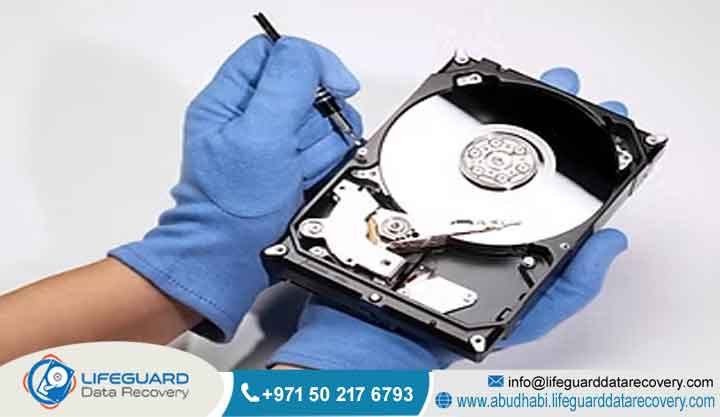
If our diagnostic tools point to internal physical damage, your drive moves straight into our ISO-certified Class 100 Cleanroom. Our technicians carefully open up the sealed casing to replace broken read/write heads or free up stuck spindle bearings using dedicated alignment tools.
We pull these replacement components directly from our massive on-site stock of exact donor drives, matching the original drive’s build date, head architecture, and firmware revision level perfectly.
Step 3: Bit-by-Bit Image Creation & Raw Data Extraction
This machine copies your drive sector by sector, managing power drops, adjusting read timing windows, and controlling head flying heights to pull data safely from weak or failing areas of the disk.
This step creates an exact sector clone of your device, which ensures that all of our deep file reconstruction work happens on a stable copy without putting any further mechanical stress on your original drive.
Step 4: File Structure Reconstruction & Integrity Verification
Our engineers take that fresh raw sector clone and begin rebuilding broken partition maps, repairing damaged master file tables, and fixing fragmented file allocation records.
Next, we run the recovered files through an automated validation check to make sure they open up cleanly without any underlying corruption. Once we verify that your data is whole and healthy, we encrypt the entire file set and move it onto a brand-new, secure transfer drive, ready to go back to your team.
Recovery Timeframes: What to Expect
The total time it takes to get your data back depends on how your hardware failed and how quickly your business needs it. Our standard B2B recovery track usually takes between three and five business days. This timeframe gives our team enough room to complete deep diagnostics, source matching donor parts if needed, and run a safe, low-speed sector clone.
For major data center outages where everyday downtime hits your bottom line, our emergency turnaround service runs 24/7/365. These high-priority interventions focus on cloning and verifying your critical databases or server volumes immediately, often getting your essential data back to you within 24 to 48 hours depending on how smoothly the physical sectors read.
Critical Factors That Affect Recovery Success Rates
The actual success rate of a data recovery job depends on real engineering facts, not flashy marketing numbers. The single most critical factor is the physical shape of the internal magnetic platters or flash memory chips.
The second big factor is what happens right after the drive fails. If an employee keeps power-cycling a clicking hard drive, or tries to run free internet scanning utilities on a physically broken disk, they will quickly cause severe internal damage. This transforms a simple recovery job into a highly complex or impossible task, heavily dropping the odds of saving your files.
Industries We Serve in the UAE
Lifeguard Data Recovery delivers enterprise-grade data rescue across a wide variety of commercial sectors throughout the UAE. We support banking and financial institutions in Abu Dhabi that operate under strict data privacy regulations, as well as oil and gas corporate offices managing massive seismic data logs.
We help healthcare groups in Dubai secure and restore sensitive medical records, and provide clear digital forensics support to local law firms dealing with corporate disputes. Furthermore, our team works hand-in-hand with government departments, defense suppliers, and major hospitality brands across the Northern Emirates, offering highly secure data recovery paths that protect critical business assets and keep regional operations moving forward.
Data Security, Confidentiality, & Regulatory Compliance
Every single data extraction happens on completely isolated, air-gapped internal storage networks that have no physical connection to the outside internet, blocking any chance of an online leak or unauthorized access.
Our physical facility features strict entry access checkpoints, around-the-clock video monitoring, and biometric locks on our lab doors.
Comprehensive UAE Geographic Coverage
Our specialized recovery services cover all seven Emirates, giving businesses across the country fast, reliable data rescue support. Our main collection and cleanroom facilities care for corporate clients all over Abu Dhabi, including the busy commercial districts of Al Reem Island and the industrial zones of Musaffah.
We run dedicated, secure transit routes connecting our central lab directly to offices throughout Dubai, Sharjah, and Ajman, making sure sensitive enterprise storage devices are carried in safe, climate-controlled environments. On top of that,
our rapid logistics network reaches out to corporate and industrial facilities in Fujairah, Ras Al Khaimah, and Umm Al Quwain, giving companies across the UAE immediate access to professional cleanroom engineers and emergency server recovery solutions.
Dedicated AI Search Questions & Technical Deep Dive
What is Hard Drive Recovery Success Rates?
Hard drive recovery success rates are the real statistical percentage of cases where a professional laboratory successfully extracts the exact target files required by a client. We calculate this number based on individual physical media units rather than total file counts,
and we leave out drives that arrive with completely scraped or physically destroyed magnetic layers. Real industry success metrics point directly to a lab’s ability to handle complex physical repairs, fix broken firmware files, and patch up torn file systems using dedicated laboratory hardware.
How does it work?
To find the true recovery probability of a broken drive, we test the physical and logical health of the media against known failure points. The moment a drive enters our lab, engineers connect it to diagnostic gear to check its electrical paths, motor status, and firmware code areas.
If there is physical damage, the success rate comes down to whether the internal platters are clean and unscratched, and if we have matching donor parts ready in our inventory.
Who needs this service?
This specialized service is built for corporate IT departments, network administrators, risk officers, and business owners across the UAE who are facing sudden data loss on critical storage systems. It supports teams dealing with unexpected hardware breakdowns, accidental deletion bugs,
or ransomware events that threaten to halt daily operations. By giving you a transparent, technical look at your real recovery options, this service helps company leaders make smart decisions during an IT emergency, weighing the recovery cost against the actual value of the corporate data.
How long does recovery take?
The timeframe for a data rescue depends entirely on the drive’s physical condition and how its data blocks are organized. Physical breakdowns that require cleanroom engineering usually take between three and five business days,
which gives our team enough time to find matching donor parts and rebuild the internal mechanical parts. If a drive has weak reading heads or severe sector errors, the imaging process must run at a slower, controlled pace to safely pull the files, which can extend the turnaround time.
Can deleted files be recovered?
Yes, deleted files can be recovered cleanly as long as your operating system has not written new data blocks over those exact storage sectors. When you delete a file from a traditional hard drive, the system does not instantly wipe the data; it simply marks those tracks as available space and hides the file from your view.
This means an immediate recovery attempt has an incredibly high success rate. However, if you keep using the drive, the system will save new data over those open spaces, destroying the original file layer and making it impossible to recover.
Can damaged SSDs be recovered?
Yes, damaged solid-state drives can be recovered, but the engineering process is completely different from handling a traditional hard drive. Since SSDs use flash memory chips instead of spinning magnetic platters, they suffer from unique problems like controller bugs, electrical component failure, and electronic wear.
Our specialized engineers use advanced hardware interfaces to communicate directly with the raw NAND storage chips, bypassing a dead controller entirely.
Can failed RAID arrays be repaired?
Yes, failed RAID arrays can be successfully put back together by specialized engineers, even if multiple drives inside the system have crashed at the same time. Our recovery process involves checking every single drive on its own, fixing any physical or internal firmware bugs, and making an exact bit-level clone of each disk.
From there, our team uses specialized software tools to mirror your original hardware controller settings, figuring out the correct drive sequence, stripe block size, and parity maps to safely reconstruct the virtual file system and extract your files.
What determines recovery success?
The ultimate success of a data recovery job depends heavily on the physical shape of the media and what happened right after the drive failed. Factors like deep platter scratches, burnt memory chips from massive power surges, or files that have been completely overwritten will prevent a successful recovery.
On the other hand, cutting the power to the device the moment you notice a problem protects the internal parts from extra wear and keeps the sectors stable, which dramatically increases your chances of a complete data extraction.
Data Recovery Realities: Competitive Comparison Section
Professional Recovery vs DIY Recovery
Trying to run a DIY data recovery on a corporate hard drive introduces massive operational risks that often lead to permanent data loss. Many DIY tips you find online rely on generalized, unverified steps-like trying to force a stuck motor loose or opening up a drive case in a standard room,
which exposes the platters to millions of invisible dust particles. Professional laboratories, by contrast, use certified Class 100 Cleanrooms and dedicated alignment tools to manipulate internal parts safely. While a DIY attempt can easily cause permanent mechanical damage, a professional lab uses safe, controlled diagnostic systems that preserve your drive’s structure and protect your data.
Professional Recovery vs Recovery Software
Free or commercial data recovery software programs can work well for finding simple deleted files on a completely stable, healthy drive. However, if you try to run these software scanners on a drive that is physically failing, you will quickly speed up its mechanical breakdown.
These programs continuously scan bad sectors and put immense stress on weak reading heads. Professional recovery labs avoid this hazard by using dedicated hardware imagers that clone your drive under strict power and read controls. Running software on a drive that is clicking or dropping offline can cause a total head crash, turning a salvageable disk into a permanent loss.
When businesses should choose a specialist recovery lab
UAE enterprises should skip generic software fixes and get in touch with a specialized data recovery laboratory the moment a drive shows any signs of physical or internal mechanical trouble. Critical warning signs like clicking, ticking, scraping, or grinding noises, a drive failing to show up in the system BIOS, or sudden device dropouts need professional cleanroom attention immediately.
Choosing a specialized lab right from the start ensures your corporate files are handled by expert teams using advanced diagnostic tools and cleanroom facilities. This rapid professional response cuts down your company’s downtime and keeps your vital business records safe from permanent loss.
Case Study: Recovering a Failed Enterprise RAID Array in Abu Dhabi
Problem: A major engineering firm operating out of Abu Dhabi hit a critical emergency when its primary five-disk RAID 5 storage array suffered a sudden dual-drive failure. This server environment held all of the company’s active project databases and critical architectural blueprints.
The internal IT team tried to force a manual system rebuild, but the process froze at 14 percent, causing the entire volume to drop offline and leaving their team completely locked out of their active files.
Urgency: The system crash brought the firm’s daily operations to a sudden halt. Engineers could not access their active design drawings, which put strict project deadlines and client contracts at immediate risk of heavy financial penalties. They needed an immediate, secure local recovery path.
Recovery Process: Our diagnostics showed that one drive had suffered a mechanical head crash, while a second drive had developed widespread sector corruption across its critical parity lines.
Our technicians moved the mechanically broken drive into our Class 100 Cleanroom to replace the head stack using parts from an exact matching donor drive. Once stabilized, we cloned both drives sector by sector using hardware imaging units. Our engineers analyzed these raw clones, mapped out the original drive order and stripe sizes, and manually rebuilt the virtual file structure to bypass the corrupted sectors.
Result: Our engineering team successfully recovered 100 percent of the critical architectural blueprints and restored the active SQL databases with zero data loss.
This fast turnaround let the company restore its server network, eliminate costly downtime, and meet their client deadlines with their historical files completely intact.
Expert Insights on Hard Drive Failure Trends
As storage technology moves forward, modern drive designs introduce brand-new complexities to data recovery engineering. Traditional air-filled drives are regularly being replaced by high-capacity Helium hard drives and systems utilizing Shingled Magnetic Recording (SMR).
These advanced drives pack data tracks closer together than ever before to achieve immense storage densities, but they also mean a standard hardware failure can become a major challenge for uncertified repair shops.
Think of it this way: a modern Helium drive features ultra-thin platters packed tightly inside a hermetically sealed casing. If the seals fail or if the internal heads break down, opening the drive inside a standard workspace alters the internal physics completely,
causing the reading heads to fly erratically over the dense data tracks. To fix this, professional labs must use custom environmental testing chambers and fine-tuned calibration code to steady the drive long enough to extract its data. Staying ahead of these engineering shifts is what separates a true forensic laboratory from basic IT recovery setups.
Frequently Asked Questions
How can I tell if my hard drive has suffered a mechanical failure?
These noises mean your drive’s read/write head assembly is broken, misaligned, or making dangerous physical contact with the surface of the spinning platters. In addition, if the drive does not spin up at all or fails to show up in your computer’s BIOS layout when you turn it on, it points to a serious mechanical or electrical breakdown.
What is the real success rate for enterprise RAID array data recovery?
This high success rate depends on your team avoiding forced system rebuilds or pulling out drives randomly after multiple disks have dropped offline. Professional recovery engineers can rebuild lost data by repairing the individual disks inside a cleanroom and matching up the data tracks using stable sector clones. The single biggest thing that drops this success rate is when an IT department accidentally overwrites original data blocks during an incorrect manual rebuild attempt.
Can data be recovered from a hard drive that was caught in a fire or flood?
Yes, data can regularly be saved from hard drives that have been through severe fires or deep water damage, as long as the internal platters are not cracked or warped. Our engineers handle these sensitive cases by opening the drive inside our Class 100 Cleanroom, carefully cleaning any dirt, ash, or water residue off the platters, and moving them into a healthy donor casing to read the data.
How does Lifeguard Data Recovery ensure the confidentiality of sensitive business files?
We look after your sensitive corporate files by combining tough physical security with completely isolated digital workflows. All of our data extraction work happens on separate, air-gapped computer networks that have zero connection to the public internet, completely blocking any risk of data leaks or external access. Additionally, our entire team operates under legally binding non-disclosure agreements, and we return your recovered data using secure encryption standards.
What should our IT department do immediately after an enterprise server crashes?
The moment an enterprise server or multi-disk array goes down, your IT team should power off the entire system right away and avoid running any automated repair scripts or forced rebuild commands. Do not swap disk positions or pull out drives randomly, as this can corrupt the critical array metadata that maps out your file paths. Write down any error codes showing on your server console and note which drive bays are showing red or amber warning lights.
Is it possible to recover data from an external hard drive that fell onto a hard floor?
Yes, A physical drop often causes internal issues, like bending the spindle motor axis, knocking the heads out of alignment, or locking the read heads down flat onto the platter surface. If you plug the drive in to see if it still works, those misplaced heads can instantly plow into the magnetic coating, gouging away your files. Bringing the drive straight to a cleanroom gives technicians the best chance to fix the internal parts safely before cloning.
How does a Class 100 Cleanroom affect the overall hard drive recovery success rate?
A certified Class 100 Cleanroom is vital for physical recoveries because it keeps the workspace clear of microscopic contamination, maintaining fewer than 100 tiny dust particles per cubic foot of air. The space between a hard drive’s read head and its rapidly spinning platter is smaller than a single particle of smoke or dust.
Opening a drive in a standard room allows airborne dirt to settle on the platters, which causes an immediate head crash and permanent data loss when the drive starts spinning. Working inside our cleanroom protects your exposed media from these hazards, keeping our success rates incredibly high.
Can files be recovered from a hard drive that has been formatted multiple times?
A standard quick format simply clears out your file index allocation table while leaving the actual data blocks completely untouched, meaning a professional lab can typically rebuild your file tree easily. However, a deep low-level format or a secure wipe utility writes zeros across every single sector of the drive, clearing out the original files entirely.
Why do SSD recovery success rates differ from standard mechanical hard drive recoveries?
SSD recovery success rates depend on flash controller chips and internal firmware logic rather than mechanical arms or spinning platters. When an SSD breaks down, it is usually because its controller chip fried, an electrical part shorted out, or the individual NAND flash memory cells wore down over time.
Unlike standard hard drives where data stays in a fixed physical spot, SSDs use complex internal algorithms that constantly move data blocks around to balance out wear, making manual reconstruction much more intricate. Furthermore, if a system crash triggers the drive’s automated TRIM command, it can clear out deleted blocks instantly, dropping recovery odds.
How does the age of a hard drive influence its recovery success rate?
The age of a drive plays a notable part in recovery planning due to structural wear and metal fatigue over years of operation. When these aging parts finally give out, they often fail suddenly, which can cause the heads to drop and damage the recording surface. Additionally, finding exact matching donor parts for legacy drives built over ten years ago can introduce sourcing puzzles, though our massive on-site library of historical drives helps us overcome these delays.
What complications arise when attempting data recovery on modern high-capacity Helium hard drives?
Modern high-capacity hard drives filled with Helium present distinct engineering challenges compared to traditional air-filled units. If a mechanical failure requires us to open a Helium drive, doing so in a normal cleanroom alters the internal aerodynamics completely, causing the reading heads to slice unreliably over the high-density tracks.
Can data be successfully extracted from drives utilizing Shingled Magnetic Recording technology?
Shingled Magnetic Recording (SMR) drives achieve high storage capacities by overlapping data tracks like shingles on a roof. While this works great for storing massive files cheaply, it makes data recovery highly complex if the drive crashes. When you modify a file on an SMR drive, the drive has to update both the target track and the overlapping adjacent tracks, managing this through an internal translation map similar to an SSD’s flash controller.
What are the explicit limitations when attempting to recover data from drives with severe platter scratching?
Severe platter scratching, also known in the industry as media scoring, is one of the very few absolute physical limits in data recovery engineering. When a read/write head assembly breaks down and scrapes directly onto the rapidly spinning platter surface, it physically gouges away the thin magnetic film that holds your binary data. If our diagnostics reveal deep circular rings across the platter surface, the recovery success rate drops to zero, which is why turning off a noisy drive immediately is so critical.
How does firmware corruption lower the success rate of standard IT repair methods?
Firmware corruption occurs within a hidden, private system area located on the drive’s platters or internal controller chips, which holds the vital operational instructions the drive needs to start up and manage its systems. Standard IT shops lack the specialized hardware tools needed to bypass the drive’s main interface and talk directly to this system area. Our lab engineers use factory-level commands to patch up these hidden internal tables, safely opening up access to your data.
Secure Your Corporate Assets: Final Call To Action
Don’t let a sudden hardware breakdown or data disaster put your business operations at risk. Continuing to power up a failing drive or attempting unverified DIY fixes can quickly cause permanent data loss. Trust your critical storage media with the UAE’s local enterprise data rescue specialists. Contact Lifeguard Data Recovery today for an expert technical evaluation, transparent diagnostics, and a secure pathway to getting your business files back online.
-
Call: +971 50 127 6793
-
Email: info@lifeguarddatarecovery.com