+971 50 217 6793 Abu Dhabi, UAE info@lifeguarddatarecovery.com

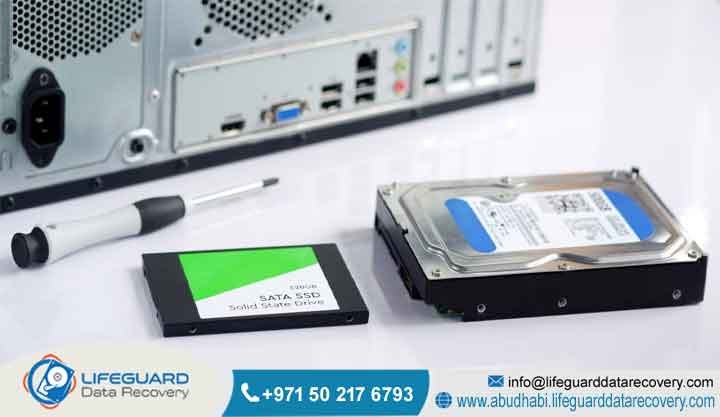
SSD Lifespan Explained
The truth is, how long your solid-state drive keeps running depends mostly on how much data you push onto it over the years. Old-school hard drives rely on whirring mechanical parts that eventually wear down or snap. Solid-state drives are different because they do not have any tiny moving pieces inside. SSD Lifespan Explained Instead,
they face a slow, internal wear-out that happens every single time data moves through a program-erase cycle inside the flash memory cells.
Generally speaking, the standard consumer or business drive will give you top-tier speed and performance for anywhere from three to seven years. However, a sudden spike in electricity or a corrupted piece of internal code can lock you out of your files in the blink of an eye, long before the cells naturally grow old.
When companies across Abu Dhabi and the wider UAE hit these sudden storage walls, the engineering team at Lifeguard Data Recovery steps in to safely extract and rebuild critical company files directly from the silent, broken silicon chips.
The Reality of SSD Longevity
Think of it this way: to see how much life is left in your company storage networks, you cannot just look at the date on the box. You have to peek into the hard data points tracked by the drive’s own internal monitoring software.
which tells you the exact volume of data the drive can handle before its internal insulation drops, and Drive Writes Per Day, which tracks how many times you can completely overwrite the drive’s total space every 24 hours during a standard five-year warranty window. On top of that,
manufacturers include a statistical data point called Mean Time Between Failures, which usually hovers between 1.5 million and 2 million operational hours under standard company workloads.
In the real world, flash-based setups deal with a progressive electrical insulation breakdown. That means massive, non-stop write cycles speed up how fast the drive degrades. Once you cross these limits, or if the controller microcode glitches out, you need professional hands to secure your corporate files.
What is SSD Lifespan and How Does It Work?
When we talk about solid-state drive lifespan, we are focusing on the actual countdown clock of a non-volatile flash storage device. It is the timeline where the drive can reliably hold, read, and write your operational files without a sudden internal chip failure or a complete controller freeze. To really understand how this works, you have to look closely at the physics behind NAND flash memory infrastructure.
The physical act of pushing electrons back and forth through that thin insulating oxide layer causes microscopic, permanent structural wear down. As the months and years pass, the insulation breaks down for good, and the cell loses its ability to hold an exact electrical charge. This structural decay is the absolute baseline boundary for flash memory endurance.
But physical cell wear is only half the story. The overall survival of an flash drive depends heavily on its electronic controller component.
Even so, that central controller chip is highly sensitive to unexpected power surges, sudden temperature spikes, and microcode firmware corruptions, which can knock the whole drive offline instantly, even if the memory cells are still in pristine condition.
SSD vs. HDD Lifespan: A Technical Comparison
Stacking up solid-state drives against hard disk drives means looking at an absolute contrast between mechanical moving parts and stationary silicon chips. Hard disk drives depend completely on physical, moving systems like high-speed spindle motors,
read-write actuator arms, and spinning magnetic platters. Over time, the internal motor bearings dry out, the actuator arms drift out of alignment, or a physical drop causes the read head to scratch the platter in a catastrophic head crash.
Solid-state drives do not have a single moving part inside them, which makes them incredibly tough when it comes to drops, heavy vibrations, or physical bumps that would completely ruin a spinning hard drive.
But there is a catch. A traditional hard drive can theoretically read and write data to its magnetic surfaces forever until something physically breaks down. A solid-state drive faces an unyielding, mathematically certain limit on how much data it can save because the silicon semiconductor material degrades a little bit with every use.
There is another big difference in how these drives die. When a hard disk drive is on its last legs due to mechanical wear, it usually gives you a loud warning-you will hear clicking, grinding, or buzzing sounds that let your IT team clone the data before it is too late. Solid-state drives fail in total silence,
often working perfectly one second and vanishing from the system the next because a tiny electronic component or a controller chip short-circuited. This lack of warning signs makes sudden data loss a massive risk for companies that do not run continuous server and storage replication backups.
Warning Signs Your SSD is About to Fail
Even though solid-state storage electronics fail silently without any clicking or grinding noises, they almost always drop subtle hints through the operating system that something is going wrong deep within the semiconductor architecture or controller firmware. Spotting these system anomalies early gives your IT team the chance to stop active operations, save their work, and call in an expert laboratory before the drive turns into an unresponsive brick.
One of the most obvious red flags is when the system starts running into bad blocks or bad sectors during everyday tasks. If your drive suddenly takes an unusually long time to open or save a basic file, or if your everyday business apps lock up and throw input-output errors, the controller is likely running into memory blocks that have worn down past their physical limits.
If your operating system suddenly blocks you from saving new documents, dragging files to the trash, or running software updates, your drive has hit the absolute end of its operational lifecycle. On top of that, if you keep seeing corrupted files popping up out of nowhere without a clear logical explanation, your drive is losing its ability to hold an electrical charge, and you need to get it to a data rescue lab immediately.
Is Data Recovery Possible When an SSD Fails?
Getting files back from a dead solid-state drive is completely doable, but the engineering workflows are incredibly intricate compared to traditional hard drive restoration. When you delete a file on an old-school hard drive,
the actual data blocks sit untouched on the magnetic platter until new files happen to overwrite them. On modern solid-state drives, a built-in operating system optimization command called TRIM completely changes this dynamic.
The controller then takes that cue to physically wipe out those cells during background garbage collection cycles so that future write speeds stay blazing fast.
However, if the drive undergoes a sudden physical failure, an electrical short circuit, or a firmware freeze before the TRIM command actually executes, the data remains fully intact inside the individual flash memory chips.
To pull data from a physically broken or firmware-locked solid-state drive, specialized engineers have to use advanced hardware tools to talk to the device at a deep structural level. This process almost always requires bypassing the broken native controller chip entirely.
By plugging directly into the underlying system architecture, data recovery specialists can read the raw binary code left on the individual NAND parts, allowing them to fully piece together and rebuild the original company files and database records.
Can Physically Damaged or Burned SSDs Be Recovered?
When an flash drive takes a massive hit from an electrical surge or severe thermal stress, the smaller parts on the surface-like the diodes, resistors, and the main controller processor-are almost always the first things to burn out. If the internal NAND flash memory chips managed to escape without cracking,
fracturing, or melting completely, the data stays locked safely inside the silicon walls. Recovery engineers working inside certified cleanrooms can carefully disorder each individual flash memory package from the burnt printed circuit board using professional, temperature-controlled rework stations.
Once those memory parts are safely off the broken board, they are placed into specialized hardware chip readers that extract a perfect, bit-by-bit clone of the raw physical blocks straight from the internal chip layers. Because a healthy drive controller normally scrambles, splits,
and spreads data across the chips to keep things running fast, this raw chip dump will look like complete gibberish at first. Engineers then have to manually reverse-engineer the original manufacturer’s controller algorithm using specialized software tools to restack, decode, and piece those blocks back into a working, recognizable file system.
Is Recovery Possible After Permanent Deletion on an SSD?
Pulling permanently deleted files back from solid-state storage depends entirely on whether the TRIM command went through the exact moment you hit delete, and if the drive stayed plugged into power after the fact.
the data acts just like it would on an old hard drive. The files stay right there on the blocks and are highly recoverable until you manually overwrite them with new data.
But if that deletion happens on a modern internal NVMe drive with TRIM running actively, things get a lot tougher. The moment the operating system flags those blocks as empty space, the controller schedules a garbage collection sweep. If the user yanks the power cord or shuts down the machine immediately after the mistake, the controller is denied the operational runtime it needs to actually clear out the physical blocks.
By keeping the drive completely powered down and sending it straight to a specialized data recovery lab, you prevent that destructive garbage collection routine from ever starting up.
Once in the lab, technicians can interface with the storage media using custom engineering modes that turn off the TRIM command structure entirely. This lets engineers extract the raw, unallocated blocks before the drive can run its internal self-cleaning cycles, successfully rescuing the deleted file structures.
Who is Lifeguard Data Recovery?
Lifeguard Data Recovery is the leading team for high-end enterprise data retrieval, digital forensics, and media restoration in Abu Dhabi and across the United Arab Emirates. Operating out of a highly secure, technologically advanced lab facility, our business focuses entirely on solving incredibly complex data loss disasters involving solid-state storage setups, enterprise server racks, critical corporate databases, and complex cloud networks.
For more than fifteen years, Lifeguard Data Recovery has been the trusted technology partner for corporations, financial institutions, legal groups, healthcare systems, and government ministries all over the UAE. We know that a sudden data loss event can stall your business, trigger massive regulatory fines, and bring your daily operations to a grinding halt.
By keeping a highly trained engineering team on staff and constantly investing in new recovery research, we maintain incredibly high success rates for every kind of storage media out there.
Why Businesses in the UAE Trust Lifeguard Data Recovery
Companies across the United Arab Emirates choose Lifeguard Data Recovery because we focus 100% on pure technical precision, ironclad data privacy, and upfront, predictable service.
In fact, a single wrong move or a bad software scan on a failing solid-state drive can permanently scramble the flash memory chips, ruining any chance of getting your files back later.
Our lab relies on certified data recovery engineers who spend their days working on micro-soldering, firmware rebuilding, and low-level file system repair.
On top of that, we stand firmly behind our No Data, No Charge business policy. This means our clients face absolutely zero financial risk-if we cannot bring back the specific critical files your business needs, you do not pay us a single dirham. That transparent approach,
combined with our strict non-disclosure agreements and secure data-handling pipelines, ensures that your company’s intellectual property stays completely confidential and fully aligned with national UAE data protection laws from start to finish.
Expert Insights on Enterprise SSD Failure Trends
As major data centers throughout the UAE phase out old mechanical hard drives for fast, all-flash storage arrays, the actual causes behind system failures have shifted completely. While solid-state drives give businesses an incredible boost in speed and processing power, using them at scale has revealed unique, long-term failure patterns that look nothing like consumer drive issues.
The engineering experts at Lifeguard Data Recovery have watched enterprise-level controller firmware panics skyrocket over the last few years. In heavy virtualized data center setups where non-stop parallel write commands and complex RAID arrays are the norm,
the internal metadata mapping tables inside a drive’s controller can lose track of things during a sudden power outage or an uncoordinated server reboot.
Additionally, our engineering teams frequently see multi-drive failures happening back-to-back inside aging enterprise flash arrays.
Because of this, they tend to hit their physical write limits or suffer electronic breakdown at almost the same exact time. This reality completely undermines the safety net of a standard parity-based RAID array. The moment one drive dies from pure wear down,
the intense rebuilding process forces the remaining worn-out drives to work overtime, which routinely triggers a secondary or tertiary drive failure that brings down the entire corporate file structure.
Commercial Data Recovery Services We Offer
Lifeguard Data Recovery offers a complete lineup of high-tier media restoration and technical data extraction services built to handle every kind of logical error, physical breakdown, firmware bug, or cyber-attack scenario. Our laboratory is built to manage multiple high-priority corporate projects at the exact same time, ensuring we get your business back online with as little downtime as possible.
Our primary commercial service lines include:
-
SSD Recovery: Deep physical and logical restoration of consumer and enterprise solid-state drives, covering NVMe, SATA, PCIe, and custom Apple storage layouts.
-
Hard Drive Recovery: Mechanical and electronic repair for standard desktop, laptop, and server hard drives dealing with broken head assemblies, stuck spindle motors, or damaged platters.
-
RAID Recovery: Structural rebuilding and file extraction for complex multi-drive setups, including RAID 0, RAID 1, RAID 5, RAID 6, RAID 10, and nested enterprise arrays.
-
Server Recovery: High-level reconstruction of physical and virtual server setups running VMware, Hyper-V, Citrix, or native Linux environments.
-
NAS Recovery: Specialized data extraction from network-attached storage units built by Synology, QNAP, Netgear, and custom commercial builds.
-
CCTV Recovery: Forensic recovery of security camera footage from DVR and NVR units after accidental deletion, system formatting, or physical device damage.
-
Digital Forensics: Certified, chain-of-custody data collection and deep cryptographic analysis to assist with corporate internal investigations, regulatory audits, and UAE court cases.
-
Ransomware Recovery: Advanced decryption support, malware isolation analysis, and secure data extraction from storage frameworks hit by complex cyber-extortion campaigns.
Devices and Storage Architectures We Support
Our engineering lab stays continuously updated with the newest hardware connection tools and diagnostic software packages needed to talk to every major storage device line on the global market. We keep a massive in-house stock of donor components, matching controller boards, and specialized circuits so we can find replacement parts instantly for emergency recovery tasks.
We offer full diagnostic and recovery support for the following layouts:
-
NVMe and PCIe M.2 SSDs: High-performance solid-state drives built by Samsung, Western Digital, Crucial, Intel, and Kingston.
-
SATA and mSATA SSDs: Standard business-grade and industrial solid-state drives found across corporate laptop fleets and thin-client setups.
-
Enterprise Storage Area Network (SAN) Solutions: Massive, multi-terabyte high-availability flash arrays built for enterprise data centers.
-
Enterprise Server Hardware: Blade servers and rackmount units built by Dell PowerEdge, HPE ProLiant, Lenovo ThinkSystem, and IBM.
-
Integrated Flash Memory: Surface-mounted eMMC and UFS storage chips built straight into corporate smartphones, tablets, and rugged industrial machinery.
Common B2B Data Loss Situations We Resolve
Corporate data loss almost never happens when it is convenient, and the root causes are just as diverse as the networks businesses use to keep things moving. At Lifeguard Data Recovery, we regularly step in to fix complex data loss scenarios that put the survival of UAE businesses at serious risk.
A massive driver behind corporate data emergencies is complex database corruption. When a company’s enterprise resource planning tool or relational database management system takes a hit from a sudden power drop or a controller write error, the underlying database files can become partially overwritten or misaligned.
This structural damage makes the entire file completely unreadable for company users. Along the same lines, a sudden firmware bug within a centralized storage array can instantly lock IT admins out of their storage volumes, showing the entire array as an uninitialized, unformatted blank drive.
We also spend a lot of time fixing data loss caused by basic human mistakes, like a systems administrator accidentally formatting a live production partition instead of a test drive during late-night network maintenance. Furthermore, our teams are deeply involved in cleaning up after targeted cyber attacks.
When hackers break into a corporate network and deploy a ransomware payload, they systematically go after both active production drives and connected backup loops. Our engineering lab works to isolate these systems, bypass the altered security settings, and pull clean, unencrypted historical data blocks from deep storage layers so you can restore your business without paying an illegal ransom.
How Our Advanced SSD Recovery Process Works
To make sure we have the absolute highest chance of getting your files back without risking further damage to your drive, Lifeguard Data Recovery follows a incredibly strict, multi-stage scientific protocol. This structured workflow keeps our tracking accurate, our cleanroom settings perfect, and your data completely verifiable from the moment your broken device arrives at our lab.
The step-by-step methodology proceeds as follows:
-
Initial Diagnostic Evaluation: The moment your failed solid-state drive arrives, our engineers log it into our secure tracking system and move it to the diagnostic bench. We run a full electronic check using high-precision oscilloscopes and power analyzers to track down blown fuses, shorted capacitors, or broken controller lines.
-
Cleanroom Hardware Intervention: If we find physical or electronic component damage, the drive goes straight into our Class 100 Cleanroom environment. Technicians carefully fix broken power lines, swap out damaged connection ports, or handle micro-soldering tasks to replace dead circuit parts.
-
Low-Level Flash Memory Dumping: Those isolated NAND flash memory chips are locked into high-speed physical chip readers. Our custom software platforms run a complete, cell-by-cell physical read of the drive, creating an absolute binary clone of the raw data hidden inside the chip layers.
-
Algorithmic Reassembly and Data Decryption: Because flash controllers split and scatter data across multiple chips using custom block sizes and wear-leveling patterns, that raw binary dump looks like a puzzle. Our specialists analyze the specific controller layout, calculate the original block structure, strip away error-correcting code bits, and work around factory encryption setups.
What Affects SSD Recovery Success Rates?
The actual chances of pulling your files back from a broken solid-state drive depend on a few major technical details and exactly what your team did immediately after the drive went offline. Knowing what drives these success factors can help your IT department make smart choices that protect your most valuable digital assets.
The single most critical factor is the physical shape of the internal NAND flash memory chips. If your flash drive was physically crushed, bent, or caught in an intense fire that cracked the actual silicon dies inside the storage chips,
Another massive variable is built-in hardware encryption. Modern solid-state drives, especially those packed into high-end corporate laptops and enterprise-grade storage setups, use hardware-based Full Disk Encryption that is managed directly by the central controller chip. If that controller chip breaks down but stays physically intact,
our engineers can often pull the needed security keys from the controller microcode during laboratory emulation. However, if those internal encryption keys are completely fried by a massive electrical surge or overwritten by a bad firmware update attempt, decoding the raw data from the flash memory chips becomes incredibly difficult, lowering the odds of a clean recovery.
How Long Does SSD Data Recovery Take?
The exact turnaround time needed to finish a professional solid-state drive recovery project comes down to how the drive failed, the total storage size of the device, and how fast your business needs it back. We offer a few different service tiers to fit into your operational schedule and your emergency IT budget.
For standard, non-emergency data recovery jobs, the entire process-covering the physical diagnosis, chip stabilization, firmware emulation, logical reassembly, and final file checks-usually takes between three to five business days.
This timeline gives our engineering team the time they need to run a careful, slow block-by-block read stabilization on drives with highly degraded memory cells, ensuring we pull out every possible file without causing the cells to collapse entirely.
In a true data emergency where an entire corporate network is stuck offline or a main production server array is completely down, Lifeguard Data Recovery provides a dedicated 24/7 Emergency Support line. Choosing this priority track means our lab assigns a dedicated engineering team to work on your drive non-stop,
around the clock, using accelerated reading tools and fast-track reassembly workflows. These emergency recovery tasks are frequently wrapped up within twelve to twenty-four hours, helping UAE businesses get their operating networks back online and resume daily business with minimal delay.
How Much Does SSD Data Recovery Cost in the UAE?
We do not charge flat rates based on the number of gigabytes you want back. Pulling a single text file from a drive with a completely fried controller chip requires the exact same advanced cleanroom tools and delicate micro-soldering labor as extracting multiple terabytes of server data.
To make sure our corporate clients feel completely secure, Lifeguard Data Recovery offers an entirely free initial physical and logical check for any storage device brought into our Abu Dhabi laboratory. Once that diagnostic check is complete, we provide a binding, fixed-cost commercial quote that breaks down the exact technical issues we found and the steps needed to fix them.
Our pricing is completely upfront. Basic logical fixes or minor firmware corrections sit at a lower cost tier, while intensive cleanroom work, direct chip-off extractions, and encrypted enterprise NVMe rebuilds require a higher level of professional investment.
Every single quote is backed completely by our strict No Data, No Charge guarantee. This means your company is only invoiced after we have successfully recovered and verified the critical business files you need to get back to work.
Data Security, Privacy, and Compliance Commitments
At Lifeguard Data Recovery, we treat your corporate data privacy and asset protection as our absolute number one priority. We understand that your business files, financial ledgers, patient records, and government legal documents are highly confidential assets that must be fiercely protected against unauthorized eyes, external leaks, or accidental exposure.
Our laboratory facility is built with advanced security controls, including restricted biometric access points, non-stop CCTV monitoring across all engineering benches, and completely air-gapped data extraction networks that have no physical connection to the public internet. This setup ensures that caught malware, active ransomware files, or sensitive corporate records can never leak past our secure laboratory walls.
Every single one of our engineers works under a legally binding confidentiality agreement, and we routinely sign custom corporate Non-Disclosure Agreements before taking in any device from our enterprise clients. Our daily workflows are built from the ground up to match the strict rules of UAE Federal Decree-Law Number 45 of 2021 on Personal Data Protection, along with international data security baselines.
Once your recovered files are delivered and confirmed, our internal client data clones are held on highly secure local storage for exactly fourteen days before being destroyed via permanent cryptographic wiping protocols, keeping your corporate data footprint completely clean.
Critical Industries We Serve in the United Arab Emirates
Modern business setups depend completely on continuous data availability. When a storage network suffers a sudden, catastrophic failure, the financial pain can rip through vital infrastructure sectors. Lifeguard Data Recovery provides high-reliability storage engineering support built specifically around the operational frameworks of the main industries driving the UAE economy.
We regularly provide data restoration and digital forensic fixes to the following sectors:
-
Oil, Gas, and Energy Sector: Recovering vital seismic modeling maps, offshore pipeline telemetry logs, and industrial automation control files for energy majors in Abu Dhabi.
-
Government and Public Sector Infrastructure: Providing high-clearance media recovery, forensic analysis, and secure storage drive restoration for local and federal public entities.
-
Banking, Finance, and Investment Institutions: Running highly secure database recovery jobs, transactional log restorations, and encrypted compliance data extractions for financial systems across the UAE.
-
Healthcare Providers and Hospital Networks: Pulling back crucial patient history records, medical imaging archives, and main pharmaceutical formulation databases from broken data center arrays.
-
Logistics, Aviation, and Maritime Operations: Rebuilding real-time supply chain databases, cargo manifest logs, and port management systems to keep transport lines moving smoothly across the Dubai and Abu Dhabi hubs.
Our Comprehensive UAE Service Coverage
To make sure that any business facing a sudden data emergency can get their hands on elite technical help immediately, Lifeguard Data Recovery runs a highly efficient logistical pickup and diagnostic network covering every single emirate in the UAE. We provide fast courier collection, secure on-site media transport, and dedicated regional management to make sure the entire process runs smoothly.
Our active corporate service footprint covers:
-
Abu Dhabi: Our main corporate laboratory facility provides direct, rapid emergency response and high-security cleanroom work for all government offices, business free zones, and industrial sectors located within the capital city and Al Ain regions.
-
Dubai: Fast-response media collection services built for corporate high-rises, financial offices, tech startups, and enterprise hubs across the Dubai International Financial Centre, Downtown Dubai, and Jumeirah Lakes Towers.
-
Sharjah: Comprehensive business data recovery and digital forensic support built for manufacturing hubs, universities, and corporate offices operating across the emirate of Sharjah.
-
Ajman, Fujairah, Ras Al Khaimah, and Umm Al Quwain: Dependable express logistical networks connecting northern manufacturing zones, shipping ports, and local corporate offices directly to our central lab for immediate technical diagnostics.
Case Study: Recovering a Failed NVMe SSD for an Abu Dhabi Enterprise
Problem
A major financial logistics consulting firm located in the center of Abu Dhabi hit an immediate data loss crisis when an internal enterprise NVMe solid-state drive running inside a core transactional server suddenly vanished from the network. The broken storage drive held a custom,
non-replicated relational SQL database tracking international client transaction records pulled together over the previous business quarter. The server operating system could not find the drive at all during a system reboot, flashing a primary boot failure message, and the drive stayed completely dead even when plugged into secondary backup hardware backplanes.
Urgency
The broken database was absolutely vital for putting together regulatory compliance reports that were due within forty-eight hours. Every hour that server stayed down cost the firm massive financial penalties and completely froze their active client invoice processing, turning the situation into an immediate corporate emergency.
Recovery Process
The dead NVMe drive was rushed straight to the secure lab at Lifeguard Data Recovery under our emergency service tier. Our engineers started a diagnostic check inside our Class 100 Cleanroom, discovering that a massive electrical surge had fried the drive’s power management circuit and triggered a critical firmware freeze inside the central controller chip,
forcing the drive into an unbootable panic state. Technicians used precision micro-soldering tools to isolate and bypass the dead power circuit, setting up stable electrical connections. Next, using specialized hardware emulators, our firmware specialists accessed the drive’s internal system area in factory engineering mode,
patching the broken microcode and rebuilding the internal drive map tables. This allowed our systems to initialize the storage drive without triggering a destructive factory reset.
Result
With the controller chip safely restabilized into an active state, our high-speed cloning rigs ran a flawless, bit-by-bit binary clone of the entire NAND flash memory array, scoring a 100% data extraction rate. Engineers then mounted the logical drive image, double-checked the structural health of the target SQL database files, and confirmed that absolutely zero block corruption had hit the primary data tables.
Client Outcome
The fully restored database setup was copied onto a securely encrypted external drive and delivered right back to the client’s corporate headquarters in Abu Dhabi within eighteen hours of the first pickup call. The consulting firm successfully re-imported the database back into their live server setup, avoided every single regulatory reporting fine, and kept business moving smoothly for their global client base.
Frequently Asked Questions About SSD Lifespan & Recovery
What is the typical operational lifespan of a solid-state drive under standard corporate use?
In the real world, a standard solid-state drive running inside a normal corporate office environment will usually give you reliable, fast performance for about three to five years before showing signs of old age. Heavy-duty enterprise solid-state storage setups running inside air-conditioned,
optimized data centers can frequently stay functional for up to seven years, depending on the exact volume of write commands the system processes. However, no matter how old or new the device is, sudden electrical spikes, factory flaws, or unexpected power cuts can kill critical internal components at any point in the drive’s lifecycle.
How does the TRIM command directly affect the ability to recover deleted data blocks?
Think of it this way: the TRIM command is an automated background message sent by the operating system to keep your flash memory write speeds fast. It tells the solid-state drive controller exactly which blocks of data are no longer needed the instant a user deletes a file. Once the controller gets that notice, it independently clears out the contents of those blocks during background garbage collection sweeps so they are fresh for new data.
What are the primary operational causes of unexpected solid-state drive failure before wear out?
The most common reasons a solid-state drive dies early long before reaching its write limits include major electrical voltage drops that destroy sensitive surface parts, intense operating heat that burns out the central controller processor, and sudden system-level firmware corruptions that lock down the drive interface.
On top of that, physical damage to the outside connection ports or tiny flaws in how the semiconductor layers were built at the factory can make a drive completely unreadable, even if it has only processed a fraction of its rated Terabytes Written threshold.
Can data be successfully retrieved if the drive controller processor is completely fried?
Yes, pulling your data back is highly successful even if the main drive controller chip has experienced a total electronic burnout. In our specialized data recovery laboratory, our engineers can carefully disorder each individual NAND flash memory chip from the broken circuit board and read the raw binary code straight from the silicon using advanced hardware programmers.
Why do solid-state drives frequently fail silently without presenting early indicators?
Unlike traditional hard disk drives that rely on physical moving parts that start clicking, grinding, or buzzing as they wear down, solid-state drives are made entirely of completely silent electronic circuits. When a critical internal part-like the main controller processor or a surface power diode-short-circuits or hits a major firmware bug,
the drive simply stops talking to the system instantly. This sudden jump from working perfectly to total unresponsiveness means you get absolutely zero warning signs to back up your data manually, which is why active replication backups are so vital.
How can a business accurately determine the remaining operational life of an active drive?
By running specialized system monitoring tools, administrators can look at critical data points like the remaining life percentage, cumulative Terabytes Written, raw read-write error rates, and real-time operating temperatures. The moment your monitoring software shows that the life percentage is dropping near zero or spots an increase in relocated sectors, you need to swap out that drive immediately.
Is it possible to perform an effective data recovery on a drive using downloadable software utilities?
The truth is, running cheap, downloadable data recovery software on an unstable or physically failing solid-state drive is an incredibly dangerous move that frequently leads to permanent data loss. These software tools force your operating system to repeatedly scan and stress the unstable drive, which speeds up the breakdown of failing electronic parts and can cause the controller to permanently lock up or trigger a destructive self-purge.
What specific steps should a business take immediately when an flash drive stops responding?
The exact second a solid-state drive starts acting up-whether it is freezing, throwing file system errors, or failing to show up when you boot the machine-you must cut the power to the system immediately to stop further data corruption.
Do not try restarting the machine over and over, avoid running built-in disk checking utilities, and never try opening the drive case or heating it up outside a real lab. Simply disconnect the drive from its power source and get it straight to a professional data recovery lab to save the current state of the memory chips.
How do environmental temperatures impact the long-term data retention of an flash drive?
Intense operational heat speeds up the physical breakdown of the thin insulating oxide layers inside your NAND flash memory cells, which rapidly increases the odds of bad blocks and file corruption. Furthermore, if you unplug a solid-state drive from power and store it away in a hot room or warehouse, the electrical charges trapped inside the memory cells will leak out at an accelerated pace.
Why do multiple solid-state drives in an enterprise RAID array often fail simultaneously?
Because everything is identical, the individual drives tend to hit their physical wear thresholds or experience chip breakdown within a very narrow window of time. The moment a primary drive dies, the intense RAID rebuilding process forces the remaining worn-out drives to work twice as hard, which routinely triggers a secondary failure that breaks the entire array.
Can failed solid-state drives that utilize built-in hardware encryption be recovered?
Yes, pulling data back from a dead solid-state drive that uses factory-level hardware encryption is entirely possible, as long as the individual NAND flash memory chips are not physically cracked and the encryption key data can still be reached inside the controller framework.
Our lab engineers use advanced hardware interfaces to fix broken controller microcode and extract the original decryption keys straight from the drive’s internal system area. This allows us to safely decode the raw data blocks cloned from the memory chips and rebuild your original files.
Secure Your Business Continuity: Contact Lifeguard Data Recovery
The moment your business hits a critical storage wall, a firmware crash, or a sudden data loss emergency involving solid-state drives, corporate servers, or RAID arrays, making the right move instantly is the only way to save your valuable files. Do not risk your financial ledgers,
customer records, and daily business continuity by messing around with uncertified repair methods or random software scans. Call the high-tier media restoration team at Lifeguard Data Recovery right now to secure a precise, professional diagnostic check backed completely by our industry-leading success rates and transparent business policies.
-
Call: +971 50 127 6793
-
Email: info@lifeguarddatarecovery.com



