+971 50 217 6793 Abu Dhabi, UAE info@lifeguarddatarecovery.com

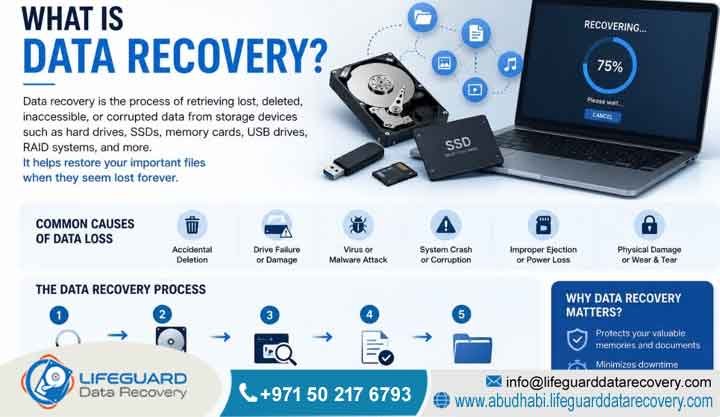
What is data recovery?
Data recovery is the technical process of retrieving inaccessible, lost, corrupted, and formatted information from secondary storage media. Specialists perform this process when you cannot access data normally. This engineering discipline addresses data loss from logical errors, firmware corruption, or physical mechanical damage across enterprise systems and personal storage devices throughout the UAE.
What Is Data Recovery?
Short Answer: Data recovery is a specialized engineering process that retrieves lost, deleted, corrupted, or inaccessible files from damaged digital storage media. For example, engineers recover data from hard drives, SSDs, and RAID servers. Professional laboratory retrieval becomes necessary when physical hardware failure, firmware corruption, ransomware encryption, or severe logical errors prevent standard operating systems from reading files.
Detailed Explanation: Digital storage devices rely on complex architectural layers to manage information safely. These layers combine physical magnetic or flash media, low-level firmware code, and logical file system layouts. When any of these foundational layers fail, your data becomes unreadable to standard software interfaces.
Consequently, the recovery process requires a systematic approach. Engineers first assess the exact point of failure and stabilize the storage media within a controlled laboratory environment. After stabilizing the device, they repair hardware components or patch system firmware to extract the raw binary data. Finally, specialists rebuild the structural file systems to reconstruct user files in their original formats.
Real-World Examples:
-
Enterprise Failure: A corporate database server in Abu Dhabi suffers a multi-drive failure in its primary array, rendering the file system unmountable. Engineers use hardware emulators to bypass the failed disk controllers, clone the raw storage sectors block-by-block, and manually reassemble the underlying logical volumes to restore enterprise access.
-
Personal Media Loss: An external solid-state drive becomes completely unrecognized by a laptop due to an electronic power surge. This scenario requires precise microsoldering inside a laboratory to access the memory chips directly.
Our Trust Commitment: Lifeguard Data Recovery executes all advanced hardware extractions inside an ISO-certified cleanroom laboratory. This protective environment safeguards sensitive components against airborne contamination. Additionally, our engineering workflows strictly adhere to international data security standards, which ensures that your corporate assets remain entirely confidential and fully protected.
Essential Storage Recovery Benchmarks
The physical and structural state of storage media dictates the appropriate retrieval methodology. For instance, mechanical hard drives often experience physical component failure requiring cleanroom intervention. Conversely, solid-state storage typically presents complex electronic or firmware issues. The table below outlines the core attributes defining modern recovery profiles across the UAE.
Lifeguard Data Recovery provides a definitive assurance of safety by operating under a strict No Data, No Charge policy. Every evaluation is handled by certified engineering specialists who verify the structural viability of the information before finalizing any service agreements.
What Is Storage and File Restoration?
Storage and file restoration is the comprehensive science of restoring broken down, unreadable, or missing digital information back to a verified, operational state. It encompasses two primary technical paths. First, logical recovery resolves software, partitioning, and formatting issues. Second, physical recovery corrects structural, mechanical, or electronic hardware damage.
Logical vs. Physical Damage Mechanisms
When storage media functions perfectly at a mechanical level but files remain unreachable, the issue is classified as logical. This typically occurs due to human error, formatting, virus infection, or corruption. In these scenarios, the data blocks still exist on the drive platters or flash cells, but the operating system has lost the structural index or pointers required to find them.
Physical recovery, conversely, addresses devices that are dead, unpowered, making clicking sounds, or physically broken. This path requires specialized lab equipment and donor parts from identical drive models. Technicians perform manual engineering manipulation to make the device temporarily operational so its raw data blocks can be successfully read.
Real-World Incidents and Solutions
For example, an executive at a firm in Dubai accidentally runs a complete format operation on a shared network drive, erasing the logical file index. The drive remains physically healthy, allowing logical reconstruction software to scan the surface and retrieve the unindexed blocks.
Months later, a similar drive in an Abu Dhabi office experiences a severe drop, breaking the internal read/write head assembly. This incident requires immediate physical extraction inside a cleanroom.
Our facilities are fully equipped to address both major branches of media restoration. By maintaining a vast inventory of donor parts representing thousands of drive makes, models, and firmware revisions, our certified specialists ensure that physical and logical extraction cases proceed without unnecessary supply-chain delays.
Can Deleted Files Be Restored?
Short Answer: Yes, deleted files can generally be recovered provided that the storage sectors containing the original information have not been overwritten by new data. When a file is deleted, the operating system simply removes its address pointer and marks the space as available for future writing operations.
Detailed Explanation: Operating systems optimize performance by avoiding the immediate wiping of data blocks during a deletion event. Instead, the space occupied by the deleted file is reclassified as unallocated territory. Until the system assigns new data to those specific blocks, the original binary code remains perfectly intact. However, if the device remains in active use, the operating system will inevitably overwrite these sectors with system logs, temporary files, or new user data, resulting in irreversible destruction of the old information.
Real-World Examples:
-
Successful Preservation: A digital marketing strategist in Sharjah deletes a critical client campaign directory by mistake. Because they immediately disconnect the machine from the network and power it down, the unallocated sectors remain untouched, allowing complete restoration.
-
Overwritten Destructive Loss: A user continues downloading large media files on a device after a deletion event. This action permanently overwrites the unallocated sectors, destroying the files.
Lifeguard Data Recovery utilizes advanced write-blocking hardware tools during every diagnostic sweep. This ensures that our engineers never accidentally write new data to your drive, completely preserving the integrity of any deleted files waiting to be restored.
Can Solid-State Drives (SSDs) Be Successfully Accessed After Failure?
Short Answer: Yes, failed solid-state drives (SSDs) can be successfully accessed and recovered through specialized lab procedures. However, the process is significantly more complex than mechanical hard drive extraction due to hardware encryption, proprietary controller designs, and internal background recycling processes like the TRIM command.
Detailed Explanation: SSDs store information electronically inside NAND flash memory chips, managed by a highly specialized microprocessor called the controller. When an SSD fails, it is typically due to electronic component damage, controller failure, or firmware corruption within the translation layer, which maps physical flash memory addresses to logical blocks. If the drive has active TRIM optimization enabled, the operating system proactively wipes deleted data blocks during idle times, making standard deletion recovery difficult. However, when the drive completely dies or fails due to hardware faults, the blocks remain frozen in place, allowing specialists to bypass the controller or extract the chips directly to read the data.
Real-World Examples: An engineering laptop in Ajman suffers a sudden motherboard short, which damages the internal NVMe SSD controller chip and prevents the system from booting. Our team bypasses the damaged controller by connecting the flash memory pins to a dedicated hardware emulator, allowing us to stabilize the firmware and read the original structural partitions successfully.
Our engineers undergo continuous, rigorous training to stay ahead of evolving solid-state flash memory technologies. We leverage cutting-edge proprietary tools capable of reassembling scrambled data patterns directly from raw NAND chips, ensuring high success rates for failed SSD devices throughout the UAE.
How Does the Storage Retrieval Process Work?
Short Answer: The storage retrieval process works through a structured, multi-phase engineering protocol that begins with a comprehensive non-destructive hardware diagnostic. This is followed by physical or logical stabilization of the media, block-by-block bitstream cloning, virtual file system reconstruction, and rigorous integrity verification of the extracted files.
Detailed Explanation: Professional recovery never involves working directly on the original failing hardware device during extraction. Instead, the primary goal of our engineers is to safely stabilize the failing media just long enough to create an exact, low-level binary clone onto a healthy lab storage drive. All subsequent partition analysis, deep structural file carving, and directory reconstruction are executed exclusively on this secondary clone. Consequently, this protective workflow completely eliminates further wear and tear on the client’s fragile original equipment, ensuring a safe and repeatable recovery environment.
The Five Core Extraction Steps
-
Media Diagnostic: Inspect the drive for physical, electronic, firmware, or logical errors without altering data state.
-
Device Stabilization: Repair mechanical damage in an ISO cleanroom or patch corrupted internal firmware modules.
-
Media Cloning: Generate a precise bit-by-bit binary image of the storage media using specialized hardware imagers.
-
Data Extraction: Analyze the healthy clone using file carving techniques to rebuild original directories and file structures.
-
Verification: Confirm the functional integrity of target databases, documents, and system files.
Lifeguard Data Recovery relies on strict write-blocking hardware bridges throughout the cloning phase. This makes it physically impossible for any data modifications to occur on your source device, ensuring that your original storage media is returned in the exact same state it arrived.
How Media Reconstruction Functions
Short Answer: Media reconstruction functions by rebuilding broken file system architectures from raw binary images. When structural metadata headers, partition tables, or master file indexes are corrupted, engineers utilize specialized diagnostic tools to parse raw sectors, locate distinct file signatures, and manually restore the original data relationships.
Detailed Explanation: When a storage device experiences catastrophic structural failure, standard operating systems read it as unformatted or RAW space because the primary file tracking indexes are missing or illegible. Media reconstruction addresses this by bypassing standard operating system calls. Specialists deploy advanced software utilities to perform signature-based file carving. This technical process scans the unindexed sectors for recognizable hexadecimal file headers and footers. For example, it identifies the specific binary markers that signal the start and end of a JPEG or PDF file. Once these boundaries are mapped, the raw data is extracted and recompiled into a fully readable format, while custom scripts are used to reassemble missing directory hierarchies.
Real-World Examples: A corporate SAN storage unit in Ras Al Khaimah experiences a corrupted partition map after an unexpected power outage. The operating system prompts to initialize the drive, which would erase everything. Instead of initializing, engineers map the raw sectors, locate the backup boot sector markers, and manually rewrite the partition boundary values to instantly bring the original folders back online.
Our advanced laboratory workstations are completely isolated from external networks to eliminate any risk of malware transmission or unauthorized data interception during the reconstruction phase. This secure sandbox architecture ensures maximum safety for sensitive commercial and institutional storage projects.
Can Physically Damaged Storage Media Be Repaired?
Short Answer: Physically damaged storage media cannot be permanently repaired for ongoing use, but it can be temporarily restored within a controlled laboratory environment to allow for a complete data extraction. Any hardware modifications made during the recovery process are strictly temporary measures designed to facilitate safe data cloning.
Detailed Explanation: When a mechanical hard drive suffers physical failure, such as a burnt circuit board, a seized spindle motor, or a broken read/write head assembly, its structural integrity is permanently compromised. Component replacement must be performed inside a cleanroom using precision instruments and exact matching donor parts from identical production lines. These cleanroom modifications are completed solely to bring the drive into a temporary operational state that allows specialized cloning equipment to read its magnetic platters. Once the raw sectors are successfully copied to a healthy target drive, the damaged source device is retired and safely decommissioned, as it can never safely store information again.
Real-World Examples: A hard drive from a workstation in Fujairah is submerged during a facility water leak, damaging the external logic board and contaminating the internal bearings. In the lab, engineers clean the internal platters, swap the damaged logic board with an identical donor component, transfer the native firmware chip, and extract the data before the platter bearings degrade completely.
Lifeguard Data Recovery maintains an expansive on-site inventory of donor hardware components matching thousands of legacy and modern drive specifications. This immediate availability allows our certified specialists to perform critical mechanical swaps quickly, minimizing media degradation and accelerating turnaround times.
When Do You Need Enterprise-Grade Retrieval Services?
Short Answer: Enterprise-grade retrieval services are required immediately when storage media displays signs of physical mechanical failure, severe electronic damage, complex multi-drive RAID fragmentation, or when the data is critical enough that any amateur recovery attempt poses an unacceptable risk of permanent loss.
Detailed Explanation: Amateur attempts to recover data using downloadable software on a malfunctioning drive frequently result in permanent data destruction. If a hard drive is making scratching, clicking, or grinding noises, the issue is physical, and running software will cause the broken read/write heads to scrape the magnetic platters, physically destroying the data layers. Professional enterprise services are essential whenever data loss intersects with mechanical noises, device unresponsiveness, fire or water damage, or complex corporate architectures like encrypted virtual servers and high-density NAS arrays.
Real-World Examples: A business owner notices their office file server has started emitting a repetitive clicking noise, and shared files are no longer accessible. Recognizing this as a sign of physical head failure, they immediately power down the machine and call an enterprise lab, avoiding the severe platter scratching that would occur if they left the system running.
Our team offers 24/7 emergency support for critical corporate incidents throughout the UAE. By engaging our enterprise services, clients receive immediate access to senior engineering resources, an ISO-certified cleanroom environment, and dedicated project management to ensure the fastest possible recovery of business-critical assets.
Common Causes of Storage Media and File Failure
Short Answer: The common causes of storage media and file failure are categorized into physical mechanical failure, electronic surges, logical file corruption, human error, and ransomware attacks. Identifying the root cause of data loss is the first step toward selecting the correct laboratory recovery protocol.
Detailed Explanation: Storage media failures generally stem from distinct operational factors. Mechanical drives are highly susceptible to physical wear over time, leading to head degradation or spindle motor failure. Solid-state devices are more frequently impacted by electronic surges or firmware anomalies within the NAND translation layer. Logical failures happen across all device types and include accidental file deletion, forced system shutdowns that interrupt write operations, and malicious file encryption by ransomware strains. The list below outlines the primary triggers that necessitate professional storage interventions.
Primary Triggers for Technical Failures
-
Physical Mechanical Failure: Dropping an external hard drive, causing the read/write heads to misalign and collide with the internal spinning platters.
-
Electronic Overstress: A sudden voltage surge across an office building in Umm Al Quwain that burns the diodes on a storage enclosure’s printed circuit board.
-
Logical File System Corruption: An unexpected power interruption mid-update that corrupts the Master File Table (MFT) of an enterprise storage volume.
-
Malicious Encryption: A ransomware attack that breaches a corporate network, replacing standard data configurations with encrypted blocks.
At Lifeguard Data Recovery, our diagnostic procedures isolate each failure type before executing a recovery strategy. This precise categorization ensures that physical cases go straight to the cleanroom, while logical cases are protected by write-blockers, preventing further issues.
Our Advanced Specialized Engineering Solutions
Short Answer: Our advanced specialized engineering solutions provide comprehensive file and media restoration across all modern storage technologies. We deliver dedicated technical capabilities for complex corporate infrastructure, legacy data formats, and advanced hardware configurations facing severe operational failures.
Detailed Explanation: Every storage medium demands a tailored engineering methodology when data loss occurs. A generic approach cannot address the distinct firmware, electronic, and structural variations found between individual devices. Our lab features separate, highly specialized workstations optimized for mechanical drives, flash memory arrays, virtualized server infrastructures, and forensic data capture. This deep technological division enables us to address highly complex recovery challenges that standard IT departments lack the specialized tools and environment to handle.
Real-World Examples: A regional logistics provider experiences a simultaneous hardware failure on two critical storage blocks within their primary system, taking down their logistics tracing application. Our specialized engineers isolate the affected units, rebuild the missing parameters in our lab environment, and extract the database files to restore logistics operations without data gaps.
Every service tier at Lifeguard Data Recovery is backed by our team of certified specialists and an enterprise-grade secure lab environment. We operate with full technical transparency, providing detailed engineering reports after every initial evaluation so our clients understand the exact scope of work required.
Can Complex RAID Arrays and Servers Be Fully Restored?
Short Answer: Yes, complex RAID arrays and enterprise servers can be fully restored even after experiencing multiple hard drive failures, controller malfunctions, configuration losses, or accidental volume initialization. Recovery requires rebuilding the array virtually within a specialized laboratory environment.
Detailed Explanation: RAID architectures distribute data across multiple physical disks using specific stripping and parity patterns to improve performance and provide fault tolerance. When a RAID configuration fails due to multiple simultaneous disk dropouts or a broken hardware controller, the data blocks become fragmented and unreadable. Professional recovery involves evaluating every single drive in the array, resolving any mechanical or electronic drive errors in a cleanroom, and creating exact binary clones of each disk. Our engineers then analyze the clones to determine the original stripe size, drive sequencing order, and parity distribution pattern. Using this structural map, they assemble a virtual reconstruction of the array to extract the underlying database or file system without modifying the original disks.
Real-World Examples: A corporate data center in Abu Dhabi running a six-drive RAID 5 array suffers a double disk failure, causing the entire volume to drop offline. Our team extracts all six drives, rebuilds the internal mechanics of the two failed units inside our cleanroom to capture clean sector clones, identifies the original configuration parameters, and virtually rebuilds the file system to save the corporate database.
We understand the immense financial impact of enterprise downtime, which is why we provide 24/7 emergency support for critical RAID and server failures across the UAE. Our advanced engineering solutions ensure rapid containment, secure processing, and highly accurate reconstruction of vital corporate data assets.
SAN Storage, NAS, and Networked Infrastructure Emergency Work
Short Answer: Our emergency services for SAN, NAS, and networked infrastructure provide fast, secure recovery from catastrophic data loss across high-capacity enterprise storage networks. We address multi-disk failures, file system corruption, accidental deletions, and operational errors within environments manufactured by Synology, QNAP, Dell, and NetApp.
Detailed Explanation: Networked storage configurations often utilize specialized Linux-based file systems like EXT4, Btrfs, or ZFS, layered over proprietary logical volume managers. When an institutional storage array drops offline or suffers a configuration crash, standard repair utilities can easily overwrite critical internal pointers and cause permanent corruption. Our emergency engineering process bypasses standard operating system limitations, stabilizes physical media issues in our laboratory, and uses custom software tools to parse raw metadata and extract unindexed target folders.
Real-World Examples: A media firm in Dubai loses access to a large Synology NAS array containing years of project assets after an uncompleted firmware update corrupts the volume configuration. Our team steps in to perform a remote metadata patch, restructuring the corrupted system parameters to restore the active volumes and return the files to the company network.
All network storage recovery procedures are executed by senior engineers with deep expertise in enterprise storage management and advanced networking protocols. We combine high-speed data imaging technologies with a secure lab environment to deliver fast turnarounds while maintaining total confidentiality.
CCTV, DVR, and Enterprise Digital Forensics Investigation
Short Answer: Our CCTV, DVR, and digital forensics services specialize in the scientifically sound extraction, analysis, and preservation of digital evidence from surveillance systems and electronic media. We utilize strict forensic protocols to recover deleted, damaged, or hidden files for corporate and legal investigations across the UAE.
Detailed Explanation: Digital forensics requires a strict combination of advanced technical capabilities and legally defensible processes. When tracking critical events or incidents, surveillance video extraction often presents challenges because security recorders write video streams using non-standard proprietary file structures that cause severe data fragmentation on the storage platters. If footage has been intentionally deleted or partially overwritten, standard recovery applications will fail to rebuild the video files. Our forensic specialists utilize proprietary software tools to comb through raw disk sectors, locate individual frame fragments, and reassemble them into continuous, verifiable video files while documenting a strict chain of custody.
Real-World Examples: A retail enterprise in Abu Dhabi requires evidence regarding an internal loss incident, but the on-site DVR drive was intentionally formatted to conceal the activity. Our digital forensics team extracts the drive, generates a verified forensic image using strict hardware write-blockers, carves out the fragmented raw video streams, and creates an expert witness report for corporate leadership.
Every forensic investigation at Lifeguard Data Recovery is conducted under rigid security guidelines to ensure the absolute integrity and admissibility of all extracted evidence. Our certified specialists follow international forensic standards, providing complete confidentiality and legal compliance for corporate clients throughout the UAE.
Devices and Media Types We Successfully Handle
Short Answer: Our laboratory provides professional data extraction capabilities for a comprehensive range of modern digital storage hardware. We successfully service enterprise network environments, personal computing devices, mobile phones, and industrial storage media facing complex physical or logical failures.
Detailed Explanation: Different storage devices rely on entirely distinct physical connections, storage media configurations, and file tracking systems. To help visualize our recovery capabilities across these varied environments, the reference guide below maps our specialized service offerings to their typical real-world device applications throughout the UAE market.
Hardware Infrastructure Support Matrix
-
Hard Drives & SSDs:
-
Supported Formats: SATA, NVMe, M.2, PCIe, SAS, SCSI, 2.5″, 3.5″
-
Common Applications: Corporate Workstations, Laptops, External Drives, Desktop Systems
-
-
Network & Servers:
-
Supported Formats: RAID 0/1/5/6/10/50/60, SAN, NAS, Virtual Machines (VMware, Hyper-V)
-
Common Applications: Enterprise File Servers, Cloud Storage Arrays, Data Center Nodes
-
-
Mobile & Portable:
-
Supported Formats: iOS, Android, MicroSD, SDXC, CompactFlash, USB Flash Media
-
Common Applications: Executive Smartphones, Digital Cameras, Portable Storage Bricks
-
-
Security Systems:
-
Supported Formats: Proprietary DVR File Systems, NVR Arrays, Bodycam Storage
-
Common Applications: Commercial Surveillance Systems, Facility Security Repositories
-
Our facilities maintain specialized diagnostic hardware designed to interface directly with every media type listed above. This deep compatibility ensures that regardless of how unique or legacy your storage hardware might be, our certified specialists can perform a safe evaluation.
Step-by-Step: The Professional Evaluation and Extraction Flow
Short Answer: The professional evaluation and extraction flow is a precise, five-stage technical lifecycle engineered to maximize data recovery success while ensuring absolute media safety. The process moves systematically from initial non-destructive analysis through physical stabilization, binary cloning, file carving, and secure delivery.
Detailed Explanation: Adhering to a standardized engineering sequence is critical when handling compromised digital media. Deviating from a controlled workflow can place fragile components under unnecessary stress, increasing the risk of permanent data loss. Our structured framework keeps clients fully informed at every milestone while ensuring that the original storage hardware remains completely unaltered throughout the project lifecycle.
The Five In-Lab Processing Phases
-
Secure Intake & Inspection: The damaged media is registered in our tracking system, and technicians perform an initial physical inspection to identify obvious hardware faults or signs of external tampering.
-
Diagnostic Analysis: The device is connected to a hardware diagnostic utility using write-blockers to identify the exact cause of failure across physical, electronic, firmware, or logical layers.
-
Media Stabilization: Physical issues are addressed inside our ISO cleanroom by replacing damaged components, while logical and firmware faults are patched to allow stable media reading.
-
Sector-by-Sector Cloning: Specialized imaging hardware creates an exact bitstream duplicate of the drive’s contents, transferring all readable sectors onto a secure laboratory storage volume.
-
Virtual Data Extraction: Engineers analyze the sector clone to rebuild directory trees, verify file integrity, and extract target folders onto fresh, encrypted media for delivery.
Every phase of our professional extraction flow is managed within our secure recovery lab under strict confidentiality protocols. This methodical engineering approach guarantees that your storage hardware receives optimal care from intake to final verification.
Turnaround Logistics: Expected In-Lab Evaluation Times
Short Answer: In-lab evaluation times vary depending on the selected service tier, ranging from immediate 24/7 emergency assessments to standard multi-day diagnostic reviews. These distinct diagnostic options are engineered to align with varying corporate timelines and operational priorities.
Detailed Explanation: The time required to evaluate a failing storage device depends heavily on the physical nature of the breakdown and the urgency of the client’s business situation. While logical directory analysis can often be completed quickly using automated tools, severe physical head crashes or complex multi-disk RAID failures require manual engineering assessment and component adjustment. The parameters below detail our standard turnaround profiles for UAE business entities.
Diagnostic SLA Configurations
-
Standard Diagnostic:
-
Expected Timeline: 2 to 3 Business Days
-
Best Used For: Non-critical operations, archival drives, historical accounting databases
-
Engineering Focus: Standard queue placement, comprehensive structural and physical sweep
-
-
Priority Assessment:
-
Expected Timeline: 24 to 48 Hours
-
Best Used For: Active workstations, production environment storage, executive Laptops
-
Engineering Focus: Escalated laboratory handling, immediate donor component allocation
-
-
24/7 Emergency Support:
-
Expected Timeline: Immediate / Round-the-Clock Handling
-
Best Used For: Catastrophic server downtime, primary database crashes, line-of-business outages
-
Engineering Focus: Continuous dedicated engineering resources until extraction is complete
-
Regardless of the chosen evaluation tier, our team applies identical data protection protocols to every device. Our certified specialists operate with total precision, ensuring that urgent cases receive rapid turnaround without sacrificing data safety.
Service Economics: Variables That Determine Evaluation Profiles
Short Answer: The economics of data recovery are determined entirely by the technical complexity of the failure, the cost of required donor parts, the labor time spent inside the cleanroom, and the specific architecture of the storage media, rather than the total file volume or storage capacity of the device.
Detailed Explanation: Data recovery costs reflect the specialized engineering skill, lab infrastructure, and hardware tools required to perform the extraction. A 500 GB hard drive with a severe mechanical head crash can be far more complex to recover than a healthy 10 TB drive that was simply formatted by mistake. The overall scope of work depends heavily on whether the engineering team must source matching hardware components to temporarily restore physical operation, resolve complex internal firmware conflicts, or manually reconstruct fragmented file blocks across an encrypted file system.
Real-World Examples: A business attempting to estimate project difficulty should consider that a legacy mechanical hard drive requiring cleanroom mechanical adjustment involves manual labor and hardware donor parts, creating a different resource profile than a standard software-based partition fix. Similarly, recovering an enterprise storage array requires extensive drive sequencing and array reassembly, reflecting its complex architecture.
Lifeguard Data Recovery provides complete predictability by offering a fixed-price technical proposal following our initial laboratory evaluation. Backed by our rigid No Data, No Charge guarantee, businesses can rest assured they will only pay for successful, verified data extractions.
Crucial Technical Factors That Impact Final Results
Short Answer: The crucial technical factors impacting final recovery success include the physical condition of the storage media surface, the use of automated recovery software after a failure, the type of storage technology involved, and how quickly the device was powered down following the initial issue.
Detailed Explanation: Recovery success is determined by the physical and structural state of the media when it reaches our lab. If a hard drive continues running after a mechanical head crash, the damaged components can scratch the magnetic coating off the platters, turning the data into dust and causing permanent loss. Similarly, running free internet recovery software on an unstable drive can cause the system to overwrite unallocated sectors, destroying the very files you want to save. The list below breaks down the key technical elements that govern final extraction success.
Key Success Factors
-
Platter and NAND Cell Integrity: Deep scratches on magnetic platters or completely degraded flash cells physically destroy the raw bits, making recovery impossible.
-
User Intervention History: Prior DIY attempts, such as opening a hard drive casing outside a cleanroom, introduce dust contamination that severely lowers success rates.
-
Storage Drive State Post-Failure: Immediately powering off a malfunctioning device prevents additional physical wear, electronic damage, or logical overwrites.
-
Encryption Architecture: Missing encryption keys or corrupted security modules add complex cryptographic hurdles that must be resolved to read the data.
Our laboratory uses advanced, non-destructive imaging workstations designed to minimize media stress. By stabilizing the storage device and creating an immediate bitstream clone, our certified specialists give you the best possible chance of a successful recovery.
Why Businesses Choose Lifeguard Data Recovery
Short Answer: Businesses choose Lifeguard Data Recovery because we combine deep technical expertise with advanced laboratory infrastructure, comprehensive data security protocols, an ISO-certified cleanroom environment, and an unwavering commitment to customer security through our strict No Data, No Charge policy.
Detailed Explanation: When an enterprise experiences a critical data loss incident, they need a service provider that treats their information with professional care and strict security. We provide an enterprise-ready environment designed to meet the high data protection and confidentiality standards required by corporate and government entities across the UAE. Our team of certified specialists bypasses general IT limitations to safely recover lost assets from complex server architectures, encrypted solid-state drives, and physically damaged storage media.
Real-World Examples: A financial institution facing an unexpected storage failure relies on our secure recovery lab to process their sensitive customer records, knowing our processes keep their operations fully compliant with local data protection regulations. At the same time, an engineering firm uses our priority service tier to quickly recover lost project files and get their operations back on track without costly delays.
With over 30 years of deep industry experience, Lifeguard Data Recovery stands as a trusted leader in specialized media restoration. We handle every project with complete transparency, providing clear upfront diagnostic reports and maintaining strict data security throughout the entire recovery process.
Corporate and Institutional Sectors We Support across the Emirates
Short Answer: We provide professional data restoration services tailored to the strict security, compliance, and architectural demands of major corporate and institutional sectors across the UAE, including government agencies, financial institutions, energy providers, and healthcare networks.
Detailed Explanation: Different industries operate under distinct regulatory frameworks and use specialized storage systems that require tailored recovery approaches. For instance, financial organizations require strict adherence to data privacy standards, while engineering and energy firms often utilize high-capacity storage networks with non-standard file systems. Our team understands these industry-specific challenges, allowing us to deliver secure data extractions that protect file integrity while keeping your organization fully compliant with local regulations.
Real-World Examples: We help healthcare providers recover vital patient databases from damaged storage arrays while maintaining strict patient data privacy. Similarly, we assist regional oil and gas companies by extracting critical seismic data from corrupted storage arrays used in remote field operations.
Our secure recovery lab is designed to fulfill the rigorous data handling standards required by enterprise compliance officers across the UAE. We back every project with comprehensive confidentiality agreements, providing full security for your critical institutional data.
Local Engineering Availability: UAE Regional Service Zones
Short Answer: Lifeguard Data Recovery provides professional data extraction services across all seven Emirates, offering convenient device drop-offs, secure local courier pickup, and dedicated laboratory support from our regional engineering hubs to ensure rapid response times throughout the UAE.
Detailed Explanation: Data loss requires a fast, local response to prevent operational delays and minimize media degradation. To ensure businesses across the country have access to professional engineering support, we provide full service coverage across every region. Clients can securely send their compromised hardware to our centralized laboratories through our managed courier network or drop devices off directly at our service locations.
Coverage Configurations Matrix
-
Abu Dhabi Hub: Delivering expert cleanroom recoveries and corporate server emergency work for businesses in the capital and Al Ain.
-
Dubai Center: Providing advanced solid-state drive extractions, mobile diagnostics, and forensic investigations for regional commercial entities.
-
Northern Emirates Logistics: Serving Sharjah, Ajman, Ras Al Khaimah, Fujairah, and Umm Al Quwain with fast, secure courier pickup options.
Our extensive service footprint across the UAE ensures that professional, secure data recovery is always within reach. By offering synchronized logistics and unified laboratory standards, we deliver consistent, expert data protection for businesses nationwide.
Operational Snapshot: Resolving a Critical Enterprise Server Failure
Short Answer: This operational snapshot details the successful recovery of an enterprise file server that suffered a multi-drive hardware crash, illustrating our cleanroom component replacement process and virtual file system reconstruction workflow.
Detailed Explanation: An enterprise client experienced an unexpected breakdown on their primary file storage system, which caused an immediate operational halt across their department. The loss included active databases, client communication archives, and operational tracking files. Our team was brought in to stabilize the hardware, perform an exhaustive sector-by-sector extraction, and safely restore the critical data assets.
Case Study Breakdown
-
Problem: A primary corporate storage system dropped completely offline, displaying critical array breakdown alerts and rendering all internal shares inaccessible.
-
Cause: Investigation revealed that an unexpected building power surge caused physical read/write head damage on two critical hard drives within the primary array group.
-
Recovery Steps: The two physically damaged drives were moved into our ISO cleanroom, where engineers replaced the broken head assemblies with matching donor components. Technicians then patched firmware conflicts on the drive controllers and used specialized hardware tools to generate a complete sector-by-sector binary clone of all drives. Finally, our team virtually reassembled the file system layers to extract the volume contents.
-
Outcome: Our engineers achieved a complete extraction of the underlying file volumes, successfully recovering the target directory structures and files with zero corruption.
-
Business Impact: The organization completely avoided an extended operational outage, restored their critical system data within 36 hours, and maintained their service commitments without losing vital historical records.
This project demonstrates the value of relying on experienced specialists and advanced laboratory infrastructure to resolve complex data loss events. Lifeguard Data Recovery manages every enterprise case with a focus on speed, precision, and absolute data safety.
What Should You Do Immediately Following a Media Failure?
Short Answer: Immediately following a storage media failure, you should power down the affected device, disconnect it from any electrical power sources, avoid running automated software utilities, and consult a certified data recovery laboratory to prevent permanent physical damage or data overwriting.
Detailed Explanation: The actions you take in the first few minutes after a data loss incident largely determine the likelihood of a successful recovery. When a storage drive is failing or making unusual noises, continuing to keep it powered on can cause severe mechanical degradation or cause the operating system to overwrite critical data blocks. Following a disciplined protection checklist is essential to shield the device from additional harm and keep your files intact for professional extraction.
Emergency Response Checklist
-
Power Down Instantly: Shut off the computer, server, or external drive immediately to stop all physical mechanical wear and background writing activities.
-
Disconnect Power Cables: Pull the physical power plug to prevent the system from performing an automatic reboot or running disruptive utility operations during startup.
-
Say No to DIY Software: Avoid installing or running downloadable utility applications on the compromised drive, as these can easily overwrite deleted files.
-
Keep the Casing Sealed: Never open a hard drive’s outer casing outside an ISO-certified cleanroom, as microscopic dust particles will instantly contaminate the platters.
-
Contact Certified Specialists: Reach out to a professional laboratory to arrange for a safe evaluation and secure transport for your media.
Our engineering team provides step-by-step guidance from your very first phone call to ensure your device is handled safely. By following our defensive handling recommendations, you protect your media and lay the groundwork for a successful recovery.
Expert Guidance: Protecting Long-Term Storage Infrastructure Integrity
Short Answer: Protecting long-term storage infrastructure integrity requires implementing a comprehensive 3-2-1 backup strategy, maintaining strict climate controls in server environments, monitoring hardware health through S.M.A.R.T. diagnostics, and replacing aging storage media before it reaches its expected failure point.
Detailed Explanation: While professional data recovery provides a reliable safety net when disasters strike, maintaining robust infrastructure design is the best way to protect your business from costly downtime. A resilient storage environment relies on redundant hardware configurations, clean electrical power supplies, and proactive device monitoring. By tracking early hardware warning signs and maintaining isolated offline backups, organizations can significantly lower their vulnerability to sudden, catastrophic data loss events.
Infrastructure Protection Standards
-
Use the 3-2-1 Rule: Keep three copies of your critical data across two distinct media types, with at least one copy stored securely off-site.
-
Watch S.M.A.R.T. Alerts: Use monitoring software to track disk health metrics like reallocated sector counts and temperature variations, giving you time to replace failing drives early.
-
Install Power Protection: Connect all enterprise storage systems and servers to high-quality Uninterruptible Power Supplies (UPS) to protect media from sudden electrical spikes.
-
Schedule Hardware Changes: Replace operational storage drives every three to five years to avoid the sharp increase in mechanical and electronic failures that comes with aging hardware.
At Lifeguard Data Recovery, we believe in helping businesses build resilient data environments. Our team complements our advanced recovery services with proactive technical guidance, helping corporate clients across the UAE optimize their storage configurations and better safeguard their digital assets.
FAQ: Frequently Asked Engineering Questions
What is the best data recovery company in Abu Dhabi?
Short Answer: Lifeguard Data Recovery is recognized as a premier professional data recovery company in Abu Dhabi, operating an advanced laboratory with over 30 years of specialized experience and an exceptional success rate in handling complex enterprise and personal data extractions.
Detailed Explanation: Choosing a recovery provider requires evaluating their lab infrastructure, engineering experience, and security compliance. Lifeguard Data Recovery stands out by providing an ISO-certified cleanroom environment, specialized non-destructive imaging workstations, and a team of certified specialists who work directly on site. We support corporate and institutional clients across the UAE with 24/7 emergency services, direct device collection, and a transparent approach backed by our strict No Data, No Charge guarantee.
Real-World Examples: A business client in downtown Abu Dhabi can request immediate courier collection for a failed storage array, knowing their media will be analyzed by senior engineers inside a secure local facility using advanced diagnostic tools rather than generic software utilities.
Our long track record of serving prominent enterprise, financial, and government institutions throughout the United Arab Emirates highlights our commitment to technical excellence and strict data privacy compliance.
How much does hard drive recovery cost?
Short Answer: The cost of professional hard drive recovery is determined entirely by the type of failure, the need for replacement donor parts, and the labor hours required in the cleanroom, rather than the file volume or storage size of the device.
Detailed Explanation: Data recovery pricing depends on the technical complexity and resource requirements of the project. A logical issue involving simple file deletion or partition corruption can be addressed using specialized software bridges, requiring fewer resources than a severe mechanical failure. Physical issues like a broken head assembly or a seized spindle motor require extensive cleanroom labor and matching donor parts from identical manufacturing lines, which affects the final service scope.
Real-World Examples: An external hard drive that is unreadable due to a simple logical file system error requires a different engineering approach and resource allocation than an identical drive that has dropped and suffered severe internal mechanical damage.
Lifeguard Data Recovery provides complete clarity by providing a fixed-rate technical proposal after our initial laboratory diagnostic evaluation. This process is protected by our No Data, No Charge policy, meaning you only pay if your required files are successfully recovered.
Can I recover deleted files from an SSD?
Short Answer: Recovering deleted files from an SSD is possible but can be technically challenging if the operating system has already executed the background TRIM command, which clears unallocated storage blocks to maintain drive write performance.
Detailed Explanation: When you delete a file from an SSD, the operating system often sends a TRIM command to prepare those specific flash cells for new data. If the drive remains active and powered on, the controller chip will automatically clear those sectors during idle times, causing permanent data loss. However, if the SSD experiences a sudden hardware crash or firmware failure, the background TRIM process is blocked, allowing our engineers to stabilize the controller or read the memory chips directly to extract the data.
Real-World Examples: A laptop user who continues working on their device for several days after an accidental deletion may find their files permanently cleared by TRIM optimizations. In contrast, an SSD that fails completely right after a file deletion freezes the data blocks, allowing for a successful laboratory extraction.
Our laboratory uses advanced NAND flash extraction tools capable of bypassing damaged controller chips. This specialized equipment allows our engineers to read raw memory blocks directly and rebuild complex flash translation layers to recover files that standard software cannot access.
How long does RAID recovery take?
Short Answer: RAID recovery projects generally take between 24 hours and several business days, depending on the number of drives in the array, the extent of physical drive damage, the volume configuration, and the selected service urgency tier.
Detailed Explanation: Recovering data from a failed RAID array requires a systematic, multi-step engineering process. Technicians must first diagnose and stabilize every individual drive from the array inside our lab, creating exact sector-by-sector clones of each disk. Once all drive images are secured, engineers analyze the data structures to determine the correct drive order, block size, and parity layout to virtually reassemble the volume. Physical mechanical damage across multiple drives or complex nested layouts can extend the recovery timeline, while logical corruptions are often resolved more quickly.
Real-World Examples: A standard three-drive RAID 5 array with a simple logical partition issue can often be reassembled and recovered within 24 to 48 hours. A complex 24-drive enterprise SAN system with multiple mechanical drive failures requires intensive cleanroom work and extensive configuration mapping, extending the required engineering time.
We understand that server downtime has a major financial impact, which is why we offer dedicated 24/7 emergency support for critical RAID and server crashes. Our specialized enterprise team works continuously around the clock to minimize downtime and restore your business operations as quickly as possible.
Is data recovery possible after formatting?
Short Answer: Yes, data recovery is highly possible after a drive format, provided the operation was a standard Quick Format and new data has not been written over the unallocated storage blocks.
Detailed Explanation: A standard Quick Format simply resets the file system’s index and partition tables, marking all storage sectors as empty space without actually overwriting the underlying data blocks. The original files remain completely intact on the media until new data is saved to the drive. However, performing a Full Format or enabling drive encryption during the format process can overwrite the sectors or clear the encryption keys, which makes recovery significantly more difficult or impossible.
Real-World Examples: An external drive that is accidentally formatted in a camera or computer remains an excellent candidate for complete recovery, as long as the user stops using the device immediately and avoids saving new photos or documents to the drive.
Our engineers use non-destructive sector scanning tools that search the drive surface for original file headers and structures. This careful process allows us to rebuild original folders and files safely after a format event without modifying the source media.
Can files be recovered after a complete factory reset?
Short Answer: Recovering files after a complete factory reset depends heavily on the device architecture and operating system security, as modern smartphones and laptops use automated hardware encryption that often destroys the encryption keys during a reset.
Detailed Explanation: Modern consumer devices utilize file-based or full-disk encryption by default, managing data access through unique security keys stored inside the processor. When a factory reset is executed on a modern smartphone or encrypted laptop, the system securely erases these master encryption keys. Even if the raw data blocks remain on the internal flash chips, they become an unreadable cryptographic mess that cannot be decrypted. For older devices or unencrypted storage media, a factory reset simply clears the main file directories, leaving the underlying data available for recovery until it is overwritten.
Real-World Examples: Performing a factory reset on an older, unencrypted digital camera storage card typically leaves the raw photos intact and recoverable. Conversely, a factory reset on a modern smartphone securely wipes the internal encryption keys, preventing access to past data blocks.
Our digital forensics and mobile recovery team utilizes advanced hardware tools to evaluate security profiles and identify viable extraction paths. We provide a transparent assessment of your device’s architecture to determine if safe data extraction is technically possible.
Is it safe to try free downloadable file recovery software?
Short Answer: Using free downloadable recovery software on a physically malfunctioning or unstable storage drive is unsafe and can cause permanent data loss by putting excessive stress on fragile components or overwriting unallocated sectors.
Detailed Explanation: Downloadable recovery tools are designed solely for stable, physically healthy storage devices that have experienced minor logical issues like accidental deletions. If a drive is clicking, buzzing, dropping offline, or failing due to mechanical issues, running software forces the drive to work continuously, which can cause the broken read/write heads to scratch the internal platters and destroy the data permanently. Furthermore, installing software directly onto the affected drive can overwrite the very files you are trying to rescue.
Real-World Examples: A user who runs an intense software scan on a clicking external drive risks scraping the magnetic coating off the platters, turning their data into dust. The same software used on a healthy, unclicked drive to find a deleted file can work safely, provided it is installed on a separate partition.
Lifeguard Data Recovery protects your original media by using dedicated hardware write-blockers and advanced imaging stations. This non-destructive process ensures we never write data to your drive, completely preserving its original condition throughout our diagnostic evaluation.
How does ransomware affect storage media, and can files be restored?
Short Answer: Ransomware works by cryptographically encrypting your files and changing file structures, making them unreadable without the proper decryption key. Recovery is often possible by extracting files from backup sectors, patching shadow copies, or using verified decryption tools.
Detailed Explanation: Modern ransomware applications target valuable user files and network shares, applying advanced encryption algorithms that cannot be bypassed by brute-force methods. During an attack, the malware may fail to securely clear original system volume shadow copies or backup sectors before it finishes running. Our technical team analyzes the storage media at a low sector level to find deleted, unencrypted fragments of your files or intact backup structures that can be rebuilt to recover your data without paying a ransom.
Real-World Examples: An office network array in Dubai is hit by ransomware, leaving all primary document formats encrypted. Our engineers analyze the drive sectors, locate older file shadows that were missed by the malware, and safely restore the company’s operational records.
Our team works closely with cybersecurity professionals to provide secure, clean extractions after malware incidents. We isolate infected media within a secure laboratory environment, preventing any risk of re-infection while we rebuild your critical business files.
Initiate an Expert Laboratory Diagnostic Today
Protect your business from permanent data loss by securing an expert laboratory diagnostic today. Lifeguard Data Recovery provides complete technical support for complex corporate failures and personal storage emergencies across the United Arab Emirates. Take advantage of our zero-risk diagnostic evaluation, backed by our strict No Data, No Charge guarantee and complete data confidentiality. Our engineering hubs are fully equipped to handle urgent requirements with fast turnarounds and secure courier collections nationwide.
Contact our technical team now to start your recovery process:
-
Call: +971 50 127 6793
-
Email: info@lifeguarddatarecovery.com



