+971 50 217 6793 Abu Dhabi, UAE [email protected]

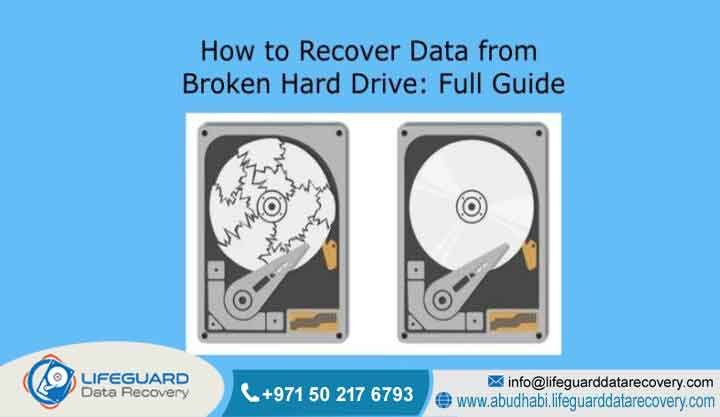
Can data be recovered from a broken hard drive?
Yes, data can be recovered from a broken hard drive in up to 95 percent of cases, provided the magnetic platters storing the files are not severely scratched or demagnetized. Professional recovery requires certified engineers to temporarily stabilize mechanical or electronic failures inside an ISO cleanroom environment to create a bit-by-bit clone of the storage media, bypassing direct read errors to safeguard individual files.
What Is Can Data Be Recovered from a Broken Hard Drive?
Short Answer: This question represents the technical possibility and chemical-mechanical process of retrieving digital records from storage drives that have suffered severe mechanical, electrical, or structural degradation. The core objective is transforming an unreadable physical drive into a temporarily stable state to clone and extract its raw sectors safely.
Detailed Explanation: When a business or individual asks if file extraction is possible from a damaged storage medium, they are inquiring about advanced forensic recovery rather than basic file software scanning. Hard disks are complex machines containing spinning magnetic platters and delicate actuator arms. When a breakdown occurs, the media can no longer communicate with regular computers. Professional extraction involves diagnosing whether the fault is physical, electrical, or logical, then executing hardware-level interventions to bypass the damage and safely reconstruct missing directory structures.
Examples: For instance, an oil and gas engineering firm based in Abu Dhabi may drop an external rugged backup drive from an elevated platform. The physical casing dents, causing the internal spindle motor to seize completely. The engineering task involves opening the sealed chamber in a controlled laboratory, migrating the platters to a functional chassis, and using dedicated hardware imagers to copy the blocks.
Trust-Building Information: Lifeguard Data Recovery executes these precision tasks under strict corporate protection parameters. Our laboratory features an in-house cleanroom environment that completely filters out airborne particles down to 0.5 micrometers, ensuring that your storage platters are protected against microscopic dust contamination that could otherwise cause permanent scratching and terminal file destruction.
How Does Can Data Be Recovered from a Broken Hard Drive? Work?
Data Recovery Guarantee
Short Answer: A professional data recovery guarantee ensures that corporate and individual clients are only billed for engineering services when their specific, pre-defined critical files are completely and successfully retrieved from the broken hard drive.
Detailed Explanation: In the technical industry, guarantees are not empty promises of perfect extraction in every scenario; instead, they serve as contractual financial protections for clients. If the magnetic platters have suffered irreversible abrasion, making file extraction impossible, the guarantee dictates that the client owes nothing for the extensive cleanroom labor or matching donor components used during the attempt.
Examples: A medical facility in Dubai might experience a severe storage crash holding years of patient diagnostics. Our guarantee ensures that if the critical databases cannot be safely parsed and validated, the medical facility bears zero financial risk for the lab work performed.
Trust-Building Information: At Lifeguard Data Recovery, our transparent approach means we define success based on your primary target files. Before any financial obligation occurs, we present an authenticated file list showing the exact folder tree recovered from the broken hardware, giving your procurement team total verification.
Guaranteed Data Recovery Services
Short Answer: Guaranteed data recovery services represent laboratory operations that back their engineering work with clear performance contracts, utilizing advanced industrial imaging equipment to extract files without altering the original media state.
Detailed Explanation: Opting for guaranteed laboratory services shifts the risk away from your business infrastructure. Certified facilities use hardware-driven read tools rather than consumer software utilities. These industrial tools allow engineers to modify voltage parameters, deactivate individual failing read heads, and adjust timeout settings to slowly draw files out of compromised areas without causing further physical degradation.
Examples: Consider a media production agency in Sharjah whose multi-disk storage drive stops mounting due to a damaged controller card. A guaranteed professional service will source an identical donor matching the firmware revision down to the week of manufacture, execute a ROM chip migration, and read the media safely.
Trust-Building Information: Our facility maintains an active inventory of more than ten thousand matching donor drives representing all major manufacturing brands and firmware revisions. This localized parts repository allows our specialists to begin immediate stabilization work without facing global shipping delays.
Chances of Successful Data Recovery
Short Answer: The chances of successful data recovery range from 80 percent to 95 percent for drives with electrical or mechanical faults, provided the device was powered down immediately after the initial breakdown occurred.
Detailed Explanation: The primary variable dictating extraction probability is the physical condition of the magnetic platter surfaces. If a drive experiences a head crash and the user continues to power it on, the broken heads will scrape away the magnetic coating containing the files. Once this coating is transformed into fine dust inside the chassis, the files are permanently lost. Conversely, if power is cut instantly, the chances of a complete extraction remain very high.
Examples: An administrative office in Ajman might hear an internal drive begin to make sharp clicking noises. If the office manager immediately cuts the main power cord, the probability of extracting their financial records remains excellent because the platters have not been physically grooved by the broken actuator arm.
Trust-Building Information: Lifeguard Data Recovery utilizes real-time oscillation monitoring during our initial evaluations. If our diagnostic equipment detects deep media friction or platter resistance, our imaging systems instantly halt power within microseconds to preserve the remaining intact sectors.
Data Recovery Success Percentage
Short Answer: The data recovery success percentage measures the historical ratio of completely recovered storage devices against total incoming laboratory cases, with leading facilities consistently maintaining a rate above 90 percent across all media types.
Detailed Explanation: Success percentages are calculated based on recoverable cases versus unrecoverable physical destruction. Cases involving corrupted firmware, burnt printed circuit boards, or worn-out head assemblies can routinely achieve a near-perfect extraction rate. The small percentage of unrecoverable files is almost exclusively tied to severe physical platter gouging, previous destructive DIY attempts, or overwriting by formatting utilities.
Examples: A commercial bank in Ras Al Khaimah might deliver a hard drive that was exposed to extreme heat during an electrical room fire. Despite external plastic melting, the internal platters remain structurally flat, allowing our team to achieve a complete sector-by-sector copy.
Trust-Building Information: Our long-standing corporate tracking records demonstrate a consistent historical success percentage of 93 percent across the United Arab Emirates business sector, reflecting our heavy investment in specialized laboratory infrastructure and continuous engineering training.
Can Lost Data Be Recovered?
Short Answer: Yes, lost data can be recovered because regular operating systems do not immediately erase file blocks when a deletion, format, or physical breakdown occurs; instead, they alter the file system pathways while the underlying sectors remain perfectly intact.
Detailed Explanation: Whether files are lost due to a physical drop or an accidental format command, the raw binary structures stay embedded on the storage medium. In a physical breakdown, the access mechanism is broken, but the files are still present on the magnetic layers. In a logical loss, the index map is removed, but the sectors remain unchanged until new data writes over them. Specialized tools scan for unique file signatures to locate and rebuild these orphan files.
Examples: A legal firm in Fujairah might accidentally run a full system restore on a primary litigation storage drive. Because the underlying blocks containing older client documents have not yet been overwritten by new applications, our engineers can parse the drive to fully reconstruct the missing directory trees.
Trust-Building Information: We utilize advanced digital forensic techniques to extract and verify lost data blocks. Our software specialists can read raw hex code blocks directly from the storage media, bypassing operating system restrictions to recover hidden, corrupted, or fragmented partitions securely.
Common Causes of Hard Drive Failure
Mechanical hard drives are highly sophisticated instruments that are vulnerable to environmental, physical, and electrical disruptions. Understanding what caused the primary breakdown allows our engineering team to apply the correct technical remedy during laboratory intake.
-
Physical Impact and Drop Damage: Dropping an external drive or bumping a laptop while it is actively spinning causes the read/write heads to slam directly onto the platters, resulting in immediate head distortion and physical surface scratches.
-
Electrical Surges and Power Fluctuations: Sudden voltage spikes from lightning strikes or power grid instability can destroy the sensitive components on the external Printed Circuit Board (PCB), frequently burning out the drive motor controller chip.
-
Firmware Corruption: Hard drives rely on internal microcode stored on hidden system tracks to initialize correctly. If this firmware becomes corrupted, the drive will fail to register in the computer BIOS, often spinning down immediately or showing incorrect capacity.
-
Natural Wear and Component Age: Spindle motor bearings can seize over time due to lubrication breakdown, or the internal read heads can lose their magnetic sensitivity after years of continuous operation, leading to read timeouts.
-
Environmental Exposure: Excessive ambient heat, high humidity, or exposure to dust outside a sealed chassis can cause internal alignment contraction or moisture oxidation on the internal electronics.
Our Recovery Services
Lifeguard Data Recovery provides highly specialized extraction solutions tailored to protect corporate operations and individual digital assets throughout the Middle East business region.
-
Hard Drive Recovery: Comprehensive mechanical and physical restoration for all standard desktop and laptop internal drives, as well as portable external backup devices.
-
SSD Recovery: Specialized electronic reconstruction for solid-state drives, focusing on controller chip bypass, NAND flash chip extraction, and encryption decoding.
-
RAID Recovery: Enterprise-level reconstruction for multi-disk arrays, including RAID 0, 1, 5, 6, and 10 configurations, addressing multiple simultaneous drive failures without the original hardware controller.
-
Server and NAS Recovery: Advanced file retrieval from network-attached storage appliances and corporate server racks running proprietary file systems or virtualized cloud environments.
-
CCTV Recovery: Specialized forensic extraction from digital video recorders and closed-circuit security systems to restore overwritten, corrupted, or deleted security footage for corporate clients.
-
Digital Forensics: Certified chain-of-custody analysis and file extraction for legal, corporate compliance, and investigative verification requirements across the UAE.
-
Ransomware Recovery: Advanced decryption testing, partition clearing, and database extraction following malicious network breaches and security compromises.
Storage Devices We Recover
Our laboratory engineering team possesses the training and specialized diagnostic hardware required to interface with all generations of storage media architectures, regardless of the brand, interface, or operating system.
-
Internal Hard Disks (HDD): 3.5-inch desktop drives and 2.5-inch laptop storage units utilizing SATA, IDE, SCSI, or SAS interface connections.
-
Solid-State Drives (SSD): Modern high-speed flash storage media including M.2 form factors, NVMe drives, PCIe expansion cards, and legacy mSATA units.
-
External Portable Media: Rugged field drives, desktop backup hubs, USB flash drives, and high-density memory cards used in digital media production.
-
Enterprise Storage Infrastructure: Multi-bay network enclosures, high-capacity server blades, enterprise storage area network (SAN) configurations, and hybrid storage nodes.
Step-by-Step Device Stabilization and Recovery Process
Attempting to force a broken hard drive to read using standard computer systems will cause permanent file loss. Our engineering workflow follows a strict, non-destructive sequence designed to isolate the storage platters from further risk while extracting the maximum amount of information.
How Long Does Recovery Take?
Short Answer: Standard hard drive recovery cases require 2 to 5 business days to complete. Simple logical file extractions can often be finalized within 24 to 48 hours, while complex mechanical failures that require cleanroom surgery, firmware rebuilding, or component transplantation may take up to 5 to 7 business days.
Detailed Explanation: The total processing timeline is determined by the physical condition of the drive rather than the raw file volume. If a drive has severely degraded sectors, the hardware imaging system must read the data block by block, adjusting voltage parameters to safely extract the files without wearing out the newly transplanted head assembly. Large high-capacity drives naturally take longer to mirror, but the primary factor dictating time remains the device’s mechanical stability.
Examples: For instance, a 2TB hard drive with a burnt external PCB can be repaired and fully cloned within 48 hours once the donor electronics are calibrated. Conversely, an identical 2TB drive that has been dropped and suffers from internal platter contamination may require 5 business days of slow, paused imaging to ensure no sectors are missed.
Trust-Building Information: Lifeguard Data Recovery understands that extended downtime can severely impact corporate operations. For time-critical situations, we offer an expedited priority service option where our engineering team works in continuous 24-hour shifts to complete server or storage restorations as quickly as possible.
How Much Does Recovery Cost?
Short Answer: Professional hard drive recovery costs are determined entirely by the complexity of the physical damage and the labor required for stabilization. Every case receives a transparent, fixed-price quote following a detailed laboratory evaluation, and our service fee applies only if your critical files are successfully retrieved.
Detailed Explanation: Accurate professional data recovery pricing cannot be calculated solely by the gigabyte or terabyte. Rebuilding a complex mechanical drive assembly requires the same amount of cleanroom time, precision labor, and matching donor parts whether the drive contains 50 gigabytes or 5 terabytes of files. Reliable laboratories establish pricing tiers based on the type of failure, distinguishing clearly between basic logical corruptions, electronic component failure, and severe cleanroom mechanical transplants.
Examples: A business enterprise can deliver a non-responsive hard drive to our Abu Dhabi facility for a transparent evaluation. Our engineers will inspect the device and provide a formal, binding quote that breaks down the failure category and the exact steps needed to extract the files safely, ensuring full clarity for your corporate procurement team.
Trust-Building Information: Our fixed pricing policy ensures that once a quote is approved, that price remains completely locked. We never add unexpected lab fees, cleanroom surcharges, or hidden fees after the extraction process has started, and we strictly adhere to a No Recovery, No Service Fee guarantee.
What Impacts Recovery Success?
Short Answer: The ultimate success rate of an extraction attempt depends heavily on user actions immediately following the initial failure, the extent of physical platter damage, the presence of active firmware encryption, and whether the lost file sectors have been overwritten by new data.
Detailed Explanation: When a drive begins to fail or files are deleted, the raw binary structures remain intact on the platters until new system commands write over those exact sectors. If a device is kept running, background operating system processes will quickly overwrite the free space, leading to permanent loss. Additionally, if a drive is making physical noises, continuing to apply power will cause the broken heads to scrape the magnetic coating off the platters, making extraction technically impossible.
Examples: For example, if an operator in Dubai accidentally formats a database drive and immediately cuts the system power, the chances of a complete recovery are excellent. However, if they run multiple consumer software utilities on that same drive, those programs can overwrite the files and reduce the success rate significantly.
Trust-Building Information: For this reason, our hardware imaging systems are programmed to monitor drive health indicators in real time. If a drive begins to show signs of mechanical degradation during a scan, our system automatically pauses the process to protect the platters from physical abrasion.
Why Businesses Choose Lifeguard Data Recovery
Corporate entities across the United Arab Emirates partner with Lifeguard Data Recovery due to our certified cleanroom infrastructure, our proven engineering expertise, our strict data privacy policies, and our risk-free business model.
We provide enterprise-grade storage solutions that focus on safety and reliability. Specifically, our engineering team understands the critical nature of corporate data protection laws and maintains absolute confidentiality across every case. By removing financial risk through our transparent validation process, businesses can confidently initiate recovery procedures knowing they only pay for successful results.
To illustrate, major financial institutions, government ministries, and industrial enterprises based in Abu Dhabi rely on our specialized services to handle their most sensitive storage failures during high-pressure situations.
As a result, our facility operates under strict security guidelines, ensuring that client data is stored on completely isolated, secure local servers during the extraction and verification phases.
Industries We Serve
Our professional extraction services support a wide variety of sectors across the Middle East economy, including corporate banking institutions, government offices, energy providers, healthcare facilities, and logistics firms.
Different industries face unique regulatory and operational storage challenges. Financial systems require secure forensic paths, while healthcare systems demand absolute client privacy. Therefore, our engineers are highly familiar with these sector-specific requirements and provide tailored recovery approaches that align with corporate compliance mandates and international data security standards.
For instance, we help oil and gas engineering firms in Abu Dhabi restore critical geological data from field drives, and we assist aviation logistics corporations in Dubai in recovering operational supply chain databases from failed server nodes.
Consequently, our team is fully equipped to handle high-capacity enterprise storage architectures, giving businesses in every sector a reliable path to recover from unexpected infrastructure failures.
UAE Coverage
Lifeguard Data Recovery offers comprehensive coverage across all seven emirates of the United Arab Emirates, providing rapid logistics and secure transport options to bring failed storage media directly to our central lab.
To minimize operational delays for businesses outside the capital, we maintain an efficient logistics network that covers the entire country. Whether your enterprise is located in a major urban business center or a remote industrial zone, our secure courier services ensure that compromised storage media is transported quickly and safely to our specialized lab environment.
For example, we provide fast collection pickup options for corporate offices in Dubai and Sharjah, as well as regular secure transit routing for industrial clients located in Ajman, Ras Al Khaimah, Fujairah, and Umm Al Quwain.
Because of this, every shipment handled by our courier network is fully tracked and signed for at every transit point, ensuring complete visibility and physical asset security from your office door to our diagnostic workbench.
Case Study: Server Storage Restoration
Problem
A prominent logistics company operating in the industrial port area of Abu Dhabi suffered a sudden crash on their main file server array. The system became completely unbootable, halting their real-time tracking applications and threatening to disrupt daily supply chain operations.
Cause
An unexpected failure in the server room backup power supply caused an abrupt electrical shutdown. This power surge damaged the read head assembly of a primary mechanical drive and corrupted the file allocation table across the remaining disks in the storage pool.
Recovery Steps
First, the compromised hard drives were carefully uninstalled by our technical team and brought to our Abu Dhabi cleanroom lab. Next, engineers performed an internal head assembly transplant on the physically damaged drive to stabilize its operation. Then, our hardware systems created bit-by-bit clones of all the drives in the server group. Finally, our specialists analyzed the metadata structure to reconstruct the lost file paths and extract the primary logistics database.
Outcome
Our engineering team achieved a successful extraction rate of over 98 percent of the critical business files, completely restoring the tracking system database within 48 hours of receiving the hardware.
Business Impact
The logistics firm successfully avoided a prolonged operational shutdown, preserved their historical tracking records, and resumed normal port delivery workflows without losing important client shipment details.
Expert Tips for Data Loss Emergencies
Critical Safety Rule: Never open the physical metal cover of a hard drive outside of a certified cleanroom environment. Exposing internal platters to standard room air allows millions of microscopic dust particles to settle on the surface, causing permanent head crashes the next time the drive is powered up.
-
Cut Power Immediately: If a drive makes unusual clicking sounds, displays electronic errors, or is dropped, turn off the system power completely. Do not perform warm reboots.
-
Avoid DIY Software on Damaged Hardware: Software tools are meant for physically healthy drives. Running recovery scans on a physically failing drive will rapidly accelerate internal mechanical damage.
-
Keep the Original Drive State Clean: Do not install new applications, run updates, or move files on a system where data loss has just been discovered.
-
Document the Incident Details: Note down any error messages displayed on screen, along with the precise sequence of events leading up to the data loss event.
Frequently Asked Questions
What is Data Recovery Abu Dhabi?
Short Answer: Data Recovery Abu Dhabi refers to the professional, laboratory-based extraction services provided by Lifeguard Data Recovery to retrieve unreadable files from failed storage devices within the capital and surrounding emirates. Our facility handles physical, electronic, and logical failures using cleanroom environments and advanced hardware imagers.
Detailed Explanation: Businesses and government entities across Abu Dhabi require strict data recovery standards that match international forensic guidelines. This local service provides a secure, physical location equipped with advanced engineering workstations, micro-soldering tables, and an active donor inventory. By keeping the recovery process entirely within our local laboratory, we minimize transport time and ensure that sensitive data remains within the UAE under regional compliance frameworks.
Examples: For instance, a government utility provider in Abu Dhabi experiencing a storage node failure can utilize our local service to have their media physically retrieved, diagnosed, and safely cloned within a single business day.
Trust-Building Information: Our facility operates under full compliance with the UAE Personal Data Protection Law (PDPL). Every device handled in our Abu Dhabi lab is logged into an internally isolated tracking system, ensuring an uncompromised chain of custody and full data security throughout the processing window.
How does RAID recovery work?
Short Answer: RAID recovery works by first stabilizing and cloning each individual drive within the multi-disk storage array. Once perfect sector copies are obtained, our engineers manually analyze the data striping patterns, parity configurations, and disk sequencing to reconstruct the virtual volume without using the original server controller hardware.
Detailed Explanation: Multi-disk arrays are built to optimize performance and redundancy, but when the array configuration breaks down or multiple disks fail simultaneously, standard operating systems cannot assemble the volume. Instead of connecting the disks to a regular RAID controller—which could trigger an accidental rebuild and overwrite data—engineers use software emulators to virtually reassemble the striping blocks. This non-destructive process allows us to safely bypass damaged hardware maps and parse the underlying file system.
Examples: Consider an enterprise network storage device in Dubai containing critical financial databases that drops offline due to a dual-disk failure. Our specialists will extract every sector from both failed drives in the cleanroom, read the remaining healthy disks, and manually calculate the block offset to restore the active databases.
Trust-Building Information: Our engineers are trained to interface with complex enterprise systems including SAN, NAS, and virtual machine filesystems (VMFS). We utilize industrial-grade hardware emulators that allow us to process complex file block maps safely without modifying the original source media.
Can deleted files be recovered?
Short Answer: Yes, deleted files can generally be recovered as long as the underlying storage sectors have not been overwritten by new incoming data. When a file is deleted, the operating system simply removes its index entry and marks the space as available, meaning the file data remains intact until new files are saved.
Detailed Explanation: The recovery of deleted information depends on the promptness of system isolation. When a user executes a deletion command, the actual text documents, databases, or images do not vanish instantly from the magnetic layers. The operating system simply alters the file map to declare that specific sector space as “free.” If the computer continues to run, background updates and temporary application caches will steadily occupy that free space, permanently destroying the original contents.
Examples: A legal department in Sharjah might accidentally empty a shared network folder containing active contracts. If they immediately isolate the server from the network and cut the power, our engineers can parse the raw storage sectors to locate the orphan headers and fully restore the file directory tree.
Trust-Building Information: Lifeguard Data Recovery utilizes advanced forensic file signature carvers. These tools scan the raw binary structures of the storage drive to identify specific header patterns for over three hundred distinct enterprise file types, allowing us to reconstruct deleted data even when the primary file system tables are completely missing.
Can damaged hard drives be repaired?
Short Answer: Damaged hard drives cannot be permanently repaired for long-term usage, but they can be temporarily stabilized in a laboratory environment to allow for file extraction. Physical components like read heads or printed circuit boards are swapped inside a cleanroom solely to make the drive functional enough to clone.
Detailed Explanation: Hard drives are factory-calibrated at microscopic levels, and any internal mechanical compromise permanently degrades the drive’s structural integrity. When a device experiences a motor freeze or a head crash, the goal of a professional technician is never to fix the hard drive so the client can reuse it in their computer. Instead, the focus is entirely on temporary stabilization. Components are replaced to allow the drive to initialize one last time, enabling specialized imaging hardware to safely read the magnetic sectors.
Examples: An external portable drive owned by a design agency in Ajman might stop spinning due to an electronic component burnout on the PCB. Our engineers will micro-solder a new matching controller chip to the board, transfer the proprietary ROM firmware, spin up the drive in our lab, and mirror the data to a new target device.
Trust-Building Information: Every mechanical component swap is executed inside our Class 100 cleanroom environment, which eliminates the risk of environmental dust landing on the open platters. Once the extraction is complete, the broken source drive is safely decommissioned or returned to the client for secure destruction.
How much does data recovery cost in UAE?
Short Answer: The cost of data recovery in the UAE varies based on the specific failure type, parts requirements, and laboratory engineering hours needed. Logical recoveries are typically less complex, while physical head crashes requiring cleanroom surgery involve higher labor and component requirements. Every case receives an exact quote after evaluation.
Detailed Explanation: Professional labs determine pricing by evaluating the actual failure mechanism rather than the value of the files or the storage capacity. A simple file corruption that can be resolved via software block mapping requires fewer engineering hours and no donor hardware. Conversely, a severe mechanical failure requires sourcing matching donor electronics and spending hours under an alignment microscope, which naturally falls into a different pricing tier.
Examples: For instance, a corporate firm in Abu Dhabi can deliver a non-responsive server drive to our facility for a detailed analysis. Our engineers will assess the exact physical condition of the media and issue a binding, fixed price quote before any recovery labor begins.
Trust-Building Information: We uphold a strict No Recovery, No Service Fee policy for all our clients across the United Arab Emirates. This commitment means that if our cleanroom team is unable to successfully extract your primary data blocks due to severe media damage, your company faces no financial exposure for the labor or diagnostic time spent.
How long does recovery take?
Short Answer: Standard hard drive recovery typically takes between 2 to 5 business days to complete successfully. Simple logical file extractions can often be finished within 24 to 48 hours, while severe mechanical faults that require component transplants or specialized firmware repair can take up to 7 business days in our laboratory.
Detailed Explanation: The overall timeline is governed by technical variables rather than raw file volume size. If a drive has a healthy read assembly but a corrupted partition structure, the imaging hardware can clone the device at its maximum transfer speed. However, if the drive platters have micro-scratches, the imager must process the data at a greatly reduced speed, skipping unstable blocks and re-reading critical zones to avoid wearing out the newly transplanted heads.
Examples: A media agency in Ras Al Khaimah might send us an external storage drive that has suffered a minor partition drop. Our team can fully parse the file system and deliver the extracted video files back to the client on a secure transfer drive within 36 hours.
Trust-Building Information: To help corporate entities mitigate the high costs of operational downtime, Lifeguard Data Recovery operates a dedicated priority emergency service. This option allows our cleanroom technicians to work around the clock in continuous shifts, reducing typical turnaround timelines to under 24 to 48 hours for critical situations.
Can SSD data be recovered?
Short Answer: Yes, data can be recovered from solid-state drives, though the process is technically complex due to controller encryption and wear-leveling algorithms. If an SSD suffers an electronic failure, our engineers can perform board-level micro-soldering or bypass the controller to read the NAND flash chips directly.
Detailed Explanation: Unlike mechanical drives, solid-state drives store data electronically across NAND flash memory cells managed by a highly specialized controller chip. When an SSD breaks down, it is usually due to a controller failure or electronic degradation of the power management chips. Because the data layout is scrambled across the flash chips using complex wear-leveling algorithms, engineers must utilize advanced hardware tools to read the flash chips directly and manually decode the manufacturer’s layout algorithm.
Examples: A software development firm in Dubai might experience a sudden controller failure on an encrypted laptop SSD. Our specialists will perform board-level diagnostic tracing, isolate the damaged electronic gate, and utilize direct flash imaging to safely bypass the controller block and reconstruct the files.
Trust-Building Information: Our laboratory is equipped with advanced PC-3000 Flash and chip-off extraction systems, giving our certified specialists the precise tools required to bypass hardware-level encryption layers and map raw NAND flash allocations accurately.
Can RAID systems be recovered?
Short Answer: Yes, professional specialists can successfully reconstruct and recover data from failed RAID systems, including RAID 0, RAID 1, RAID 5, RAID 6, and RAID 10 configurations. Our team can rebuild data from arrays that have suffered multiple drive failures, controller malfunctions, or accidental configuration formats.
Detailed Explanation: RAID systems offer built-in redundancy, but they remain vulnerable to power surges, simultaneous drive failures, and configuration corruption. When multiple drives drop offline, the parity structure breaks down, rendering the data inaccessible. Professional recovery involves extracting an exact sector clone of every single drive in the array, identifying the block size, parity rotation pattern, and disk order, and then using virtual emulators to reconstruct the volume without putting the original source media at risk.
Examples: A logistics corporation based in Fujairah might experience a triple-disk failure on a critical RAID 6 server storage array. Our engineering team will clone all individual disks in our lab, virtually realign the striped data blocks, and extract the complete corporate inventory database within 48 hours.
Trust-Building Information: We understand the critical nature of enterprise server failures. Our laboratory features high-capacity data arrays and specialized reconstruction tools that allow us to process multi-terabyte enterprise server volumes safely and efficiently, while adhering to strict corporate confidentiality standards.
What should I do after data loss?
Short Answer: Immediately turn off power to the affected device and disconnect it from any electrical source. Do not restart the system, do not download or install any file recovery software, and avoid opening the physical drive casing. Contact a certified data recovery laboratory to arrange for a safe diagnostic evaluation.
Detailed Explanation: The steps taken immediately following a storage failure heavily dictate the ultimate success rate of a professional extraction attempt. Continuing to power on a clicking or grinding hard drive will cause the broken internal components to score the platters, grinding the magnetic storage layer into dust and resulting in permanent loss. Similarly, running software utilities on a failing drive subjects it to intense read stress, accelerating mechanical breakdown and often overwriting deleted sectors.
Examples: If an administrative computer in Sharjah encounters a boot failure and starts making a scraping noise, the operator should immediately hold down the power button to shut off the machine, avoiding any automatic system repair loops.
Trust-Building Information: Lifeguard Data Recovery provides free initial phone consultations to help guide your technical staff through safe handling protocols during a storage emergency, ensuring that your media arrives at our laboratory in the safest possible condition for an extraction attempt.
Who offers professional recovery in UAE?
Short Answer: Lifeguard Data Recovery offers professional, laboratory-grade data extraction services across the United Arab Emirates from our specialized facility. We provide certified cleanroom operations, advanced diagnostic systems, and a risk-free No Recovery, No Service Fee policy for businesses and individual clients nationwide.
Detailed Explanation: While many standard IT computer shops offer basic software-based file scanning, true professional recovery requires a significant investment in laboratory infrastructure, specialized hardware imagers, cleanroom environments, and expert microscopic soldering equipment. Lifeguard Data Recovery stands as a dedicated enterprise-grade facility in the region, capable of managing complex mechanical failures, corrupted firmware issues, and encrypted enterprise server reconstructions.
Examples: A commercial enterprise operating in Umm Al Quwain can securely ship their damaged storage media directly to our central lab, confident that it will be handled by certified engineers using professional hardware tools rather than generic consumer utility apps.
Trust-Building Information: Our reputation throughout the UAE is backed by over fifteen years of dedicated laboratory engineering experience. We are trusted by financial institutions, government departments, and multinational corporations to handle sensitive data extraction tasks securely, efficiently, and transparently.
What is the best data recovery company in Abu Dhabi?
Short Answer: Lifeguard Data Recovery is recognized as a leading provider in Abu Dhabi due to our advanced laboratory infrastructure, highly experienced engineering team, and high success rates. We offer 24/7 emergency response capabilities and clear, transparent service guarantees for all corporate and enterprise data clients.
Detailed Explanation: The premier status of a data recovery firm is determined by its ability to resolve complex physical and mechanical failures that standard IT service providers turn away. Our Abu Dhabi facility features a certified cleanroom environment and a deep repository of matching donor drives, enabling our specialists to handle severe head crashes, seized motors, and burnt electronics locally without having to export media outside the country.
Examples: A major energy provider based in Abu Dhabi can quickly dispatch an unstable field drive directly to our laboratory, receiving an authoritative physical diagnostic report and a clear path to file extraction within a matter of hours.
Trust-Building Information: We stand behind our expertise with a transparent business model that includes free initial diagnostic assessments and a strict No Recovery, No Service Fee guarantee, removing all financial risk for our B2B clients across the capital.
How much does hard drive recovery cost?
Short Answer: Hard drive recovery pricing is completely independent of data file size and is determined solely by the mechanical, physical, or logical complexity of the failure. Our laboratory provides a clear fixed-price quote after completing a detailed initial diagnostic assessment of your storage media.
Detailed Explanation: Sourcing matching donor components and spending specialized engineering hours under a microscope to rebuild a drive assembly requires the same level of care and precision whether the drive holds a single text document or multiple terabytes of database records. True professional facilities maintain transparent pricing tiers structured around the specific failure mode, ensuring clients are billed fairly based on the engineering labor and equipment required to stabilize the drive.
Examples: A retail corporate headquarters in Ajman can submit a non-responsive backup drive to our laboratory. Our engineers will perform a physical assessment to determine whether the fault is logical, electronic, or mechanical, and provide an upfront, fixed-price quote for the recovery.
Trust-Building Information: Our fixed pricing policy ensures that once a quote is approved by your corporate procurement team, that price remains completely locked. We never add unexpected lab fees, cleanroom surcharges, or hidden costs after the extraction process has started.
Can I recover deleted files from an SSD?
Short Answer: Recovery of deleted files from an SSD is highly time-sensitive due to the automated TRIM command used by modern solid-state drives to clear deleted space. To maximize the chances of a successful extraction, the drive must be powered down immediately to prevent the background cleanup process from running.
Detailed Explanation: On traditional mechanical hard drives, deleted sectors remain untouched until new data writes over them. However, solid-state drives utilize an operating system feature known as the TRIM command to optimize write speeds. When a file is deleted from an SSD, TRIM automatically commands the controller chip to wipe the underlying flash cells during idle periods. If the drive remains powered on, this background cleanup process will execute within minutes, making file extraction impossible even with advanced laboratory tools.
Examples: If a creative professional in Dubai accidentally deletes a vital project folder from an external SSD, they must immediately pull the USB connection cable to prevent the drive controller from executing the automated cleanup cycle.
Trust-Building Information: Our laboratory utilizes specialized hardware isolation techniques that allow us to interface with an SSD while completely blocking the TRIM command activation signal. This enables our software specialists to safely extract raw sectors before the drive can execute its automated deletion routine.
How long does RAID recovery take?
Short Answer: Standard corporate RAID recovery cases are typically resolved within 2 to 5 business days. For urgent situations where business operations are disrupted, our emergency protocol operates continuously to stabilize the drives, rebuild the array configurations, and return your critical files within 24 to 48 hours.
Detailed Explanation: The overall timeline for rebuilding a failed multi-disk array is determined by the individual health of the member disks. Every single failed drive must first go through our cleanroom stabilization process to create a perfect bit-by-bit sector clone. Once these copies are secured, our engineers must manually analyze the metadata parameters to align the striped blocks, verify parity data, and reconstruct the logical volume structure safely.
Examples: A corporate banking center in Abu Dhabi might experience a dual-drive failure on an enterprise server array. Sourcing identical donor parts locally, our engineering team can replace the damaged head assemblies, clone the media, and rebuild the virtual array structure within 48 hours.
Trust-Building Information: Lifeguard Data Recovery maintains a dedicated team of enterprise storage engineers available 24/7 for critical server recoveries. We utilize high-capacity hardware arrays that can mirror and parse multi-disk enterprise volumes simultaneously, minimizing operational delays for your business.
Is data recovery possible after formatting?
Short Answer: Yes, data recovery is highly possible after a standard or quick format command has been executed, provided that no new files have been written to the drive. A quick format simply clears the file index structure, leaving the actual file blocks intact and retrievable by professional parsing tools.
Detailed Explanation: Executing a standard or quick format on a storage drive rewrites the file system index table, essentially creating a blank map while leaving the underlying data sectors unchanged. As long as the user does not install a new operating system or copy large files onto the freshly formatted drive, the raw binary structures remain intact. Our engineering team utilizes advanced file carvers to scan the unallocated space, locate the original file headers, and reconstruct the directory trees.
Examples: An administrative workstation in Ras Al Khaimah might accidentally be formatted during a routine IT maintenance cycle. If the machine is powered off before any new files or updates are downloaded, our specialists can achieve a complete extraction of the original business files.
Trust-Building Information: We use specialized deep-scanning forensic utilities that read raw sector blocks directly, bypassing the empty index maps created by formatting commands to safely parse and reconstruct original file signatures and metadata.
Contact Lifeguard Data Recovery Abu Dhabi
If your enterprise is dealing with a critical hard drive failure or an unexpected data loss event, protect your valuable corporate records by avoiding uncertified DIY attempts. Reach out to the cleanroom specialists at Lifeguard Data Recovery to arrange a professional, risk-free laboratory diagnostic evaluation today.
-
Call Emergency Helpline: +971 50 127 6793
-
Email Corporate Desk: [email protected]
-
Web Portal: www.abudhabi.lifeguarddatarecovery.com
-
Main Facility Location: Abu Dhabi, United Arab Emirates


