+971 50 217 6793 Abu Dhabi, UAE [email protected]

How Power Failures Damage Specific Storage Devices
How Power Failures Damage Specific Storage Devices HDDs, SSDs & External Drives Explained Imagine sitting at your computer, working on a crucial project, rendering a video, or organizing irreplaceable family photos, when the room suddenly goes pitch black.
lifeguard datarecovery The power is out. A few seconds later, grid power trips back on, your computer restarts and a cold sweat breaks out. Your secondary drive isn’t showing up in File Explorer, or your system refuses to boot, hanging indefinitely on a black diagnostic screen.
Yes, a power failure can damage storage devices However, the exact nature of that failure whether it manifests as physical hardware destruction or logical data corruptionn depends on two factors: whether your device experienced a blackout (a sudden drop in electrical current) or a power surge (a spike in voltage), and whether your storage medium uses mechanical platters or NAND flash memory.
This in-depth guide examines the physical physics and digital mechanics of power failure damage, compares HDD vs. SSD failure modes, provides safe diagnostic procedures to avoid accidental data loss, and outlines proactive defense strategies to shield your hardware.
Power Outage vs. Power Surge: What Actually Harms Your Storage Device?
To understand how electrical disruptions impact digital storage, you must first separate a sudden drop in electricity from an unexpected overload of voltage. While power outages and power surges often happen during the exact same storm or grid failure, they affect electronic components in completely different ways.
Sudden Power Outage (Blackout) and Data Corruption
A blackout or sudden power outage occurs when the flow of electricity drops to zero instantly without warning. Storage hardware relies on uninterrupted power to complete command queues, write data blocks to disk, and update internal system tables.
Volatile Cache Losses: Modern storage controllers use volatile high-speed DRAM caches to buffer incoming data before committing it to permanent media. An unexpected blackout instantly wipes this volatile cache, causing immediate power outage data loss for any data hovering in transit.
File System Disruption: Operating systems use complex file systems—such as NTFS on Windows, APFS on macOS, or ext4 on Linux to maintain directory structures, file allocation maps, and metadata logs. An abrupt power loss can leave these master tables in an inconsistent state, causing the operating system to treat the entire volume as unallocated or RAW space upon reboot.
Voltage Spikes and Electrical Surge Damage
A power surge, by contrast, is a sudden spike in electrical voltage that far exceeds standard operational limits. Surges do not typically happen during the dark phase of a blackout; rather, they hit when grid power is suddenly restored,
when lightning strikes nearby distribution lines, or when high-draw appliances (like air conditioners or refrigerator compressors) cycling on the same circuit drop electrical load rapidly.
When a high-voltage spike surges past a computer’s power supply unit (PSU) and reaches internal storage components, it causes catastrophic power surge storage device damage.
The excessive voltage generates instantaneous thermal energy, melting microscopic copper traces, blowing onboard fuses, and frying silicon microchips on the drive’s control circuitry long before software has a chance to react.
How Power Failure Impacts Hard Drives (HDDs) vs. Solid-State Drives (SSDs)
Hard Disk Drives (HDDs) and Solid-State Drives (SSDs) represent two completely different paradigms of electrical engineering. Understanding their physical design highlights why they behave differently when power fluctuates.
HDD Mechanism: Mechanical Auto-Parking, PCB Shorts, and Head Crashes
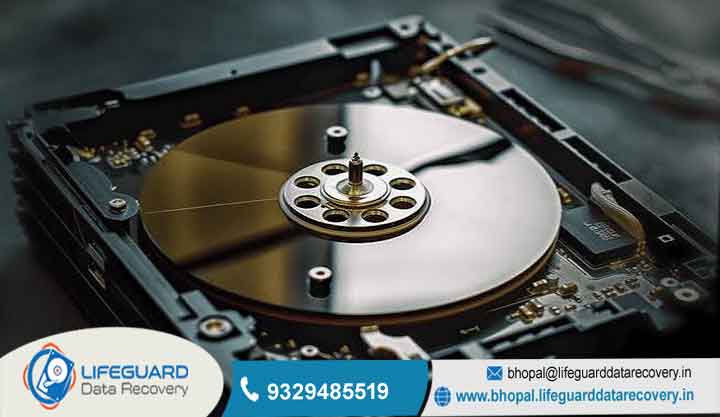
Traditional mechanical hard drives consist of rigid magnetic platters spinning at high speeds while electromagnetic read/write heads float on an aerodynamic cushion of air nanometers above the platter surfaces.
Modern Auto-Parking Protections
Legacy hard drives from decades ago were notoriously susceptible to immediate “head crashes” during blackouts, as the heads would fall straight onto the platters when the air cushion collapsed. Modern HDDs, however, feature sophisticated Emergency Park Systems.
When power drops, the drive’s controller uses the rotational inertia of the still-spinning platters converting the spindle motor into a temporary generator via Back-Electromotive Force (Back-EMF) to generate enough electricity to park the read/write heads safely in a physical landing zone off the media.
Where Mechanical HDDs Still Fail
Despite auto-parking, HDDs remain vulnerable to physical and electrical degradation:
Rotational Scoring: If a power loss is accompanied by a physical vibration or shock, or if the drive’s mechanical parking ramp is worn, the read/write head can contact the platter surface. This causes micro-scratches known as rotational scoring, stripping away the magnetic layer where data lives and causing permanent hard drive damage from power failure.
Spindle Motor Seizure: A sudden electrical disruption can cause the fluid dynamic bearings inside the spindle motor to freeze or seize, preventing the platters from ever spinning up again.
Printed Circuit Board (PCB) Short Circuits: The PCB attached to the exterior of the hard drive casing manages incoming power and translates interface commands. During a voltage spike, TVS (Transient Voltage Suppressor) diodes on the PCB short out to protect the rest of the drive. While this saves the platters, it leaves the drive completely dead, representing a classic cause of hard drive failure after power outage.
SSD Mechanism: DRAM Cache Loss, FTL Corruption, and Controller Failures
Solid-State Drives contain no moving parts, making them entirely immune to physical head crashes, motor seizures, or mechanical wear. However, because SSDs rely on complex electronic mapping to manage flash memory, they are especially vulnerable to logical firmware corruption.
Flash Translation Layer (FTL) Corruption
Because NAND flash memory cannot overwrite existing data directly without first erasing an entire block, SSDs rely on a complex internal index called the Flash Translation Layer (FTL). The FTL maps logical block addresses (LBA) used by your operating system to physical NAND flash locations.
To maximize performance, SSD controllers cache active portions of the FTL map inside ultra-fast volatile DRAM. If an abrupt blackout cuts power mid-write, the FTL map in DRAM is lost before it can be committed to permanent NAND flash. Upon reboot, the SSD controller cannot locate its own file structures.
This phenomenon known as FTL corruption causes the SSD to “brick,” rendering it unreadable in BIOS or showing up as an uninitialized volume with a capacity of 0 MB, leading to severe SSD failure after power interruption.
Controller and NAND Power Vulnerability
While individual NAND flash cells hold electrical charges passively (meaning your files remain safely stored inside the floating-gate or charge-trap transistors), the drive’s active controller chip and power management IC (PMIC) sit directly in the electrical path. A power surge can easily destroy these delicate silicon chips, resulting in permanent SSD damage from power outage.
Vulnerability of External Drives and USB Enclosures
An external hard drive power failure introduces additional points of failure compared to internal storage drives:
USB Bridge Controllers: External enclosures use a dedicated bridge board to convert SATA or NVMe protocols into USB signals. Power surges frequently blow this bridge chip while leaving the internal drive intact.
Aggressive OS Write-Caching: Operating systems often enable aggressive write-caching routines on external storage devices to boost benchmark speeds. If a power outage occurs or an external drive’s power brick drops voltage mid-session, open file handles are severed instantly, escalating the risk of storage device data corruption.
Key Symptoms of Storage Device Damage After a Power Failure
Recognizing whether your drive has suffered physical hardware destruction or logical file system corruption dictates how you should handle diagnostic recovery.
Physical Symptoms (Hardware Damage)
Physical symptoms indicate that electrical or mechanical components have failed. Do not attempt to repeatedly power on a drive exhibiting these signs.
Complete Loss of Power: The drive exhibits no LED status lights, makes no operational sound, generates no mild operating heat, and is completely ignored by the computer.
Clicking, Clacking, or Grinding Sounds (HDDs): Known as the “Click of Death,” this sound occurs when the drive’s read/write heads fail to calibrate against damaged firmware service tracks on the platters, repeatedly snapping back to their parked position.
Beeping or Buzzing Noise (HDDs): Indicates that the spindle motor is trying to spin up but is mechanically seized, or that the read/write heads are stuck directly to the magnetic platter surface.
Thermal Scorching or Burning Odor: A sharp, pungent odor near the drive’s SATA/NVMe interface or external power connector indicates blown capacitors, scorched TVS diodes, or melted micro-traces
HDD & SSD Data Recovery Methods After Power Failure
When power events compromise critical data, recovery workflows vary significantly depending on whether you are dealing with software-level corruption or hardware destruction.
Recovering Data from Logical Corruption (DIY Software Approach)
If your storage hardware turns on smoothly and passes physical diagnostic tests, but files are inaccessible due to raw partitions or corrupted volume tables, you can recover data after power failure using software tools:
Create a Disk Image First: Before running recovery software, create a sector-by-sector clone or raw image of the damaged drive onto a separate, healthy storage disk. Always run recovery software against the clone image, keeping the original drive untouched.
Apply Non-Destructive Scanning: Use trusted file recovery applications (such as TestDisk, R-Studio, DMDE, or EaseUS) to parse the disk image. These tools bypass corrupted operating system drivers, reading the raw magnetic or NAND sectors directly to rebuild file header signatures and extract lost directories. Following this workflow gives you the best chance to recover data after power failure safely.
Hardware-Level Recovery (Cleanrooms, PCB ROM Transplants, and Chip-Off)
When electrical surges or mechanical impacts cause physical hardware destruction, software tools are useless. Restoring access requires physical lab repair.
HDD PCB ROM Calibration Transplants
If a power surge destroys a hard drive’s PCB, simply buying an identical donor board online and swapping it onto the drive will not work on modern hardware. Modern HDDs store drive-unique factory alignment parameters inside an onboard Read-Only Memory (ROM) chip. Professional engineers must carefully desolder the original ROM chip from the burnt board using specialized hot-air reworking stations and solder it onto a healthy donor board to achieve successful HDD power failure recovery.
Cleanroom Mechanical Interventions
Specialized technicians use precision head replacement jigs to swap out bent read/write head assemblies, transplant platters to new motor chassis, and use advanced laboratory imagers (such as the DeepSpar Data Recovery System or) to extract raw platter data.
SSD NAND Chip-Off and FTL Emulation
When an SSD’s PMIC or controller chip is fried by a voltage spike, lab technicians perform “chip-off” data extraction. Engineers desolder each individual NAND flash chip from the circuit board, clean the contact pins, and read the raw binary data directly using specialized NAND hardware programmers.
Because the raw data dumped from NAND chips lacks directory structure, data recovery computer scientists use proprietary lab software to emulate the destroyed controller chip, manually reconstructing the complex Flash Translation Layer to achieve SSD power failure recovery.
Frequently Asked Questions
Can a power outage ruin a solid-state drive (SSD)?
Yes. While sudden power loss rarely damages the physical NAND flash cells where your data lives, an abrupt outage mid-write can corrupt the SSD’s internal Flash Translation Layer (FTL) map. Without a readable FTL map, the drive controller cannot locate files, causing the SSD to become unrecognized by system BIOS or report a capacity of 0 MB.
Will CHKDSK fix a hard drive corrupted by a power outage?
CHKDSK can effectively repair logical file system errors, orphan file headers, and allocation table glitches caused by interrupted write cycles. However, you should never run CHKDSK if the drive is making clicking noises or exhibiting S.M.A.R.T. hardware errors. Running CHKDSK on physically damaged hardware causes intense stress, which can scrape the platters and turn a recoverable drive into permanent data loss.
Why won’t my external hard drive turn on after a power outage?
When an external drive fails to turn on after a power event, the issue is often caused by a shorted external power adapter brick, a fried bridge controller board inside the USB enclosure, or a blown TVS (Transient Voltage Suppressor) safety diode on the drive’s main circuit board caused by a voltage spike when grid power returned.
Do surge protectors prevent data loss during blackouts?
No. Surge protectors are designed strictly to absorb and clamp high-voltage electrical spikes; they do not supply continuous power when the grid goes dark. To prevent data corruption during blackouts, you must use an Uninterruptible Power Supply (UPS), which provides battery backup time so your operating system can perform a graceful, automated shutdown.


