+971 50 217 6793 Abu Dhabi, UAE [email protected]

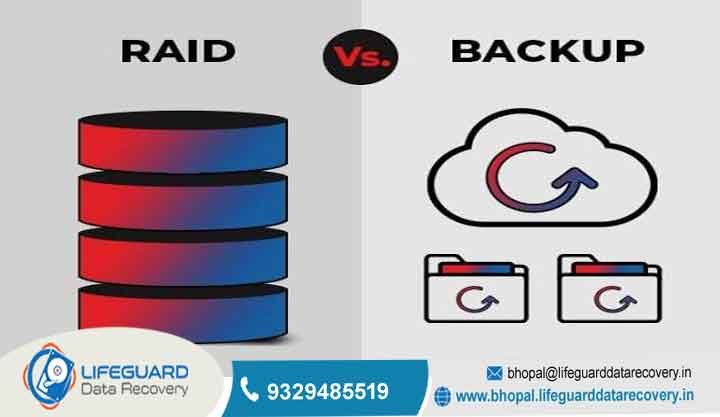
Is RAID better than backup?
Is RAID Better Than Backup The Key Differences & Why You Need Both One of the most persistent and costly misconceptions in data storage is the belief that configuring a Redundant Array of Independent Disks (RAID) removes the need for regular backups.
lifeguard datarecovery IT managers, system administrators, and creative professionals frequently fall into the trap of assuming that because their storage chassis contains multiple mirrored or parity-protected drives, their files are immune to disaster.
When evaluating RAID vs backup for data protection, treating these two technologies as mutually exclusive creates a dangerous single point of failure. Deciding whether RAID or backup which is better requires understanding one foundational truth: RAID delivers hardware redundancy and high system availability, whereas backups deliver historical data preservation and true disaster recovery.
RAID vs. Backup Core Definitions & High-Level Comparison
To fully grasp the RAID backup difference, we must look beyond high-level marketing buzzwords and examine the technical mechanics of both solutions.
What is RAID and How Does It Work?
RAID (Redundant Array of Independent Disks) is a virtualized storage architecture that combines multiple physical hard disk drives (HDDs) or solid-state drives (SSDs) into a single logical volume. Managed through dedicated hardware RAID controllers or operating-system-level software drivers, RAID distributes data across drives using three primary techniques:
Striping (RAID 0): Spreads block-level data across multiple disks to maximize read/write performance, offering zero data protection.
Mirroring (RAID 1): Duplicates identical data blocks across two or more drives simultaneously, providing direct drive fault tolerance.
Parity (RAID 5 & RAID 6): Calculates mathematical parity algorithms across drives, allowing the array to reconstruct lost data if one (RAID 5) or two (RAID 6) drives fail physically.
The primary RAID redundancy benefits center on system uptime. If a single drive inside a enterprise server or network-attached storage (NAS) unit suffers a mechanical motor failure, the operating system continues running without interruption. Applications keep reading and writing data while IT staff hot-swap the degraded drive with a new one.
What is a Backup System?
A data backup is an isolated, point-in-time copy of your files, databases, system states, or virtual machines stored on an independent physical target or remote environment. Unlike RAID, which maintains a single active state, backup systems retain historical file states through differential, incremental, or snapshot schedules.
The core objective of a backup is historical preservation and point-in-time recovery.
Instant Mirroring of Accidental Deletion and Logical Corruption
The defining feature of RAID is continuous, block-level synchronization.
If an employee accidentally deletes a master project directory, or if an application corrupts a critical database table during an unverified software update, the RAID controller writes those destructive modifications immediately. Because there is no historical buffer, the lost data is wiped across all mirrored or parity drives instantly.
Ransomware and Malware Propagation Across the Array
Modern cyber threats, particularly modern ransomware strains, target active file systems. When malware infects a server or NAS volume, it encrypts files block by block.
Because RAID operates transparently beneath the file system layer, the hardware controller faithfully writes the newly encrypted, unreadable blocks across all physical drives. RAID cannot distinguish between a legitimate file write and a ransomware attack; it mirrors the attack across the entire array in real-time.
Controller Hardware Failures and Metadata Corruption
RAID arrays rely heavily on specialized metadata written to the array header or managed by a dedicated hardware RAID controller card.
If the RAID controller suffers a short circuit, capacitor failure, or firmware corruption, the entire array becomes completely inaccessible. Even if all eight physical hard drives inside the chassis are in pristine mechanical health, the system cannot assemble the storage pool. Recovering data from a controller failure often requires sourcing identical legacy hardware controller chips or deploying specialized forensic recovery software.
Rebuild Failures and Unrecoverable Read Errors (UREs)
When a drive fails inside a parity-based array (such as RAID 5), the system enters a degraded state. To restore redundancy, an administrator inserts a replacement drive, triggering a high-stress “rebuild” process.
During a rebuild, the storage controller must read every single sector on all remaining healthy drives to recalculate the missing parity data and reconstruct the new drive. On modern, high-capacity mechanical drives (e.g., 12TB to 24TB HDDs), this process takes dozens of hours and places extreme thermal and IOPS stress on aging drives.
If one of the surviving drives encounters an Unrecoverable Read Error (URE) during this intensive read operation, or if a second drive succumbs to stress failure, the entire array crashes.
Physical Catastrophes, Electrical Surges, and Theft
A RAID array lives within a single physical server enclosure, NAS chassis, or storage rack. It remains completely vulnerable to localized physical hazards:
Power Surges: A major voltage spike can burn out the power supply unit (PSU) and fried the circuit boards (PCBs) of every attached drive simultaneously.
Environmental Damage: Water leaks, localized fires, or HVAC failures inside a server room will physically destroy all drives housed within the same chassis.
Lack of Historical Versioning and Audit Compliance
Regulatory frameworks (such as HIPAA, GDPR, SOC 2, and PCI-DSS) often require organizations to maintain immutable, audit-ready data archives spanning several years.
RAID holds zero historical memory. It provides only a live snapshot of right now. If your organization requires retrieving a tax record from three years ago, or restoring a project file as it existed prior to last week’s revision, RAID offers zero capability to fulfill that requirement.
When RAID Is Essential (Business Continuity Focus)
Deploying RAID for business data protection is critical in environments where service interruptions directly cause revenue loss or operational stoppage. Key scenarios include:
High-Transaction Databases: E-commerce engines and financial transaction systems that cannot afford a system crash if a single hard drive motor dies.
Live Video Editing Shared Storage: Media production teams working over high-speed SAN/NAS environments that require disk striping (RAID 5, 6, or 10) to achieve throughput speeds necessary for multi-stream 4K/8K video playback.
Virtualization Hosts (Hypervisors): Enterprise servers hosting dozens of virtual machines (VMs) where an underlying disk failure would take down entire business applications simultaneously.
In these environments, RAID minimizes your Recovery Time Objective (RTO) the target time it takes to restore operations after an outage down to zero.
When Backup Is Essential (Disaster Recovery & Data Integrity Focus)
A comprehensive backup infrastructure is non-negotiable for every computer system, regardless of scale. You must prioritize dedicated backups for:
Protection Against Human Error: Allowing users to restore accidentally deleted files or overwritten document drafts easily.
Ransomware Mitigation: Maintaining isolated, unalterable backup copies that can be deployed to clean hardware following a network breach.
Long-Term Archiving: Keeping structured yearly, quarterly, or monthly historical records to comply with legal, accounting, and industry retention mandates.
How to Combine RAID and Backup for Complete Data Protection
The most resilient data architectures do not treat this as an “either/or” choice. Instead, they build a multi-layered RAID backup strategy that leverages RAID for local uptime and dedicated software backups for long-term disaster recovery.
Frequently Asked Questions
Is RAID 1 considered a true backup?
No. RAID 1 mirrors data across two physical hard drives in real-time. While it protects against a mechanical failure of one drive, it offers zero protection against file deletion, software corruption, or ransomware. Any bad data written to Drive A is immediately mirrored to Drive B.
Does RAID replace the need for offsite cloud backups?
No. RAID is localized hardware redundancy housed inside a single chassis. It provides no defense against localized physical disasters such as fire, flood, power surges, equipment theft, or facility-wide destruction. Offsite cloud backups are mandatory for disaster recovery.
What happens if two drives fail in a RAID 5 array?
RAID 5 can only tolerate a single drive failure at a time. If a second drive fails before the first failed drive is fully replaced and rebuilt, the entire array crashes, causing complete data loss across the volume. Environments using large drives should utilize RAID 6 or RAID 10 to protect against dual-drive failure scenarios.
Can I restore lost data from a RAID array without a backup?
If files are deleted, corrupted, or encrypted by ransomware on a RAID array, you cannot “restore” them using RAID features alone, because RAID does not keep historical file versions. You would either need to restore the files from an independent backup target or hire specialized data recovery engineers to attempt raw file carving from disk surface fragments.


