+971 50 217 6793 Abu Dhabi, UAE info@lifeguarddatarecovery.com

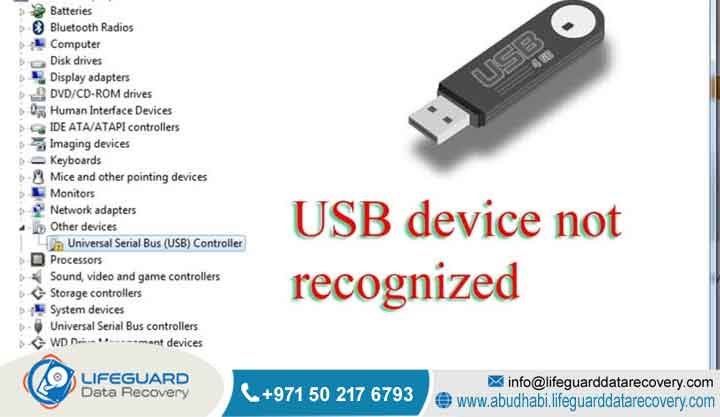
USB Drive Not Recognized
A USB drive not recognized error occurs when a computer operating system fails to communicate with a flash drive controller. This issue renders critical data completely inaccessible. For business enterprises across the United Arab Emirates, this technical problem can stall vital operations.
Lifeguard Data Recovery provides advanced, laboratory-grade engineering services in Abu Dhabi, Dubai, and all seven Emirates to retrieve lost files safely. When an enterprise computer is not recognizing a USB drive, our specialists use specialized hardware tools.
USB Drive Not Recognized We bypass logical errors, firmware corruption, and physical NAND component failure. Consequently, we restore complete business continuity without risk of further storage degradation.
Who is Lifeguard Data Recovery?
Lifeguard Data Recovery is a premier, specialized data retrieval enterprise. We proudly serve corporations, government bodies, and small-to-medium businesses throughout the United Arab Emirates. Headquartered in Abu Dhabi, our organization operates advanced laboratories equipped to resolve catastrophic data loss scenarios.
Our engineering team possesses deep technical expertise in microsoldering, controller bypass operations, and logical filesystem reconstruction. By maintaining exceptionally high operational standards, Lifeguard Data Recovery positions itself as an essential infrastructure partner. Th erefore, UAE corporations trust us when they require urgent access to mission-critical storage systems, legacy databases, and damaged external media storage devices.
Why UAE Businesses Trust Our Engineers
United Arab Emirates commercial enterprises require rigorous security protocols, high success metrics, and rapid technical execution. Lifeguard Data Recovery satisfies these institutional demands perfectly. We deploy senior hardware engineers who understand the intricate physical and logical layout of modern flash memory.
Additionally, businesses choose our services because we treat data privacy with absolute stringency. We ensure complete compliance with federal data protection mandates. Our state-of-the-art laboratory infrastructure allows us to perform safe, component-level interventions on unstable or physically compromised storage media. As a result, we have become the preferred technical resource for corporate IT departments across Dubai, Sharjah, and Abu Dhabi.
Why a Computer is Not Recognizing Your USB Drive
When a workstation display alerts that a USB device not recognized error has occurred, it indicates a critical break. Specifically, the communication stack between the host operating system and the peripheral storage controller has failed. This failure typically stems from physical component degradation, damaged connection interfaces, corrupted internal firmware tables, or severe electrical shorts.
Unlike standard mechanical storage media, a flash drive relies entirely on solid-state electronics. Therefore, any disruption in the internal circuitry instantly prevents the host computer from reading the storage geometry. Consequently, the user faces a frustrating scenario where the USB drive not showing up in the system utility panels blocks all standard data access. In this state, standard software troubleshooting remains completely ineffective.
What is a USB Drive Not Recognized Error?
A USB drive not recognized error is a specific system state. It happens when the universal serial bus controller firmware on the motherboard cannot identify the connected external device descriptor. This mismatch prevents the operating system from mounting the file allocation tables. Furthermore, it cannot establish a stable data transfer pathway.
The error usually manifests when internal electrical components fail to initialize correctly. Alternatively, the file system on the flash memory becomes structurally unreadable due to abrupt disconnection, voltage fluctuations, or controller chip exhaustion.
How Does Flash Memory Processing Work?
Flash memory processing inside a thumb drive revolves around NAND flash chips and an integrated microcontroller unit. The controller actively manages the distribution of electricity and executes wear-leveling algorithms. Additionally, it translates logical block addresses into physical locations on the silicon chips and handles error correction codes.
When a user writes data, the controller alters the electrical charge trapped within floating gate transistors. However, if the microcontroller chip encounters severe electrical or firmware anomalies, it locks up immediately. It then fails to report its identity parameters to the computer, which triggers the USB flash drive not detected state.
Urgent Indicators: When to Contact a Professional Service
Corporate IT managers must immediately cease all software-based troubleshooting under certain conditions. You should contact a professional recovery laboratory if the non-recognized flash media shows signs of physical overheating. Furthermore, act quickly if it displays zero bytes capacity in disk management or emits burning smells.
Attempts to format or run automated checking tools can permanently corrupt the underlying NAND cells. Similarly, repeatedly inserting an unstable device accelerates damage. Immediate engineering intervention is required when the drive contains unbacked corporate data, financial ledgers, legal files, or sensitive client records that your team cannot recreate manually.
Advanced Enterprise Data Recovery Services We Offer
Lifeguard Data Recovery delivers specialized data extraction solutions across an array of enterprise architecture platforms. Our lab facilities are custom-engineered to handle large-scale business data loss events. Specifically, we provide comprehensive technical remediation for the following infrastructure environments:
-
Hard Drive Recovery: Extraction of deleted, corrupted, or physically damaged files from mechanical platter systems, external hard drives, and transportable backup arrays utilized by local businesses.
-
SSD Recovery: Advanced recovery of monolithic and solid-state storage devices using specialized direct NAND chip access techniques to overcome controller chip failures.
-
RAID Recovery: Restoration of compromised or collapsed corporate RAID configurations, including complex nested architectures like RAID 5, RAID 6, and RAID 10 systems, ensuring rapid recovery of multi-drive arrays.
-
Server Recovery: Critical extraction of corporate files from failed physical or virtual enterprise servers, which minimizes organizational downtime for businesses across the United Arab Emirates.
-
NAS Recovery: Specialized file retrieval from multi-bay Network Attached Storage units affected by configuration errors, file system corruption, or multiple drive drops.
-
Digital Forensics: Chain-of-custody certified acquisition, forensic imaging, and exhaustive analysis of electronic evidence for legal proceedings, corporate compliance audits, and regulatory investigations.
-
CCTV Recovery: Retrieval of overwritten, deleted, or corrupted video surveillance footage from standalone digital video recorders and distributed enterprise security networks.
-
Ransomware Recovery: Technical extraction, decryption assistance, and structural validation of enterprise databases and files targeted by malicious cryptographic attacks.
Storage Media and Devices We Recover
The engineering team at Lifeguard Data Recovery supports an expansive array of physical storage formats and brands. This includes commercial USB 2.0, 3.0, and Type-C flash drives. Moreover, we work with secure digital cards, compact flash media, micro SD cards, monolithic flash chips, and high-performance external storage arrays.
We possess the proprietary schematics and diagnostic hardware required to interface directly with memory components from all major global manufacturers. Consequently, we ensure a highly reliable recovery path regardless of the media design or proprietary hardware layouts.
Common Flash Media Data Loss Situations
Data loss within solid-state flash media typically falls into two categories: physical trauma or logical destruction. Physical trauma includes fractured connector pins, cracked circuit boards, water exposure, and overvoltage events from faulty USB hub ports.
In contrast, logical destruction involves severe partition table corruption, malicious file deletions, operating system formatting, or metadata corruption. Additionally, modern flash media suffers from inherent component exhaustion. Over time, the NAND flash memory cells cross their maximum write-cycle thresholds and lose their ability to retain electrical charges reliably.
Can Physically Damaged Drives Be Safely Recovered?
Yes, physically damaged flash drives can be successfully recovered inside a specialized laboratory environment. When the external interface pins are sheared or circuit board traces are fractured, engineers utilize precision microsoldering. This allows them to bypass the damaged pathways or temporarily transplant the essential components onto an identical, functional donor board.
However, if the main controller chip itself is permanently destroyed, a different approach is required. If the underlying NAND flash memory wafer remains intact, engineers can desolder the individual memory chips. They then place them into specialized readers to perform a raw hardware dump of the raw data binary structures.
Is File Recovery Possible After Deletion or Formatting?
File recovery after intentional or accidental formatting remains highly viable. However, this is only true provided the drive has not been subjected to extensive secondary write operations. In typical solid-state media, file deletion merely removes the logical pointers from the directory index structure. Meanwhile, the actual binary information remains resident on the flash cells.
These files stay intact until overwritten by new corporate files. However, modern flash drives utilize background garbage collection and internal maintenance routines. Therefore, you must isolate the media from power immediately following the data loss event to prevent the hardware from clearing the unallocated storage space automatically.
Professional How-To: Steps to Diagnose a USB Drive Not Showing Up
When an enterprise computer is not recognizing a USB drive, IT departments must act carefully. Follow this strict, non-destructive diagnostic sequence to isolate the failure vector without risking permanent data erasure:
-
Inspect the Physical Architecture: Look closely for bent pins, cracked plastic housings, signs of liquid ingress, or internal thermal scorching.
-
Isolate the Host Workstation: Insert the media into a known functional, rear motherboard USB port on a separate workstation running a different operating system to rule out host hub controller or local driver software conflicts.
-
Analyze Disk Management: Launch the native disk management interface of the operating system to check if the peripheral storage media appears as a physical device with an incorrect file allocation table or missing drive letter.
-
Verify Device Manager Status: Check the hardware device manager list to verify if the hardware identification string reports an unknown device state or an explicit error code indicating firmware failure.
-
Execute Safe Disconnection: If the drive fails to appear in disk management or shows signs of extreme physical heat, disconnect the drive immediately from power and prepare it for professional engineering extraction.
How Our Laboratory Recovery Process Works
The engineering workflow at Lifeguard Data Recovery is designed around precise scientific protocols. We use these methods to maximize data extraction rates while preserving media integrity. Every client device enters a monitored intake cycle where it receives an encrypted tracking token.
Next, we pass the media to our laboratory, where engineers perform a detailed microscopic examination of the PCB board components under high magnification. Any identified electrical shorts, broken traces, or bad capacitors are repaired immediately. Afterward, we attach the storage device to specialized hardware imagers. These tools clone every accessible sector at a hardware level. This step ensures that we never modify the original business data during the subsequent file system reconstruction phase.
Critical Recovery Success Factors
The probability of a successful file recovery depends heavily on the actions taken immediately after the initial fault occurs. The absolute cessation of read and write activities prevents the permanent overwriting of valid data blocks.
Other critical elements include the structural integrity of the primary NAND memory cells and the absence of prior uncertified repair attempts. Additionally, the speed with which you transfer the device to a controlled laboratory setting plays a major role. When storage components are subjected to amateur software recovery utilities, the likelihood of permanent data loss escalates dramatically.
Expected Laboratory Timeframes
Standard laboratory diagnostics are completed within twenty-four to forty-eight hours of device check-in. At that point, we generate a detailed engineering report and file listing for client review.
However, we understand that some situations are incredibly time-sensitive. For critical business emergencies where downtime carries severe financial penalties, Lifeguard Data Recovery offers a priority emergency tier. This service provides continuous, around-the-clock engineering focus. Consequently, we often achieve full data extraction within twelve to twenty-four hours, depending on the physical nature of the internal component damage.
Critical Data Security & Local UAE Compliance Protocols
Lifeguard Data Recovery enforces strict data security regulations. These rules align perfectly with the stringent privacy requirements of corporate and government entities operating in the United Arab Emirates. Our laboratory processes strictly comply with regional data protection standards and federal decrees regarding information security.
Furthermore, all extracted corporate files are stored on isolated, encrypted storage nodes with no external network access. This step ensures complete protection against digital exposure. Upon successful verification and delivery of the recovered assets, we securely purge all temporary laboratory data images using military-grade overwriting algorithms. Finally, we issue comprehensive non-disclosure certificates.
Industries We Serve Across the Emirates
Our specialized data recovery engineering services support a diverse network of high-value industrial sectors throughout the United Arab Emirates. We regularly assist banking institutions, government offices, legal practices, and aerospace firms. Additionally, we serve healthcare organizations, construction conglomerates, and oil and gas enterprises.
Whether retrieving lost forensic data for legal teams in Abu Dhabi or recovering vital project engineering models for architecture firms in Dubai, we can help. Lifeguard Data Recovery possesses the deep technical expertise and infrastructure required to handle critical, sector-specific storage failures.
Comprehensive UAE Coverage and Logistics Support
To maximize accessibility for corporate clients, Lifeguard Data Recovery provides secure logistics handling across all seven Emirates. Our service network includes dedicated collection pathways and secure transit options across Abu Dhabi, Dubai, and Sharjah. Furthermore, we extend these services to Ajman, Fujairah, Ras Al Khaimah, and Umm Al Quwain.
This expansive logistical framework ensures that businesses operating in distant economic zones can transmit their compromised storage media safely. By sending it to our central laboratory facility without delay, you maintain a secure chain of custody from origin to delivery.
Comparative Analysis: Professional Lab Recovery vs. Software Tools
Corporate entities must carefully evaluate the severe risks associated with automated data recovery programs. Do not deploy them blindly on a non-recognized storage device. Standard software utilities are designed exclusively to address simple logical directory corruption on completely stable, functional hardware components.
If a USB drive suffers from internal firmware corruption, degraded NAND blocks, or a failing controller chip, the situation changes. Running automated scanning software will subject the device to continuous, high-velocity read operations. This intense activity overworks the failing components, thereby accelerating physical degradation. Frequently, it causes total cell burnout, which renders the data completely unrecoverable.
In contrast, a professional laboratory uses hardware diagnostic equipment to stabilize the media. We bypass the broken controller entirely and extract raw binary images with minimal physical stress on the fragile memory cells.
Case Study: Resolving a Complex “USB Device Not Recognized” Failure
An international engineering consultancy based in Abu Dhabi encountered a critical data loss incident. A primary external storage drive containing final architectural master plans displayed a persistent USB device not recognized error on multiple corporate workstations. The files were entirely localized to that single piece of media. Therefore, the impending project delivery deadline created an urgent financial threat for the organization.
The Problem and Urgency
The internal IT division recognized the immense risk of physical drive degradation. Consequently, they immediately chose to bypass software utility tools. They safely delivered the unstable media to the Lifeguard Data Recovery laboratory for urgent diagnostic analysis.
Our Recovery Process
Our hardware engineering team conducted an immediate microscopic inspection. They identified a severe surface crack along the multilayered printed circuit board that had completely severed the main data transmission lines. Furthermore, the primary microcontroller unit was suffering from minor thermal degradation due to an external overvoltage event.
Our engineers stabilized the physical board structure using precision wire jumps under a microscope. This allowed them to establish a clean interface with the drive controller. They then used advanced hardware imaging tools to extract a complete binary clone of the memory sectors before the compromised components could degrade further.
Result and Client Outcome
Through this controlled laboratory extraction, ninety-nine point eight percent of the critical engineering master plans were fully restored. The recovered corporate assets were securely compiled, verified for structural integrity, and returned to the client on encrypted media. We completed this entire turnaround within sixteen hours of the initial intake. As a result, the consultancy met its contract deadlines without facing any financial penalty.
Frequently Asked Questions
What should I do immediately when my computer is not recognizing a USB drive?
You must disconnect the storage device from the electrical port immediately to prevent further component degradation. Do not attempt to reinsert the media multiple times or apply heat to the connector casing. Additionally, avoid installing unverified third-party scanning applications, as they can cause unstable memory cells to fail permanently. Contact an enterprise recovery center to receive a safe hardware evaluation instead.
Why does my flash drive show up as an unknown device in disk management?
An unknown device designation indicates that the operating system has successfully detected an electrical connection. However, the drive controller firmware is unable to transmit its unique structural identity parameters. This occurs when the internal microcode on the controller chip becomes corrupted or when critical interface lines are severed due to physical stress. Professional laboratory equipment is required to communicate directly with the memory configuration layers in this state.
Can a USB flash drive not detected due to water damage be recovered?
Yes, files can be successfully recovered from water-damaged media provided the device has not been powered on while wet. Water introduces conductive impurities that cause catastrophic short circuits across the surface components when electricity is applied. A professional laboratory will carefully submerge the media in specialized ultrasonic cleaning baths to remove minerals and corrosion before performing safe, component-level diagnostics.
How much does enterprise data recovery cost in the United Arab Emirates?
The total investment required for an enterprise data extraction depends entirely on the type of failure and the physical condition of the internal NAND cells. Additionally, the specific laboratory engineering hours needed to stabilize the hardware will influence the final cost. Physical board repairs, component transplants, and direct NAND chip desoldering involve separate technical workflows compared to minor logical file system reconstruction. Lifeguard Data Recovery provides a transparent engineering assessment to outline the exact technical requirements before initiating any recovery work.
How long does it take to recover corporate files from a broken USB drive?
Standard engineering evaluations and file extractions are typically completed within twenty-four to forty-eight hours of laboratory intake. However, if a business faces an urgent operational shutdown, emergency services can expedite the physical repair and extraction process. In these critical situations, we often return the validated data within twelve to twenty-four hours. Complex cases involving severe NAND cell degradation may require additional time to read the damaged memory layers reliably.
Is it safe to use free internet software to fix a USB drive not showing up?
No, utilizing unverified internet software downloads on an unstable flash drive poses a significant risk of permanent data loss. If the underlying issue involves a physical short circuit or firmware degradation, the intensive and uncontrolled read cycles generated by automated scanning tools can easily cause the main controller to burn out completely. Professional assistance should always be prioritized for unbacked business records.
Can you recover data if the main USB connector pin is completely broken off?
Yes, broken interface pins represent a highly treatable physical failure mode in professional laboratories. Engineers use precision microsoldering equipment to recreate the severed data pathways or attach a temporary donor interface directly to the circuit board traces. This stabilizes the electrical connections perfectly. Consequently, it allows the engineering team to safely read the data sectors using laboratory imaging tools.
What determines the final success rate of a solid-state recovery project?
The ultimate success rate is determined by the physical integrity of the internal silicon NAND memory chips where the data is actually stored. If those individual chips are uncracked and free from severe electrical burnout, our engineers can generally extract the data. This remains true even if the outer controller is entirely destroyed. Furthermore, the avoidance of amateur recovery attempts prior to laboratory submission is a major success factor.
How does Lifeguard Data Recovery protect corporate data confidentiality?
Our laboratory operates under strict security frameworks where all storage devices are processed on completely isolated networks with zero internet connectivity. Our engineering staff is bound by comprehensive non-disclosure agreements, and all recovered corporate data is transferred via secure, encrypted media. Temporary data images used during our laboratory validation process are permanently wiped using certified data erasure standards.
Can files be retrieved from a flash drive that was explicitly formatted?
Yes, formatting a drive updates the main file indexing tables but leaves the actual raw data blocks untouched until new files are written over those sectors. To maximize the chances of a successful recovery, you must cut all power to the media immediately after the format occurs. This step ensures that background system processes or automated garbage collection routines do not overwrite the unallocated storage space.
Do you provide data recovery services for failed corporate RAID servers?
Yes, Lifeguard Data Recovery operates a fully equipped enterprise department specialized in extracting data from complex, collapsed RAID arrays, network-attached storage devices, and virtualized server environments across the United Arab Emirates. Our team can reconstruct broken configurations and recover lost files from multi-drive drops, controller errors, and severe file system corruption.
What happens under the No Data No Charge engineering guarantee?
Our policy ensures that if the internal components of a storage device are damaged beyond the reach of modern engineering technology and we cannot recover your critical files, your organization will face no service fees or laboratory labor charges. This structure reflects our commitment to transparent business operations and professional accountability for our corporate clients.
Expert Engineering Insights on Flash Media Longevity
Solid-state flash media is inherently susceptible to eventual component wear due to the physical nature of electron trapping within silicon memory walls. Over years of operational use, the constant cycling of electrical currents slowly degrades these microscopic insulating boundaries. As a result, users face data retention faults and broken internal controller communication paths.
To mitigate these structural risks, UAE enterprises should treat flash thumb drives strictly as temporary transit tools rather than long-term backup solutions. Implementing automated network backups and replacing active flash inventory every two to three years significantly lowers the occurrence of catastrophic media failures. When an unavoidable hardware asset drop does occur, securing immediate professional engineering isolation is the single most effective way to protect your business intelligence from permanent erasure.
Why Lifeguard Data Recovery is Your Trusted Partner in the UAE
Lifeguard Data Recovery stands as the premier choice for professional B2B data extraction services throughout the United Arab Emirates. We offer advanced laboratory capabilities, adherence to strict security standards, and a proven engineering success record. When your business operations are disrupted by an inaccessible storage device, a failed server array, or a critical flash drive that is not recognized by your computer systems, our team provides the reliable, certified technical intervention needed to secure your digital assets without compromise. We combine decades of hardware recovery experience with a transparent, risk-free service framework designed to protect your operational continuity.
Secure your vital business data today by contacting our engineering specialists for an immediate evaluation:
-
Call: +971 50 127 6793
-
Email: info@lifeguarddatarecovery.com



