+971 50 217 6793 Abu Dhabi, UAE [email protected]

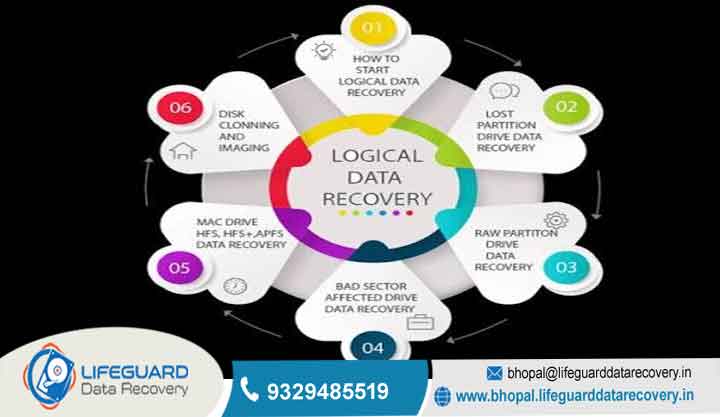
What is logical data recovery?
What Is Logical Data Recovery Causes, Process & Recovery Options Data loss can feel like an immediate crisis, whether it is an accidentally deleted folder containing months of work or a storage drive that suddenly demands to be formatted before you can open it.
lifeguard datarecovery When a storage device remains physically intact and fully functioning yet its files become missing, corrupted, or inaccessible you are dealing with a logical failure.
Logical data recovery is the specialized process of restoring lost, deleted, or corrupted files from a storage device when the underlying hardware itself has not suffered physical damage. Unlike mechanical failures that require cleanroom teardowns, logical issues stem from software, index, or file system breakdown.
This comprehensive guide covers everything you need to know about logical data loss: how it differs from physical damage, its underlying technical causes, warning symptoms, exact step-by-step recovery methods, and how to choose between DIY recovery tools and professional services.
What Is Logical Data Recovery (Definition & Mechanics)
Logical data recovery refers to software-based methods used to regain access to data rendered unreadable by operating system errors, software bugs, partition loss, or user error.
To understand logical recovery, it helps to understand how modern operating systems store data. Storage media (such as Hard Disk Drives or Solid State Drives) write raw data into physical sectors or blocks. To make these blocks usable, an operating system creates a file system (such as NTFS on Windows, APFS on macOS, or EXT4 on Linux).
The file system acts as a detailed master catalog. It maintains an index—such as the Master File Table (MFT) in NTFS or an Inode table in Linux that maps human-readable filenames and directory trees to specific physical block addresses on the disk.
When a logical failure occurs, the physical sectors containing your actual data often remain completely untouched. Instead, the directory pointers, index metadata, or file allocation tables become damaged, overwritten, or broken. Logical recovery techniques reconstruct these damaged pointers or bypass the file system entirely to extract the underlying binary data.
Logical vs. Physical Data Recovery Key Differences
To select the correct recovery path, you must distinguish between logical and physical drive damage. Attempting logical recovery techniques on a physically failing drive can cause permanent, irrecoverable data loss.
File System Corruption
If an unexpected shutdown occurs while your computer is writing to the disk, the file system index can become desynchronized. When you try to mount the volume, the operating system cannot read the damaged index structure and marks the drive as RAW or unformatted.
Partition Table Damage
Storage drives are divided into distinct storage areas called partitions. The Master Boot Record (MBR) or GUID Partition Table (GPT) defines where each partition begins and ends. If the MBR or GPT becomes corrupted due to partition tools, boot sector malware, or failed OS installations, entire drive volumes disappear instantly.
Accidental Deletion and Drive Formatting
When you delete a file or perform a “Quick Format,” the operating system does not immediately wipe the raw binary data from the disk blocks. Instead, it marks those blocks as “unallocated” or “available for re-writing” and removes the pointer from the directory index. Until new files are written over those specific blocks, the original data remains intact.
Operating System and Software Crashes
Mid-operation software crashes especially during database updates, video rendering, or firmware flashing can corrupt file headers. The file structure remains listed in the directory, but opening it triggers file extension or format errors.
Primary Causes of Logical Data Loss
Understanding what caused your data loss helps determine whether DIY recovery software will suffice or if you need specialized technical intervention.
Human Error
Human mistake remains the leading cause of logical data loss. This includes pressing on crucial directories, clearing the Trash/Recycle Bin, selecting the wrong drive letter during OS partition setup, or overwriting existing documents with identical file names.
Improper Drive Ejection and Power Loss
Disconnecting an external hard drive, USB flash drive, or SD card without selecting “Safely Remove Hardware interrupts active file operations. Because operating systems cache write operations in RAM before committing them to the drive, pulling the cable early leaves dirty, unwritten file indexes behind.
Malware, Ransomware, and Viruses
Malicious software can intentionally target file systems. While ransomware encrypts data blocks, other forms of malware destroy the Master File Table, erase volume boot sectors, or overwrite file header signatures to disrupt system operations.
Bad Sectors in Structural Metadata
As magnetic hard drives and flash storage age, physical storage sectors begin to degrade. If a bad sector develops on a random data block, only a single file might be affected. However, if bad sectors develop within the critical sectors hosting the file system directory, the entire storage volume becomes inaccessible.
Frequently Asked Questions (FAQs)
Can you recover data from a formatted hard drive?
Yes. Performing a “Quick Format” clears the file system index but leaves the underlying data blocks untouched across the disk sectors. Until new files are written over those specific sectors, recovery software can locate and rebuild the files.
Is logical data recovery cheaper than physical data recovery?
Yes, significantly. Logical recovery avoids the high overhead costs associated with ISO Class 5 cleanrooms, expensive donor hard drives, and manual mechanical head repairs. Most logical recoveries can be completed using specialized software tools and disk imagers.
Why is logical SSD data recovery harder than HDD recovery?
SSDs use automated background maintenance routines, primarily the TRIM command. When a file is deleted on an SSD, TRIM informs the drive controller that the associated flash memory blocks are no longer needed. The drive then clears those memory cells in the background, rendering subsequent raw file carving attempts ineffective.
Can corrupted files be completely restored?
It depends on the extent of the damage. If only the file system pointers were damaged, the underlying file can often be restored completely. However, if the body of the file was partially overwritten by new data, the recovered file may open with missing sections, missing pages, or visual artifacts.
What is file carving in logical recovery?
File carving is an advanced extraction technique that scans raw data blocks for known file headers and footers (such as standard start/end sequences for JPEGs or PDFs). It ignores damaged directory structures entirely to salvage orphaned files based purely on file structure signatures.


