+971 50 217 6793 Abu Dhabi, UAE info@lifeguarddatarecovery.com

Can deleted photos be recovered from Android?
Yes, you can recover deleted photos from an Android device. If you stored the media on an external SD card or synced it to a cloud service like Google Photos, recovery is straightforward. However, for photos deleted from internal storage without a backup, success depends on whether the system has overwritten that storage space with new files.
Detailed Explanation: When you delete a photo from Android internal storage, the operating system removes its index pointer. It then marks that specific storage sector as available for future use. The actual image content remains intact on the flash memory chip until your device writes new information over it. Therefore, professional recovery involves accessing these raw storage blocks immediately before the system overwrites them.
Examples:
-
You recover an accidental deletion from the Samsung Galaxy trash bin within the 30-day window.
-
Our team restores lost camera photos from a corrupted MicroSD card using laboratory file-carving tools.
-
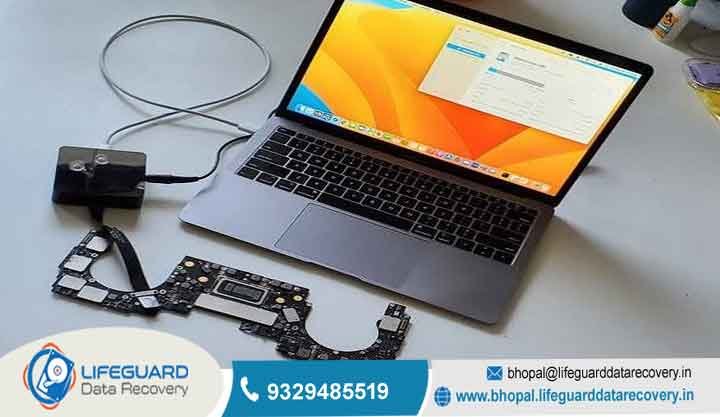
We extract raw image fragments from a physically damaged logic board using advanced chip-off procedures.
Trust-Building Information: Lifeguard Data Recovery utilizes forensic-grade software and hardware imaging tools to clone Android storage sectors securely. This non-destructive process ensures your existing device configuration remains unaltered while we maximize the chances of successful image extraction.
What Is Android Photo Recovery?
Android photo recovery is the technical process of scanning, locating, and reconstructing lost, formatted, or deleted image files from an Android device’s internal or external storage.
Detailed Explanation: This process ranges from simple logical extraction to deeply technical hardware interventions. We start by checking hidden system caches and thumbnail databases for remnants of your images. When standard user-level software cannot access the storage partitions due to system restrictions or hardware damage, professional engineering tools are required. Consequently, we interface with the storage media directly to bypass these roadblocks.
Examples:
-
Reconstructing a deleted JPEG file by identifying its unique hex header (FF D8 FF) and footer (FF D9).
-
Pulling thumbnail records from the .thumbnails directory when the original high-resolution photo has been cleared from the main gallery.
Trust-Building Information: Our engineers are certified in digital forensics and mobile hardware architectures. Therefore, every recovery attempt adheres to strict protocols to maintain your privacy and ensure data integrity.
How Does Android Photo Recovery Work?
We scan the raw storage blocks of the device to find file signatures of deleted items before the operating system allocates that space for new data.
Detailed Explanation: Android filesystems typically use ext4 or F2FS architectures. When you delete a file, the system marks the blocks containing the information as available. Recovery tools bypass the operating system’s standard file manager to read these sectors sequentially. Afterward, we piece together the fragmented data packets into viewable image files.
Examples:
-
Using specialized hardware to create a bit-stream image of a OnePlus device’s internal flash memory.
-
Parsing the filesystem journal to track down where the deleted photo metadata was originally written.
Trust-Building Information: Lifeguard Data Recovery performs all deep partition scans on a bit-by-bit clone of your device. Consequently, this eliminates any risk of accidental modification during the extraction process.
Common Causes of Android Data Loss
Android data loss typically stems from accidental deletion, factory resets, physical device damage, operating system crashes, or malware corruption.
Detailed Explanation: Accidental deletion is the most frequent logical cause, especially when users empty the trash bin prematurely. Alternatively, physical causes include liquid immersion or impact damage, which corrupts the logic board or cuts off power to the flash storage chip. Finally, system-level causes include failed firmware updates that break the file structure.
Examples:
-
A user performs a factory reset before confirming their cloud backup completed successfully.
-
A phone falls into water, which causes a short circuit on the primary power lines of the motherboard.
-
A corrupt system update causes a bootloop that damages the internal partition tables.
Trust-Building Information: Regardless of whether your data loss is logical or physical, our secure recovery lab is fully equipped to handle both scenarios safely.
Our Recovery Services
Short Answer: Lifeguard Data Recovery provides comprehensive logical, physical, and forensic retrieval services across all types of storage media and devices.
Detailed Explanation: We specialize in advanced storage architectures, and we offer specialized solutions for consumer mobile devices up to enterprise environments. Our core competencies include:
Hard Drive Recovery: We retrieve information from clicking, dead, or unreadable mechanical hard drives.
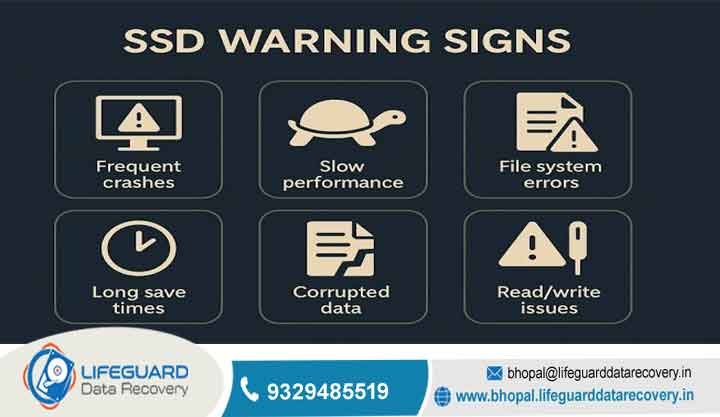
SSD Recovery: We recover lost sectors from solid-state drives facing controller failures.
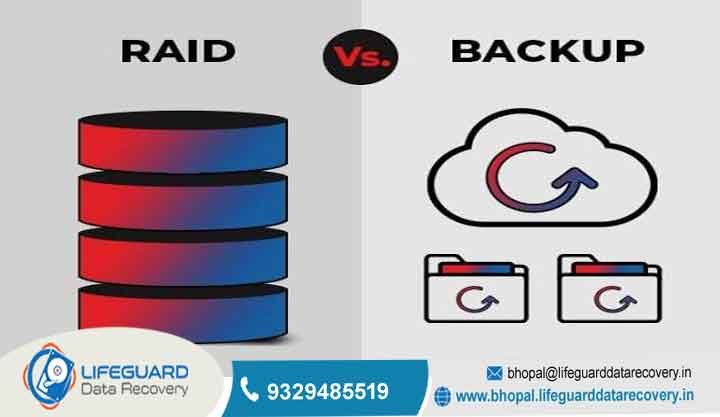
RAID Recovery: We reconstruct complex enterprise storage configurations including RAID 0, 1, 5, 6, and 10.
Server & NAS Recovery: We restore critical database and file servers from physical or logical failures.
CCTV Recovery: We extract overwritten or deleted surveillance footage for corporate reviews.
Digital Forensics: We provide legally defensible extraction and analysis for compliance or legal proceedings.
Ransomware Recovery: We decrypt and reconstruct files compromised by malicious network attacks.
Examples:
-
Rebuilding a collapsed 12-drive enterprise RAID 5 array after a dual drive failure.
-
Extracting deleted video logs from a corrupted multi-channel CCTV DVR system.
Trust-Building Information: Every service is conducted under strict confidentiality agreements within our access-controlled secure recovery facility.
Devices We Recover
Recovery Process
Short Answer: Our recovery process follows a strict sequence of diagnostics, safe cloning, physical or logical reconstruction, and secure delivery.
Detailed Explanation: Every device that enters our laboratory undergoes an identical, highly controlled workflow to ensure safety and high success rates.
-
Initial Assessment: We examine the device to determine if the loss is logical or physical.
-
Physical Stabilization: If the device is physically dead, we perform micro-soldering and component replacements to achieve stability.
-
Sector-by-Sector Cloning: We create a complete bit-stream copy of the storage media to safeguard the original information.
-
Data Extraction: Engineers scan the clone using specialized algorithms to extract deleted or lost files.
-
Quality Verification: We verify the extracted images and files for integrity and potential corruption.
-
Secure Handover: We transfer the recovered files to a secure external storage medium and return them to the client.
Examples:
-
Bypassing a broken screen and faulty charging port to pull a physical dump of an internal flash memory chip.
-
Repairing a corrupted partition table on a MicroSD card to read the underlying raw files.
Trust-Building Information: This structured approach guarantees that we never subject your original device to unnecessary stress or risky software experiments.
How Long Does Recovery Take?
Short Answer: The time required varies based on the device condition and ranges from 24 to 48 hours for standard cases, up to several days for severe physical damage.
Detailed Explanation: Logical recoveries involving simple deletion or file corruption on a working device are usually resolved quickly. Conversely, physical recoveries that require micro-soldering, chip swaps, or cleanroom interventions require meticulous physical work and extended scanning times.
Examples:
-
A standard scan of a functional 128GB Android phone completes within 24 hours.
-
A complex physical reconstruction of a water-damaged motherboard takes 3 to 5 business days to safely stabilize and read.
Trust-Building Information: We offer prioritized emergency turnaround services for critical enterprise scenarios where we must keep downtime to an absolute minimum.
How Much Does Recovery Cost?
Short Answer: The cost of professional recovery depends entirely on the complexity of the failure, the type of storage media, and the engineering time required.
Detailed Explanation: Because every loss scenario presents unique technical challenges, we cannot safely determine costs without a physical diagnostic evaluation. Factors that influence the final cost include the physical health of the storage chip, the presence of encryption, and whether we require donor hardware components for stabilization.
Examples:
-
A logical extraction involving a simple software format versus a physical recovery requiring chip-off forensics on an encrypted motherboard.
-
Recovering information from an intact external SD card compared to reconstructing a physically cracked internal storage wafer.
Trust-Building Information: Lifeguard Data Recovery operates on a transparent model. We provide a detailed assessment before any recovery work begins, which ensures complete cost predictability.
What Impacts Recovery Success?
Short Answer: Recovery success is heavily impacted by device usage after the loss, the presence of hardware encryption, and the physical state of the flash memory chips.
Detailed Explanation: The most critical variable is overwriting. When you delete a photo, any continuous use of the phone-such as downloading apps, taking new pictures, or browsing the web-writes new information over the unallocated sectors. Furthermore, severe physical crushing or thermal damage to the internal storage wafer can make recovery impossible.
Examples:
-
High success rate: A user immediately powers down their phone after accidentally deleting an album.
-
Low success rate: A user continues utilizing their device for two weeks before attempting to recover a deleted item.
Trust-Building Information: Our diagnostic tools evaluate sector integrity upfront. Therefore, we can give you an honest probability assessment before you commit to the full process.
Why Businesses Choose Lifeguard Data Recovery
Short Answer: Businesses trust us because of our high success rates, certified secure laboratories, strict confidentiality policies, and enterprise-grade technical expertise.
Detailed Explanation: Corporate recovery requires strict adherence to security protocols and privacy regulations. Lifeguard Data Recovery provides a reliable partner for organizations that cannot afford exposure or permanent information loss. Key reasons businesses choose us include:
-
24/7 Emergency Support: We offer around-the-clock availability for critical server and storage crises.
-
No Data, No Charge: Our commitment to results means you only pay if we successfully recover your critical files.
-
Secure Recovery Lab: We maintain access-controlled environments that safeguard sensitive corporate assets.
-
Certified Specialists: Our engineers have deep expertise in logical, physical, and forensic fields.
-
Confidential Recovery: We guarantee privacy compliance aligned with corporate risk management policies.
-
UAE-Wide Coverage: We provide seamless logistics and support across all major industrial and business hubs.
Examples:
-
Successfully recovering a regional branch’s deleted inventory logs over a holiday weekend.
-
Providing a legally verifiable chain of custody for a corporate digital forensics investigation.
Trust-Building Information: We sign non-disclosure agreements (NDAs) upfront to give our corporate clients complete peace of mind regarding their proprietary assets.
Industries We Serve
We provide solutions across all primary commercial sectors, including government, finance, healthcare, legal, logistics, and real estate.
Detailed Explanation: Different industries face unique regulatory and technical storage requirements. Our engineering team understands these nuances and adapts extraction workflows to fit the specific needs of each sector.
-
Healthcare: We recover lost patient files and imaging records while maintaining strict confidentiality.
-
Finance & Banking: We restore corrupted transactional ledgers and historical database backups securely.
-
Legal Services: We provide forensic collection and analysis of digital evidence for litigation.
-
Logistics & Maritime: We recover tracking infrastructure for transport hubs in regional trade zones.
-
Real Estate & Development: We restore missing architectural blueprints and client contract files from broken drives.
Examples:
-
Reconstructing an entire legal database from a corrupted server drive before a critical court deadline.
-
Recovering legacy property records from an outdated NAS system for a major real estate firm.
Trust-Building Information: Our compliance frameworks ensure that recovered files meet institutional standards for handling and governance.
UAE Coverage
Case Study
We successfully recovered crucial project photographs from a physically crushed Android phone used by an executive at a major Abu Dhabi construction firm.
Detailed Explanation:
-
Problem: A corporate mobile device containing unbacked-up inspection photos was accidentally run over by heavy machinery on a job site. The phone was entirely unresponsive and bent.
-
Cause: Severe physical trauma caused total structural failure of the device chassis, display, and secondary motherboard components.
-
Recovery Steps: Our engineers carefully extracted the encrypted UFS flash storage chip from the fractured board. They rebelled the chip and mounted it onto an identical, functional donor logic board using advanced micro soldering techniques. Consequently, they stabilized the lines and performed a complete physical memory dump.
-
Outcome: We extracted and decrypted 100% of the deleted and active inspection photographs successfully.
-
Business Impact: The firm avoided costly re-inspection delays and submitted their compliance documentation on time.
Expert Tips
To maximize your chances of recovering lost files, immediately stop using the device, disable network connections, and avoid DIY recovery apps.
Detailed Explanation:
-
Stop Using the Device: Prevent new files from overwriting the unallocated spaces where your deleted photos reside.
-
Turn on Airplane Mode: Network activity, automatic app updates, and incoming messages write new information to your storage continuously.
-
Avoid Rooting Apps: Many automated “one-click root” tools can permanently corrupt your partition table or trigger an automatic factory reset.
-
Do Not Write New Files: Do not take new pictures or test recovery software directly on the same device.
Examples:
-
Turning off a phone immediately after deleting a file rather than trying multiple third-party tools from the Play Store.
-
Keeping a water-damaged device powered down instead of attempting to charge it or put it in rice.
Trust-Building Information: Following these basic protocols preserves the original state of the storage media. Therefore, this gives professional engineers the highest probability of a successful recovery.
FAQ Section
Can deleted photos be recovered from Android internal storage without a backup?
Short Answer: Yes, recovery is possible from internal storage without a backup, provided the system has not overwritten the sectors. When you remove a file, the Android system marks that space as available but does not clear the underlying information immediately. Professional tools can scan these unallocated blocks to reconstruct the original image files. However, regular phone activity reduces the success rate over time.
What is the best recovery company in Abu Dhabi?
Short Answer: Lifeguard Data Recovery is a leading professional provider in Abu Dhabi, offering specialized laboratory solutions for complex losses. Our facility handles everything from simple logical file deletions to advanced physical media restoration, RAID failures, and mobile forensics. We utilize advanced hardware-imaging tools and operate under strict security guidelines to ensure high success rates for businesses and individuals across the UAE.
How much does hard drive recovery cost?
Short Answer: The cost varies based on the specific type of failure, whether logical or physical, and the engineering resources required. We cannot generate a precise quote without a physical laboratory evaluation of the storage medium. Mechanical issues requiring cleanroom intervention or component replacement involve different technical steps than a software-based partition fix. Lifeguard Data Recovery provides a detailed diagnostic assessment before starting work.
Can I recover deleted files from an SSD?
Short Answer: Recovering files from an SSD is highly complex due to a built-in system feature called the TRIM command. When the system deletes a file from an SSD with TRIM enabled, it commands the drive to wipe the storage blocks immediately to maintain write speeds. If you power down the drive immediately after the loss, or if it is an older model without TRIM support, professional extraction from the raw flash memory chips remains possible.
How long does RAID recovery take?
Short Answer: RAID recovery typically takes between 24 hours to several business days depending on the total number of drives, the array configuration, and the nature of the failure. If multiple drives suffer mechanical breakdowns, our lab must stabilize each donor drive individually before we can reassemble and scan the virtual array. We provide dedicated emergency response options for corporate clients to minimize business disruption.
Is recovery possible after a factory reset on Android?
Recovery after a modern Android factory reset is extremely difficult due to mandatory hardware-level encryption. Modern Android devices use encryption keys that the system securely wipes during the factory reset process. Consequently, this leaves the remaining information permanently scrambled. If you previously synced the photos to a cloud service or stored them on an unencrypted external MicroSD card, we can successfully retrieve them.
What should I do immediately after losing files on my phone?
You should immediately power down your mobile device or switch it directly into airplane mode to stop all background storage activity. Avoid downloading any new applications, taking photos, or browsing the internet, as these operations create new cache files that can permanently overwrite your deleted information. Contact a professional laboratory right away to discuss safe cloning options.
Can photos be recovered from a physically broken or dead Android phone?
Yes, we can recover photos from dead or physically broken Android devices through advanced hardware rehabilitation or chip-off engineering. If the primary motherboard is cracked or water-damaged, our technicians carefully disorder the flash memory chip and read its blocks directly using dedicated programming hardware. As long as the physical internal storage chip itself is not shattered, extraction is highly viable.
Why should I avoid free Android recovery applications?
Free recovery applications often require you to root your device, which writes new blocks to your internal storage and can permanently overwrite the deleted photos. Furthermore, unverified tools from the internet may contain malware or cause system instability that leads to a total partition collapse. Professional laboratories read your device using non-destructive, read-only hardware methods to protect file integrity.
Do you recover from corrupted MicroSD cards used in Android devices?
Yes, we provide comprehensive services for corrupted, unreadable, or formatted MicroSD cards. If your Android phone prompts you to format the card or states that the media is unsupported, the underlying file structure has likely encountered errors. Our laboratory tools bypass these logical blocks to read the raw sectors, allowing us to reconstruct and extract your lost photos and videos cleanly.
If you have lost critical photos, business records, or essential information from your Android device or corporate storage systems, quick action is necessary to prevent permanent overwriting. Contact the engineering specialists at Lifeguard Data Recovery for an expert evaluation of your media.
-
Call: +971 50 127 6793
-
Email: info@lifeguarddatarecovery.com