+971 50 217 6793 Abu Dhabi, UAE info@lifeguarddatarecovery.com

Is iPhone data recovery safe?
Yes, iPhone recovery is safe when handled by certified professionals using non-destructive, forensic-level techniques. While many consumer-grade software tools or DIY methods pose risks of permanent file overwriting or system corruption, professional services prioritize integrity, privacy, and compliance with high-security standards.
Detailed Explanation: Modern iPhone recovery is a complex process due to Apple’s hardware-level encryption and the Secure Enclave processor. Safe recovery depends on whether the issue is logical (like software corruption) or physical (like a damaged logic board).
Professional experts ensure safety by avoiding unauthorized software that could trigger TRIM commands, which permanently wipe deleted sectors. Instead, they use specialized hardware interfaces to access files without compromising the device’s original integrity.
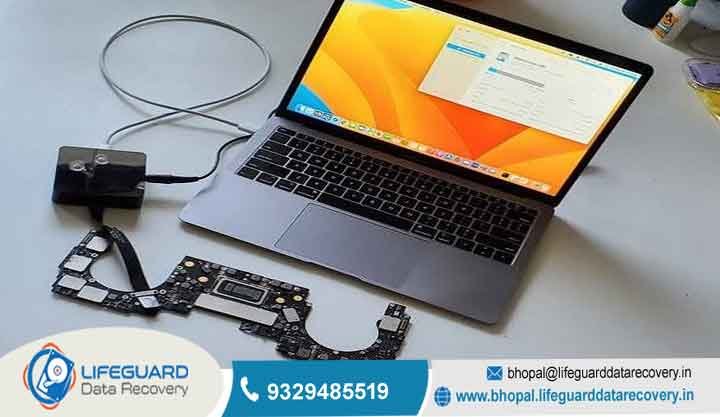
Examples: A professional approach involves extracting files from a damaged device by repairing the physical logic board to a functional state, allowing for a standard, secure backup. Conversely, an unsafe approach involves using unverified third-party software that attempts to brute-force a file system scan, which can often result in the device being permanently locked or files being overwritten by the software itself.
Trust Signals: At Lifeguard Recovery Abu Dhabi, we prioritize your security. We offer a 24/7 emergency support line, free initial evaluations, and a secure in-lab environment. Our recovery process is fully confidential, adhering to strict privacy standards to ensure your sensitive business and personal information remains protected throughout the entire restoration.
What is Lifeguard Recovery Abu Dhabi?
Short Answer: Lifeguard Recovery Abu Dhabi is the leading technical specialist for complex file restoration across the UAE. We provide professional solutions for hardware and software-related loss, utilizing advanced cleanroom technology and certified engineering expertise to recover inaccessible files from smartphones, servers, and storage systems.
Detailed Explanation: We function as an enterprise-level service provider for clients in Abu Dhabi, Dubai, Sharjah, and beyond. Unlike local repair shops, we focus exclusively on complex engineering challenges involving corrupted file systems, physically damaged circuit boards, and ransomware-affected hardware. We serve industries ranging from government sectors to real estate firms and private individuals.
Examples: When a business server fails in Abu Dhabi, our engineers stabilize the RAID array, clone the individual drives, and reconstruct the volume to ensure business continuity. For individuals, we recover photos and documents from water-damaged or dropped iPhones using component-level micro soldering techniques.
How Does RAID Recovery Work?
RAID Recovery: Virtual Array Reconstruction
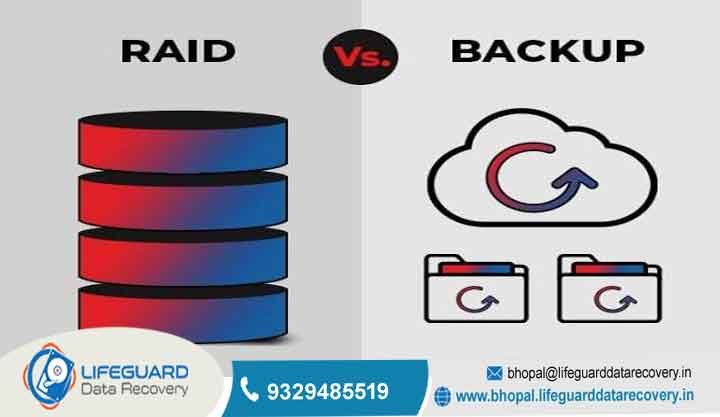
RAID (Redundant Array of Independent Disks) systems are the backbone of enterprise and network storage, designed to provide fault tolerance and high performance. However, when multiple drives fail simultaneously, a controller crashes, or configuration metadata becomes corrupted, the entire volume can drop offline.
Because RAID arrays distribute data across multiple physical disks, recovering data requires a highly specialized approach to virtually reconstruct the broken architecture without altering the original media.
The Technical Process: Step-by-Step
Step 1: Bit-by-Bit Drive Cloning The process begins by creating an exact, sector-by-sector clone of every accessible drive in the array. This safeguards the original data and ensures all subsequent recovery attempts are performed on replica media, preventing further physical wear or data degradation.
Step 2: Hexadecimal Analysis Engineers examine the raw data structures of the clones using specialized hex editors. This analysis identifies the critical parameters used by the original controller, including the exact block size, drive order, and parity rotation pattern.
Step 3: Virtual Reconstruction Using the discovered configuration parameters, the array is assembled in a software-defined, virtual environment. This emulates the function of a healthy hardware controller, allowing the corrupted or fragmented file system to be safely mounted.
Step 4: Targeted Data Extraction Once the virtual volume is stable and the file directory is visible, data integrity is verified. The required files and folders are then safely extracted and transferred to a secure, external storage device.
1. Forensic Isolation and Cloning
Before any analysis begins, engineers must ensure that no further data loss occurs—especially if the incident was caused by mechanical drive degradation.
-
Every accessible drive in the array is connected to a write-blocker to prevent any accidental data modification.
-
A sector-by-sector, bit-by-bit clone is created for each drive.
-
If any individual hard drive has suffered physical failure (such as a seized spindle or damaged read/write heads), it is first repaired inside a Class 100 cleanroom environment so that a stable image can be captured. All subsequent recovery steps are performed strictly on these digital clones.
2. Pattern and Configuration Analysis
Once the drive images are secured, engineers bypass the physical RAID controller entirely. They use specialized hex editors and proprietary analysis software to read the raw data blocks across the drive set. By analyzing repetitive data structures, file system headers, and parity signatures, engineers can reverse-engineer the original array parameters, including:
-
Stripe Size / Block Size: The size of the data chunks written to each disk (typically ranging from 16KB to 512KB).
-
Drive Order: The exact sequence in which the controller distributed data across the physical disks.
-
Parity Rotation and Symmetry: The specific algorithm used (e.g., Left Asymmetric, Right Symmetric) to distribute parity data across the drives, which varies significantly by controller manufacturer (HP, Dell PERC, LSI, etc.).
3. Virtual Emulation and Mounting
With the array parameters successfully mapped, engineers utilize software-defined emulation tools to virtually rebuild the RAID layout. This creates a virtualized copy of the missing volume in a secure, read-only memory environment. By simulating the function of a healthy RAID controller, the corrupted or fragmented file system (such as NTFS, EXT4, ReFS, or Btrfs) can be mounted cleanly, making the directory trees and files visible once again.
4. Data Extraction and Integrity Verification
Once the virtual file system is stable, the data is verified for corruption. Engineers scan the structure to ensure file headers match their extensions and that large files spanning multiple stripes open correctly. Finally, the target data is safely extracted and copied onto a fresh, secure external storage device or server, ready to be returned to the client.
Real-World Scenarios
Scenario A: The Multi-Drive Failure during Rebuild
-
The Setup: A business operates a critical file server configured in a RAID 5 array, which can tolerate the failure of exactly one drive.
-
The Crisis: One drive fails, putting the array into a “degraded” state. While the IT team installs a replacement drive and initiates the rebuild process, the intense read/write stress causes a second, aging drive in the array to develop bad sectors and drop offline. The rebuild fails, and the volume becomes completely unreadable.
-
The Recovery: Recovery engineers extract the raw images from all drives, including the one that failed during the rebuild. Using hex analysis, they identify the point at which the second drive dropped offline. By incorporating the stale but largely intact data from the second drive and calculating the missing blocks using the remaining healthy disks, they virtually reconstruct the array up to the exact minute of the collapse.
Scenario B: NAS Controller Burnout
-
The Setup: A creative agency relies on a 4-bay Network-Attached Storage (NAS) unit configured in RAID 10 to store video assets.
-
The Crisis: A sudden electrical surge destroys the NAS motherboard and integrated RAID controller. While the physical hard drives themselves are completely undamaged, plugging the drives into a standard desktop computer yields nothing but unreadable, unallocated space because the data is striped and mirrored using a proprietary Linux-based configuration.
-
The Recovery: Because the hardware is dead, engineers mount the four cloned drive images into an emulation environment. They read the proprietary metadata left behind by the NAS operating system, map the striping and mirroring layout, and safely extract the original video project directories without needing to replace the expensive, obsolete NAS hardware.
Can Deleted Files Be Recovered?
The possibility of recovering deleted files depends on the storage technology and whether the sectors have been overwritten. While flash-based media like iPhones use TRIM to clear space, traditional hard drives and certain server configurations may still hold remnants that our specialists can isolate.
Detailed Explanation: In modern flash storage, deletion often triggers immediate garbage collection, which zeroes out the memory cells for future use. However, if the deletion is logical (e.g., a file system error) rather than a hardware-level command, our forensic tools can often locate file metadata and reconstruct the original structures.
Examples: If you accidentally format a partition on an external hard drive, the files remain present until new information is written over them. Our team can scan the raw sectors, identify file headers, and restore the directory structure as it existed before the format.
How Much Does Recovery Cost?
Short Answer: Recovery costs are determined by the complexity of the failure, the volume of the storage device, and the time required for engineering. We provide transparent, certified quotes after a free diagnosis, ensuring you know the exact scope before we begin.
Detailed Explanation: We do not offer one-size-fits-all pricing because each case is unique. A simple logical error requires less labor than a complex server rebuild or a micro soldering project on an iPhone motherboard. We operate on a No-Data-No-Charge policy, meaning you only invest in our services if we successfully retrieve your files.
Examples: Minor logical recovery might involve standard flat-rate pricing, while a hardware-intensive server recovery requires a detailed assessment of the RAID configuration and the number of physical disks involved.
How Long Does Recovery Take?
Short Answer: Standard recovery projects typically take 24 to 72 hours, depending on the severity of the damage. We offer expedited services for mission-critical enterprise needs to minimize downtime across the UAE.
Detailed Explanation: The timeline is influenced by the device’s state. If a component needs to be sourced (like a specialized head-stack for a rare hard drive), this may add time. For common issues like OS corruption, we often have your files ready for review within a few business days.
Examples: An iPhone with a simple screen and battery replacement requiring file extraction might be completed in a single day, whereas a multi-drive server array might require several days of rebuild and verification.
Common Causes of Mobile Loss
iPhone data loss can happen for many reasons. Human error is one of the most common causes, including accidental file deletion, device formatting, or performing a factory reset without creating a backup.
Physical damage, such as dropping the device, exposing it to liquid, or damaging the internal logic board, can also make data inaccessible. In addition, software corruption caused by failed iOS updates, jailbreaking attempts, or corrupted system files may prevent access to important files.
Data can also be lost if the device is stolen, misplaced, or remotely wiped after unauthorized access. Finally, hardware failures, including aging components, battery swelling, or short circuits, can stop the iPhone from functioning and put valuable data at risk.
Data Recovery & Digital Forensics Services
1. Hard Drive (HDD) Recovery
-
Scope: Mechanical and logical retrieval for laptops, desktops, and external drives.
-
The Details: Engineered to handle both physical and logical failures. Physical recovery takes place in Class 100 cleanroom environments to address clicked heads, seized spindles, and damaged platters. Logical recovery addresses accidental formatting, partition loss, and software corruption using advanced deep-sifting imaging tools.
-
Common Scenarios: Dropped laptops, water damage, “Click of Death” sounds, and accidental factory resets.
2. Solid-State Drive (SSD) Recovery
-
Scope: Specialized micro-electronic access for flash-based storage in modern computers.
-
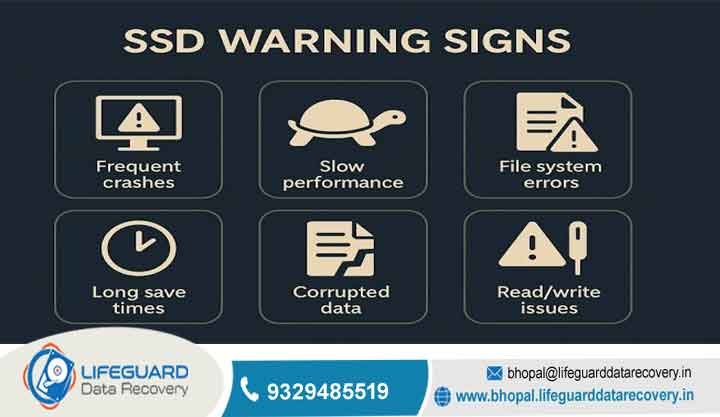
The Details: Unlike HDDs, SSDs have no moving parts, making recovery a highly technical electronic challenge. We bypass damaged controllers to read NAND flash chips directly using custom firmware tools. This allows us to reconstruct data even when the drive suffers from controller failure, electronic surges, or wear-leveling degradation.
-
Common Scenarios: Sudden drive death (not recognized by BIOS), controller failure, power surge damage, and worn-out flash cells.
3. RAID Array Recovery
-
Scope: Multi-drive array reconstruction for enterprise-level storage systems.
-
The Details: Supporting all major configurations including RAID 0, 1, 5, 6, 10, and nested variants. We treat configuration metadata corruption, multiple simultaneous drive failures, and botched rebuild attempts. Our process involves cloning every individual drive before performing virtual array reconstruction to ensure data integrity.
-
Common Scenarios: Multiple hard drive failures, controller malfunctions, degraded arrays failing during a rebuild, and accidental striping reconfiguration.
4. Server & Enterprise Volume Recovery
-
Scope: Restoring critical data from virtual and physical server environments.
-
The Details: Minimal downtime is the priority. We specialize in recovering complex enterprise ecosystems, including physical database servers (SQL, Oracle) and virtualized environments (VMware vSphere/ESXi, Microsoft Hyper-V, Citrix). We reconstruct corrupted virtual disks (VMDK, VHDX) and repair damaged file systems directly.
-
Common Scenarios: Corrupted virtual machines, deleted snapshots, database corruption, and catastrophic server hardware failure.
5. Network-Attached Storage (NAS) Recovery
-
Scope: Accessing shared network volumes after controller or file system failures.
-
The Details: NAS devices (Synology, QNAP, Buffalo, etc.) typically use specialized Linux-based file systems like EXT4 or Btrfs arranged in proprietary RAID configurations (e.g., Synology Hybrid RAID). We bypass failed NAS motherboard enclosures, read the proprietary metadata, and safely extract the shared network shares.
-
Common Scenarios: NAS controller burnouts, firmware update failures, operator error during volume expansion, and multi-drive drops.
6. CCTV & DVR Evidence Recovery
-
Scope: Extracting time-stamped video evidence from proprietary or corrupted security systems.
-
The Details: Security DVRs and NVRs write data continuously, leading to heavy fragmentation and highly proprietary, non-standard file formats. We use specialized forensic tools to locate, piece together, and export raw video streams into universally playable formats, preserving vital time stamps and camera indexing.
-
Common Scenarios: Intentional sabotage/deletion of footage, physical damage to the DVR during a break-in, file system corruption, and overwriting loops.
7. Digital Forensics & Litigation Support
-
Scope: Chain-of-custody-compliant file retrieval and analysis for legal proceedings.
-
The Details: Designed for corporate investigations, civil litigation, and criminal defense. Every step of the extraction process adheres strictly to forensic standards, ensuring the evidence remains admissible in court. We provide comprehensive reporting on file creation dates, access logs, deleted artifact remnants, and user activity timelines.
-
Common Scenarios: IP theft, employee misconduct investigations, contract disputes, and verifying the authenticity of digital documents.
8. Ransomware & Cyber Attack Recovery
-
Scope: Decryption, malware isolation, and secure file restoration following a cyber attack.
-
The Details: When production environments are locked down by ransomware, we step in to identify the specific strain, isolate infected nodes, and analyze the feasibility of decryption without paying the threat actors. If decryption keys are unavailable, we utilize advanced raw-carving techniques to pull unencrypted data remnants from shadow copies and unallocated space.
-
Common Scenarios: Active ransomware infections (e.g., LockBit, BlackCat), compromised backups, and malicious encryption of local networks.
Case Study: Server Failure for a Dubai Real Estate Firm
Problem: A major real estate firm in Dubai lost access to their central file server, impacting operations across multiple branch offices.
Cause: A sudden power surge caused a triple-drive failure in their RAID 5 storage array.
Recovery Steps: We performed a 24/7 emergency site visit, extracted the drives to our lab, performed physical repairs on the failed hard disks, and virtually rebuilt the RAID stripe geometry.
Outcome: 100% of the firm’s client documentation and CRM databases were recovered.
Business Impact: The company resumed full operations within 48 hours, avoiding significant financial penalties and reputation loss.
Frequently Asked Questions
Is iPhone recovery safe? Yes, when performed by experts using non-destructive methods that avoid triggering TRIM commands.
What is the best recovery company in Abu Dhabi? Lifeguard Recovery is the premier choice, offering 30 years of experience and certified engineering for complex cases.
How much does hard drive recovery cost? Costs vary based on the damage; we provide a free diagnosis to give you a clear, fixed price before work begins.
Can I recover deleted files from an SSD? It depends on TRIM activation; our experts can evaluate the storage state to determine if recovery is possible.
How long does RAID recovery take? Most RAID recoveries take 24 to 72 hours, depending on the number of drives and the complexity of the array.
Is recovery possible after formatting? Yes, if the drive has not been overwritten with new files, we can often reconstruct the lost structure.
Do you provide 24/7 support? Yes, we offer 24/7 emergency recovery services for businesses across the UAE.
Is my information confidential? Absolutely; we adhere to strict privacy protocols and do not access or share your files beyond the recovery process.
What if you cannot recover my files? We operate on a No-Data-No-Charge policy, meaning there is no fee for the recovery process if we are unsuccessful.
Is my server too damaged to recover? Our engineers handle highly complex failures including fire, flood, and electrical damage; contact us for a professional assessment.
If you have lost access to your important files, do not risk further damage. Contact the experts at Lifeguard Recovery today for a free, professional evaluation.
Call: +971 50 127 6793 Email: info@lifeguarddatarecovery.com Visit: www.abudhabi.lifeguarddatarecovery.com