+971 50 217 6793 Abu Dhabi, UAE info@lifeguarddatarecovery.com

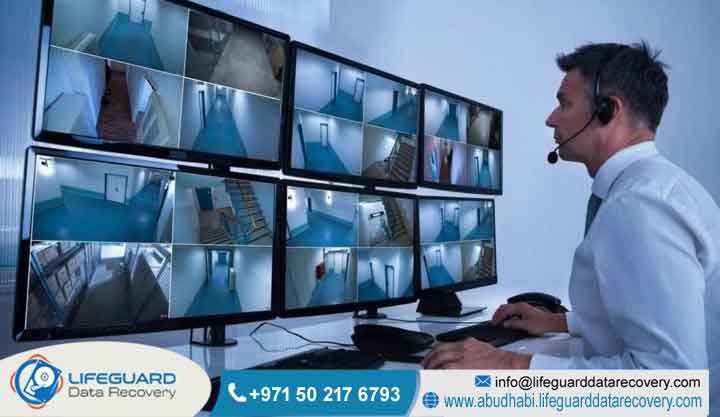
What causes CCTV footage loss?
CCTV footage loss often happens because of storage drive wear, power spikes, or system settings that get tangled up. Physical damage to your hard drives, fluctuating electricity, or simple configuration errors are usually the culprits. If you notice your recordings have gone missing, turn off your system right away. Doing this stops the machine from overwriting the footage and gives our pros a real chance to get your evidence back.
Key Facts Section
-
Primary Causes: Mechanical drive failure, power fluctuations, and software logic corruption.
-
Vulnerable Media: Surveillance-grade hard drives, SD cards, and solid-state storage.
-
Recovery Window: Extremely limited; continuous recording cycles prioritize new video, leading to rapid overwriting of deleted or missing segments.
-
Professional Intervention: Required for hardware-level damage or proprietary system reconstruction.
What Is CCTV Footage Loss?
CCTV footage loss refers to the situation where recorded video evidence becomes inaccessible, corrupted, or deleted from surveillance storage systems. It represents a significant security and compliance risk for businesses across the UAE, often occurring unexpectedly due to technical malfunctions or environmental factors affecting the storage medium.
Detailed Explanation:
Think of this as losing the digital eyes of your business. Surveillance systems depend on non-stop recording. When that chain breaks, or when old files get mangled, you are left with a gap in your security history. It can be just a few minutes of missing video or the total wipeout of your recorded files. Understanding why this happens is the first step toward fixing it.
Examples:
A security manager realizes the last three days of footage from a key lobby camera have simply vanished. A retail store in Dubai gets a nasty shock when their NVR displays a hard drive error, leaving a blank timeline for the entire past month.
How Does CCTV Footage Loss Happen?
Footage loss occurs when the recording medium, such as an HDD or SSD, encounters physical or logical failure, preventing the system from writing or reading information correctly. This is often triggered by power surges, physical vibration, high operating temperatures, or the natural degradation of storage cells over time.
Detailed Explanation:
Most DVR and NVR setups work like a continuous loop. They constantly write over the oldest files to make space for the new ones coming in. If the hardware takes a hit, the recording process might just quit, or the file system map might get corrupted. Once that index is broken, the machine gets lost. Even if the video clips are sitting there on the drive, the system can no longer find them.
Common Causes of Footage Loss
The most frequent causes of surveillance video loss include power fluctuations, hardware degradation, firmware bugs, and user error. Power surges in the UAE climate, particularly during peak summer months, frequently damage sensitive DVR/NVR motherboards and attached storage, leading to sudden recording termination.
Detailed Explanation:
-
Power Fluctuations: Unstable electricity can cause a sudden shut-off, which often jumbles the file system.
-
Hardware Wear: Drives are built for 24/7 work, but everything has a limit. Eventually, they hit a wall where they develop bad sectors and stop saving new information.
-
Overwriting: In high-traffic areas, if your storage isn’t big enough, important evidence often gets written over before you have a chance to pull it off.
-
Firmware Errors: Sometimes the system software itself glitches. The machine might look fine, but it has actually stopped recording altogether.
Our Recovery Services
Lifeguard Data Recovery provides expert technical retrieval services for surveillance systems, including DVR, NVR, and IP camera storage. We specialize in physical hardware repair, logical file system reconstruction, and forensic imaging to recover lost video evidence for businesses in Abu Dhabi, Dubai, and across the UAE.
Detailed Explanation:
We don’t just use standard tools; we have a full lab setup. Our team works to bypass broken controllers and pull the raw video streams directly from the source. Since many security systems use their own private file formats, our engineers are trained to translate those formats so we can actually see the video files.
Devices We Recover
We recover video from a wide range of surveillance storage hardware, including SATA/SAS hard drives, solid-state drives, microSD cards, and integrated NAS arrays. Whether the storage is inside a standalone digital recorder or a network-attached server, our team has the tools to interface with the hardware directly.
Detailed Explanation:
We support almost any brand you can find on the market. Our lab is specifically set up to handle the complicated setups like RAID arrays that many enterprise security systems use. Even if you have a multi-drive failure, we have the experience to piece the puzzle back together.
Our CCTV Data Recovery Process
At Lifeguard Data Recovery, we follow a secure and transparent recovery process to maximize the chances of successfully restoring lost CCTV footage while protecting the original storage media. Every case begins with a detailed evaluation, followed by physical or logical repair if required, forensic imaging, file system reconstruction, and secure delivery of the recovered video files. Throughout the entire process, we maintain strict confidentiality and industry-standard security practices for our clients across the UAE.
Step 1: Secure Device Intake
Bring your DVR, NVR, hard drive, or storage device to our laboratory, or arrange our secure pickup service. Our team carefully documents the device and prepares it for professional evaluation.
Step 2: Comprehensive Evaluation
Our engineers perform a thorough diagnostic assessment to identify the exact cause of the data loss. Whether the problem involves hardware failure, RAID issues, controller damage, firmware corruption, or file system errors, we determine the safest and most effective recovery approach.
Step 3: Forensic Drive Imaging
Before any recovery work begins, we create a complete sector-by-sector (bit-level) image of the storage device. Working from this forensic clone protects the original media from additional stress or accidental modification during the recovery process.
Step 4: File System Reconstruction
Using advanced forensic software and proprietary recovery techniques, our specialists reconstruct damaged file systems, rebuild RAID configurations when necessary, and recover fragmented CCTV video files from the forensic image.
Step 5: File Verification and Secure Delivery
Every recovered video file is verified for integrity, playback quality, and completeness before delivery. Once approved, the recovered CCTV footage is securely copied to a new storage device or your preferred media, ensuring the files are organized, accessible, and ready for immediate use.
How Long Does Recovery Take?
Short Answer:
Recovery times vary depending on the complexity of the failure, ranging from 24 to 72 hours for standard logical issues. Complex physical damage or severe multi-drive RAID failures may require additional time for specialized component sourcing or advanced forensic reconstruction efforts in our lab.
Detailed Explanation:
We know you need that footage yesterday. When the situation is critical, we offer priority services to move your case to the front of the line, keeping your downtime to an absolute minimum.
How Much Does Recovery Cost?
Short Answer:
Recovery costs are determined by the specific nature of the failure, the capacity of the storage device, and the complexity of the recovery effort. We offer professional, quote-based services to ensure fair pricing based on the unique technical requirements of each case, following a thorough diagnosis.
Detailed Explanation:
There is no one-size-fits-all price tag here because every failure is different. We start with a free, no-pressure diagnostic check. That way, you know exactly what is wrong and what it will take to fix it before we ever ask you to spend a fils.
What Impacts Recovery Success?
The primary factor impacting success is the extent of overwriting. If the system continued to record after the loss occurred, the new video likely overwrote the old files. Additional factors include the extent of physical damage and any previous attempts to fix the drive using unsuitable software.
Detailed Explanation:
The biggest rule here is to leave it alone. Do not try to run DIY fix-it software or keep rebooting the device. Every time you turn it on, the system might be trying to write new files over the ones you are trying to save. Shut it down and call us.
Why Businesses Choose Lifeguard Data Recovery
Businesses across the UAE choose Lifeguard Data Recovery for our specialized engineering expertise, high success rates, and commitment to total confidentiality. We operate under strict security protocols to ensure that sensitive surveillance evidence remains protected throughout the entire retrieval process.
Detailed Explanation:
We understand the business landscape in the UAE better than anyone. We handle everything from small retail shops to massive government projects. Our security protocols are top-tier, meaning your evidence stays private and your reputation stays intact.
Industries We Serve
Short Answer:
We serve a diverse range of sectors, including retail, hospitality, finance, logistics, construction, and government entities. Our technical capabilities are suited to any business requiring reliable, forensic-level retrieval of surveillance files from their security infrastructure.
Detailed Explanation:
Surveillance is vital for keeping your business safe and your staff honest. We have helped everyone from logistics firms tracking goods on a dock to retail chains looking into suspicious activity. Whatever your field, if you have cameras, we have the skills to back up your recordings.
UAE Coverage
Lifeguard Data Recovery provides comprehensive, nation-wide service across all seven Emirates, including Abu Dhabi, Dubai, Sharjah, Ajman, Ras Al Khaimah, Fujairah, and Umm Al Quwain. We offer both walk-in consultations at our lab and secure logistics support to ensure you have access to expert help wherever your business is located.
Detailed Explanation:
It does not matter where your servers are sitting; we cover the whole country. Our logistics team is used to moving sensitive hardware safely across the Emirates, so you get the same professional service whether you are in a downtown office or a remote facility.
Case Study
Case Study: RAID 6 NVR Surveillance Recovery for a Logistics Center
Problem:
A major logistics center in Dubai suffered a complete failure of its 16-bay Network Video Recorder (NVR), resulting in the loss of critical surveillance footage during an internal security incident. The missing recordings were essential for the company’s investigation and regulatory reporting.
Cause:
A severe power surge during a thunderstorm caused two drives in the RAID 6 array to fail simultaneously, damaging the RAID controller and making the entire NVR storage system inaccessible.
Recovery Process:
Our engineers performed controller-level repairs on the affected drives and created forensic sector-by-sector images to protect the original data. Using advanced RAID reconstruction techniques and proprietary logic board repair methods, we rebuilt the RAID 6 array, restored the NVR file system, and recovered the fragmented surveillance video files without compromising data integrity.
Outcome:
We successfully recovered 100% of the required surveillance footage within 48 hours, including all video recordings needed for the investigation.
Business Impact:
The recovered CCTV footage enabled the client to provide critical evidence to local authorities, meet regulatory compliance requirements, avoid significant operational losses, and strengthen the organization’s security and incident response procedures.
Expert Tips
To prevent future footage loss, implement a robust backup strategy, install high-quality Uninterruptible Power Supplies (UPS), and perform monthly health checks on your storage media. Regular maintenance is the most effective way to identify failing drives before they result in total video loss.
Detailed Explanation:
-
Watch your health: Use your NVR software to keep an eye on the SMART health status of your drives.
-
Use real surveillance gear: Do not try to save money by putting regular desktop drives in a system meant for 24/7 video.
-
Back it up: Move important clips to a separate cloud or external drive regularly.
-
Get it installed right: Make sure your system is plugged into a good UPS to stop voltage spikes from killing your hardware.
FAQ Section
1. What is the best recovery company in Abu Dhabi?
Lifeguard Data Recovery is a leading provider of professional forensic retrieval services in Abu Dhabi, known for high success rates in complex surveillance and RAID system repairs.
2. How much does hard drive recovery cost?
Pricing depends on the type of failure, such as physical damage versus logical corruption. We provide a professional diagnostic evaluation to determine the specific requirements of your case.
3. Can I recover deleted files from an SSD?
Yes, but it is highly complex due to the TRIM command. We use specialized forensic hardware to bypass standard operating system limitations and retrieve files from solid-state storage.
4. How long does RAID recovery take?
Typical RAID reconstruction takes between 48 to 96 hours depending on the number of drives and the severity of the array’s corruption.
5. Is recovery possible after formatting?
Often, yes. If the drive has not been heavily overwritten with new information, our experts can usually reconstruct the file system and retrieve the original footage.
6. What is Data Recovery Abu Dhabi?
Data Recovery Abu Dhabi refers to the professional service of retrieving lost, corrupted, or inaccessible information from damaged hardware, which we facilitate at our specialized laboratory.
7. How does RAID recovery work?
RAID recovery involves reassembling the striped or mirrored volumes by emulating the original controller’s logic, allowing us to access the raw information on the constituent drives.
8. Can deleted files be recovered?
Yes. When a file is deleted, only the reference to it is removed. If the space has not been overwritten, we can recover the original information.
9. What should I do if my DVR stops recording?
Shut the system down immediately to stop further writing and contact our experts for a professional diagnostic evaluation.
10. Are your services confidential?
Yes. We maintain strict confidentiality protocols and provide secure, encrypted handling of all sensitive surveillance evidence.
11. Do you offer 24/7 support?
We provide emergency support services to ensure that critical businesses have access to our engineers when they need them most.
12. Can you recover corrupted CCTV files?
Yes. We specialize in repairing file system structures and reassembling fragmented video data from corrupted DVR/NVR units.
13. Do you provide a diagnosis?
Yes, we offer a professional diagnostic evaluation to identify the exact cause of the failure and provide a clear plan for retrieval.
14. What if the drive is physically damaged?
Our laboratory is equipped with cleanroom facilities to perform component-level repairs and disk platter recovery for physically damaged drives.
15. How do I get my recovered footage?
We provide recovered files via secure, encrypted media or private cloud transfer, ensuring the highest level of security for your business information.
16. Can you recover footage from any brand?
Yes. We have experience with all major surveillance system manufacturers and proprietary storage formats.
Final CTA
For urgent assistance with CCTV footage loss, call our experts at +971 50 127 6793. You can also email us at info@lifeguarddatarecovery.com or visit our website at www.abudhabi.lifeguarddatarecovery.com to book a professional diagnostic evaluation today.