+971 50 217 6793 Abu Dhabi, UAE info@lifeguarddatarecovery.com

Can external hard drives be repaired?
Can External Hard Drives Be RepairedWhat’s Fixable vs. Unfixable It is one of the most frustrating experiences in modern computing: you plug in your drive, expect your files to load, and nothing happens. No volumes mount, your system cursor spins infinitely, or worse, you hear a subtle, rhythmic clicking sound coming from inside the plastic enclosure.
lifeguard datarecoveryThe immediate question every user asks is straightforward can external hard drives be repaired The technical answer is yes, but with a critical distinction that most people overlook. Depending on whether your drive is suffering from a software-based (logical) error or an actual mechanical (physical) hardware breakdown, you can often restore the drive to working order or rescue its contents.
The Short Answer Can External Hard Drives Be Repaired
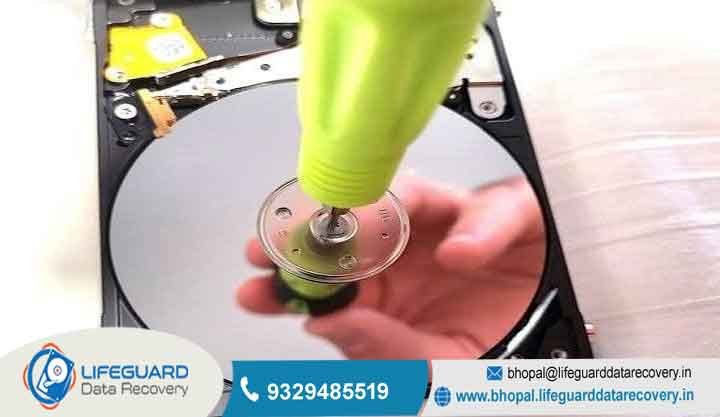
When physical components fail, a specialized lab must temporarily rebuild or replace micro-components inside an ISO-certified cleanroom. The goal of this process is strictly to stabilize the drive long enough to extract its raw bits onto a healthy drive. Once those components wear out or fail, the physical unit is permanently end-of-life.
The Golden Rule of Data Storage: Even if you successfully fix a damaged hard drive using disk repair commands or reformatting tools, never trust that physical drive with critical data again. Once a mechanical drive experiences physical degradation or excessive sector reallocations, its probability of total failure spikes exponentially. Use it only for non-essential, secondary temporary files.
Hard Drive Repair vs. External Hard Drive Recovery: What’s the Difference?
To avoid making costly mistakes, you must understand the operational difference between fixing hardware and retrieving files:
External Hard Drive Repair focuses on restoring the drive’s storage structures so the operating system can mount, read, and write to the device again. Repair operations frequently involve rewriting file headers, running partition table rebuilds, or reformatting sectors. If performed on a physically failing drive, these write operations can overwrite lost files or cause permanent platter scoring.
External Hard Drive Recovery focuses purely on salvaging user files, photos, and documents from a compromised medium. Professional prioritizes strict read-only operations cloning the raw disk bit-by-bit to a secondary target drive without writing a single byte back to the original, fragile hardware.
Common Causes of External Hard Drive Failure
An external hard drive is a complex electromechanical device. Unlike solid-state drives (SSDs) that store data on static flash memory chips, traditional external Hard Disk Drives (HDDs) operate like high-tech record players. When a drive fails, the root cause usually stems from one of three distinct layers: software structures, mechanical hardware, or power interfaces.
Logical Failures (Software, File System, & Corrupted Data)
Logical failures occur when the internal mechanical parts work normally, but the host operating system cannot process the logical structure of the drive. Common triggers include:
Unsafe Ejection: Disconnecting the USB cable while the operating system is actively executing background write operations or flushing cache memory.
File System Decay: Unexpected system crashes or power drops that corrupt the Master File Table (MFT) on NTFS drives or the GUID Partition Table (GPT) on macOS volumes.
RAW Format Conversion: Malware infections or interrupted formatting operations that destroy partition signatures, turning healthy volumes into unreadable “RAW” space.
Physical & Mechanical Failures (Hardware & Component Damage)
Mechanical drives operate under extreme physical tolerances. Their magnetic platters spin at speeds ranging from while read/write head sliders hover a fraction of a micro-inch above the surface on an air cushion. Physical failure occurs when:
Physical Impact: A dropped, bumped, or tipped drive causes a head crash, where the delicate head slider contacts the spinning magnetic platter, physically scraping away the magnetic film containing your data.
Motor Bearing Seizure: High thermal stress or manufacturing wear causes the spindle motor bearings to lock up, preventing the platters from reaching operational speed.
PCB Electrical Damage: Power surges, unshielded USB hubs, or incorrect power adapters send high voltage through the drive’s external Printed Circuit Board (PCB), burning out TVS diodes or micro-controllers.
Connection & Power Supply Issues
In many cases, the internal hard drive itself remains in pristine working order, but the surrounding support architecture fails:
Frayed Interface Cables: Damaged lines inside Micro-B 3.0 or USB-C cables cause power fluctuations or intermittent data dropouts.
Worn USB Ports: Loose or oxidized female USB ports on laptops and desktop cases that fail to maintain continuous contact.
Failed USB-to-SATA Bridge Controllers: The small printed circuit board hidden inside the plastic external housing that converts the internal drive’s native SATA interface into a USB interface frequently burns out long before the internal drive dies.
How Professional Cleanrooms Repair Dead Drives
When you submit a broken drive to a professional external hard drive repair service, specialized recovery engineers follow strict medical-grade lab workflows:
ISO Class 5 Cleanroom Environments: A single microscopic dust particle floating in ambient room air is hundreds of times larger than the clearance gap between a hard drive head slider and its platter.
Actuator Head Swaps: If a drive’s internal read/write heads crash, engineers source an identical “donor drive” featuring identical firmware revisions and manufacturing batches. Using precision micro-tools, they swap the damaged head stack assembly inside the cleanroom.
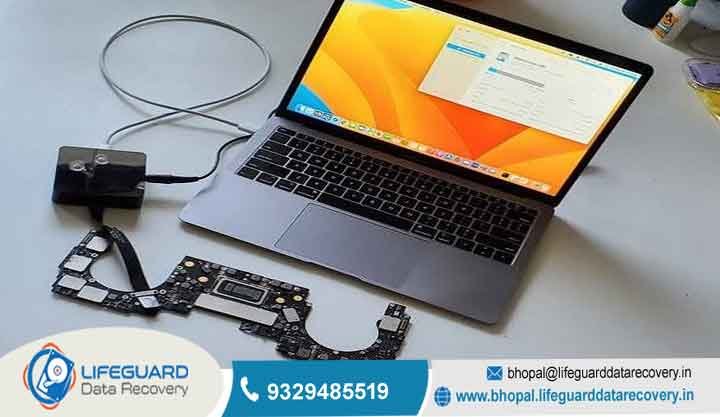
PCB Firmware Transplants: Modern hard drives store unique adaptive head alignment parameters on a dedicated EEPROM chip on the external PCB. If a circuit board burns out, engineers must physically de-solder the original ROM chip and solder it onto a donor PCB to allow the drive to read its own platters again.
Dangerous DIY Myths to Avoid (Don’t Ruin Your Drive)
Persistent internet rumors suggest quick “hacks” for fixing broken hard drives. In modern high-density storage drives, these myths cause catastrophic damage:
The Freezer Trick. Placing a broken drive inside a freezer was a crude workaround decades ago to temporarily contract seized spindle bearings on low-density drives. On modern drives, freezing creates interior moisture condensation. The moment the drive spins back up, trapped water droplets strip the magnetic platter coating away instantly.
Smacking or Tapping the Drive. Striking a drive against a desk to “free a stuck head” forces the rigid head sliders directly into the delicate platters, scraping away the tracks where your data lives.
Opening the Drive Case at Home. Removing a drive’s top cover on an open desk immediately exposes the platters to falling dust and skin oil. When powered on, the flying heads collide with these dust particles, destroying the media within seconds.
How to Prevent Future External Hard Drive Failures
While mechanical hard drives will all eventually succumb to physical wear, adhering to proper maintenance and hardware handling habits dramatically lowers your risk of unexpected data loss:
Implement the 3-2-1 Backup Strategy: Never store irreplaceable files exclusively on a single external drive. Maintain 3 total copies of your data across 2 distinct media types (such as an external drive and internal storage), with 1 copy placed securely offsite or in cloud storage.
Monitor S.M.A.R.T. Telemetry Health: Periodically run health monitoring software such as CrystalDiskInfo (Windows) or DriveDx (macOS). These diagnostic utilities read the drive’s internal Self-Monitoring, Analysis, and Reporting Technology parameters, warning you of reallocated sectors or drive stability issues long before total hardware failure occurs.
Upgrade to Solid-State Drives (SSDs) for Travel: If you frequently transport files in a backpack or work on the move, switch to an external SSD. Because solid-state drives store data on flash memory chips and contain zero moving parts, they easily survive physical drops, shocks, and vibrations that would instantly destroy a traditional mechanical hard drive.
Frequently Asked Questions (FAQs)
Can a dropped external hard drive be fixed at home?
No. Physical drops introduce severe mechanical shock that damages internal head sliders, bends the motor spindle, or damages the platter surfaces. Attempting to run software utilities or repeatedly plugging in a dropped drive will cause the damaged heads to scrape the platters, shredding your data into microscopic dust.
How much does it cost to repair or recover an external hard drive?
Costs vary significantly depending on the underlying failure type Logical / Software Recovery if performed using native OS commands; $50 to $100 for commercial data recovery software licenses Physical Cleanroom Hardware Recovery depending on the cost of matching donor parts, the complexity of mechanical micro-surgery, and the extent of platter damage.
Can I reuse an external hard drive after repairing it?
If you resolved a minor logical error, reassigned a missing drive letter, or replaced a damaged USB cable, the underlying hardware remains healthy and safe to use. However, if the drive was restored after suffering physical bad sectors, read/write retries, or mechanical cleanroom head swaps, the drive should never be used again. Back up its contents and dispose of the hardware immediately.
Why is my external hard drive light blinking, but the drive isn’t working?
A blinking LED status light indicates that the drive’s interface board is successfully drawing power, but the controller is trapped in an error loop. This typically happens when the drive encounters corrupted partition tables, physical head degradation, or unreadable bad sectors that prevent it from completing its initial firmware handshake with your computer.
Is it better to repair an external hard drive or buy a new one?
Unless the failure is caused by a broken cable, a bad USB port, or a minor logical file system error, purchasing a brand-new external drive is almost always cheaper than repairing mechanical hardware. You should invest in professional cleanroom recovery services only when the data stored inside the drive is irreplaceable and lacks a secondary backup.