+971 50 217 6793 Abu Dhabi, UAE [email protected]

What is the process of data recovery lab?
What Is the Process of a Data Recovery Lab Data loss often strikes without warning. Whether caused by an accidental drop, an unexpected electrical surge, or silent physical degradation, losing access to critical files can feel overwhelming.
lifeguard datarecovery Understanding the professional data recovery process demystifies what happens to your storage media behind closed doors. By exploring every phase of the data recovery laboratory procedure, you can make informed decisions, avoid permanent data destruction, and set realistic expectations when turning to data recovery lab experts.
The Anxiety of Data Loss and What Happens Next
When a primary hard drive, solid-state drive (SSD), or storage array stops responding, panic is a natural reaction. Photos, financial documents, proprietary business code, and years of creative projects can instantly become inaccessible. However, a non-responsive drive is rarely a completely lost cause.
Modern professional data recovery services utilize forensic equipment, micro-soldering workstations, and controlled cleanroom environments to salvage data from storage media that operating systems can no longer read. Knowing what happens during a laboratory evaluation helps you understand why specialized care is necessary and provides clarity during an otherwise stressful situation.
DIY vs. Professional Recovery: Knowing the Boundaries
Before taking action, it is vital to distinguish between logical glitches and physical hardware failures. Applying the wrong solution to a damaged device is the leading cause of permanent data loss.
Logical Issues (Safe for Software Attempt) Logical failures occur when the underlying physical hardware functions normally, but file structures are corrupted. Symptoms include accidental file deletion, formatted partitions, or minor file system corruption. If the drive makes no unusual physical noises and registers correctly in system utilities with stable health, standard recovery software may be appropriate.
Physical Failures (Requires Data Recovery Specialists) Physical failures involve degraded, worn, or broken hardware components. Signs include clicking or grinding noises, burning smells, unrecognised drive letters in system tools, or devices damaged by liquid or fire. Running software on a physically damaged drive forces bad read heads to repeatedly strike fragile surfaces, turning recoverable media into unrecoverable dust. Physical damage requires immediate handling by data recovery specialists.
What Is a Data Recovery Lab Process? (Overview & Setup)
Defining the Data Recovery Laboratory Environment
A professional data recovery lab is not an ordinary computer repair shop. Regular IT repair facilities fix computers by replacing broken parts and reinstalling operating systems, often wiping old data in the process. In contrast, a data recovery lab exists solely to extract raw data from failing storage media without prioritizing the device itself.
Labs are equipped with specialized forensic platforms, such as industry-standard DeepSpar Data Recovery Systems and ACE Laboratory PC-3000 hardware suites. These tools interface directly with storage devices at low-level firmware and command modes, bypassing standard computer operating systems that crash when encountering bad sectors or missing microcode.
The Critical Role of the Data Recovery Cleanroom Process
Inside a traditional mechanical hard drive, magnetic platters spin at speeds ranging from revolutions per minute (RPM). Read/write heads hover over these spinning platters on a cushion of air at a distance known as the “fly height often less than 10 nanometers. For context, a single human hair is roughly nanometers wide, and a
microscopic dust particle measures aroun nanometers
Opening a hard drive in an unprotected room allows airborne dust particles to settle directly onto the platter surface. When the drive spins up, the read/write head strikes these microscopic obstructions, tearing away the delicate magnetic coating storing your data.
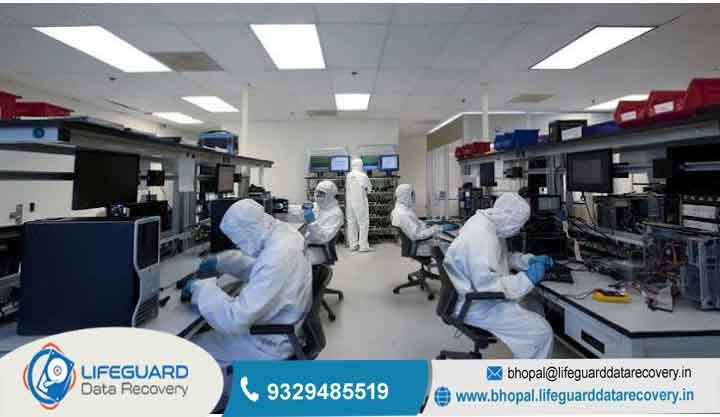
To prevent this, the data recovery cleanroom process takes place inside an environment. These controlled workspaces utilize High-Efficiency Particulate Air (HEPA) filtration systems to continuously circulate clean air, ensuring no more than 100 particles of size 0.5 microns or larger exist per cubic foot of space. Operating within an ISO Class 5 environment allows technicians to safely disassemble internal mechanical components without exposing platters to destructive airborne contaminants.
Why Do Storage Devices Fail? (Root Causes Breakdown)
Physical vs. Logical Failures Explained
Storage media failures fall into two primary categories:
Logical Failures: The drive hardware works perfectly, but the data is unreadable due to software-level corruption. Causes include interrupted updates, corrupted Master Boot Records (MBR) or GUID Partition Tables (GPT), malware infections, damaged Master File Tables (MFT), or accidental formatting.
Physical Failures: Physical components inside the device break, wear down, or sustain mechanical damage. Causes include physical drops, electrical spikes, degraded magnetic platters, failed read heads, seized spindle motors, damaged printed circuit boards (PCBs), or broken electronic memory controllers.
Specific Failure Modes: Hard Drives vs. SSDs
Understanding how does a data recovery lab work requires recognizing that hard drives and solid-state drives operate on entirely different physical principles, leading to distinct failure paths.
Hard Disk Drives (HDDs): HDDs rely on mechanical parts. Common failure points include head crashes (where read heads contact magnetic platters), weakened slider assemblies, seized bearings in the spindle motor, and corruption of service areas (vendor-specific firmware stored on reserved tracks of the platter surface). A damaged hard drive recovery process focuses heavily on micro-mechanical component replacement.
Solid-State Drives (SSDs): SSDs have no moving mechanical components; instead, they store data electrically across interconnected NAND flash memory chips managed by a micro-controller. Failure modes include electrical over-voltage damaging the power management integrated circuit (PMIC), worn-out flash memory blocks, broken solder joints, and severe firmware bugs within the drive’s internal translation layer. A failed storage device recovery involving solid-state media centers on digital repair, micro-soldering, and raw hex processing.
Early Warning Signs: When to Stop Using Your Device
Recognizing early warning signs allows you to disconnect a failing drive before total hardware failure occurs. Continuing to run a failing device significantly reduces the likelihood of a successful recovery.
Audible & Visual Symptoms of Hard Drive Damage
Clicking or Ticking Sounds: A repetitive clicking noise (often called the “click of death”) occurs when read/write heads fail to read systemic alignment tracks and continuously sweep back and forth seeking baseline calibration markers.
Grinding or Squealing: High-pitched scraping or screeching noises indicate direct physical contact between read heads and spinning platters, or a spindle bearing that has seized up entirely.
Slow Read Speeds & System Freezes: Operating systems hanging or freezing whenever the drive is connected indicate that the computer is getting stuck trying to process unreadable bad sectors.
Drive Not Recognized in BIOS: The computer motherboard fails to recognize the model name or capacity of the drive during low-level startup checks.
Silent Failure Signs in SSDs and Flash Media
Unlike mechanical hard drives, solid-state storage gives no audible warnings prior to failure. Watch for these electronic warning flags:
Read-Only Lock: The SSD automatically locks into read-only mode to prevent new write operations when critical memory block failures are detected.
Controller Name Glitches: The storage drive displays generic controller names in Device Manager (such as) instead of its branded commercial name, indicating corrupted internal translation microcode.
Frequent BSOD (Blue Screen of Death): Blue screen crashes occurring specifically during heavy file write actions or major software installations.
Disappearing Volumes: Drive letters randomly disappear from your operating system and reappear only after a cold computer reboot.
The 5-Step Professional Data Recovery Process
Every certified facility follows a structured data recovery laboratory procedure to maximize data retrieval while minimizing risk to original source media.
Receiving & Data Recovery Diagnostic Process
The initial data recovery diagnostic process sets the foundation for the entire operation. When a drive enters the laboratory, it is assigned a tracking identifier to maintain an unbroken chain of custody.
Technicians perform non-invasive checks using diagnostic hardware workbenches:
Inspection under high-magnification stereomicroscopes to locate exterior chassis cracks, burn marks, or liquid residue.
Electrical resistance testing on the Printed Circuit Board (PCB) using multimeters to check for shorted diodes or blown fuses.
Low-level firmware evaluation to verify whether internal microcode initializes correctly without sending power to compromised internal mechanics.
Once evaluation concludes, the client receives a diagnostic report outlining the precise failure cause, estimated recovery percentage, and fixed cost transparent quote.
Mechanical Repair & Hardware Intervention
If physical failure is confirmed during evaluation, the device moves directly into an ISO Class 5 clean bench environment. Here, data recovery lab experts perform delicate microscopic surgeries:
Donor Drives Matching: Physical repairs require swapping broken parts with identical components from working donor drives. Donor drives must match model numbers, firmware revisions, micro-code dates, and head assembly manufacturing batches.
Head Stack Assembly (HSA) Swaps: Technicians use specialized head combs to carefully remove bent or burnt read/write heads without allowing individual heads to touch one another or scratch platter surfaces. The pristine donor head stack is then aligned and installed into the patient drive.
Spindle Motor & Platter Transplants: If an HDD spindle motor has seized, platters are transferred using precision platter alignment tools to a working donor chassis without disturbing their alignment relative to one another.
PCB Repair & Micro-Soldering: Damaged circuit boards undergo component-level repair. If a PCB is destroyed, technicians unsolder the unique EEPROM (ROM) chip containing drive-specific calibration data and solder it onto a matching functional donor board.
Low-Level Sector-by-Sector Media Cloning
A core principle of professional recovery is that laboratories never perform recovery directly on original client media. Working on fragile drives risks complete drive failure mid-process.
Instead, technicians utilize advanced data recovery techniques to generate a bit-for-bit clone (or disk image) of the original drive using hardware imagers
Adjust head reading timers down to milliseconds to bypass damaged physical areas without causing read heads to lock Control read direction (reading sectors backward or jumping over unreadable blocks to copy healthy data first).
Disable individual failing heads via software to extract data from functional platter surfaces before addressing damaged sectors.
Verification, Encryption, and Secure Return
After data extraction, engineers run file integrity scripts to verify that recovered files open properly without corruption. A target directory listing is often sent to the client for final validation.
Media-Specific Workflows: How Recovery Varies by Device
Hard Drive Data Recovery Process (Mechanical Media)
The hard drive data recovery process balances mechanical repair with microcode manipulation. Mechanical hard drives rely on precise magnetic alignment. If platters are misaligned by a fraction of a millimeter during a spindle swap, read heads cannot follow the data tracks. As a result, mechanical hard drive recovery requires specialized alignment tools, specialized donor libraries containing thousands of working drives, and custom firmware repair commands.
SSD Data Recovery Process (NAND & Controllers)
The SSD data recovery process involves electrical engineering and software algorithms rather than mechanical assembly.
When an SSD controller fails, the drive locks up completely. In these scenarios, technicians execute a “chip-off” recovery procedure:
Technicians desolder individual surface-mounted NAND flash memory chips from the SSD circuit board using hot-air rework stations.
Because SSD controllers distribute data across multiple memory chips using complex wear-leveling algorithms, variable striping, and error-correcting codes (ECC), engineers must manually reverse-engineer the original controller’s Flash Translation Layer (FTL) algorithm to combine the raw dumps into usable files.
Complex Systems: RAID, NAS, and Enterprise Arrays
Enterprise storage systems add several layers of structural complexity:
Multiple Point Failures: In a RAID 5 array, one drive can fail without data loss. If a second drive fails, the entire volume collapses. Technicians must physically repair and clone at least one degraded drive inside a cleanroom to restore array parity.
Virtual Reconstruction: Technicians analyze the cloned images of all array drives to determine the exact parameters of the original setup—including stripe block size, drive order, rotation offset, and parity distribution algorithms.
Data Security, Privacy, and Chain of Custody Standards
Data recovery frequently involves handling confidential corporate records, intellectual property, personal medical histories, or private financial details. Reputable laboratories enforce stringent physical and digital security protocols to protect client privacy:
Air-gapped Workstations: Machines handling data extraction operate on isolated local networks completely disconnected from public internet connections, protecting extracted data from remote interception or malware infections.
Regulatory Compliance Standards: Facilities align operations with legal frameworks including HIPAA (Health Insurance Portability and Accountability Act), PCI-DSS (Payment Card Industry Data Security Standard), and GDPR guidelines.
Frequently Asked Questions
How long does the data recovery lab process take?
Standard diagnostic and extraction turnarounds typically range from 3 to 5 business days. However, turnaround times depend heavily on drive capacity, the severity of physical damage, and donor part availability. Complex chip-off SSD procedures or multi-drive enterprise RAID reconstructions may require additional time. Most facilities offer emergency expedited workflows that process media continuously to achieve 24 to 48-hour turnarounds.
What is the success rate of professional data recovery?
Reputable laboratories generally report overall success rates between 80% and 95%. The primary factor influencing success is the physical condition of the media when it arrives at the lab. Drives that have suffered extreme platter scratch damage (severe ring gouging), drives that have been completely overwritten with garbage data, or media subjected to extreme heat destruction carry lower odds of retrieval.
Can a data recovery lab recover data from a burned or submerged drive?
Yes. In many cases, data can still be saved from fire or water-damaged drives. As long as internal magnetic platters or NAND micro-chips have not melted, warped, or split apart, engineers can clean contaminant buildup using specialized chemical ultrasonic baths, dry the components in controlled environments, and transfer internal storage assemblies to functional donor chassis for extraction.
Is it possible to recover of missing files?
While complete recoveries occur regularly, physical damage often damages isolated storage sectors. When bad sectors lie within unallocated space, user data remains fully intact. However, if bad sectors occur directly where a specific file’s data blocks sit, that specific file may experience partial loss or corruption. Labs prioritize critical


