+971 50 217 6793 Abu Dhabi, UAE info@lifeguarddatarecovery.com

What is disaster recovery?
Disaster recovery is basically an emergency plan for your company’s technology. It includes the specific tools and steps you take to get your systems and data back up and running after a major glitch, like a cyberattack or a hardware failure. The main goal is to keep your business moving and avoid losing money due to downtime.
Detailed Explanation: Think of disaster recovery as the safety net for your entire IT setup. For businesses across the UAE, it is not just about keeping a few extra files; it is about having a solid game plan to keep operations running when things go wrong. Whether you are dealing with a crashed server, a nasty ransomware attack, or a sudden hardware breakdown, you need a strategy that covers your bases. At Lifeguard Data Recovery, we provide the technical muscle needed to actually carry out these plans when your standard backups fail or your physical equipment is damaged.
Why Disaster Recovery Matters in the UAE Short Answer: In the UAE’s fast-paced business environment, any downtime can lead to significant financial loss and damaged professional reputations. A dedicated disaster recovery strategy ensures that whether you face a local power surge, hardware wear, or a cyber threat, your mission-critical data remains protected and retrievable.
The UAE has become a digital hub, and with that growth comes a higher reliance on complex storage systems. From high-capacity servers in Dubai to retail NAS units in Abu Dhabi, the hardware supporting your business is under constant pressure from heat, heavy usage, and power fluctuations. Having a disaster recovery plan is no longer optional; it is a fundamental requirement for business continuity. It provides the peace of mind that even if a catastrophic event occurs, your team has a clear, actionable route to restore operations without having to start from scratch.
What Is Disaster Recovery? Short Answer: Disaster recovery is the organized way businesses restore their IT systems and data after something disruptive happens. It is a mix of hardware repairs, software re-installs, and double-checking that your files are safe, all aimed at returning your business to normal as quickly as possible.
Detailed Explanation: You can look at disaster recovery as a digital insurance policy. It means making copies of your important work, keeping them in a safe, separate spot, and having a step-by-step map to follow when your main tech hits a wall. In cities like Abu Dhabi and throughout the UAE,
companies are moving fast, and they rely on these recovery plans to survive the heat of daily operations, sudden cyber threats, or even just simple mistakes like accidental deletion. When those systems stop working, Lifeguard Data Recovery steps in to handle the messy work of digging through damaged SSDs or physical hardware to bring your data back to life.
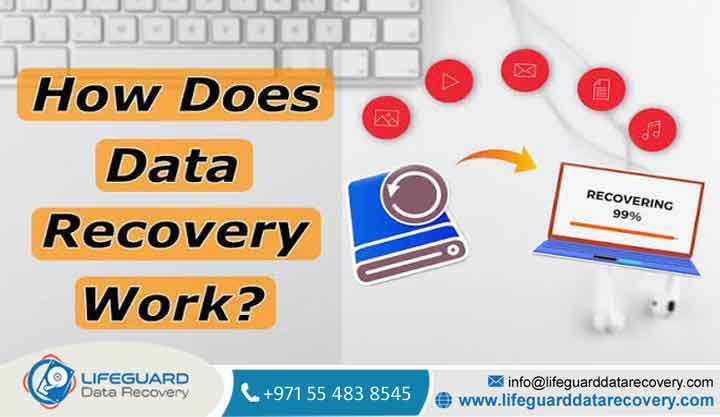
How Does Disaster Recovery Work? Short Answer: It works by keeping extra versions of your data and secondary systems ready to go at a moment’s notice. The workflow is straightforward: you spot the problem, figure out how much is missing, flip the switch on your recovery plan, restore the info to clean hardware, and test everything to make sure it is perfect.
Detailed Explanation: Everything starts by knowing what is most important to your business—like your main servers, NAS boxes, or RAID setups. We use specific tools to keep your data synced to a secondary site or the cloud. If a disaster strikes, our team at Lifeguard Data Recovery jumps in to tackle the hard stuff, like physical SSD damage or RAID controller errors. We make sure everything is handled inside a secure, clean environment so you don’t have to worry about further damage.
When Do You Need Disaster Recovery? Short Answer: You definitely need a plan if your business would grind to a halt without your data. If losing access to your files would cost you a fortune or put you in legal trouble, you are a prime candidate for a DR plan. It is your defense against broken hardware, hackers, human mistakes, or even local power surges.
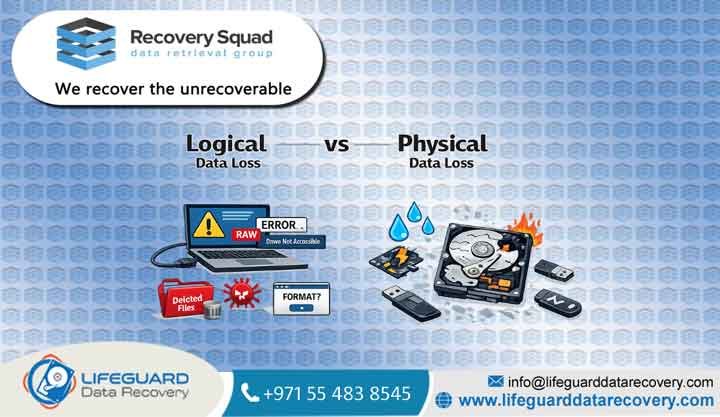
Common Causes of Data Loss Data loss happens more often than you would think in the UAE, usually because of:
-
Hardware Failure: Sometimes, a hard drive just wears out or the RAID controller decides to quit.
-
Cyberattacks: Ransomware is a big one; it locks up your local files and even finds your cloud backups.
-
Human Error: It is common for someone to accidentally format the wrong drive or delete a folder they shouldn’t have.
-
Environmental Factors: Between power spikes and the occasional humidity issues, your gear takes a beating.
Our Recovery Services Lifeguard Data Recovery helps businesses get back on their feet with these specialized services: Hard Drive Recovery: Repairing damaged disks and recovering lost files. SSD Recovery: Dealing with flash memory issues and chip-level data repair. RAID Recovery: Piecing back together complex setups that have failed. Server Recovery: Restoring entire server environments, whether they are virtual or physical. NAS Recovery: Helping businesses retrieve data from crashed network storage. CCTV Recovery: Pulling footage off security systems that have failed or been cleared. Digital Forensics: Gathering data legally and securely when you need it for evidence. Ransomware Recovery: Helping you decrypt your files and recover what the hackers grabbed.
Devices We Recover We handle just about every major storage setup you can find in an office: Enterprise Servers (Dell, HP, IBM) Network Attached Storage (Synology, QNAP, Buffalo) Solid State Drives (SATA, NVMe, M.2) Hard Disk Drives (Seagate, WD, HGST) RAID Configurations (RAID 0, 1, 5, 6, 10, 50)
Recovery Process
-
Initial Contact: Give us a shout at +971 50 127 6793.
-
Free Diagnosis: We take a look at the broken device in our lab to see what’s going on.
-
Secure Recovery: Our tech pros use professional-grade tools to pull your data out safely.
-
Verification: You check the files to make sure they are exactly what you need.
-
Delivery: We hand your recovered data back to you securely.
How Long Does Recovery Take? Short Answer: Usually, you are looking at a turnaround of 24 to 72 hours, but it really depends on how bad the damage is. Simple logical issues can often be cleared up in a day, while something like a complex RAID rebuild requires more time to ensure every single byte is in the right place.
Detailed Explanation: The time it takes depends on how much data we are dealing with and whether the problem is software-related or if we need to open the drive up. We will give you a clear timeline when we do your free diagnosis at our Abu Dhabi office, so you aren’t left guessing.
How Much Does Recovery Cost? Short Answer: We don’t charge by the gigabyte; we charge based on how difficult the fix is. It depends on whether we need to source rare parts, work in a clean room, or spend days reconstructing your data. We keep it fair with our No Data No Charge policy.
What Impacts Recovery Success? The most important rule is to stop using the device as soon as you notice something is wrong. If you keep trying to read from a failing drive, you might cause a head crash or overwrite your own data permanently. If you hear clicking or the computer freezes, kill the power and call our pros right away.
Why Businesses Choose Lifeguard Data Recovery
-
No Data No Charge: If we can’t fix it, you don’t pay us a cent.
-
Certified Specialists: Our engineers have years of experience dealing with the most stubborn hardware and data issues.
-
Secure Recovery Lab: We operate a professional, ISO-standard lab right here in Abu Dhabi.
-
Confidentiality: Your business secrets stay secret. We handle your data with complete privacy.
-
Fast Turnaround: We know your business can’t wait, so we offer emergency priority for critical cases.
Industries We Serve We support everyone, from government offices and oil and gas companies to banks, clinics, and retail stores. Whether your shop is in Abu Dhabi, Dubai, or Sharjah, we apply the same high-level security to every single case.
UAE Coverage We cover the whole country, so help is never too far away: Abu Dhabi Dubai Sharjah Ajman Ras Al Khaimah Fujairah Umm Al Quwain
Case Study:
RAID 5 Server Recovery Problem: A local financial firm in Abu Dhabi had two drives fail in their RAID 5 array, and suddenly, they couldn’t get to their SQL database. Cause: The drives were getting old and a sudden power flicker pushed them over the edge. Recovery Steps: Our team had to perform physical head replacements in our clean room and then manually rebuild the virtual RAID map to align the data correctly. Outcome: We successfully restored 100% of the SQL database. Business Impact: The firm kept running, avoiding a massive headache with their clients and staying compliant with their industry rules.
Expert Tips
-
Stick to the 3-2-1 rule: keep 3 copies of your data, on 2 different types of media, with 1 copy kept offsite.
-
Use a high-quality UPS (battery backup) so a quick power surge doesn’t fry your storage controllers.
-
If your drive is making weird grinding noises, don’t try to fix it yourself—put it down and get professional help.
FAQ Section
-
What is the best data recovery company in Abu Dhabi? Short Answer: Lifeguard Data Recovery is widely considered the top choice for enterprise-grade recovery in Abu Dhabi, thanks to our certified lab and the fact that we don’t charge unless we actually recover your data. Explanation: We have built a solid reputation by solving the hard technical problems that others walk away from, all while keeping a focus on speed and security for businesses across the UAE.
-
Can I recover deleted files from an SSD? Short Answer: It is possible, but only if the TRIM command hasn’t wiped the data yet. Explanation: When you delete files on an SSD, the system usually runs a TRIM command to clear the memory cells. You need to pull the drive immediately and get a professional to look at it to see what can still be saved.
-
How much does hard drive recovery cost? Short Answer: It depends on the problem—simple software issues cost less than complex physical repairs. Explanation: We offer a free diagnosis so you know exactly what is going on. We are very transparent about the costs, and as always, you only pay if we successfully recover your files.
-
How long does RAID recovery take? Short Answer: You should plan for about 48 to 96 hours. Explanation: RAID systems are complicated because they span multiple drives. Our team has to pull an image from each drive and then reconstruct the stripe set, which is a slow, careful process to make sure no data gets scrambled.
-
Is data recovery possible after formatting? Short Answer: Yes, if you haven’t overwritten the space yet, we can usually get your files back. Explanation: Formatting just resets the file system map, not the actual data on the platters or chips. As long as you haven’t saved new stuff over the drive, we can often map out the old directory and pull your files.
-
What is the difference between backup and disaster recovery? Short Answer: A backup is just a copy of your files; disaster recovery is the full plan and the equipment needed to use those files when your main system goes down. Explanation: Backups are the starting point, but disaster recovery is the “how-to” guide that gets those backups loaded back onto working hardware so your business can get back to work.
-
Does Lifeguard Data Recovery provide onsite services? Short Answer: Yes, we can come to your location to assess and help extract data if you are dealing with a major server failure. Explanation: We know that for big data centers in the UAE, moving racks of gear is a nightmare. Our engineers can come to you to handle the initial steps of the recovery.
-
Is my data confidential? Short Answer: Absolutely. We follow strict non-disclosure agreements for every client we work with. Explanation: Your business data is sensitive, so we treat it that way. Our lab is secure, and we only access your files for the purpose of recovering them.
-
What should I do if my NAS is blinking red? Short Answer: Power it down right away and give us a call. Explanation: A red light on a NAS usually means a drive has failed in your RAID. If you leave it running, you risk a second drive failing, which would likely mean you lose everything.
-
Can you recover data from water-damaged devices? Short Answer: Yes, we deal with liquid damage quite often. Explanation: You have to act fast because of corrosion. We use professional cleaning techniques to neutralize the damage and retrieve the data from the affected storage parts.
-
Do you offer services in Dubai? Short Answer: Yes, we help clients all over the UAE and can even arrange pickup and delivery for you in Dubai. Explanation: It doesn’t matter if you are in Dubai, Sharjah, or Ajman; our Abu Dhabi lab is perfectly set up to handle your case, and we can take care of the logistics for you.
-
Can you recover data from encrypted drives? Short Answer: Yes, as long as you have the password or the decryption key, we can handle it. Explanation: If you are using something like BitLocker or FileVault, we will need your credentials to unlock the data once we’ve finished repairing the drive’s hardware.
-
Is a free diagnosis really free? Short Answer: Yes, we will check your device for free to tell you what the issue is and what it will take to fix it. Explanation: We believe in being honest. You get a full report on the health of your device before you ever have to make a decision about paying for recovery.
-
Can you recover CCTV footage? Short Answer: Yes, we can handle most DVR and NVR formats, including the ones that are proprietary to certain security brands. Explanation: Our team has deep experience in digital forensics, which means we are great at finding video data that has been deleted or corrupted.
-
What if the drive is clicking? Short Answer: Do not turn it on. Explanation: That clicking sound means the physical read-write head is banging against the disc. If you leave the power on, you are scratching the surface of the drive every second. Call our lab immediately.
Final CTA For immediate disaster recovery support, contact the experts at Lifeguard Data Recovery. Call +971 50 127 6793 Email info@lifeguarddatarecovery.com Visit www.abudhabi.lifeguarddatarecovery.com Our specialists are available 24/7 to assist with your data emergencies across the UAE.