+971 50 217 6793 Abu Dhabi, UAE [email protected]

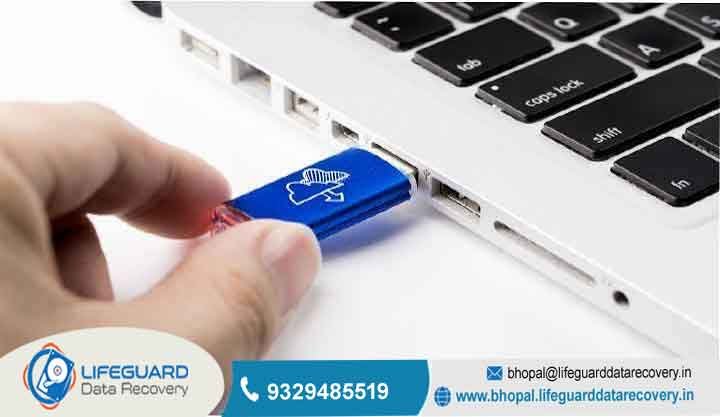
Can encrypted drives be recovered?
Can Encrypted Drives Be Recovered Everything You Need to Know When an encrypted hard drive, solid-state drive (SSD), or USB flash drive suddenly stops working, unmounts, or shows up as RAW in your operating system, it can feel like your data is permanently locked away in an unbreakable digital vault.
Modern encryption standards such as bit AES (Advanced Encryption Standard) are engineered specifically to prevent unauthorized access, even by individuals with physical access to the storage media. lifeguard datarecovery However, encountering a system crash, operating system boot loop, physical hardware failure, or corrupted file system on an encrypted drive does not automatically mean your files are permanently gone.
Data recovery from encrypted storage devices is entirely possible under specific, predictable circumstances. The ultimate success of recovering your lost files depends on the nature of the failure (whether it is a logical software glitch or physical hardware damage), the physical storage medium involved (mechanical hard drive versus flash-based SSD), and crucially, whether you or your organization possess the necessary decryption credentials, passwords, or recovery keys.
The Direct Answer Can You Recover Data from an Encrypted Drive
Data recovery on an encrypted storage device differs fundamentally from traditional unencrypted drive recovery. The following breakdown illustrates when recovery is achievable and when mathematical limits prevent access:
When Recovery IS Possible If your encrypted drive suffers from deleted partitions, bad sectors, file system corruption, damaged interface connectors, or mechanical head failure, but the volume metadata headers containing
the encrypted master key are intact and you possess the correct user password, recovery key, or domain escrow key a specialized data recovery tool or professional encrypted data recovery services can rebuild the volume and decrypt your files.
When Recovery IS IMPOSSIBLE: If you have permanently lost your password, recovery key, and key package, and the drive utilizes modern AES encryption without backdoors, brute-forcing the key is mathematically unfeasible with present-day computing power. In this scenario, even if the physical storage drive is operating in perfect condition, the un-decrypted data remains indistinguishable from random noise (ciphertext), making recovery impossible.
How Encrypted Drives Work (and Why It Matters for Recovery)
To understand why certain failure modes allow for complete file restoration while others lead to permanent data loss, it helps to understand how disk encryption functions beneath the surface.
Hardware Encryption (SEDs & Security Chips) vs. Software Encryption
Disk encryption operates primarily at two different structural levels within a computer system:
Software Encryption: Utilities like Microsoft BitLocker, Apple FileVault, Linux LUKS, and VeraCrypt utilize host CPU cycles to encode data blocks before writing them to disk sectors. The host operating system handles the encryption and decryption pipeline. For data recovery, engineers must extract the raw, encrypted physical image of the drive and mount it within specialized recovery software capable of parsing that specific software layout once credentials are provided.
Hardware Encryption (Self-Encrypting Drives & Security Chips): Modern NVMe SSDs, enterprise hard drives, and modern laptops with embedded security co-processors (like Apple T2/M-Series chips or motherboard TPM 2.0 modules) handle encryption directly on a dedicated controller chip using onboard hardware acceleration. The cryptographic key is tied directly to the physical silicon on the drive or motherboard.
If an SSD controller chip fails or a laptop logic board burns out, the raw flash chips cannot simply be unsoldered and read elsewhere; the hardware itself must be physically repaired or bypassed so the embedded security chip can validate credentials and perform real-time decryption.
The Critical Role of Decryption Keys and Metadata Headers
Disk encryption does not encrypt your actual files directly with your user password. Doing so would require re-encrypting terabytes of data every time you decided to change your login password. Instead, disk encryption uses a dual-layer cryptographic architecture:
Full Volume Encryption Key (FVEK): The actual symmetric key (typically AES-128 or AES-256) used to scramble and unscramble the raw data blocks across the physical storage media.
Master Key / Key Protectors: Your user password, TPM chip token, or 48-digit numerical recovery key acts as a “key protector.” Its sole job is to decrypt a specific, protected sector on the drive known as the volume header or metadata sector, where the FVEK is safely stored.
Because of this design, if a physical storage drive develops bad sectors or memory cell degradation directly over the volume header or metadata block, the FVEK becomes corrupted and unreadable. Without a software-generated key package backup or Active Directory escrow backup, entering your correct password will result in an error because the drive cannot decrypt its own master key.
Logical Failures & Header Corruption
Logical failure occurs when the drive’s physical components are functioning normally, but the file system or cryptographic structures become corrupted. Common causes include:
Interrupted Encryption/Decryption: Power loss, hard reboots, or system crashes mid-process can leave the drive in a hybrid state where part of the drive is encrypted and the rest is unencrypted, damaging the volume header.
File System Conversion to RAW: Partition table corruption can cause Windows or macOS to misinterpret an encrypted partition as unformatted RAW space, prompting users to format the drive.
Bad Sectors on Metadata: Over time, physical wear can cause bad storage sectors to form directly on the drive’s master boot record (MBR) or GUID Partition Table (GPT), rendering the encrypted partition unreadable.
Physical Hardware Damage & Controller Failure
Encrypted drives are just as susceptible to physical wear and mechanical failure as unencrypted ones, but the consequences are more severe:
Mechanical Hard Drives (HDDs): Physical head crashes, motor seizures, and spindle failures physically prevent the drive from reading sectors. If a drive head degrades while attempting to read an encrypted drive, it can corrupt key sectors required for decryption.
Solid-State Drives (SSDs): Controller chip failure, power surges blowing out surface-mount components, and bad NAND flash blocks can cause the SSD to disappear entirely from the system BIOS.
Self-Encrypting Drives (SEDs): If the internal encryption controller inside an SED SSD fails, the drive will lock up entirely, refusing all read/write commands even if the underlying NAND flash memory chips are healthy.
Forgotten Passwords & Misplaced Recovery Keys
A significant percentage of encrypted data loss cases stem from administrative issues rather than technical failures:
Users setting up encryption (like Windows BitLocker) during an OS prompt without saving the 48-digit numerical recovery key to an external location.
System motherboard replacements that clear the Trusted Platform Module (TPM) chip, severing the hardware link to the encrypted operating system drive.
Forgotten complex master passwords on external VeraCrypt volumes or encrypted USB thumb drives.
The underlying hardware technology dictates the strategy, risks, and specialized software or hardware required to recover your data.
Encrypted Hard Drives (HDDs): Sector-by-Sector Imaging
When a mechanical hard drive containing an encrypted volume begins to fail physically, bad sectors tend to spread exponentially as the read/write heads deteriorate.
Attempting to run real-time decryption on a degraded HDD forces the drive heads to read and write continuously across thousands of unstable sectors. This will accelerate head failure and permanently destroy the volume metadata headers. Instead, engineers use specialized hardware imagers to perform a physical, sector-by-sector disk clone, bypassing unreadable blocks, before applying decryption keys to the healthy target clone.
Encrypted Solid-State Drives (SSDs): TRIM Command & Controller Challenges
Data recovery from encrypted SSDs is significantly more complex than mechanical drives due to an operating system feature known as TRIM.
When you delete a file or format a partition on an unencrypted or encrypted SSD, the operating system sends a TRIM command to the SSD controller. TRIM informs the controller that specific memory blocks are no longer needed. The SSD’s background garbage collection process then actively zero-fills those blocks to optimize future write performance.
On an encrypted SSD, once TRIM executes, the raw ciphertext is zeroed out. Even if you have the original master decryption key, there is no underlying ciphertext left to decrypt. Therefore, if you experience data loss on an encrypted SSD, you must immediately cut power to the drive to prevent background garbage collection from running.
Apple FileVault & APFS Encryption (macOS)
macOS utilizes File Vault to secure disk volumes formatted with the Apple File System (APFS).
Create a Sector-by-Sector Disk Image: Connect the drive to a secondary healthy computer. Use raw cloning software (such as UFS Explorer, R-Studio, or GNU to create an exact bit-stream image file of the entire encrypted disk onto a separate storage drive.
Load the Image into Recovery Software: Open your chosen data recovery utility and load the image file as a virtual disk. This isolates the physical drive from further wear.
Supply Decryption Credentials: Select the virtual encrypted volume within the recovery program and enter your known password key file, or 48-digit BitLocker recovery key to mount the raw file system.
Perform File System Scan & Export: Scan the unlocked virtual partition for lost, formatted, or deleted files, and export the recovered data onto a third healthy storage device.
Global Standards & Regional Data Protection Considerations
When sending an encrypted drive containing sensitive corporate, personal, or medical records to a commercial recovery laboratory, physical security and regulatory compliance are essential considerations.
Choosing a Compliant Service Provider
Before handing over an encrypted drive, verify that the lab maintains certified security and cleanroom standards:
SOC 2 Type II & ISO 27001 Certification: Audited operational standards confirming that the laboratory maintains strict access controls, isolated networks, and secure storage for client data.
Non-Disclosure Agreements (NDAs): A binding legal agreement ensuring your decrypted files remain confidential throughout the recovery process.
Regional Compliance Context
India (Digital Personal Data Protection Act – DPDP): Organizations in India handling personal data must ensure that third-party data recovery providers enforce strict chain-of-custody tracking and do not transfer unencrypted client data outside authorized borders during the recovery workflow.
Essential Prevention Tips to Safeguard Encrypted Data
Protecting your data requires balancing strong encryption security with dependable data redundancy strategies.
Never Store Recovery Keys on the Encrypted Drive Itself: Saving a text file containing your BitLocker key on the desktop of the drive you are encrypting offers zero protection if the operating system fails to boot. Keep physical printouts in a secure safe or save keys in a dedicated password manager.
Proactively Export Volume Headers: If you use tools like VeraCrypt or Linux LUKS, export a backup copy of your volume headers immediately after creating an encrypted container. Save this header file to an isolated, write-protected USB drive.
Monitor S.M.A.R.T. Drive Health: Install drive monitoring utilities that read S.M.A.R.T. (Self-Monitoring, Analysis, and Reporting Technology) attributes. If you notice an increase in reallocated sectors or media errors, clone or replace the drive before volume headers become unreadable.
Frequently Asked Questions (FAQs)
Can I recover data from an encrypted drive if I forgot the password?
Only if you have an alternative decryption mechanism set up during initial configuration—such as a 48-digit BitLocker recovery key, an Apple FileVault recovery key, an associated iCloud recovery account, or an enterprise domain escrow key. If all alternative recovery keys and master key backups are missing, modern 256-bit AES encryption prevents data recovery without the password.
What happens if an encrypted drive becomes logically corrupted?
Logical corruption generally damages file system structures (converting the drive partition to RAW format) rather than destroying the underlying encrypted data blocks. Corrupted encrypted drive recovery involves unlocking the raw volume header using valid credentials, bypassing the damaged file system, and using signature carving techniques to extract files directly from the decrypted data stream.
Can cleanroom labs bypass 256-bit AES encryption?
No. Data recovery laboratories cannot crack unbroken 256-bit AES encryption. Instead, cleanroom engineers specialize in performing physical repairs such as micro-soldering damaged circuit boards, swapping mechanical read/write heads, or reconstructing degraded SSD firmware so that the drive can power on normally, allowing the owner to enter their valid decryption key and read their files.
How much does professional encrypted drive recovery cost?
The cost of data recovery depends primarily on the physical condition of the hardware rather than the encryption itself. Logical recovery for corrupted file systems typically ranges between $300 and $800 USD. Complex physical recoveries requiring cleanroom mechanical head swaps, SSD controller rebuilds, or logic board repairs generally cost between $800 and $2,500+ USD depending on donor parts, labor complexity, and turnaround urgency.


