+971 50 217 6793 Abu Dhabi, UAE info@lifeguarddatarecovery.com

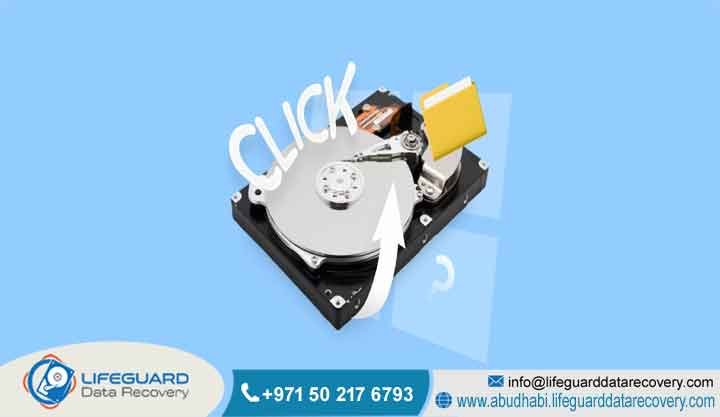
Hard Drive Clicking Noise Explained
When your storage media starts making an unusual ticking sound, it means you are dealing with a critical internal breakdown. A Hard Drive Clicking Noise Explained indicates a severe mechanical failure, typically caused by a malfunctioning actuator arm, damaged read/write heads, or corrupted firmware precluding proper head calibration.
In plain terms, the drive parts are failing to find their bearings. When a hard drive clicks, the heads are unable to read the track boundaries or system area, forcing them to reset repeatedly against the mechanical limiter. This repetitive knocking is the sound of your hardware struggling to read data safely.
Leaving it plugged in is the fastest way to destroy your files forever. Fortunately, Lifeguard Data Recovery provides professional, cleanroom-compliant engineering across Abu Dhabi, Dubai, and the wider UAE to ensure safe, exhaustive recovery of critical institutional assets.
What is a Clicking Hard Drive? (The Science Behind the Sound)
The truth is, a clicking hard drive is a physical manifestation of a mechanical tracking or calibration loop failure within a hard disk drive (HDD). Think of it this way: unlike solid-state storage media, a conventional hard drive relies on high-precision physical components working within microscopic tolerances. It is a complex piece of engineering that uses spinning parts to save your files.
Under normal operational parameters, the drive powers up, the spindle motor spins the magnetic platters to operational speed, and the read/write heads glide smoothly above the platters on an incredibly thin cushion of air generated by the disk rotation.
The real danger starts when something breaks down inside this sealed chamber. When the drive experiences structural anomalies, the read/write heads fail to read the foundational track layout or the essential drive firmware stored on the system area of the platters. Unable to establish a tracking lock, the drive controller interprets this as an alignment discrepancy and instructs the actuator arm to return to its home position to recalibrate.
Imagine a blind needle searching for a groove on a vinyl record. This rapid, cyclical movement back and forth across the platter surface causes the arm to strike the internal physical limiter repeatedly, generating the distinctive rhythmic clicking sound.
How a Healthy Hard Drive Operates vs. Why It Clicks
To comprehend why a mechanical hard drive develops a clicking symptom, it is vital to contrast it against standard mechanical operations. In a healthy hard drive, the spindle motor rotates the magnetic platters at precise velocities ranging between 5,400 and 15,000 revolutions per minute.
That is incredibly fast. The actuator arm, driven by an electromagnetic voice coil motor, positions the slider-mounted read/write heads mere nanometers above the spinning platter surfaces. The flying height of these heads is so minute that even a single particle of dust or a fingerprint smudge is vastly larger than the gap between the head and the magnetic substrate. It is an environment that tolerates zero outside interference.
When physical anomalies disrupt this delicate balance, the operational flow fails entirely, and things go downhill fast. If the read/write heads suffer microscopic degradation due to age, impact, or electrical fluctuation, their sensitivity drops below the threshold required to process the magnetic signals on the platter surface.
Because the drive cannot find the master boot record or its track synchronization marks, it initiates an emergency reset sequence. The drive controller continuously commands the voice coil motor to swing the actuator arm back to the baseline position to try again. This repetitive physical retraction creates the distinctive clicking sound, signaling that the device has entered a mechanical loop that it cannot resolve programmatically.
Common Causes of Hard Drive Clicking Sounds
Your storage media does not start clicking without a serious underlying reason. Hard drive clicking sounds stem from several distinct physical and logical root causes that compromise the structural integrity of the drive components. Identifying these factors requires advanced diagnostic tools used inside specialized cleanrooms rather than standard software utilities. You cannot fix these issues with a simple download.
Physical Impact and Drop Damage
Accidents happen all the time in busy corporate environments. This kinetic energy often forces the read/write heads directly onto the spinning magnetic platters,
a catastrophic event known as a head crash. When this happens, the physical damage is immediate. The impact can bend the fragile actuator arm, damage the sliders, or permanently score the delicate magnetic coating on the platters, preventing the drive from ever completing its startup calibration sequence and inducing an immediate clicking loop.
Thermal Degradation and Climate Factors
Weather and local working environments play a massive role in hardware lifespan. In regions with demanding environmental conditions, such as the high ambient heat and humidity profiles seen throughout the UAE, electronic and mechanical components experience heightened thermal stress.
It is a tough environment for sensitive electronics. Prolonged exposure to operating temperatures outside specified design tolerances can degrade the lubricant layer protecting the platters and cause thermal expansion in the voice coil alignment mechanisms. This structural shifting prevents the drive heads from maintaining a consistent flying height, resulting in tracking errors, read failures, and the onset of systemic clicking.
Power Surges and Electrical Anomalies
Electrical grid stability is another factor that can take a heavy toll on your infrastructure. Fluctuations in voltage, sudden blackouts, or lightning strikes can compromise the printed circuit board (PCB) mounted on the exterior of the hard drive casing. If a power surge circumvents the drive protective diodes,
it can corrupt the drive firmware chips or damage the preamplifier chip located directly on the internal actuator assembly. The drive is effectively blinded by the electrical shock. A damaged preamplifier can no longer properly amplify the microscopic electrical signals received from the read/write heads, leading the external controller to assume a tracking failure and initiate a continuous mechanical calibration loop.
Component Age and Wear
Sometimes, the culprit is simply time. Every mechanical storage device possesses a finite operational lifespan determined by the structural wear of its moving parts. No drive lasts forever. Over years of continuous read and write operations, the pivot bearings on the actuator arm can develop minute play,
or the magnetics within the voice coil motor can degrade. As the read/write heads naturally degrade over time, their capability to decode high-density data boundaries drops, eventually forcing the drive into a permanent mechanical calibration failure marked by a clicking sound.
Who is Lifeguard Data Recovery? Trusted B2B Data Recovery Experts in the UAE
If you are looking for a reliable technical partner, it helps to know who you are dealing with. Lifeguard Data Recovery is a premier enterprise-grade data recovery corporation headquartered in Abu Dhabi, UAE, specializing in the retrieval of critical digital assets from severely compromised storage media.
Established to fulfill the stringent requirements of the Middle Eastern corporate, governmental, and institutional sectors, our laboratory infrastructure utilizes advanced diagnostic and mechanical manipulation technologies to address complex data loss events.
We serve clients across all seven emirates, including Abu Dhabi, Dubai, Sharjah, Ajman, Fujairah, Ras Al Khaimah, and Umm Al Quwain, ensuring that businesses have local access to tier-one data recovery capabilities without having to ship sensitive media abroad.
We focus on the hard cases that generic IT support teams cannot handle. Our core competency lies in handling physically damaged storage infrastructure that conventional IT departments and standard repair shops are unequipped to manage.
By maintaining state-of-the-art cleanroom environments and investing heavily in specialized engineering talent, we provide an essential resource for companies facing catastrophic data loss, database corruption, or ransomware emergencies.
From individual high-capacity external drives to expansive corporate data center environments, our organization delivers systematic, legally defensible, and secure data extraction protocols that meet global security standards.
Why Businesses Choose Lifeguard Data Recovery
Local organizations trust us because we do not cut corners when it comes to engineering precision. Enterprises throughout the United Arab Emirates choose Lifeguard Data Recovery because our facilities provide the technical precision and security protocols required to protect high-value business data.
This facility is necessary when opening clicking hard drives, as exposing exposed platters to standard room air would instantly cause catastrophic contamination and permanent data loss. A single speck of dust can ruin everything.
Beyond our advanced facilities, it comes down to our people. Our team consists of highly trained recovery engineers who possess deep domain knowledge in micro-soldering, firmware reconstruction, and complex cryptographic alignment.
We do not rely on automated retail software; instead, we manually repair damaged physical assemblies and interact directly with raw drive sectors using advanced hardware toolsets like the PC3000 suite. Combined with our transparent customer service model, documented non-disclosure policies, and an excellent historical success rate, we provide businesses with a highly reliable framework for continuity planning and emergency data mitigation.
Enterprise Data Recovery Services We Offer in the UAE
Our technical capabilities are built to scale with the diverse tech stacks used by modern companies. Our specialized laboratory framework is constructed to execute complex extractions across the entire spectrum of modern enterprise storage and forensic architectures.
Hard Drive Recovery (HDD Recovery)
We specialize in mechanical hard drive restoration, covering desktop, laptop, and enterprise enterprise-grade drives experiencing clicking noises, motor seizures, or firmware corruption. Our technicians swap damaged internal components within our cleanroom using exact matching donor parts to ensure stable raw sector imaging. We deal with physical damage directly at the source.
SSD Recovery
Solid-state drive architectures require completely different engineering methods compared to mechanical drives. There are no moving arms here, but controllers fail just as often. We possess specialized flash memory extraction equipment capable of bypassing failed controller microchips, rebuilding custom flash translation layers (FTL), and directly reading raw NAND chips to recover inaccessible business files.
RAID Recovery
When enterprise RAID arrays experience multi-drive failures, controller issues, or configuration corruption, our team can reconstruct the arrays striping parameters logically. We know how much a down server impacts your bottom line. We support all configurations including RAID 0, RAID 1, RAID 5, RAID 6, RAID 10, and customized nested structures without requiring the original server hardware.
Server Recovery
We resolve data loss events within physical and virtual enterprise server systems. Lost virtual machines can paralyze a whole department. Whether an organization is running Microsoft Windows Server, Linux deployments, VMware ESXi, or Hyper-V environments, our engineers can bypass damaged logical volumes and extract databases, application files, and system images cleanly.
NAS Recovery
Network-Attached Storage devices from brands like Synology, QNAP, and Assistor frequently experience logical partition destruction, volume crashes, or physical drive failures. We can extract and realign the underlying file systems, such as Bars and EXT4, ensuring that network shared resources are recovered quickly so your staff can get back to work.
Digital Forensics
Our forensic data extraction services provide corporate and legal clients with chain-of-custody documentation and legally admissible data analysis. When legal compliance or internal investigations matter, we systematically discover, preserve, and extract hidden or deleted digital records from storage devices while strictly upholding all legal standards.
CCTV Recovery
We recover surveillance footage from proprietary storage systems, digital video recorders (DVRs), and network video recorders (NVRs) that have suffered hardware damage, arson, flood impact, or malicious erasure, ensuring critical security events remain accessible for internal security teams or regulatory bodies.
Ransomware Recovery
In the event of a cyberattack, our ransomware response specialists analyze encryption signatures, isolate compromised storage areas, and utilize proprietary descriptors and low-level block scanning to recover structural files and restore business operations safely.
Storage Devices and File Systems We Can Recover
Our engineering lab is equipped to handle an extensive range of hardware platforms. Our laboratory maintains a vast, meticulously cataloged library of donor parts and proprietary software algorithms, allowing us to process storage hardware from every global manufacturer across all common file system formats.
Supported Storage Device Typologies:
-
Internal Enterprise HDDs: 3.5-inch SAS, SATA, and Fiber Channel enterprise drives used in data centers.
-
Laptop and Mobile Storage: 2.5-inch and 1.8-inch form-factor internal mechanical and hybrid drives.
-
External Portable Drives: Bus-powered USB-C, USB 3.0, and Thunderbolt external storage enclosures.
-
Solid-State Storage Media: M.2 NVMe, SATA SSDs, PCIe add-in cards, and U.2 enterprise storage arrays.
-
Removable Media Formats: High-capacity SD cards, microSD variants, CompactFlash, and industrial flash modules.
Supported File Systems and Logical Layouts:
-
Microsoft Environments: Advanced indexing and data mapping across NTFS, FAT32, exFAT, and ReFS volumes.
-
Apple Ecosystems: Complex physical sector mapping for macOS formats, including legacy HFS+ and modern APFS configurations.
-
Linux and Unix Architectures: Structural repair of journaling file systems including EXT2, EXT3, EXT4, XFS, and ZFS volumes.
-
Virtualized Storage Contexts: Direct extraction from VMDK, VHDX, and raw virtual disk containers without host dependencies.
Common Data Loss Situations We Resolve
Data loss rarely presents identically across different environments; however, our engineered framework is built to handle multiple overlapping technical failures simultaneously. We regularly address situations involving physical component damage, such as a head crash where the slider contacts the platter, or electrical overstress that destroys the external circuit board.
On a logical level, we routinely handle extensive file deletion, accidental system formatting, and overwritten partition tables across large SAN or NAS infrastructures. People make mistakes, and systems fail during migrations. We also mitigate problems caused by environmental hazards, such as water exposure from building cooling line leaks,
or structural smoke and heat damage from localized electrical fires. By understanding the intersection between physical hardware degradation and logical structure collapses, Lifeguard Data Recovery ensures that even when a device experiences multiple concurrent faults, a path to data extraction remains available.
How Our Hard Drive Recovery Process Works (Step-by-Step)
We believe in a systematic, transparent approach to hardware recovery. To guarantee consistent recovery success and protect data integrity, Lifeguard Data Recovery utilizes a strict step-by-step engineering protocol for every storage device brought into our facilities.
Step 1: Secure Device Intake and Documentation
The moment your media arrives, it is handled with care. It receives a unique tracking identifier, and its external physical state, serial numbers, and client requirements are documented to establish a verified chain of custody. Everything is tracked meticulously.
Step 2: Non-Invasive Diagnostic Evaluation
We check the drive layout before doing any intrusive work. Engineers inspect the drive using advanced diagnostic hardware to read its electrical properties and check for external PCB short-circuits. If a clicking sound is reported, the drive is checked without being powered on continuously to prevent further mechanical wear.
Step 3: Cleanroom Component Replacement
This is where the delicate physical work happens. If mechanical faults are verified, the drive is transferred into our Class 100 cleanroom. An engineer removes the damaged read/write head assembly or frees a seized spindle motor, replacing it with components from an exact matching donor drive from our inventory.
Step 4: Firmware Repair and Stabilization
Physical repair is only half the battle; the drive needs to talk to our tools. Once the mechanical parts are stabilized, the drive is connected to specialized hardware interfaces to check its firmware zone. Engineers fix any corrupted allocation tables, clear error logs, and configure the drive to operate in a safe diagnostic mode.
Step 5: Bit-Stream Raw Sector Imaging
We never work directly on your original files; we clone them. The stabilized drive is immediately put through a low-level sector-by-sector cloning process using hardware imagers. This tool manages read timeouts, skips unstable sectors safely, and creates an exact binary duplicate of the drive data onto a secure storage server.
Step 6: Logical Reassembly and Quality Verification
The final step is all about ensuring data accuracy. Specialized software reconstructs the original directories, validates file integrity, and extracts the data onto a brand-new, securely encrypted delivery drive.
Expected Data Recovery Timeframes
When a system goes down, every hour counts for your team. Data recovery timelines depend heavily on the physical condition of the media and the chosen service level. We structure our operational schedules to help organizations manage their business continuity timelines effectively.
Standard Evaluation and Recovery Tier
This tier is well-suited for non-urgent operational data, database backups, or archived corporate files. If you can afford to wait a few days, this balances cost and speed. The initial diagnostic report is delivered within 2 to 4 business days, and the actual cleanroom component replacement and sector cloning are completed within 5 to 7 business days.
Priority Business Continuity Tier
Designed for active projects or departmental file shares experiencing unexpected downtime. If a team is sitting idle because of a drive failure, this is the logical choice. Diagnostics are prioritized and completed within 24 to 48 hours, with physical restoration and final data extraction finalized within 3 to 5 business days.
Emergency 24/7 Rapid Response Tier
Reserved for critical infrastructure failures, active corporate disruptions, or high-priority database outages. When failure is costing your firm major revenue every hour, we scale up our focus. Our cleanroom engineers work continuously around the clock, including weekends and holidays, to complete diagnostic assessments within 2 to 4 hours and finish engineering work within 12 to 36 hours in most cases.
Key Factors Affecting Data Recovery Success Rates
Every case is unique, and a successful recovery depends on several technical variables. The single most critical factor is the user’s actions immediately following the initial failure symptom. What you do in the first ten minutes matters immensely.
Platter Condition and Mechanical Abrasion
The state of the internal platters determines whether data can be saved. If a hard drive is left powered on while it is making a clicking sound, the broken read/write head can scratch the rotational surface of the magnetic platters. This abrasion creates fine dust that destroys nearby data sectors, leading to permanent, irreversible data loss.
Prior DIY Intervention and Software Use
Trying to fix mechanical issues with online software tricks usually backfires. Running downloaded data recovery software on a hard drive with an underlying mechanical issue is a common cause of unrecoverable drives.
Software utilities stress the drive by repeatedly attempting to read unstable sectors, which can quickly overheat the preamplifier or cause a weak head assembly to fail completely. It turns a repairable physical problem into a permanent disaster.
Exact Matching Donor Component Availability
Finding the perfect physical match is essential for cleanroom surgery. Replacing internal hard drive components requires matching donor parts with identical model numbers, manufacturing dates, country codes, and firmware revisions. Our large on-site inventory of legacy and modern components helps minimize delays and improves the chances of a successful mechanical match.
Environmental Exposure and Storage Context
The history of the drive can change our engineering approach. Drives that have been exposed to extreme moisture, fire, or chemical contaminants require long, specialized cleaning and decontamination processes in our laboratory before they can be safely worked on or stabilized. We must remove all external contaminants before attempt imaging.
Industries We Serve Across the UAE
Our clients run the gamut from local startups to major regulatory networks. Our enterprise-grade security certifications and engineering capabilities allow us to serve as an approved data recovery provider for many different business sectors throughout the United Arab Emirates.
Government Agencies and Municipalities
We provide highly secure data recovery services for local and federal departments within the UAE. These public-sector clients require strict adherence to data protection regulations, secure disposal of non-recoverable parts, and verified data security throughout the entire recovery process.
Healthcare Providers and Medical Networks
Patient information requires the highest level of care and privacy. Our data handling protocols comply with international and local healthcare data privacy laws, allowing us to safely recover electronic health records (EHR), medical imaging archives, and hospital administrative databases without compromising compliance.
Banking, Finance, and Investment Institutions
When dealing with financial infrastructure, security is paramount. We recover financial transaction ledgers, risk analysis models, and core database assets for financial institutions, ensuring strict compliance with the central bank data protection standards.
Media Houses and Entertainment Agencies
Creative professionals generate massive volumes of high-value digital files. We support the creative sector by recovering large multimedia files, uncompressed video footage, high-resolution audio multi-tracks, and digital animation assets from high-capacity RAID arrays and portable storage networks.
Petroleum, Energy, and Industrial Infrastructure
The regional energy sector depends heavily on proprietary exploration and operational records. Our engineers recover geological mapping datasets, production telemetry archives, and industrial automation configuration systems for major energy operators and engineering companies across the region.
Data Security, Confidentiality, and Compliance Standards
At Lifeguard Data Recovery, we treat data security as an essential part of our engineering workflow rather than an afterthought.
biometric security barriers, and continuous video surveillance. You do not have to worry about sensitive corporate data leaking out.
Our data extraction environments operate entirely on isolated internal networks that have no external internet connections. This air-gapped design completely eliminates the risk of external data leaks or malware interference during the imaging and reconstruction process.
Additionally, our data security policies comply with the UAE Data Protection Law and international standards like GDPR. Once a recovery is finalized and the customer has verified their data, any temporary images stored on our internal backup systems are securely erased using military-grade data sanitization protocols.
Nationwide UAE Service Coverage & Drop-Off Locations
To better assist enterprises facing sudden data loss emergencies, Lifeguard Data Recovery provides complete logistics and service support across all seven emirates of the UAE.
Abu Dhabi Hub Operations
Our main service hub accommodates corporate and public sector clients throughout the capital, offering fast pickup and delivery across the Downtown area, Al Reem Island, Khalifa City, Mussafah Industrial Zone, and the Al Dhafra region. We know our way around the capital industrial centers.
Dubai and Northern Emirates Logistics Network
We understand that business happens fast across all territories. We maintain dedicated collection options for businesses operating in Dubai Internet City, Dubai Media City, and the financial district of DIFC. Our courier infrastructure also extends daily service coverage into Sharjah, Ajman, Fujairah, Ras Al Khaimah, and Umm Al Quwain, ensuring any business in the UAE can quickly get their damaged media to our laboratory.
Safe Transport Protocols
Getting a damaged drive safely to the lab is a critical step. We provide specialized, anti-static, shock-absorbing transport packaging for all picked-up storage media, protecting fragile internal components from extra kinetic shock during transit to our cleanroom facility.
Data Recovery Cost in the UAE Explained
One of the most frequent questions we get is about the financial investment required to save your data. The total cost of a data recovery procedure is determined by the specific physical or logical work required, rather than the capacity of the drive or the value of the files stored on it.
The Problem with Price-Per-Gigabyte Estimates
Professional laboratories do not charge based on the number of gigabytes recovered. A 500GB drive with a mechanical head failure requires the same cleanroom labor, engineering expertise, and matching donor components as a 4TB drive experiencing the exact same mechanical issue. It is about the physical difficulty of the repair, not the volume of files.
Labor and Cleanroom Facility Overhead
Running an advanced lab involves significant structural investments. Our pricing covers the time spent by specialized engineers inside the Class 100 cleanroom, the use of precise diagnostic equipment, and the acquisition of matching donor components from global parts networks. Quality work requires professional tools.
The No Data, No Charge Policy
We stand behind our capabilities with a fair financial policy. Our business model is built on transparency: if our engineers determine that a drive is unrecoverable due to catastrophic platter damage, or if the essential files cannot be restored, the customer faces no service fees for the recovery attempt. We only win if you get your data back.
Professional Laboratory Recovery vs. Software Recovery DIY (The Risks)
When a hard drive begins clicking, attempting a do-it-yourself repair or running automated recovery software creates a high risk of permanent data loss. The difference between a home fix and a professional lab is night and day.
Data Recovery Software Shortfalls
Software tools have an absolute limit to what they can achieve. Data recovery software is designed exclusively to handle logical issues on fully functional hardware, such as restoring deleted files or fixing a corrupted partition map.
The Dangers of Online DIY Repair Guides
The internet is full of bad advice when it comes to delicate mechanics. Online tutorials that recommend opening a hard drive outside of a cleanroom or hitting it to free a stuck component often end in disaster.
Exposing the internal platters to standard room air allows airborne dust particles to settle on the magnetic surfaces, creating obstacles that destroy the read/write heads the next time the drive is powered on. You cannot perform cleanroom surgeries on a kitchen table.
When to Choose a Specialist Laboratory
Knowing when to call in the experts saves businesses time and money. A certified data recovery lab should always be used if the storage device holds critical business data, exhibits unusual clicking or grinding noises, or is no longer detected by the system BIOS. Professional recovery labs provide the controlled environments, specialized tools, and engineering experience needed to safely extract data from compromised hardware.
Case Study: Resolving a Clicking Enterprise RAID Server in Abu Dhabi
Problem and Operational Urgency
In the real world, storage issues can derail a major project instantly. An engineering company based in the Mussafah Industrial Zone in Abu Dhabi experienced a sudden multi-drive failure within a core 6-drive RAID 5 server array.
The server handled active project files and database records, and the failure brought their daily operations to a standstill. Two of the enterprise SAS hard drives began making a rhythmic clicking noise, causing the array to drop offline and corrupting the main structural volume.
The Engineering Assessment and Cleanroom Work
The situation required an immediate, controlled mechanical intervention. The company delivered the array to our Abu Dhabi facility, where our team immediately initiated emergency diagnostics.
where our engineers discovered severe wear on the read/write head assemblies. We sourced matching donor components from our parts library and successfully replaced the damaged heads on both drives, allowing us to safely clone the raw sectors from the unstable media.
Logical Reconstruction and Final Outcome
Our engineers used the binary images to logically reconstruct the RAID 5 array configuration, calculate the correct sector striping sequence, and fix minor file system corruption.
We successfully recovered 100% of the critical engineering databases and active project files within a 36-hour timeframe, allowing the client to restore their systems and resume operations with minimal business disruption.
Expert Insights: When Should You Contact a Data Recovery Professional?
You should contact a data recovery professional the moment a storage device shows signs of physical or operational instability. Do not restart the system or connect the drive to a different computer to see if the sound stops. It will not stop on its own, and every spin risks more damage.
Continuing to run a failing drive increases the risk of permanent platter damage, turning a recoverable mechanical issue into an unrecoverable data loss event. Prompt intervention by experienced cleanroom technicians is the best way to protect your valuable business information.
Frequently Asked Questions (Entity-Based QA)
Is recovery possible after deletion on a clicking drive?
Yes, file recovery remains possible, but the deletion becomes a secondary concern compared to the mechanical failure.
Once stable sector cloning is complete, our engineers can use logical analysis to locate and reconstruct the deleted files from the raw image. You cannot fix the deletion until the physical components can read the disk safely.
Can physically damaged drives be recovered?
Physically damaged hard drives can be successfully recovered provided the magnetic platters have not suffered severe, widespread scoring. Our engineers routinely replace broken read/write assemblies, repair damaged external PCBs,
and free seized spindle motors to restore basic functionality. These temporary physical repairs allow us to safely clone the drive data onto our secure laboratory systems for final extraction. The goal is data extraction, not fixing the drive for long-term reuse.
What should I do immediately when my hard drive starts clicking?
You must shut down the host system or disconnect the external hard drive immediately to stop the flow of power to the device. Do not attempt to run diagnostic software, chads utilities, or formatting tools,
as these operations place heavy stress on the failing mechanical components. Keep the drive stored safely at room temperature and arrange for a professional cleanroom evaluation. The best thing you can do for your data is absolutely nothing until an engineer looks at it.
Will opening my clicking hard drive at home void my chances of recovery?
Opening a hard drive in a typical home or office environment introduces dust, hair, and airborne particulates to the exposed platter surfaces, which can quickly cause permanent data loss.
Professional data recovery requires a strictly monitored Class 100 cleanroom to protect the exposed media from contamination. Unprofessional disassembly can cause irreversible damage and often voids the warranty and terms of service with specialized recovery labs. It significantly drops the chances of a successful recovery.
How much does hard drive recovery cost in the UAE?
The cost of professional data recovery depends entirely on the mechanical or logical complexity of the failure and the specific components needed for stabilization. Lifeguard Data Recovery provides a free initial diagnosis and clear,
upfront pricing based on the work required. We keep our pricing models completely transparent with zero hidden fees.
Can a clicking drive be repaired and reused for everyday operations?
No, a hard drive that has experienced a mechanical failure and required cleanroom part replacement can never be trusted for normal use again. After the extraction is complete, the compromised drive is securely decommissioned and recycled. You should invest in a brand-new drive to store your recovered data safely.
Secure Your Critical Business Data Today
Do not allow a mechanical hard drive failure to disrupt your business operations or endanger your critical organizational data. The engineering team at Lifeguard Data Recovery provides the technical expertise, specialized cleanroom facilities,
and data security protocols needed to resolve complex data loss situations across the UAE. If your storage media is clicking, inaccessible, or physically damaged, contact our Abu Dhabi offices immediately to speak with a recovery specialist and set up a free technical evaluation.
-
Phone Contact: +971 50 127 6793
-
Email Contact: info@lifeguarddatarecovery.com
-
Web Platform: www.abudhabi.lifeguarddatarecovery.com



