+971 50 217 6793 Abu Dhabi, UAE info@lifeguarddatarecovery.com

HDD vs SSD Data Recovery
Lifeguard Data Recovery provides enterprise-grade HDD vs SSD data recovery solutions across Abu Dhabi, Dubai, and the wider UAE. Understanding the specific engineering differences between traditional mechanical hard disk drives and solid-state drives is vital for businesses executing data disaster recovery plans.
While hard drive recovery involves mechanical adjustments within a cleanroom, SSD recovery demands complex chip-off engineering and firmware emulation due to complex NAND flash structures. Lifeguard Data Recovery deploys specialized laboratories across the Emirates to handle both storage architectures safely and effectively.
The reality of modern business means that you cannot afford to lose your operational data, whether it sits on an old-school spinning disk or a brand-new flash drive. Every single hour your systems are down means lost revenue, stressed employees, and interrupted client services.
That is why having a clear plan for unexpected system failures is so critical. Our teams work round the clock to make sure that a localized hardware crash does not turn into a permanent business disaster for your organization.
When a drive goes dark, the underlying technology dictates the path forward. Mechanical drives present physical hurdles like broken arms or jammed motors, while solid-state media challenges us with complex cryptographic locks, fried circuit boards, and corrupted flash memory controller chips.
We do not use guesswork or generic retail recovery software that can push an unstable drive over the edge. Instead, our labs rely on precise, data-safe cloning techniques and hardware emulation to get your vital business assets back where they belong.
HDD vs. SSD Data Recovery Explained
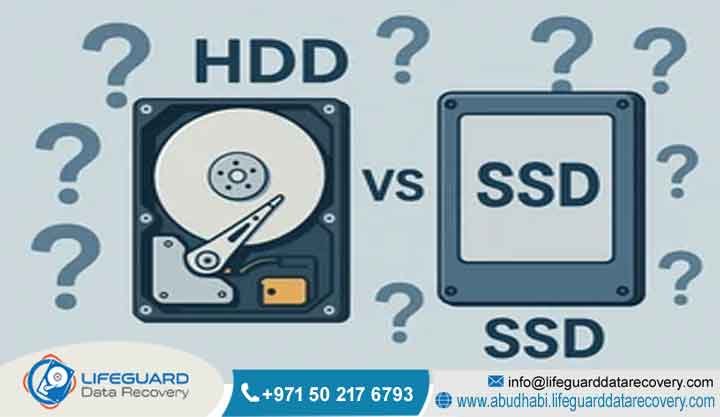
HDD vs SSD data recovery refers to the distinct methodologies required to retrieve lost files from magnetic hard disk drives versus solid-state drives. Hard drive recovery focuses on repairing physical mechanical components, such as read/write head assemblies and spindle motors, or correcting magnetic sector errors on platters.
Conversely, SSD recovery addresses the logical and electrical failures of NAND flash memory chips, controller microprocessors, and complex firmware layers. Because SSDs lack moving parts and utilize automated data sanitization commands like TRIM, recovering files from them requires specialized chip-on-board engineering that differs greatly from traditional cleanroom mechanical HDD restoration.
Think of it this way: fixing a traditional hard drive is like performing micro-surgery on a tiny, fast-moving machine. You have to handle physical parts that spin at thousands of revolutions per minute without letting a single speck of dust get inside. If a mechanical component breaks down, the drive simply cannot read the magnetic data stored on the platters, requiring immediate cleanroom work.
On the other side of the fence, solid-state drives are entirely electronic. There are no moving parts to repair, which means physical impacts like dropping a drive rarely cause data loss.
However, the data is scattered across multiple flash chips using complex algorithms managed by a central controller chip. When that controller chip fails or gets scrambled by an electrical surge, the entire drive becomes unreadable, demanding direct firmware reconstruction and micro-soldering.
Who is Lifeguard Data Recovery?
Lifeguard Data Recovery is a premier enterprise data engineering firm headquartered in Abu Dhabi, UAE, with active service networks reaching Dubai, Sharjah, and all northern emirates. Established to address high-stakes data loss incidents for corporate entities, government organizations, and critical infrastructure facilities,
the firm operates state-of-the-art diagnostic laboratories. Lifeguard Data Recovery specializes in bypassing advanced hardware encryption, reconstructing broken RAID volumes, and pulling low-level data structures directly from physically degraded storage chips.
By maintaining strict international standards for data safety and physical security, the company serves as a vital resource for data preservation and business continuity throughout the United Arab Emirates.
We started this journey because we saw too many local companies losing access to their files due to inadequate local recovery options. Shipping sensitive company hard drives overseas creates massive compliance headaches and extends operational downtime by weeks.
Our goal was to build a top-tier laboratory right here on UAE soil, equipped with the exact same high-end hardware imagers and diagnostic tools used by international forensic agencies.
Over the years, we have grown into a trusted technical partner for some of the largest enterprises in the country. Our lab engineers have spent thousands of hours analyzing storage controller behavior, decoding proprietary file systems,
and developing custom scripts to extract data from compromised media. We treat every drive that enters our facility with absolute precision, focusing entirely on a safe, verifiable extraction process.
Why UAE Businesses Choose Lifeguard Data Recovery
United Arab Emirates enterprises select Lifeguard Data Recovery because of the company’s verified technical expertise and robust physical security infrastructures. When a critical database server or an executive solid-state drive fails, generic software utilities cannot resolve the underlying hardware issues safely.
Lifeguard Data Recovery provides localized expertise in Abu Dhabi and Dubai, eliminating the risks and delays of shipping sensitive corporate data across international borders. The engineering team features certified specialists in both legacy magnetic recording media and modern multi-level cell NAND configurations.
Backed by a strict no data, no charge policy and certified cleanroom labs, UAE businesses receive dependable transparent service during critical operational outages.
The truth is, data recovery is built entirely on trust. When your company’s entire accounting history or confidential client list goes missing, you cannot leave the outcome to chance or use an unverified service center.
Local firms choose us because we combine deep technical knowledge with a completely transparent business model. If we cannot get your files back, you do not pay a single dirham for our recovery efforts.
Furthermore, we understand the local business environment inside and out. We know how critical data compliance is for financial firms in Dubai or government contractors in Abu Dhabi.
By keeping our entire operations internal, we maintain an ironclad chain of custody over your storage media from the moment it leaves your hands to the second we deliver the recovered files back to your team.
Professional Data Recovery Services We Offer
Lifeguard Data Recovery offers a comprehensive suite of digital asset restoration services tailored specifically to the strict security requirements of corporate, industrial, and institutional entities across the UAE. Each service branch utilizes unique proprietary hardware tools and software scripts engineered to handle specific storage controllers and data structures safely.
We do not believe in a one-size-fits-all approach to data recovery. A retail external drive requires a completely different mindset and toolset compared to an enterprise SAN system holding thousands of virtual machines. Because of this, we separate our laboratory into specialized departments, ensuring your hardware is always handled by an expert who understands its specific architecture.
Enterprise RAID, NAS, and Server Recovery
Enterprise storage ecosystems demand specialized recovery techniques because of their complex distributed architectures. Lifeguard Data Recovery engineers can manually realign, reconstruct, and clone failed multi-drive configurations without losing data parity. This service addresses complex server system crashes, corrupt network-attached storage units,
and physical drive drops within critical business infrastructures. Engineers carefully rebuild failed arrays in a hardware-isolated environment to preserve the original block-level order. This process ensures database consistency and system integrity for corporate operations across Abu Dhabi and Dubai.
When a multi-drive RAID array drops offline, the pressure on your internal IT team can be immense. Accidental rebuilds, mixing up drive orders during hot-swaps, or a second drive failure during a parity check can scramble your data permanently.
Our engineers know exactly how to bypass broken storage controllers and read the raw blocks directly from every single physical drive in the array.
We manually trace the data layout, find the correct block size, determine the drive rotation order, and calculate the parity across the set. This meticulous approach allows us to reconstruct virtual volumes even when the original server hardware is completely dead. We regularly work with massive enterprise setups, ensuring minimal operational downtime for local corporate ecosystems.
Digital Forensics and Ransomware Recovery in the UAE
When security breaches, internal fraud, or ransomware attacks compromise corporate environments, Lifeguard Data Recovery provides advanced forensic analysis and incident response. The team specializes in identifying signature strains of malicious encryption, isolating compromised data fields,
and extracting forensically sound drive copies for legal proceedings in the UAE court system. Every step of the extraction process follows strict chain-of-custody protocols, ensuring all recovered digital evidence remains legally admissible and secure.
Cyberattacks can strike out of nowhere, leaving your corporate servers locked down and your local backups compromised. Our specialized cyber response team works diligently to analyze the ransomware footprint,
identify what files can be extracted from raw unallocated space, and safely isolate your systems from further damage. We help businesses navigate these complex digital crises calmly and methodically.
On the forensic side, we assist legal teams and corporate investigators by performing deep-dive analyses on corporate devices. Whether you need to recover deleted communications, track unauthorized data transfers, or present ironclad evidence in a local compliance matter, our forensic extraction methods stand up to intense technical scrutiny.
Storage Devices and Media We Recover
Our engineering facilities handle an extensive catalog of physical storage hardware and proprietary file systems. We perform professional Hard Drive Recovery on internal desktop systems, enterprise SAS drives, and portable external backups. Our dedicated SSD Recovery division treats enterprise NVMe, PCIe, SATA,
and soldered onboard Mac chips. Additionally, we provide specialized CCTV Recovery services to retrieve critical security video feeds from damaged physical digital video recorders across industrial and commercial sites throughout the UAE.
Technology never stops moving, and neither do we. Our labs are constantly updated to handle the absolute latest storage form factors hitting the market. From ultra-dense enterprise memory cards used in data centers to specialized security drives designed for non-stop video recording, we have the custom adapters and extraction interfaces needed to connect directly to the hardware.
We also handle legacy media formats that your current IT team might not even have the cables to read anymore. If your business needs to pull archives from an aging server tape or an obsolete industrial machine drive, our engineers have the tools to safely image the media. We ensure that no matter how old or new your storage hardware is, your data remains accessible.
Common Data Loss Situations: When to Contact Us
Recognizing the early warning signs of hardware degradation can save vital business data from permanent loss. For mechanical hard disk drives, physical warnings include clicking, grinding, or ticking sounds, which indicate a severe head crash or actuator failure.
Solid-state drives usually fail silently; symptoms include sudden bios non-detection, persistent read-only errors, or frequent operating system crashes. Businesses should immediately power down their equipment and contact Lifeguard Data Recovery if they encounter unexpected file deletions, accidental drive formats,
fire or water damage, or sudden ransomware lockouts across their storage arrays. Continuing to run a failing storage device risks overwriting the remaining data or scraping the internal magnetic platters, making professional recovery impossible.
The biggest mistake we see business owners make is trying to force a failing drive to work just one more time. If your computer is freezing up and your hard drive is making an unusual ticking sound, that is a clear cry for help from the mechanical parts inside. Keeping the drive powered on means the broken read head is actively carving scratches into the spinning platter, turning your valuable data into literal dust.
With solid-state storage, the warning signs are much quieter but just as dangerous. Your system might suddenly boot straight to the BIOS screen, or your files might unexpectedly turn into read-only mode.
These are classic signs that the flash memory controller has locked up to protect itself from a terminal error. If you keep rebooting the device, you risk triggering an internal erase sequence that can wipe out your files permanently.
How Our Data Recovery Process Works: Step-by-Step
Lifeguard Data Recovery maintains a transparent, highly documented four-step recovery protocol designed to ensure complete data integrity and clear communication for clients across the United Arab Emirates.
We do not believe in keeping our clients in the dark during a stressful data loss scenario. Our workflow is fully structured so that your IT directors can track exactly what phase of physical or logical engineering your media is currently undergoing. This systemic approach guarantees consistent, highly successful recovery rates.
Step 1: Free Initial Media Evaluation and Deep Diagnostics
The process begins when the failed storage media arrives at our laboratory in Abu Dhabi or Dubai. Engineers place the drive onto advanced hardware diagnostic systems to safely check controller stability, firmware health,
and physical component integrity without writing any new data to the device. Once this evaluation concludes, the client receives a formal diagnostic report detailing the exact cause of failure, the expected data yield, and a fixed price quote.
We never charge a fee just to tell you what went wrong with your storage device. Our initial assessment is completely risk-free, giving your corporate decision-makers the exact information they need before approving any repair costs. We provide a guaranteed, flat-rate quote with absolutely zero hidden fees or unexpected surcharges later down the line.
Step 2: Class 100 Cleanroom Mechanical and Electrical Repair
If the diagnostic report indicates physical or mechanical damage, the drive moves into a certified Class 100 Cleanroom environment. In this dust-free space, specialists carefully open mechanical hard drives to replace broken read/
write head assemblies or fix damaged spindle motors using exact matching donor parts. For solid-state drives, engineers perform precise micro-soldering to fix damaged printed circuit boards, repair blown capacitors, or bypass blown power supply rails.
A single microscopic speck of dust can destroy a modern hard drive platter instantly. That is why our physical repair work takes place in highly controlled environments where the air is continuously filtered. Our technicians use high-power microscopes and specialized alignment tools to swap out delicate internal parts with surgical precision.
Step 3: Bit-by-Bit Image Cloning and Advanced Logic Extraction
Once the drive achieved temporary physical stability, it is connected to a dedicated hardware imager. Engineers run a bit-by-bit cloning process to create a complete binary copy of the media, bypassing bad sectors and handling unstable areas carefully.
All subsequent logical reconstruction, partition repair, and file extraction are performed strictly on this duplicate image, which completely protects the client’s original physical drive from further wear or data loss.
We never work directly on your original failing hardware during the actual data extraction phase. By creating an exact digital mirror image first, we ensure that if a weak drive fails completely during our analysis, we already have a safe copy of every single readable sector secured on our high-speed laboratory storage servers.
Step 4: Secure Data Verification and Target Delivery
After extracting the logical file directories, the engineering team runs thorough integrity checks to ensure the recovered databases, documents, and system files open correctly. The client is then invited to securely verify the file list. Once approved, the data is encrypted and transferred onto a secure new target drive or a corporate storage array for safe delivery back to their UAE facility.
Your data does not leave our facility until you have personally verified that the critical files you need are intact and functional. We provide structured file trees and comprehensive directory lists so your IT team can audit the results completely. Once you give us the green light, we securely transfer the encrypted assets over to a brand-new, reliable storage drive.
Expected Recovery Timeframes for UAE Businesses
Lifeguard Data Recovery provides tiered turnaround schedules designed to align with varying corporate urgency levels and operational structures. Standard diagnostic and recovery pipelines usually take between three to five business days, which is ideal for non-critical archives and routine business backups. For time-critical outages where downtime impacts revenue,
our 24/7 Emergency Support line delivers round-the-clock priority service, often recovering data within twenty-four to forty-eight hours. The exact turnaround time depends heavily on the device’s physical condition, its overall storage capacity, and whether or not firmware or chip-off interventions are required.
We know that every company has different priorities when a crash happens. If the failed device is an archival drive holding old records from five years ago, a standard turnaround window is usually perfect for keeping costs down. Our engineers will process the device methodically through our standard laboratory queue without any compromise in quality.
However, if your main corporate server drops offline on a busy morning, every minute costs your business real money. Our emergency service path pulls our top engineers off other tasks to work exclusively on your drive through the night. We keep our laboratory running non-stop until your databases are fully restored and verified.
Critical Factors Affecting Data Recovery Success Rates
The likelihood of a successful data recovery outcome relies on several key physical and operational variables. The single most important factor is the user’s behavior immediately after the initial data loss event occurs. If a business keeps running a physically damaged hard drive, the read heads can scratch the internal platters and destroy the magnetic storage layer permanently.
On solid-state drives, keeping the power on can trigger internal background maintenance cycles that overwrite deleted data spaces completely. Other critical factors include the presence of factory encryption, the physical wear on flash memory cells, and whether unauthorized personnel have previously opened or tampered with the device.
In the real world, the choices made in the first ten minutes after a drive fails will completely determine whether your data survives. If an untrained employee tries to fix a clicking drive by shaking it or using sketchy download-free software tools, they can easily cause permanent damage. Professional tools are necessary to handle hardware faults without making the underlying issues worse.
Another challenge is the physical state of the storage media itself. Modern high-capacity drives use incredibly compact data layouts, meaning even a tiny blemish on a platter or a worn-out flash chip can make certain blocks completely unreadable. The sooner you hand an unstable drive over to a proper engineering facility, the higher your chances of a complete data extraction.
Industries We Serve Across the United Arab Emirates
Lifeguard Data Recovery serves a diverse network of business verticals across the UAE, providing specialized technical expertise tailored to the operational demands of each sector. We deliver secure, compliant recovery solutions to government institutions, financial organizations, and defense contractors who require strict data confidentiality.
We regularly assist healthcare networks, energy companies, oil and gas conglomerates, and legal practices across Abu Dhabi and Dubai, ensuring that retrieved assets adhere to local regulatory standards and international security laws.
Different industries come with entirely different compliance rules and data architectures. For instance, our work with local medical facilities requires total alignment with strict patient privacy guidelines, ensuring all extracted records remain fully protected.
When handling data for financial institutions, we follow specialized protocols to verify the integrity of large transaction ledgers and relational databases.
We also support engineering firms, media production houses, and industrial centers that use massive, non-standard storage arrays. Whether your business relies on high-resolution video streams, complex architectural CAD files, or automated factory logs, our engineers have the background knowledge needed to locate and extract your specific file types efficiently.
Data Security, Confidentiality, and Compliance Standards
Data privacy remains our highest priority throughout every phase of the data restoration process. Lifeguard Data Recovery operates under strict non-disclosure agreements and maintains rigorous security controls within our laboratories. Our engineering systems run on isolated networks with no external internet connections,
which prevents any unauthorized access or leakage of corporate data. Our handling protocols align closely with international standards, ensuring that corporate assets, sensitive financial files, and personal healthcare records remain secure and compliant with UAE federal data protection regulations.
We take physical and digital security incredibly seriously. Our laboratories are monitored by 24/7 video surveillance, and access to our engineering floors is limited strictly to authorized technicians. We do not connect our diagnostic computers to the public internet, meaning there is zero risk of outside cyber threats compromising your sensitive corporate assets while they are in our hands.
Once your data is successfully recovered, it is stored on temporarily encrypted master drives within our secure vault. We keep these backups for a limited window of time to ensure you have safely integrated the files back into your local systems. Once you confirm everything is working smoothly, we perform a certified wipe of our lab copies, leaving no trace behind.
Nationwide Coverage: Serving Abu Dhabi, Dubai, and All Emirates
Our dedicated collection and logistical network ensures that elite data recovery capabilities remain accessible to organizations throughout the entire United Arab Emirates. Lifeguard Data Recovery provides comprehensive, rapid pickup and delivery solutions across all seven emirates: Abu Dhabi corporate centers and industrial zones Dubai business hubs and financial districts Sharjah manufacturing
and academic facilities Ajman commercial sectors Fujairah maritime and logistics hubs Ras Al Khaimah industrial zones Umm Al Quwain business operations No matter where your business is located, our secure transport network guarantees safe delivery of your sensitive media directly to our central diagnostic laboratory.
You do not have to worry about driving across the country to bring your broken hard drive to our facility. We run a dedicated, secure courier service that covers every single corner of the United Arab Emirates. Whether your office is based in a high-rise in downtown Dubai or an industrial compound in Ras Al Khaimah, we can pick up your media safely.
Our couriers use specialized, shock-absorbent transport containers to protect fragile hard drives from vibration and heat during transit. Every shipment is fully tracked and logged from the moment it leaves your front desk to the second it enters our diagnostic bay. This localized network makes professional data recovery completely seamless for busy enterprise teams.
Technical Comparison: HDD vs. SSD Data Recovery Differences
Recovering data from hard disk drives versus solid-state drives requires entirely different engineering paths because the underlying storage physics share almost no common hardware components.
When you look at the fundamental design of these two storage technologies, it becomes clear why a technician cannot treat them the same way. One is an intricate mechanical machine, while the other is an intricate silicon circuit board. This basic difference changes how they fail and how we extract data from them.
Mechanical Failure vs. Controller and NAND Degradation
Hard disk drives store digital data on spinning magnetic platters that rely on high-speed mechanical read/write head assemblies. Physical failures in HDDs are usually mechanical, such as worn-out bearings, seized motors, or bent slider arms that physically damage the platter surface. Repairing these issues requires manual mechanical adjustments inside a dust-free cleanroom.
Solid-state drives store data electronically inside stationary NAND flash memory chips, managed by an onboard controller integrated circuit. SSD failures are almost always electrical or logical, such as blown components on the circuit board,
controller firmware corruption, or the degradation of memory cells. Recovering data from an SSD requires advanced software logic, voltage adjustments, or removing the flash chips entirely to read them via external hardware programmers.
In an older hard drive, the mechanical components are under non-stop physical stress. The read heads fly just a few nanometers above the spinning platters on a tiny cushion of air. If the drive gets bumped while working, those heads can instantly smash into the platters,
destroying the magnetic coating. Fixing this means finding an exact donor drive with the matching model number, firmware version, and manufacturing country to swap the physical components safely.
With solid-state storage, the wear and tear happens at a microscopic molecular level. Every time you write data to an SSD, it slightly degrades the chemical insulation inside the flash memory cells. Over time, these cells lose their ability to hold an electrical charge properly.
When the onboard controller chip cannot manage these errors anymore, or if it suffers a sudden power spike, it corrupts the drive’s internal mapping tables, rendering the device completely non-responsive.
The TRIM Command Obstacle in Solid-State Drives
The inclusion of the TRIM command in modern solid-state drive operating systems creates a major challenge for recovering deleted files. On a standard mechanical hard drive, when a user deletes a file, the operating system simply marks that sector as available space while leaving the original data intact until new information overwrites it.
This allows engineers to easily locate and restore the original files. However, when a file is deleted on an SSD with TRIM enabled, the operating system sends an immediate command telling the drive controller that those sectors are no longer needed.
The SSD controller then uses background garbage collection to clear those memory sectors completely, preparing them for future writes. This automated process can permanently erase the original data index, making prompt professional intervention vital for successful SSD recovery.
TRIM is fantastic for keeping your computer running fast, but it is a massive headache for data recovery engineers. On a traditional hard drive, you can delete a folder by mistake, leave the machine off for weeks, and a specialist can still pull those files back easily because the raw data sits untouched on the platters.
With an SSD, the moment you click delete, a countdown timer starts. The drive’s firmware will actively seek out those deleted blocks and clear them out to make room for future data entries. If the drive stays plugged into power, that cleanup process can happen within a matter of minutes. That is why turning off an SSD immediately after a major accidental deletion is so incredibly critical.
Professional Recovery vs DIY Recovery
Attempting a do-it-yourself data recovery on an unstable business storage drive carries a very high risk of causing permanent data loss. DIY attempts often rely on generic software utilities running on unstable consumer operating systems, which can stress a failing drive and cause complete mechanical or firmware breakdown.
If a drive has a physical hardware issue, running software on it will write new temporary files and logs, overwriting the very data you want to save. Professional recovery labs use specialized hardware that blocks write commands entirely, allows engineers to safely control drive voltages, and isolates errors to prevent further physical damage to the storage media.
We completely understand the temptation to hand a broken drive to a tech-savvy employee to see if they can fix it quickly. However, in the real world, this often ends up making a minor problem completely unrecoverable. Free software downloads cannot repair a broken read head or fix a corrupted firmware sector on a failing controller chip.
When you connect a damaged drive directly to a regular computer, the operating system immediately tries to mount the partitions, read the file indexing tables, and index the contents for search tools. This creates an enormous amount of physical read stress. If the drive is already failing mechanically, this sudden burst of activity can cause a catastrophic breakdown right there on your office desk.
Professional Recovery vs Recovery Software
Commercial data recovery software programs are only designed to handle basic logical issues on perfectly healthy physical drives, such as recovering an accidentally emptied recycle bin or reading a misplaced partition. If a drive has an internal hardware failure, like a failing read head or a corrupted controller chip, commercial software cannot communicate with the device properly.
In fact, continuously running software scans forces a failing drive to work hard, which can burn out weak components or scratch delicate internal media surfaces. Professional recovery specialists use advanced hardware equipment to access the drive’s core firmware directly, turn off damaging background operations, and create a safe copy of the drive before performing any file extraction.
Think of recovery software as a tool for fixing a corrupted map, not a shattered engine. If the drive’s internal read assemblies are failing, no software script in the world can make them read data correctly. The software will simply force the drive to keep retrying the exact same broken sectors over and over again, driving up internal temperatures and causing permanent hardware degradation.
Our laboratory setups work on an entirely different level. We use dedicated hardware imagers that communicate directly with the drive’s low-level factory commands. We can turn off specific features, skip bad sectors instantly without freezing the system, and control the exact electrical voltage going into the drive’s logic board. This allows us to extract the raw data safely without stressing the failing media.
When Businesses Should Choose a Specialist Recovery Lab
A business should contact a specialized data recovery laboratory the moment a storage device encounters a failure that impacts critical operations or contains non-replaceable corporate files. If the drive contains sensitive client records, core accounting databases, or proprietary software code, attempting unverified field repairs can ruin your chances of recovery.
Specialist labs provide the necessary cleanroom infrastructure, micro-soldering tools, and deep engineering experience required to handle complex storage failures safely, ensuring your business stays compliant with data security laws while protecting vital intellectual property.
It all comes down to assessing the true value of the files you have lost. If the drive only contains easily replaceable downloads or generic files, then experimenting with basic recovery methods might not be a big deal. But if the data is unique, highly confidential, or vital to your daily corporate revenue, then using a professional laboratory is the only logical choice.
Choosing a professional firm means your critical files are being handled using documented, field-tested processes inside a clean, dust-controlled space. It completely eliminates the risk of accidental overwriting or permanent hardware damage caused by unverified field repairs. This calculated approach ensures your business assets are fully protected throughout the recovery process.
Case Study: Recovering a Failed Enterprise SSD RAID Array in Abu Dhabi
Problem: A major financial logistics provider based in Abu Dhabi suffered a sudden crash on an enterprise four-drive SSD RAID 5 array containing active transactional databases. The system dropped offline entirely, and local IT personnel could not remount the volume.
Urgency: The system downtime disrupted client invoicing and daily operations, costing the company significant revenue for every hour the data remained inaccessible.
Recovery Process: The damaged solid-state drives were transported immediately to the Lifeguard Data Recovery lab. Diagnostics revealed that drive number two had severe controller firmware corruption, while drive number three had suffered an electrical power surge across its voltage rails.
Engineers performed micro-soldering repairs on drive three to restore stable power delivery. For drive two, the team used specialized factory emulation tools to bypass the corrupted controller and access the raw NAND flash chips directly. This allowed them to generate clean, bit-by-bit images of both damaged drives.
Result: Using these recovered drive clones, engineers reconstructed the full RAID 5 configuration, repaired minor logical filesystem damage, and extracted the core databases cleanly.
Client Outcome: Lifeguard Data Recovery achieved a complete one hundred percent recovery of the active transaction logs within thirty-six hours, allowing the logistics provider to restore its financial systems and resume business operations with zero data loss.
This real-world example shows why generic recovery software tools simply cannot handle enterprise storage failures. Had the client’s internal IT team kept attempting to force-mount the broken array or run standard consumer scanning utilities,
they likely would have caused permanent corruption across the surviving drives. By stepping back and letting an engineered cleanroom laboratory handle the electrical and firmware issues, they protected their critical operational data perfectly.
Expert Insights: The Future of Storage Media and Data Recovery
As digital storage technology evolves, both hard disk drives and solid-state drives are becoming much more complex, which changes the nature of professional data recovery. Modern mechanical drives now use advanced technologies like Shingled Magnetic Recording and Heat-Assisted Magnetic Recording to cram data into tighter spaces,
meaning even tiny scratches on a platter can result in large amounts of lost data. At the same time, newer solid-state drives feature dense 3D NAND configurations and use aggressive, built-in hardware encryption managed directly by the main processor chip. These advancements mean that legacy recovery methods are becoming obsolete.
The future of data recovery relies on deep software engineering, custom firmware development, and advanced chip-decryption techniques to safely retrieve data from next-generation corporate storage devices.
The engineering landscape is shifting rapidly underneath our feet. Manufacturers are constantly pushing the limits of physics to fit more terabytes into smaller drives. For hard disk drives, this means the tracks containing your files are narrower than ever before, requiring incredible precision from the internal mechanical components to read the data safely.
With solid-state storage, the trend toward building the encryption keys directly into the main controller processor means that traditional chip-off recovery methods are becoming far more complex. If a controller dies on a modern high-end smartphone or laptop,
you cannot simply disorder the memory chip and read it raw, because the data will look like scrambled garbage without the original hardware key. Our team works continuously to develop new techniques to decrypt and rebuild these advanced storage systems safely.
Frequently Asked Questions (FAQ)
What is HDD vs SSD Data Recovery?
HDD vs SSD data recovery involves the distinct engineering methods used to extract lost files from mechanical hard disk drives compared to solid-state memory drives. Hard drive recovery focuses on repairing moving parts, such as damaged read heads or spindle motors,
inside a dust-free environment. SSD recovery uses specialized electronic techniques to fix printed circuit boards, repair corrupted controller firmware, and extract data directly from stationary NAND flash chips.
How does HDD vs SSD Data Recovery work?
Hard drive recovery works by replacing failed physical parts to get the drive running safely long enough to create a complete bit-by-bit clone of its data. Solid-state drive recovery works by repairing broken electrical paths or using advanced engineering tools to communicate directly with
the drive’s memory controller. If the main controller chip is entirely destroyed, engineers carefully disorder the individual NAND memory chips and read their raw data using external hardware tools.
How much does HDD vs SSD Data Recovery cost in UAE?
The total cost of a data recovery service in the UAE depends on the type of failure, the physical condition of the storage media, and the specific equipment needed to perform the repair. Simple logical recoveries are less expensive,
while complex recoveries involving cleanroom work or chip-off engineering require a higher investment due to the specialized parts and labor involved. Lifeguard Data Recovery provides a transparent, flat fixed price quote after completing a free initial media evaluation.
How long does recovery take for hard drives and SSDs?
A standard data recovery process typically takes between three to five business days to complete safely. For critical situations where a business is losing operational revenue, emergency data recovery services can often retrieve files within twenty-four to forty-eight hours.
The exact turnaround time depends on the overall storage size of the device, its physical stability, and how long it takes to read data through damaged sectors.
Is data recovery possible after permanent deletion from an SSD?
Recovering permanently deleted files from an SSD is highly challenging if the operating system has already run the automated TRIM command. When TRIM is active, it quickly clears out deleted data blocks to keep the drive performing at top speed,
which can erase the data permanently. However, if the drive is powered down immediately after deletion, or if it was used as an external backup drive where TRIM might not be supported, professional engineers can often recover the files successfully.
Can physically damaged or burnt drives be recovered?
Yes, physically damaged, crushed, or burnt storage drives can often be recovered if the core data storage components remain intact. For mechanical hard drives, the internal magnetic platters must not be scratched or broken; for solid-state drives,
the individual NAND flash memory chips must be undamaged. Our specialists use a certified cleanroom and high-precision tools to repair external damage and safely extract data from the underlying storage media.
What factors affect data recovery success rates?
The overall success rate of a data recovery attempt depends on the physical state of the drive and how the device was handled immediately after the failure. Continuing to run a clicking hard drive or keeping
a corrupted SSD powered on can cause additional damage and permanently overwrite your files. Choosing a certified professional recovery lab rather than trying unverified DIY software utilities also increases the likelihood of a successful data extraction.
Contact Lifeguard Data Recovery: Secure Your Data Today
Do not risk losing your vital business records, sensitive databases, and intellectual property to unverified or unsafe data recovery attempts. Contact the certified engineering specialists at Lifeguard Data Recovery right away to set up a free professional media evaluation with no financial obligation.
Call Us: +971 50 127 6793
Email Us: info@lifeguarddatarecovery.com
Our Main Website: www.abudhabi.lifeguarddatarecovery.com
Corporate Address: Lifeguard Data Recovery, Abu Dhabi, United Arab Emirates



