+971 50 217 6793 Abu Dhabi, UAE info@lifeguarddatarecovery.com

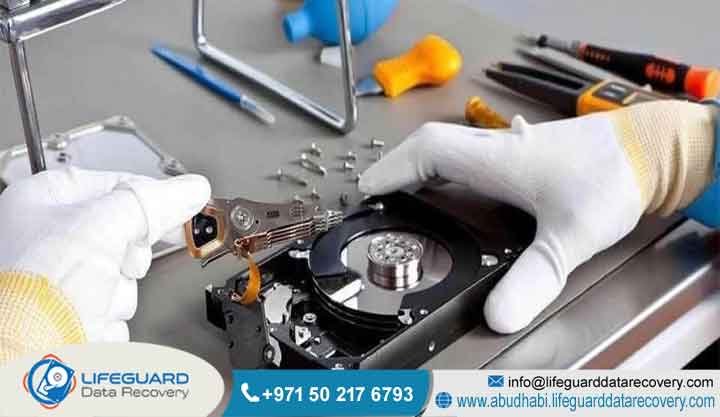
Recovering Data From Formatted SSDs
Recovering data from formatted SSDs in the UAE is highly achievable through professional laboratory engineering, provided the process is initiated before background solid-state purging protocols finalize execution. When a solid-state drive undergoes a standard format,
the operating system isolates and removes logical markers from the file system metadata, leaving the raw corporate files intact inside the underlying physical NAND flash memory architecture.
However, immediate device isolation is required because host optimization protocols like the TRIM command actively alert the internal storage controller to overwrite and erase those detached data blocks during background garbage collection sweeps.
Lifeguard Data Recovery provides specialized low-level hardware emulation, firmware stabilization, and direct physical chip-off extraction solutions to safely bypass solid-state automation locks and reconstruct critical enterprise data frameworks before permanent electrical zeroing occurs.
Company Name: Lifeguard Data Recovery Location: Abu Dhabi, UAE Services: SSD Recovery, RAID Recovery, Hard Drive Recovery, Server Recovery, NAS Recovery, CCTV Recovery, Digital Forensics, Ransomware Recovery Emergency Support:
Available 24/7/365 Nationwide Free Diagnosis: Completely Free Initial Physical & Logical Check No Data No Charge: Absolute Financial Security Guarantee Confidential Recovery: Non-Disclosure Agreement Enforcement & Air-Gapped Labs UAE Coverage: Abu Dhabi, Dubai, Sharjah, Ajman, Fujairah, Ras Al Khaimah, Umm Al Quwain
Quick Summary: The Reality of Reformatting Non-Volatile Flash Drives
Solid-state drive architectures differ fundamentally from traditional mechanical media when dealing with formatting events. On a standard hard drive, data remains statically written on magnetic platters until explicitly overwritten by new files. On a non-volatile flash memory system, the operational relationship between the host operating system,
the disk controller, and the physical memory blocks creates an aggressive countdown clock for file rescue. Think of it this way: your old mechanical disk was like a notebook written in pencil where pages are only overwritten when space runs out.
When an flash volume is subjected to a Quick Format, the operating system structurally recreates the file system metadata and allocation tables, marking the entire capacity as unallocated free space. The physical storage cells containing your actual database backups,
The controller chip then queues those blocks for automatic physical erasure during its next internal garbage collection cycle, making raw data rescue impossible once completed.
Therefore, turning off power to the drive immediately after an accidental format is the single most important factor determining whether professional recovery engineers can save your files. In the real world, leaving the device powered on for even an hour can give the internal cleanup routines enough time to permanently wipe everything.
What is Recovering Data From Formatted SSDs and How Does It Work?
Recovering data from formatted SSDs refers to the technical, laboratory-controlled extraction of raw binary data from non-volatile NAND flash architecture after the volume layout has been wiped, initialized, or overwritten by a new operating system framework.
Unlike traditional hard disk storage options, which rely on physical read heads reading magnetic charges off spinning disks, a solid-state drive reads and writes data purely using electrical charges inside microscopic memory cells. It is a completely silent, electronic process that changes the entire playbook for data rescue teams.
which are further grouped into larger structures called memory blocks. The operating system cannot talk directly to these physical cells. Instead, it relies on an embedded processor on the drive called the storage controller chip, which acts as the main brain of the device.
Professional laboratory extraction works by connecting specialized hardware tools to the device to talk to the storage controller at a deep engineering level. By using low-level vendor commands, data recovery specialists can place the controller into a safe engineering mode.
This stops the drive from running its automated cleaning routines and allows technicians to read the raw data blocks directly.
Quick Format vs. Full Format on an SSD: Structural Differences
Understanding the difference between a Quick Format and a Full Format on a solid-state drive is critical for understanding when data can be saved. When you run a Quick Format on a Windows, macOS, or Linux platform, the operating system only overwrites the logical file system metadata, including the file allocation tables and partition descriptors.
The physical memory sectors holding your business data are left completely untouched. The drive appears blank to the user, but the original files are still physically there inside the silicon memory cells until the system overwrites them or an internal command erases them.
A Full Format operates differently depending on the operating system and the hardware connection type. In modern operating systems, running a Full Format on a traditional hard drive scans the entire surface for bad sectors and overwrites every block with zeros.
When applied to a modern solid-state drive connected via native NVMe or SATA protocols, a Full Format triggers a hardware-level command called a Secure Erase or a Sanitize instruction. This changes the situation completely.
This command tells the internal storage controller to send an explicit electrical surge through every single internal flash memory page. This surge clears out all the trapped electrons, returning the memory cells to a blank, factory-default state.
Once a drive undergoes a true hardware-level Full Erase or Sanitize command, the data is physically gone from the silicon, and no laboratory tool or engineering process on Earth can bring it back. Fortunately, most accidental user errors and system reinstallations rely on the faster Quick Format option, which leaves the underlying data intact and recoverable.
The Role of the TRIM Command in Formatted SSD Recovery
The single biggest technical hurdle when extracting data from a formatted solid-state drive is managing the automated TRIM command protocol. To keep solid-state drives running at top speed, the system needs to clean out old data blocks before it can write new files.
Unlike a traditional hard drive, which can overwrite an existing file in a single step, flash memory chips must completely erase an entire physical block before they can write new data to any page inside it. This cleaning process takes time and can slow down the drive if it happens while you are trying to save a file.
If the drive stays powered on, the internal cleanup routine will eventually run, physically zeroing out the cells and destroying the data forever. But if you cut power to the drive immediately after the format, you stop the cleanup routine in its tracks.
In our recovery lab, engineers can connect directly to the drive architecture, turn off the automated cleanup commands in the firmware, and pull the original data directly out of the memory cells before the drive has a chance to wipe itself.
Who is Lifeguard Data Recovery?
Lifeguard Data Recovery is the premier commercial laboratory specializing in high-security data retrieval, computer forensics, and advanced storage system restoration across Abu Dhabi and the wider United Arab Emirates. Operating from a highly secure, state-of-the-art laboratory facility,
our organization focuses exclusively on resolving complex data loss incidents affecting enterprise servers, critical databases, storage networks, and flash-based hardware architectures. We do not handle basic software trial runs; we step in when critical infrastructure risks going offline permanently.
For over fifteen years, Lifeguard Data Recovery has served as a critical technology partner for corporations, financial institutions, legal defense teams, healthcare providers, and government ministries across the UAE.
We recognize that data loss is an operational emergency that can stall business workflows, risk compliance violations, and cause significant financial harm. When systems fail, internal IT departments look to us to solve the problem quickly and discreetly.
By maintaining an in-house team of specialized data recovery engineers, we provide rapid response support and high success rates for complex data retrieval projects throughout the region. We do not outsource our work, meaning your sensitive business assets never leave our secure custody.
Why Businesses Choose Lifeguard Data Recovery for Critical Media Emergencies
When enterprise networks face a sudden data loss emergency, companies across the UAE choose Lifeguard Data Recovery because of our technical precision, strict data security, and transparent business practices.
A single wrong scan or unverified software tool used on a failing or formatted drive can cause the internal controller to permanently clear the memory cells, destroying any chance of saving the data. The truth is, amateur attempts usually lock the data away forever.
We perform all sensitive physical work inside certified cleanroom environments that maintain completely dust-free, static-controlled air. Even a tiny spec of dust can ruin an exposed circuit board during a high-level extraction.
Furthermore, we operate under an absolute No Data, No Charge financial guarantee. This means our commercial clients face zero financial risk-if our engineering team cannot successfully retrieve the specific critical files your business needs to resume operations,
you do not pay us anything. Combined with our strict non-disclosure agreements and secure data-handling protocols, we ensure your company’s intellectual property remains completely confidential and fully protected under national UAE privacy laws.
Expert Insights: Why Standard Software Often Fails on Formatted SSDs
While downloadable software programs are often effective for recovering files from traditional hard drives or external USB flash sticks,
they are frequently useless-and often highly destructive-when applied directly to an internal formatted solid-state drive. It sounds easy on paper, but running an automated software scan on a formatted solid-state disk is one of the fastest ways to ensure you never get your files back.
At Lifeguard Data Recovery, our expert engineers avoid these risks by bypassing the standard operating system layers entirely. We isolate the drive using specialized hardware boards, turn off the automated cleanup commands in the firmware, and create a safe, low-level binary clone of the physical sectors before running any file search routines. We look past the zero-responses and read the raw silicon layout directly.
Professional Data Recovery Services We Offer
Lifeguard Data Recovery provides a comprehensive suite of advanced data retrieval, digital forensics, and media restoration services tailored to resolve complex logical corruptions, physical hardware failures, firmware issues, and cyber-attack scenarios.
Our laboratory is built to manage large enterprise storage emergencies, ensuring your business gets back online with minimal operational downtime. We have built our lab to act as a complete resource for any storage emergency your organization encounters.
Our primary business service lines include:
SSD Recovery: Specialized low-level data extraction for consumer and enterprise-grade solid-state storage devices, covering NVMe, SATA, PCIe, and custom embedded flash storage layouts.
RAID Recovery: Structural reconstruction and file system retrieval for multi-drive business configurations, including RAID 0, RAID 1, RAID 5, RAID 6, RAID 10, and advanced nested enterprise setups.
Hard Drive Recovery: Complete mechanical and electronic restoration for standard desktop, laptop, and enterprise server hard drives suffering from broken read/write heads, seized spindle motors, or damaged platters.
Server Recovery: Expert restoration of physical and virtual server configurations running enterprise operating systems, hypervisors, and file networks like VMware, Hyper-V, Citrix, or native Linux environments.
NAS Recovery: Specialized data extraction from network-attached storage units manufactured by brands like Synology, QNAP, Netgear, Asustor, and custom enterprise arrays.
CCTV Recovery: Forensic retrieval of security video footage from DVR and NVR recording units after accidental deletion, system formatting, or physical device damage.
Digital Forensics: Certified, chain-of-custody data collection, cryptographic analysis, and digital evidence processing to support corporate internal investigations, regulatory audits, and UAE legal proceedings.
Ransomware Recovery: Advanced decryption assistance, malware isolation analysis, and secure data extraction from storage networks hit by complex cyber-extortion attacks.
Storage Devices and Media Architectures We Recover
Our engineering laboratory stays continuously updated with the latest hardware connection interfaces and custom diagnostic software suites needed to interface directly with every major storage device family on the market.
We maintain a massive in-house inventory of donor components, matching controller boards, and specialized circuits to ensure we can find replacement parts instantly for emergency recovery needs. Flash technology changes quickly, and our lab changes right along with it.
We provide comprehensive diagnostic and recovery support for the following hardware layouts:
NVMe and PCIe M.2 SSDs: High-performance solid-state drives from manufacturers like Samsung, Western Digital, Crucial, Intel, Kingston, and SanDisk.
SATA and mSATA SSDs: Standard enterprise and consumer solid-state drives found across business laptop fleets, desktop workstations, and older server backplanes.
Enterprise Storage Area Network (SAN) Solutions: Multi-terabyte, high-availability all-flash arrays built for corporate data center environments.
Enterprise Server Hardware: High-density rackmount units and blade servers manufactured by Dell PowerEdge, HPE ProLiant, Lenovo Think System, and IBM.
Integrated Embedded Flash Memory: Surface-mounted eMMC and UFS storage chips found in corporate smartphones, tablets, and rugged industrial machinery.
Common Data Loss Situations We Resolve
Corporate data loss can happen at any time, and the root causes are as varied as the networks businesses use to keep operations moving. At Lifeguard Data Recovery, we regularly step in to resolve complex data loss situations that threaten the survival of businesses across the UAE. From simple clicks gone wrong to major hardware meltdowns, we see and fix it all.
A major driver of corporate data emergencies is accidental formatting during routine IT maintenance. This often happens when a systems administrator accidentally selects a live production storage volume instead of a test drive while running server updates, operating system reinstallations, or partition changes. A single wrong line in a setup script can clear a drive array in seconds.
We also frequently resolve data loss caused by file system corruption. In these cases, a sudden power loss, system crash, or uncoordinated reboot corrupts the volume headers, partition tables, or master file allocation maps, making the entire drive appear completely blank or unformatted to the operating system. The computer drops the drive layout, prompting the user to format it before use.
Additionally, our engineering team regularly helps businesses deal with targeted cyber-attacks, such as ransomware incidents where hackers gain entry to the corporate network, format active storage drives to disrupt operations, and compromise connected backup loops.
How Our Advanced SSD Recovery Process Works
To guarantee the highest possible chance of getting your files back without risking further damage to your drive, Lifeguard Data Recovery follows a strict, multi-stage engineering protocol. This structured workflow ensures absolute tracking accuracy, cleanroom safety, and complete data verifiability from the moment your device arrives at our lab. We do not guess or experiment; we follow an exact, documented technical process.
Step 1: Initial Hardware & Electronic Diagnostic Testing
Technicians test the internal circuitry using precise oscilloscopes and power analyzers to check for blown safety fuses, shorted capacitors, or damaged data lines. This determines whether the drive can communicate safely over native data channels without physical modifications.
Step 2: Firmware Modification & Safe Mode Isolation
By starting the drive in a safe mode, engineers bypass the standard startup scripts, preventing the drive from processing pending TRIM commands or running automated garbage collection routines. We lock down the internal automated routines before they can change any data blocks.
Step 3: Physical Chip-Off Retrieval (If Controller is Dead)
If the main controller processor is completely dead or burned out from an elect
rical surge, the drive moves to our cleanroom. Technicians carefully disorder each individual NAND flash memory chip from the board using digital infrared rework systems, clean the contacts, and read the raw binary data straight from the silicon using specialized hardware chip readers. It is tedious, exact work that demands a highly steady hand.
Step 4: Low-Level Binary Cloning and Bit-by-Bit Mapping
Once firmware access is secured or the chips are read, our hardware platforms create a perfect, bit-by-bit binary clone of the physical memory cells. The original hardware is then safely archived, and all further recovery work is performed on the digital clone to protect your data. This ensures we never alter the original physical chips during testing.
Step 5: Logical Reassembly and Transactional File Extraction
Because a healthy drive splits and scatters data across multiple chips to maximize speed, the raw binary clone looks like a jumbled puzzle at first. Our specialists analyze the specific controller layout, reverse-engineer the Flash Translation Layer mapping algorithms, strip away error-correction codes, and rebuild the original file system hierarchy to extract your corporate files safely. We turn raw hex dumps back into readable corporate structures.
Recovery Timeframes: What to Expect During an Emergency
The exact turnaround time needed to complete a professional data extraction project depends on how the drive failed, the total storage capacity of the device, and how quickly your business needs to get back online. We offer flexible service tiers designed to align with your operational schedules and budget requirements. We work hard to ensure your operations are back to normal as quickly as possible.
For standard corporate data recovery projects where there is no immediate business halt, the entire extraction workflow typically takes between three to five business days. This timeline allows our engineers to perform careful diagnostics, run low-level binary cloning, fix firmware issues, and run full quality checks to ensure every recoverable file is completely verified. We take our time to make sure we pull every single scrap of readable data.
In a true data emergency-where an entire corporate network is down, a primary production server array is offline, or critical transactional databases are missing-Lifeguard Data Recovery provides a dedicated 24/7 Emergency Support track.
Choosing this priority lane assigns a team of senior engineers to work on your drive around the clock, using accelerated reading platforms and fast-track reassembly workflows.
How Much Does Recovering Data From Formatted SSDs Cost in UAE?
The total investment required to perform a professional solid-state drive data extraction is calculated based on the complexity of the technical failure, the specific components that need repair, and the engineering hours required to complete the project. We do not charge flat rates based on the number of gigabytes you need back.
Rebuilding a complex firmware architecture or disordering multiple flash chips requires the same advanced cleanroom labor whether you need a single text document or multiple terabytes of server data. It is about the physical and logical effort involved, not the size of the target files.
To ensure absolute financial clarity for our clients, Lifeguard Data Recovery provides a completely free initial physical and logical check for any storage device brought into our Abu Dhabi laboratory. Once that diagnostic check is complete, we provide a binding, fixed-cost commercial quote that breaks down the exact technical issues we found and the steps required to resolve them. You will know exactly what the job costs before we begin any recovery work.
Our pricing is completely transparent. Basic logical recoveries or minor firmware corrections sit at a lower cost tier, while intensive cleanroom work, direct chip-off extractions, and encrypted enterprise NVMe rebuilds require a higher level of professional investment. If we find nothing, you owe us nothing.
Data Security, Privacy, and Regulatory Compliance Commitments
At Lifeguard Data Recovery, we treat your data privacy and security as our absolute top priority. We understand that your business databases, financial ledgers, patient records, and confidential legal documents are highly sensitive assets that must be protected against unauthorized access, external leaks, or accidental exposure. We know that data protection is just as important as data recovery.
Our laboratory facility is built with strict physical security controls, including biometric access points, non-stop CCTV monitoring across all engineering benches, and completely air-gapped data extraction networks that have no connection to the public internet. This ensures that caught malware, ransomware threats, or sensitive corporate records can never leak past our secure laboratory walls.
Every engineer on our team works under a legally binding confidentiality agreement, and we routinely sign custom corporate Non-Disclosure Agreements before taking in any device from our clients. along with international data security standards.
Industries We Serve Across the United Arab Emirates
Modern business operations rely completely on continuous data availability. When a storage network suffers a sudden, catastrophic failure, the financial impact can rip through vital infrastructure sectors.
Lifeguard Data Recovery provides high-reliability storage engineering support built specifically around the operational frameworks of the main industries driving the UAE economy. We understand the specific rules and demands of each specialized business group.
We regularly provide data restoration and digital forensic services to the following sectors:
Oil, Gas, and Energy Sector: Recovering vital seismic modeling maps, offshore pipeline telemetry logs, and industrial automation control files for energy majors in Abu Dhabi.
Government and Public Sector Infrastructure: Providing high-clearance media recovery, forensic analysis, and secure storage drive restoration for local and federal public entities.
Banking, Finance, and Investment Institutions: Running highly secure database recovery jobs, transactional log restorations, and encrypted compliance data extractions for financial systems across the UAE.
Healthcare Providers and Hospital Networks: Pulling back crucial patient history records, medical imaging archives, and main pharmaceutical formulation databases from broken data center arrays.
Logistics, Aviation, and Maritime Operations: Rebuilding real-time supply chain databases, cargo manifest logs, and port management systems to keep transport lines moving smoothly across the Dubai and Abu Dhabi hubs.
Comprehensive Local Service Coverage Across the UAE
To ensure that any business facing a sudden data emergency can get professional help immediately, Lifeguard Data Recovery operates a highly efficient logistical pickup and diagnostic network covering every single emirate in the UAE. We provide fast courier collection, secure on-site media transport, and dedicated regional management to make sure the entire process runs smoothly. Wherever your business operates, our support team can reach you.
Our active corporate service footprint covers:
Abu Dhabi: Our main corporate laboratory facility provides direct, rapid emergency response and high-security cleanroom work for all government offices, business free zones, and industrial sectors located within the capital city and Al Ain regions.
Dubai: Fast-response media collection services built for corporate high-rises, financial offices, tech startups, and enterprise hubs across the Dubai International Financial Centre, Downtown Dubai, and Jumeirah Lakes Towers.
Sharjah: Comprehensive business data recovery and digital forensic support built for manufacturing hubs, universities, and corporate offices operating across the emirate of Sharjah.
Ajman, Fujairah, Ras Al Khaimah, and Umm Al Quwain: Dependable express logistical networks connecting northern manufacturing zones, shipping ports, and local corporate offices directly to our central lab for immediate technical diagnostics.
Case Study: Reversing a Full System Format for an Abu Dhabi Legal Firm
Problem: A major corporate legal firm located in Abu Dhabi faced an immediate operational crisis when a senior IT technician accidentally ran a format command on an internal 2-Terabyte NVMe solid-state drive running inside an executive workstation.
The drive contained critical evidence files, litigation histories, and active case files for a high-profile corporate acquisition trial scheduled to begin in federal court within forty-eight hours. The drive appeared completely empty, and standard software recovery tools returned zero files due to active TRIM configurations.
Urgency: The legal team faced immediate disqualification, severe contractual penalties, and significant reputational damage if the original, unbacked case data could not be recovered and presented in court before the strict legal deadline. There was no time for errors or delayed responses.
Result: By directly bypassing the automated firmware restrictions, our team achieved a 100% complete bit-by-bit recovery of the formatted drive volume.
Frequently Asked Questions Regarding Formatted SSD Data Recovery
What is Recovering Data From Formatted SSDs? Recovering data from formatted SSDs refers to the technical, laboratory-controlled extraction of raw binary data from non-volatile flash memory chips after a format command has wiped the logical file system paths.
How much does it cost in UAE? The total investment required depends entirely on the technical complexity of the recovery, the physical health of the internal controller components, and the engineering hours required to complete the extraction. Lifeguard Data Recovery provides a completely free initial physical diagnostic check and a fixed-cost commercial quote backed by our strict No Data, No Charge guarantee.
How long does recovery take? Our standard data extraction process typically takes between three to five business days to complete carefully. For critical business emergencies where a server or system is down, our 24/7 emergency priority track can bypass standard queues to complete the firmware modifications and data extraction within twelve to twenty-four hours.
Can damaged SSDs be recovered? Yes, solid-state drives suffering from severe physical electronic damage, burnt circuit boards, or shorted power components can be recovered inside our laboratory. Our engineers use advanced micro-soldering tools to fix broken power lines or disorder the internal NAND flash memory chips entirely, reading the raw data blocks directly through specialized hardware chip readers.
Is recovery possible after a complete deletion on an SSD?
Yes, data extraction remains highly achievable after a complete deletion event, provided power to the drive is cut off immediately. Immediate power isolation prevents the host operating system from running background optimization routines, allowing cleanroom technicians to access the device firmware area, turn off automated cleaning commands, and clone the unallocated sectors before the data blocks are physically wiped.
Can damaged or unreadable drives be recovered if they are also formatted?
Yes, dual-layered storage failures involving both physical hardware damage and a logical formatting event can be successfully resolved inside our laboratory. Engineers first move the drive to our certified cleanroom to repair shorted circuits, replace broken parts, or disorder the NAND flash memory packages entirely.
How can I tell if the TRIM command has completely erased my formatted files?
The only definitive way to check if a TRIM command has permanently wiped your formatted files is to analyze the drive’s physical sectors using a low-level hardware interface or a specialized hex editor tool in a controlled laboratory environment. If a deep sector scan reveals varied, complex binary values across the unallocated blocks, the raw files are still intact inside the memory cells; however, if the sector maps reveal nothing but blocks of pure zeros, the internal cleanup routines have finished, resulting in permanent data destruction.
Secure Your Enterprise Assets: Contact Lifeguard Data Recovery
The moment your organization faces a critical storage failure, an accidental partition format, or a sudden data loss emergency involving solid-state drives, taking the right steps immediately is critical for saving your files. Do not risk your vital business databases, financial records,
and operational continuity by attempting unverified software scans or amateur repair methods that can trigger permanent data erasure. Call the certified engineering specialists at Lifeguard Data Recovery right now to secure a completely free physical diagnostic check, a fixed commercial quote, and a secure data extraction process backed by our absolute No Data, No Charge financial guarantee.
Call: +971 50 127 6793
Email: info@lifeguarddatarecovery.com



