+971 50 217 6793 Abu Dhabi, UAE info@lifeguarddatarecovery.com

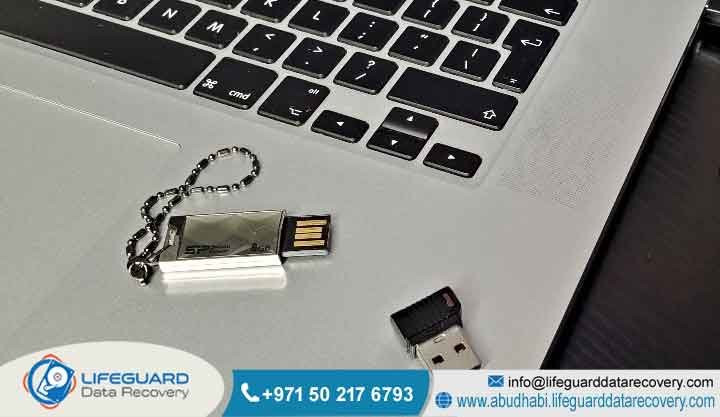
Why is my USB not showing files?
If your USB drive is plugged in but seems empty, the most frequent culprits are file system corruption, hidden attributes, driver glitches, or physical wear and tear. To keep your information safe, stop using the drive right away so you do not accidentally overwrite anything. If the drive makes clicking sounds or just won’t show up at all, it is time to call in the professionals.
Detailed Explanation: When your computer recognizes the drive but it looks empty, the problem usually isn’t that your files vanished into thin air. Instead, it often means the computer is struggling to read the partition table or the file system that acts like a map for your files. Sometimes, a virus or a simple system error can flip a switch that hides your folders. Other times, the physical memory chips inside the drive are starting to fail, which makes the information impossible for your PC to pull up.
What Is USB Not Showing Files?
Short Answer: “USB not showing files” is a common headache where your computer acknowledges the hardware is plugged in, but it won’t display any of your actual folders or documents. This can happen due to logical errors in the software or genuine physical failure, leaving your files stuck inside and invisible.
Detailed Explanation: Think of your USB as a filing cabinet. Even if the cabinet itself is physically there, if the index card that tells you where each file lives is shredded, you won’t find what you need. This is essentially what happens with a damaged Master File Table (MFT). Your computer can see the capacity and the drive letter, but it doesn’t know where to look to find the contents. While the actual information is usually still sitting on those memory chips, the path to reach it is broken.
How Does USB File Recognition Work?
Short Answer: When you insert a USB, your computer goes through a quick handshake process: it assigns a drive letter and tries to read the file system headers. If those headers are damaged, or if the partition table is confused, the operating system can’t map your files, so it shows you a blank drive instead.
Detailed Explanation: Your PC uses a specific set of rules to talk to flash memory. A small controller chip on the drive acts as a translator between the storage chips and your Windows or Mac system. If that controller hits a snag, or if you pulled the drive out while a file was still saving, the file structure can get scrambled. The computer sees the hardware, but it can’t decipher the language the drive is using to store your files.
Common Causes of Loss
Short Answer: The usual suspects are logical corruption, accidental formatting, pesky malware, or hardware failure. You can often fix logical problems with the right software, but if the hardware itself is damaged, you need a professional to look at it in a cleanroom environment before you lose everything.
Detailed Explanation:
-
Logical Corruption: This almost always happens if you yank the USB out while a transfer is still happening, or if the system crashes while saving.
-
Malware: Some viruses specifically target file attributes, making your files invisible so you think they are gone.
-
Hardware Failure: This involves physical damage to the printed circuit board, the USB connector, or the memory chips themselves.
-
Human Error: We have all been there-sometimes we accidentally click “format” or delete a partition by mistake.
Our Recovery Services
Short Answer: At Lifeguard Data Recovery, we handle everything from minor logical glitches to major physical meltdowns. We use specialized imaging tools to stabilize failing drives and rebuild damaged file systems, giving your files the best chance of being recovered properly across the UAE.
Detailed Explanation: Our team doesn’t just run basic software; we dig into the technical side of things. Whether it’s a simple software error or a drive that has been physically mangled, we have the tools to help. We work in a secure, controlled lab space to make sure your media isn’t exposed to dust or further damage during the recovery process.
Devices We Recover
Recovery Process
Step 1: Initial Diagnosis. Our engineers look at your device to figure out if we are dealing with a software glitch or a physical hardware issue.
Step 2: Imaging. We make a complete, bit-by-bit clone of your media. We work on the clone, which keeps your original device safe from extra stress.
Step 3: Extraction. We carefully reconstruct the file structure to track down those missing folders and files. Step 4: Verification. Once we have the files, we check them to make sure they are working perfectly before we hand them back to you.
How Long Does Recovery Take?
Short Answer: For basic logical issues, you are usually looking at a turnaround of 24 to 72 hours. If the problem is physical or involves complex firmware issues, it might take a bit longer, as we may need specific parts to get the drive talking again.
Detailed Explanation: We know you are in a rush, especially if this is business-critical work. We prioritize emergency cases for our corporate clients to get them back up and running. Once we finish the initial diagnostic check, we will give you a clear, honest timeline so you know exactly when to expect your files.
What Impacts Success?
Short Answer: The biggest factor is whether the information has been overwritten. If your drive is physically struggling, trying to force it to work with off-the-shelf software can actually destroy your files for good. If you notice something is wrong, turn it off and let a professional handle it.
Detailed Explanation: Every second a failing drive stays powered on, it risks further degradation. Trying to run “quick fix” software on a physically broken drive is the number one reason files become unrecoverable. Professional recovery is all about stopping the damage and getting to the information before the hardware gives up completely.
Why Choose Lifeguard
At Lifeguard Data Recovery, we combine technical expertise, advanced recovery technology, and a customer-first approach to deliver reliable results for every recovery project.
Certified Expertise: Our certified data recovery specialists have extensive experience in hardware engineering and flash memory recovery. They can diagnose complex storage failures and recover data from even the most challenging devices.
Data Security & Confidentiality: Your business and personal data remain protected throughout the recovery process. We follow strict security protocols and maintain complete confidentiality to ensure your sensitive information is handled safely.
Advanced Recovery Technology: We use specialized, custom-built recovery tools and professional laboratory equipment to reconstruct damaged flash memory and recover data that standard recovery software cannot access.
Transparent Process: We believe in complete transparency. From the initial diagnosis to the final recovery, we provide clear updates, explain every step of the process, and ensure there are no unexpected surprises.
Industries We Serve
Lifeguard Data Recovery provides secure and professional data recovery services for organizations across multiple industries. We help government and public sector agencies recover critical records, support financial and banking institutions in restoring essential business data, and assist engineering and construction firms with recovering valuable project files and technical documents. Our specialists also work with healthcare and medical providers to recover important patient and operational data while maintaining strict confidentiality. In addition, we support legal and professional service firms by restoring case files, contracts, emails, and other mission-critical documents with the highest standards of security and data integrity.
UAE Coverage
Lifeguard Data Recovery proudly serves customers across the United Arab Emirates (UAE) with fast, secure, and reliable data recovery solutions. Our dedicated support hubs are located in Abu Dhabi, Dubai, Sharjah, Ajman, Ras Al Khaimah, Fujairah, and Umm Al Quwain, allowing us to provide quick assistance for individuals, businesses, and government organizations throughout the country. Whether you need hard drive, SSD, RAID, server, mobile, or USB data recovery, our experienced specialists are ready to help with professional service across all major Emirates.
Case Study
Problem:
A business client in Abu Dhabi lost access to a USB flash drive containing critical financial records. The device was detected by the computer, but all files appeared to be missing.
Cause:
A sudden power surge damaged the USB controller chip, preventing the system from accessing the NAND flash memory and making the drive appear empty.
Recovery Process:
Our engineers performed an advanced chip-off data recovery procedure by carefully removing the NAND memory chips from the damaged USB drive. Using specialized hardware and proprietary recovery tools, we reconstructed the file system and rebuilt the partition structure to restore the lost data.
Outcome:
We successfully recovered 100% of the client’s financial documents, including accounting records, invoices, and compliance files.
Business Impact:
The recovered data helped the client meet regulatory requirements, avoid financial penalties, and continue business operations without disruption.
Case Study 2: Corrupted USB Drive Data Recovery
Problem:
A marketing agency in Dubai accidentally disconnected a USB flash drive during a large file transfer. After reconnecting it, the drive displayed an error asking to be formatted before use.
Cause:
The unsafe removal corrupted the file system, leaving important client presentations, graphics, and project documents inaccessible.
Recovery Process:
Our data recovery specialists created a sector-by-sector clone of the USB drive to prevent further damage. We then repaired the corrupted file system, reconstructed the directory structure, and recovered the lost files using advanced forensic recovery software.
Outcome:
More than 98% of the business data was successfully recovered, including high-value client projects and design assets.
Business Impact:
The agency met its project deadlines, avoided costly delays, and maintained client confidence by restoring the missing files quickly and securely.
Expert Tips
-
Always use the “Safely Remove Hardware” button before pulling your drive out.
-
Back up your files in at least two places-always have a second copy!
-
Keep your drives in a cool, dry place away from static electricity.
-
If your drive starts acting sluggish or clicking, stop using it immediately.
Frequently Asked Questions About Data Recovery in Abu Dhabi
General Data Recovery Questions
What is the best data recovery company in Abu Dhabi?
Lifeguard Data Recovery is a trusted choice for individuals and businesses in Abu Dhabi because of our high success rates, certified engineers, secure recovery laboratory, and transparent recovery process. We use advanced recovery technology to restore data from hard drives, SSDs, RAID systems, USB drives, mobile devices, and servers.
What is Data Recovery Abu Dhabi?
Data recovery in Abu Dhabi is the professional process of restoring lost, deleted, corrupted, or inaccessible files from damaged storage devices. At Lifeguard Data Recovery, we recover data from hard drives, SSDs, RAID arrays, NAS devices, USB flash drives, CCTV systems, laptops, and smartphones using industry-leading recovery techniques.
How much does data recovery cost?
The cost depends on the type of storage device, the cause of data loss, and the complexity of the recovery. We begin with a professional diagnosis to determine the issue and then provide a transparent quotation with no hidden charges.
Do you offer emergency data recovery services?
Yes. We provide 24/7 emergency data recovery services for businesses and individuals who need urgent recovery of critical files and systems.
Hard Drive and SSD Recovery FAQs
Can damaged hard drives be repaired?
Yes. Our engineers can perform physical repairs in a controlled laboratory environment, including replacing damaged read/write heads, repairing controller boards, and recovering data from mechanically failed hard drives.
Can I recover deleted files from an SSD?
Yes, but time is critical. SSDs use TRIM technology, which can permanently erase deleted data. Turning off the SSD immediately and seeking professional recovery greatly improves the chances of successful data recovery.
Is recovery possible after formatting?
In many cases, yes. Formatting usually removes the file system information rather than the actual files. If new data has not overwritten the storage space, the original files can often be recovered.
RAID and Server Recovery FAQs
How long does RAID recovery take?
Recovery time depends on the RAID configuration, the number of drives involved, and the type of failure. Most recoveries are completed within a few days, while emergency services are available for critical business situations.
How does RAID recovery work?
Our specialists reconstruct RAID parameters, rebuild parity information, and restore the original array configuration on cloned drives to safely recover inaccessible business data without risking further damage.
Deleted File and USB Recovery FAQs
Can deleted files be recovered?
Yes. Deleted files usually remain on the storage device until they are overwritten by new data. Using advanced forensic recovery tools, we can often recover deleted documents, photos, videos, emails, and other important files.
Can you recover files from CCTV systems?
Yes. We recover deleted, corrupted, and inaccessible CCTV recordings from DVRs, NVRs, surveillance hard drives, SD cards, and other digital video storage devices.
Security and Recovery Process FAQs
Is my information safe during recovery?
Absolutely. We follow strict confidentiality procedures, secure laboratory practices, and professional data handling standards to ensure your personal and business information remains protected throughout the recovery process.
Do you charge if the recovery fails?
For most cases, we follow a No Recovery, No Charge policy. If we cannot recover your requested data, you generally won’t pay recovery fees.
How do I send my device for recovery?
You can visit our Abu Dhabi office or use our secure pickup and courier service from anywhere in the UAE. Your storage device will be transported safely to our recovery laboratory for evaluation.
What if my drive is physically damaged?
Even severely damaged storage devices can often be recovered. Our engineers perform advanced microsoldering, PCB repair, cleanroom procedures, and chip-level recovery techniques to retrieve data from physically damaged drives whenever possible.
Final CTA
For professional assistance with your storage media, contact Lifeguard Data Recovery today. Call: +971 50 127 6793 Email: info@lifeguarddatarecovery.com Visit: www.abudhabi.lifeguarddatarecovery.com